
Pergola Louvers Won’t Move: What to Check Before Calling Support
Pergola troubleshooting
When a louvered pergola roof stops responding, it is tempting to press the control again, reach for a stuck blade, or try an online reset. Those actions can obscure the symptom or create a hazard. Before calling support, make safe observations: identify the unit, note what the normal control did, look for visible obstruction or damage from the ground, and save clear photos. Do not force the louvers or open electrical equipment. Because controls and operating restrictions vary by model, the exact manual—not a generic reset tip—should guide any user-level action. The checks below help you describe the issue; they are not a do-it-yourself repair procedure.
Stop repeated attempts and note the roof’s position
When the louvers do not respond to a normal command, stop rather than repeating button presses or trying to move a blade by hand. A stationary roof does not reveal whether the issue is with the control, available power, a protective condition, or the mechanism. Forcing a panel can worsen damage and put hands near pinch points. Do not climb onto the structure, reach between louvers, remove covers, or use a tool to free anything. Keep people clear of the moving area, and note the roof’s position from a safe place. Do not make it move just to close it or test whether it is stuck.
Treat unusual movement or visible damage as a reason to pause. If a louver shifts unevenly, a component looks bent or loose, or you hear scraping, grinding, or repeated clicking, do not keep operating the roof to reproduce the symptom. Record what you saw or heard and where it happened. Smoke, sparks, exposed wiring, or signs of heat call for distance, not closer inspection; seek qualified assistance, and contact emergency services for an active fire. Do not reset, unplug, or open equipment as a reflex. The useful first step is to preserve the condition and describe it clearly, not to attempt a repair.
Confirm the pergola model and installed controls
Find the order confirmation, invoice, installation paperwork, and any product label that can be read without climbing or removing a cover. Write down the exact product or model name, any serial or identification number, the approximate purchase or installation date, and who installed the pergola. If it has been serviced, record when and what was changed, even if you do not know the part name. A roof’s shape or finish is not enough to identify its control system; apparently similar units may have different instructions or fitted options. Keep a photo of the paperwork rather than relying on a paraphrased model description.
If your records name the Bloomcabin Bioclimatic Aluminum Pergola, copy that wording accurately into the support request. Match the order record to the installed unit rather than identifying it by appearance. Separately record any name or model number visible on the ordinary user control, and whether that control was supplied with the original installation or added later, if known. This gives support two useful identification details: the pergola ordered and the control currently in use. If a label is inaccessible, do not remove a cover to find it. Explain which information is missing and ask support how to identify the unit safely.
Describe what happens after a normal command
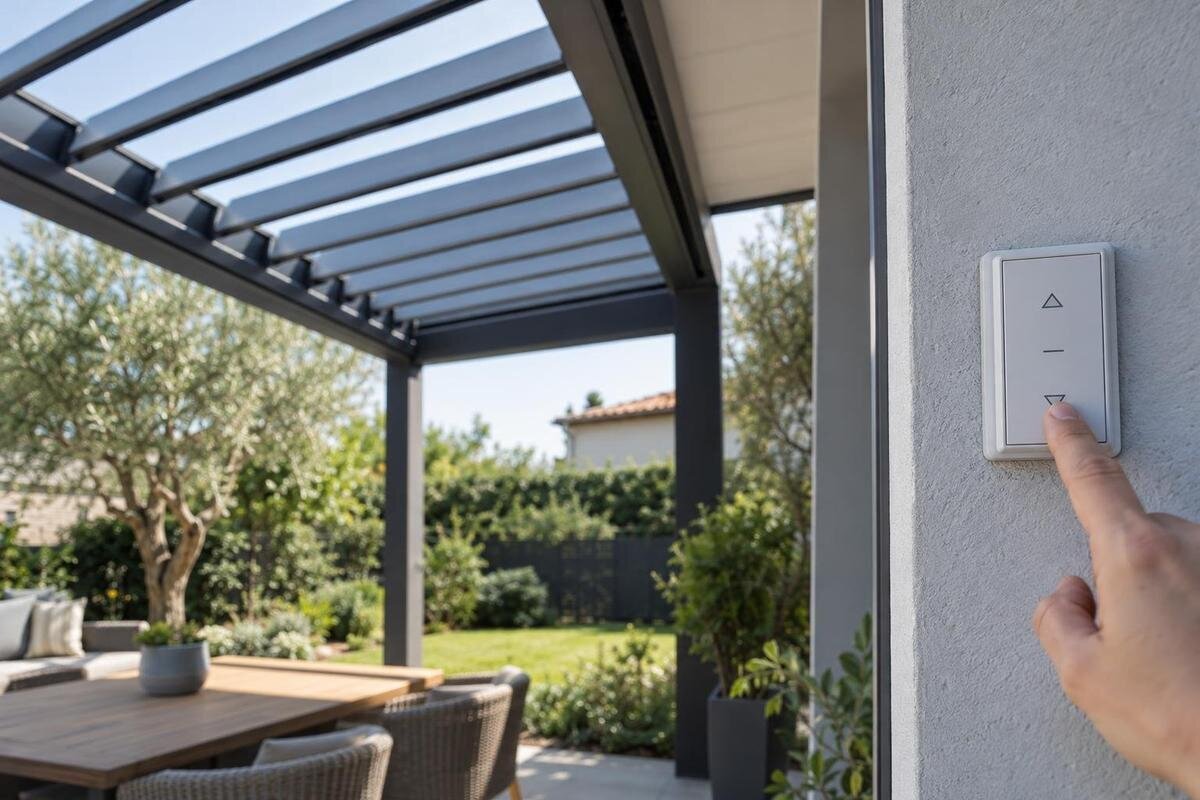
For any observation you make, use only the normal control method described in the manual for your exact model. Note which control you used, whether its display or indicator changed, whether you heard anything, and whether the roof moved at all. Do not try combinations copied from an unrelated remote or another pergola’s instructions, hold a control down to force a response, or operate other mechanisms as a shortcut for diagnosis. A sound or light at the control can be useful evidence, but it does not prove that a command reached the mechanism or explain why the louvers stayed still.
Describe the result in plain terms: no movement, partial movement, a stop at a particular point, movement in only one area, or an intermittent response. Distinguish the command you intended from the result you observed; for example, say that you selected opening but saw no movement. If your paperwork identifies the Bloomcabin Lean-To Pergola, include that name alongside the symptom rather than assuming it identifies the control arrangement. Use section names from your manual when available. Otherwise, describe the affected area from a consistent viewpoint, and state whether the roof stayed in its previous position or stopped somewhere different.
Check for visible obstruction or damage from a safe place
From a safe position on the ground, look for an obvious branch, loose material, or other object that appears to be near the louvers. Also note any visible change such as a louver sitting at a different angle from its neighbors, a gap that was not there before, or a mark that could indicate impact. These details are observations, not a diagnosis: something visible nearby may not be the cause, and a mechanism can have a problem that is not visible from below. If the roof is hard to see, record that rather than using a ladder or leaning over an edge.
Do not reach into a joint, remove material from between moving parts, or operate the roof to see whether it will clear itself. Describe where the object or irregularity appears: above a louver, between adjacent louvers, or near an outer edge, if you can tell from the ground. If your records identify the Bloomcabin Pergola, use that name in the report and attach a photo of the affected area on your own installation. Mark the location on a copy of a wide photo while keeping the original. If the view is unclear, say so; an uncertain description is better than treating a nearby object as a confirmed blockage.

Record unusual sounds and movement patterns
Describe sounds without guessing at their source. Note whether you heard silence, a click, a hum, scraping, or a grinding sound, when it began, and whether any louver moved at the same time. A single click or buzz does not identify a failed part; different issues can produce similar symptoms. If an unusual sound occurs during normal operation as described in the manual, do not repeat the command just to record it again. Explain whether the sound seemed to come from the handheld control, another accessible control, or the roof area, and say when you could not locate it.
Movement patterns can add context that a sound alone cannot provide. Report whether the whole roof appeared to stop together, whether one area lagged behind, or whether a louver ended at a visibly different angle. Describe only what you actually saw; do not run another test to complete the account. When discussing service for the Bioclimatic Aluminum Pergola, ask whether those observations warrant an on-site inspection before requesting a particular component. A new noise or uneven movement is not enough to choose a motor or linkage. Leave tightening, alignment, lubrication, and replacement to the applicable manufacturer instructions and qualified service advice.
Use the manual to check conditions and indicators
Record the conditions around the time the louvers stopped: for example, whether the issue began after a storm, a power interruption, or other work on the pergola. Treat these as details to report, not proof of a cause. Some systems may have operating restrictions or protective features, but arrangements vary. Check the exact manual for any applicable restrictions; do not assume that your installation has a particular sensor or that a change in weather explains the fault. If the manual is missing or does not cover the situation, ask support for the correct version rather than borrowing instructions from a different system.
Record any message or indicator visible on the ordinary user control, including its exact wording or symbol. Note whether it appeared before the command, immediately afterward, or only when movement stopped. If the manual explains that indicator, include the relevant page or instruction title in your notes rather than interpreting a similar code found online. For an installation identified as the Lean-To Pergola, request documentation that matches the installed controls as well as the pergola. Follow a recovery step only if those instructions describe it as a user-level action. Do not open electrical enclosures, test wiring, bypass a protective feature, or substitute a generic reset sequence.
Build a short, factual event log
Write down when you first noticed the problem and what happened immediately beforehand, if known. Include the date and approximate time, the roof’s position, the normal command used, the result, any sound or visible message, and whether the issue has happened once or more than once. Mention a power interruption, storm, or recent service only if you observed it; do not write that it caused the failure unless a qualified person confirms that. A simple sequence is more useful than a long account full of guesses, especially when the issue is intermittent or changes over time.
Keep observed facts separate from questions and possible explanations. For instance, note that one area did not move rather than labeling a motor or sensor as failed. If different people witnessed the problem, preserve their separate observations and identify any uncertainty about the order of events. If you are also considering the Bloomcabin Pergola as a replacement option, put that inquiry outside the fault timeline. State which unit is currently installed and which product you want to discuss. This keeps a future purchase question from being mistaken for the identity of the roof that needs service, and helps support address repair and replacement as separate decisions.
Take useful photos without entering the movement area
Start with a wide photo that shows the pergola and the louvers’ overall position. If it is safe from where you are standing, add a closer view of a visible obstruction, an apparent difference in louver position, or a readable display. Keep the viewpoint clear in your notes, such as which side of the roof the photo shows. A short video may help with an intermittent symptom only if it happens during a normal, manual-authorized operation and you can record from a clear, safe position. Do not trigger extra movements, climb, lean over the roof, or remove a cover to improve the image.
Send photos of your actual installation, not catalog imagery. The Bloomcabin bioclimatic pergola gallery can help identify the product you are discussing, but support needs your own images to assess the reported condition. Pair a detail photo with a wider view so its location is understandable. Keep original files, and label copies with the date and viewpoint instead of drawing over the only image. Check that a displayed message is readable before sending the file; do not move closer to a hazard to improve it. Review attachments for unrelated personal information, such as addresses on paperwork, while retaining the identification details support needs.
Prepare a complete support request
Include the exact model name, any safely available identification number, the purchase or installation date if known, and the control or manual you use. Add the event log, a concise description of the movement, visible signs, and photos or a short safe video. Quote a displayed code exactly rather than interpreting it. Mention any recent service or change to the installation, and state which checks you did not perform. A report that separates what you observed from what you suspect gives support a clearer starting point than a message that says only that the roof is stuck.
Ask what user-level steps, if any, are appropriate for your exact model and whether the roof should remain unused while the issue is reviewed. If you are discussing the Bloomcabin Lean-To Pergola as a replacement, keep that question separate from the repair request. Ask what installation information is needed to assess suitability and which existing components, if any, are approved for reuse. Do not assume that matching appearance establishes compatibility. If support proposes a part, request its exact identification and confirmation that it matches your installed configuration before ordering. Also clarify who should perform the work and what documentation they will need.
Know when the issue needs qualified service
Request qualified service if the louvers move only partly, stop repeatedly, behave unevenly, or make an unusual sound; if the problem returns after a manual-approved user check; or if you see apparent damage or material caught near moving parts. A visible error message that remains unexplained is also worth reporting. Stop using the system if its behavior is unpredictable or you see exposed wiring, smoke, sparks, or signs of heat. Do not disassemble the mechanism, adjust a linkage, replace a motor, or bypass a safety feature to get the roof moving.
Support may need to confirm the exact manual, inspect the installation, or determine whether an approved repair or replacement part is appropriate. Ask for compatibility to be confirmed for your specific model and installed configuration before any component is ordered or fitted. Electrical work and mechanical repairs should be handled by qualified service personnel, following the manufacturer’s requirements. You do not need to choose a replacement before the cause is understood. Preserve the roof’s current condition, keep people clear if it appears unsafe, and let the observations you recorded guide the next conversation.
Frequently asked questions
Should I keep pressing the control if nothing happens?
No. Repeated commands can make it harder to tell what happened and may increase risk if the roof is obstructed or behaving abnormally. Stop, note the louvers’ position and the control’s response, and use only instructions for your exact model.
Can I push a louver into place by hand?
Do not try to move a louver by hand unless the exact manufacturer instructions explicitly describe a safe user procedure. Forcing a connected part can damage the mechanism or put your hands near pinch points. Ask support how to proceed.
What should I photograph for support?
Take a wide view of the pergola and, from a safe position, clear views of the louvers’ current position, any visible obstruction or damage, and any readable control message. Use photos of your own installation; do not climb or remove covers to get a closer view.
Can I reset power at the breaker?
Do not rely on a generic reset suggestion or open electrical equipment. Follow only a user-level procedure in the manual for your exact model. If a circuit repeatedly trips, or you see exposed wiring, sparks, smoke, or signs of heat, keep clear and contact qualified help.
Does one failed command mean the motor is broken?
No. A lack of movement can have more than one explanation, and a single symptom does not identify the cause. Record exactly what the control and roof did, then let support or a qualified service provider determine what inspection is needed.
A pergola roof that will not move is a symptom, not a diagnosis. Support can work from a clearer starting point when you provide the exact model, the control response, the roof’s position, and what you observed without changing the mechanism. Stay with safe visual checks and the correct manual; leave internal adjustments, wiring, and compatibility decisions to qualified service. If the roof is damaged or behaving unpredictably, keeping people clear and pausing operation matters more than getting it to move.
