
Pergola Remote Not Working: Pairing, Batteries, or Power?
Pergola support
An unresponsive pergola remote can point to a battery issue, a control link that needs the manual’s pairing procedure, or a wider power or control fault. Those symptoms can look alike, so begin with observations rather than a reset or replacement purchase. You can check labels, visible condition, and any battery compartment the manual identifies as owner-accessible. Pairing steps, electrical access, and component replacement depend on the actual controller; without its exact manual, do not guess at button combinations or open the equipment.

Separate the symptom from the diagnosis
A remote that appears dead can fail in several different ways. Write down the exact behavior: no light or display, an indicator with no movement, intermittent response, response only from one location, or failure of only one command. Treat these as observations, not diagnoses. A light on the handset does not prove the receiver accepted a signal, and no light does not by itself prove the pergola has lost power; remotes can show status differently. Record which control you used, what you expected, and what actually happened rather than describing every fault as “the remote is broken.” Also distinguish a newly developed problem from a remote that has never worked with this installation. A previously working remote and an unconfirmed replacement raise different questions. If only one function fails while others still respond, identify that function explicitly; describing the entire system as unresponsive would leave out an important part of the symptom.
Keep people, pets, furniture, and other objects clear of any moving area before a normal test. Use only the operating method in the manual for your particular controller; do not hold buttons, repeat commands rapidly, or test with a hand near moving parts. If the structure moves unexpectedly, stops partway, makes an unfamiliar sound, or does not respond to its normal stop method, end the test and arrange service. A brief, controlled observation is more useful than repeated attempts and helps avoid an unsafe movement.
Identify the pergola and its controls
Start with records, not the control box. Find the order confirmation, installation paperwork, product identification label that can be read from outside, and any handover manual. Record the exact model wording, serial or identification number, approximate installation date, and installer, if known. Look for separate identifiers for the handheld remote and the controller or receiver. The transmitter may have a label on its back or inside a battery door; only note control equipment labels that are visible without removing a cover.
The product name can help identify the structure: if your paperwork names the Bloomcabin Lean-To Pergola, copy that wording exactly. It does not identify the handset, receiver, or control unit, so keep those details separate in your notes. An order number can help support locate the original purchase record, while a component identifier helps establish which control documentation applies. Photograph readable labels rather than relying on a handwritten transcription alone, especially when letters and numbers are easy to confuse. Keep the full label in the photo so that a model number is not mistaken for a serial number. If your records contain several manuals, check their equipment names and revision information instead of choosing whichever booklet mentions a pergola. Note any control replacement made since installation; the original order may no longer describe the equipment in use. Ask support how to identify a component if its label is not safely visible.
Check the remote’s condition and button labels
Look over the outside of the remote for a cracked case, a loose battery cover, visible moisture, a damaged display, or buttons that appear stuck. Note whether an indicator or display responds during ordinary use, but do not infer more from it than the manual describes. Avoid spraying liquid or cleaner on the handset. If it has been wet or visibly damaged, stop using it and ask for guidance rather than opening the case to dry or repair it.
Read the remote’s button labels and any channel or function shown on its display. If the exact manual describes selectable channels, confirm which one is selected using its ordinary operating instructions; do not explore unfamiliar menus or programming buttons. Record the displayed selection when reporting the fault. This helps distinguish an unanswered command from a command intended for a different function, without assuming that every remote has multiple channels. When asking about a replacement handset for a Bloomcabin Pergola, describe the controls you currently use rather than requesting a remote by appearance alone. Include a clear front-and-back photo if support requests one. The front shows the button layout, while the back may identify the transmitter. Neither photo establishes compatibility by itself, but together they give support more useful information than a description such as “the small black remote.”
Replace a battery only as its manual directs
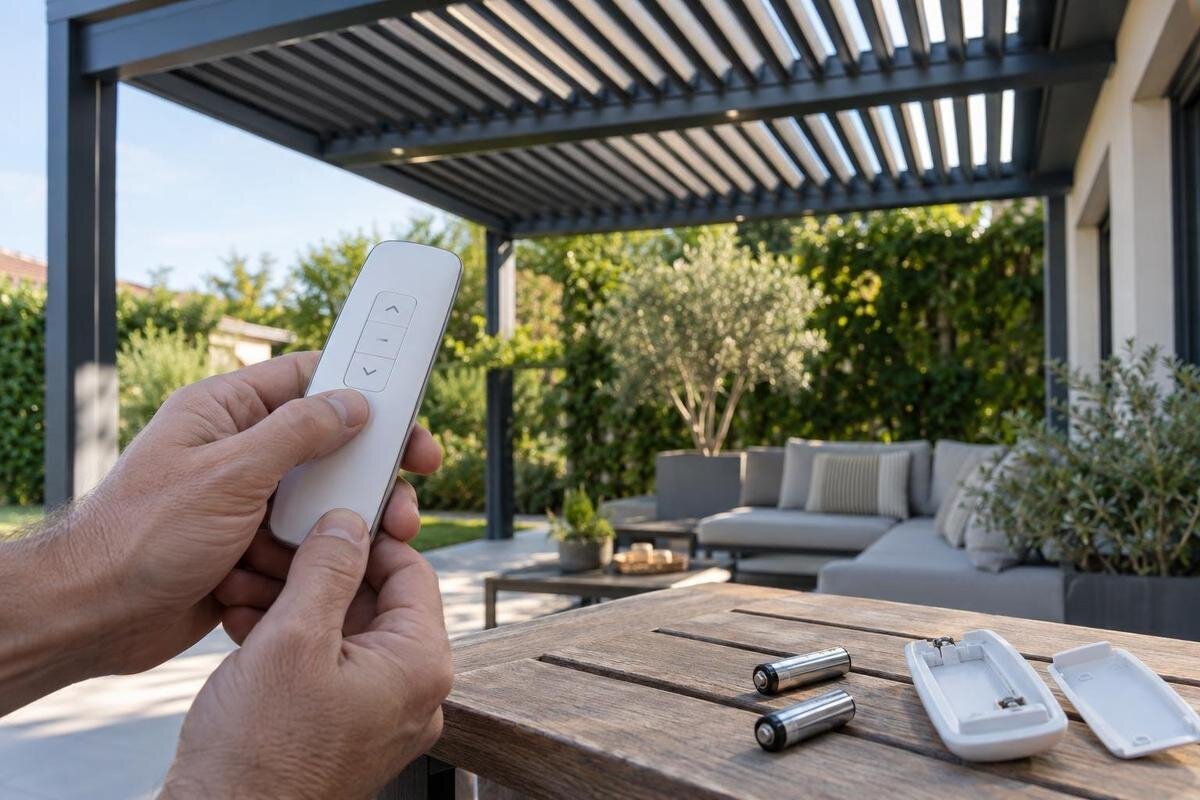
Battery replacement is an owner-level check only when the remote’s manual identifies the compartment as accessible to the owner. Use the specified battery type, orientation, and replacement method; do not guess from the shape of an old cell, substitute a different type, or force a cover. If the handset is sealed, rechargeable, or has no clearly identified user-accessible compartment, follow its manual rather than prying open the case.
After a manual-directed battery change, note whether the display or indicator behaves differently and whether the original symptom remains. Compare the same ordinary command before and after the change, rather than changing several settings at once. If the display now works but the pergola still does not respond, report both outcomes; improved handset activity is not proof that pairing or receiver operation is correct. If you are requesting a remote or accessory for the Bloomcabin Bioclimatic Aluminum Pergola, ask which battery information applies to that specific handset. The structure’s product name does not establish battery type or whether a battery is included with a replacement. Keep the replacement battery’s packaging or specification available when reporting the result so support knows what was fitted. Stop if you see leakage, corrosion, or damage, and ask how to proceed rather than scraping contacts or attempting a repair.

Check whether another installed control responds
If the installation already has another control, such as a wall control or an app, you can compare its normal operation with the remote. Use it only according to its own instructions and only when the area is clear. Do not assume a second control exists, install one for testing, or use another control to bypass a safety feature. The purpose is simply to record whether the same function responds through an existing control path.
If another control operates the same function normally, the system can respond through that control at that moment. This makes a remote, pairing, or signal-path issue one possibility, not a confirmed diagnosis. Compare like with like: an existing control operating a different accessory does not establish that the function requested from the remote is available. Record the function, the control used, and the result. If no control responds, a wider control, power, or mechanism issue may be involved. Note any status indicators visible without opening equipment, but interpret their meaning only through the applicable manual. A recent outage is useful background, not proof that the current problem is a power fault. Checking a supply electrically is a service task, not a handset test. Do not remove covers, probe wiring, or repeatedly reset electrical equipment; report damaged cables, water, or a tripped circuit to service.
Follow the exact controller manual for pairing
Pairing is one possible explanation when a remote shows activity but the pergola does not respond, or when a remote has been replaced. It cannot be confirmed from that symptom alone. Pairing instructions depend on the particular remote and control equipment, so a similar-looking handset or a video for another system is not a reliable guide. Match the manual to the identifiers on your actual remote and controller before attempting any pairing procedure.
If the exact manual describes an owner-performed pairing procedure, first read the whole procedure, including its prerequisites and the response that indicates completion. Confirm that it covers your situation: adding a new handset may be treated differently from restoring an existing one. Follow only those instructions, in the stated order and under the stated conditions. Do not substitute a generic long press, reset, or power-cycle sequence. When considering a control upgrade for the bioclimatic pergola model, ask whether it is compatible with the installed receiver and whether setup requires professional service. A structure’s product page cannot supply those answers for an unidentified controller. If the manual requires opening an electrical enclosure or accessing wiring, arrange qualified service. If an owner-level procedure produces a different response from the one described, record where it diverged and request guidance rather than continuing with steps intended for another result.
Treat range and intermittent response as clues
An intermittent response may vary with the remote’s location, but that pattern is a clue rather than a diagnosis. If normal use can be observed safely, note where the remote works and where it does not, which command was used, and whether the result is consistent. Follow any positioning guidance in the exact manual. Do not climb, move the receiver, or reach into equipment to improve the signal; those changes can obscure the original symptom and create a service risk.
For intermittent faults, a short record of ordinary use is more helpful than repeated attempts to reproduce the problem. Note your position relative to the pergola, the selected function, and whether the response was immediate, delayed, or absent. Include relevant changes, such as using the remote from indoors instead of outdoors, without declaring an obstruction or interference to be the cause. A safe photo of the usual operating location can give support context without requiring measurements or access to the receiver. If you are considering a replacement control for the regular Bloomcabin pergola, describe this location-dependent behavior before ordering. Ask whether the proposed replacement addresses the diagnosed fault; do not assume that a different handset will provide greater range. Keep observations from routine use separate from any published range specification, which must come from documentation for the actual control equipment.
Stop testing when there are warning signs
Do not continue owner checks if the remote or equipment is cracked, wet, unusually warm, sparking, or giving off a burnt smell. Stop if a circuit trips repeatedly, the structure moves without a normal command, or a control behaves unpredictably. Keep people away from moving parts and do not touch wet electrical equipment. These signs call for service rather than more button presses, battery changes, or attempts to make the system move.
Explain the warning sign first when requesting help, including what happened immediately before it and whether the equipment is still in use. Give the structure model, such as the wall-mounted Bloomcabin pergola, as context for the service request, not as evidence of a particular electrical fault. Tell support whether the relevant equipment is visible from ground level or would require special access; do not climb to obtain a closer photograph. Ask how the installation should be left pending inspection. A replacement remote purchase is not a substitute for assessing damaged or unpredictable equipment. Internal electrical diagnosis, receiver replacement, and wiring repairs belong with a qualified service professional, while the owner’s role is to provide observations and accessible records.
Confirm compatibility before buying a remote
A replacement remote must be confirmed for the control equipment actually installed. Similar appearance, a matching product family, or a generic label such as “pergola remote” is not enough. Compare the exact remote and controller or receiver identifiers, and provide any version information that is printed on them. Ask the seller, manufacturer, or service provider to confirm compatibility before you order, including whether the replacement requires a manual-approved pairing procedure.
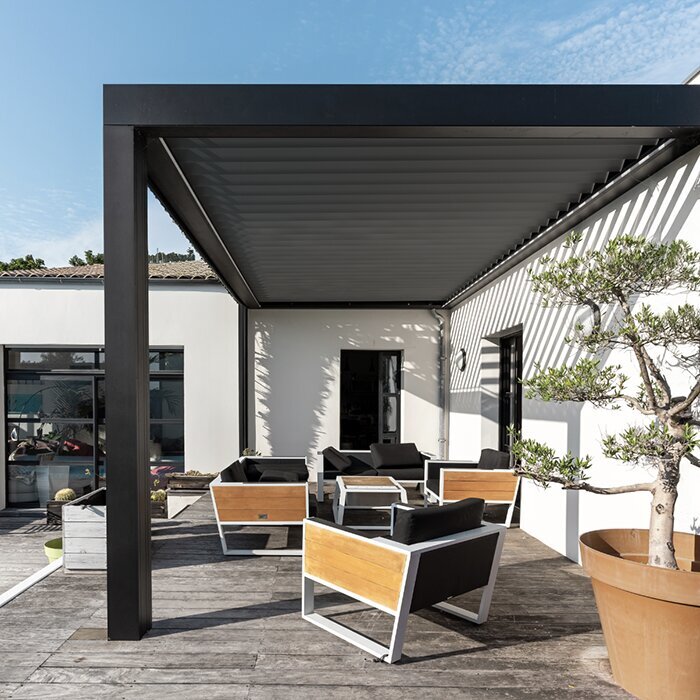
Include your structure model when asking about a part; the Bloomcabin Pergola product listing can serve as a product-name reference if it matches your unit. Request confirmation against the actual control labels, not just the structure name. Clarify whether the proposed purchase is a handset alone or includes other components, and whether it preserves the functions you currently use. If a different receiver is required, ask for a separate assessment of compatibility and installation rather than treating it as a simple remote swap. Keep the compatibility confirmation with the part description so there is a clear record of what was approved for your installation. Before ordering, also establish who will perform any required setup and which manual will apply. If an approved part cannot be identified from the available information, ask what additional label or record is needed; buying first and trying to pair it later leaves the central compatibility question unanswered.
Give support a useful fault record
Organize your fault record in chronological order: the last known successful use, the first failed use, and any owner-level check performed afterward. Give each check its own result rather than combining them into “tried everything.” For example, distinguish a display that began working after a battery change from a command that still produced no response. Include the identifiers gathered earlier, but focus the description on what changed and what stayed the same. State explicitly when something is unknown, such as whether another control works or whether the remote was ever paired after replacement. That is more useful than filling gaps with assumptions. If the problem is intermittent, report the most recent successful use as well as failures. This gives support a clearer timeline and helps avoid repeating checks you have already completed.
Send photos as evidence of the actual installation, not as a reason to expose hidden components. Useful images may include the remote’s front and back, an accessible identification label, and the displayed state associated with the fault. A video should capture only a safe, normal operation and the observed response. If your order identifies the Lean-To Pergola model, include that order record; a current catalog page does not document which controls were supplied with an earlier purchase. Ask support to identify the applicable manual and the next check appropriate to your recorded results. If a replacement is proposed, request the exact part reference and compatibility confirmation. Keep the reply with your fault record so an installer or service professional can see both your observations and the guidance already provided.
Frequently asked questions
Can I use a universal or look-alike remote?
Do not assume it will work because it looks similar or has the same brand name. Confirm compatibility with the exact remote and controller or receiver identifiers before ordering. A pergola model name alone is not enough to establish a match.
Do I need to pair the remote again after changing its battery?
Not necessarily. Whether pairing is needed depends on the specific controller. Check the exact manual and follow its instructions only if they apply to this situation. If the remote still fails, note what changed and ask for controller-specific guidance.
The remote’s indicator lights up. Does that mean the pergola has power?
No. The indicator shows activity at the remote; it does not confirm that the receiver accepted a signal or that the pergola’s control system is operating. If another control is already installed, its normal operation can offer a useful comparison.
Can I try a reset sequence I found in a video?
Avoid generic button combinations, resets, or power-cycle instructions. Their effects are controller-specific, and an unfamiliar sequence may change the system’s state. Use the exact manual for your remote and controller, or request it using the identifiers on your equipment.
Can I open the control enclosure to check for power?
No. Do not remove electrical covers, probe wiring, or handle internal components. Note any status indicators that are visible without opening equipment, then have a qualified service professional diagnose internal power or control faults.
A remote’s indicator, battery, and response pattern are useful evidence, but none is a diagnosis on its own. Record what you can see, follow only the battery or pairing instructions for the exact equipment, and stop before a check requires electrical access. The goal is to distinguish a handset problem from a wider fault before buying a replacement or arranging the appropriate service.
