
How Much Does an Outdoor Hot Tub Cost in Canada?
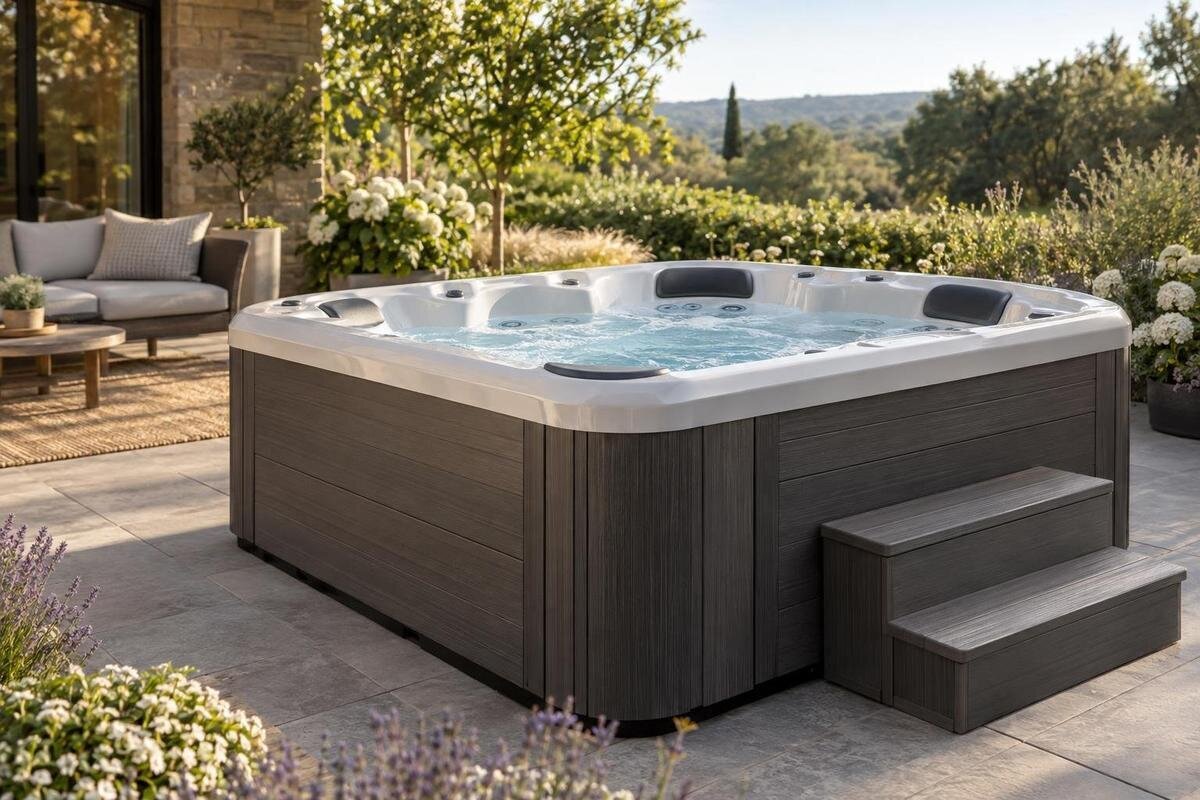
Canadian hot tub price guide
An outdoor hot tub price can look simple on a product page and become harder to compare at checkout. In Canada, the displayed amount may not make clear whether it covers only the tub, a selected package, delivery or taxes. The information available for this guide identifies four Bloomcabin models but does not provide dated Canadian prices or the terms needed to calculate their order totals. Rather than invent a price range or rank the models, this guide explains how to compare a purchase quote fairly and keep installation, heating and maintenance in separate budget lines.
What does an outdoor hot tub cost in Canada?
No single national price tells you what an outdoor hot tub will cost for your order in Canada. A product page may show a tub-only amount, a package price or a promotion, while delivery, taxes and choices made during checkout can change what you pay. This guide does not include dated Canadian-dollar prices and accompanying order terms for the four Bloomcabin models. Quoting a range without those details would give an incomplete basis for budgeting. A useful comparison starts with the exact model, a dated price and a clear account of what that price covers for your destination.
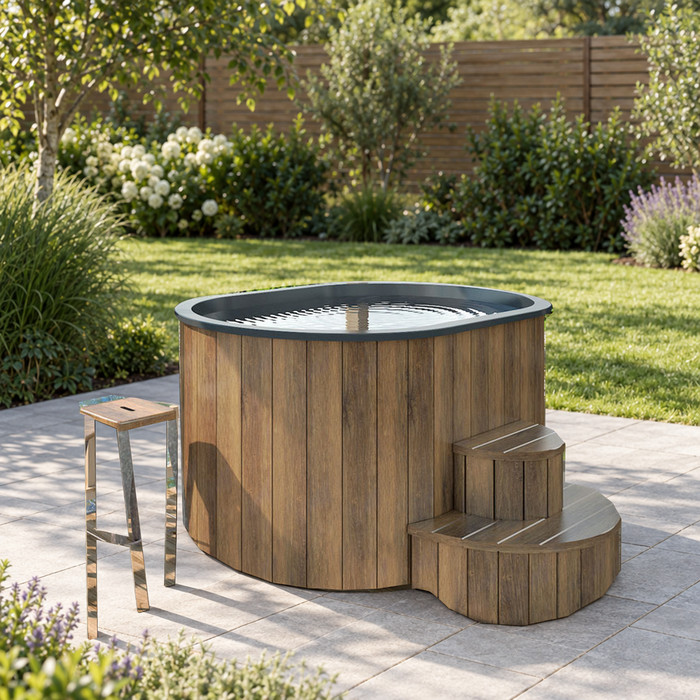
Separate the displayed product price from the order total. The Bloomcabin Hot Tub Cove 2 product page can identify the item you are considering, but its catalogue name does not establish what it costs today, what is included or whether it suits your site. Write down the amount shown and the date, then check which selections, delivery charges and taxes are added before the order is complete. An amount from another date, retailer or market is not a substitute for a Canadian quote with the same terms. If checkout cannot show a destination-specific total, mark unconfirmed components as unknown rather than calling the displayed figure all-in.
Why advertised prices can differ
Two listings are not comparable just because both are described as outdoor hot tubs. One amount may refer to the product alone while another may include selected options, a bundle or an expressly stated discount. Availability and delivery conditions can also affect whether an advertised offer applies to your order. Compare the exact model and package, and note what the seller says is included; do not fill gaps from product photographs or from what another retailer offers. If a listing is unclear, record the difference as unresolved instead of assuming both prices cover the same goods and services.
Price conditions can matter as much as the number. A promotion may have an expiry date, eligibility rule, regional limitation or special checkout condition; an instalment amount, if offered, is not the total payable. For the Bloomcabin Hot Tub Haven 6 listing, note whether the amount is presented as a regular price, a promotion or a selected package, and keep the terms with your record. Record any conditions beside the price so you can see whether the offer applies to your intended order. Compare the total payable under those terms, rather than a banner price or an isolated payment figure.
What may or may not be included in the price
Read the product description and checkout as a list of inclusions, rather than filling gaps from photographs or familiar retail practice. If a cover, steps, lifting aid, water-care items or another accessory matters to your plan, check whether that exact item is included, optional or sold separately. These are examples of questions to ask, not features confirmed for any Bloomcabin model. A product image does not establish what arrives in the order, and a model name does not identify an accessory bundle. Note anything that remains unclear before comparing amounts.
Ask for a line-by-line breakdown that distinguishes the tub from paid options and any other order charges. Check quantities, selected variants and whether a package names every item you expect. If something is included at no extra charge, have the quote say so rather than silently counting it in your comparison. The Bloomcabin Hot Tub Fjord 8 product listing should be checked for its stated inclusions; no package details can be inferred from Fjord 8. Leave an optional upgrade out of the total unless you have deliberately selected it, and confirm that your chosen items appear in the checkout amount.
How to compare Canadian listings fairly
Compare every candidate in Canadian dollars, using the same delivery postal code and the same definition of what you intend to buy. Check the date of each price: a saved listing from an earlier search may not represent the offer available when you are ready to order. Distinguish a displayed product amount from a quote for a configured order, and keep those labels consistent across your shortlist. If one quote leaves a charge unresolved, mark it as unknown rather than entering $0. Zero means you have confirmed there is no charge; an unknown amount means the comparison is still incomplete.
Compare like with like before deciding that a price gap is meaningful. A tub-only amount should not be set beside an option-inclusive, delivered total without separating the categories. The Bloomcabin Hot Tub Aurora 10 listing can go into the same worksheet, but the name alone says neither how its specifications compare nor whether it costs more. If you cannot normalize a category from the page, request an itemized quote instead of guessing. Keep the comparison open until important terms are confirmed; an apparent low price is not yet a useful ranking.
Comparing the four Bloomcabin models
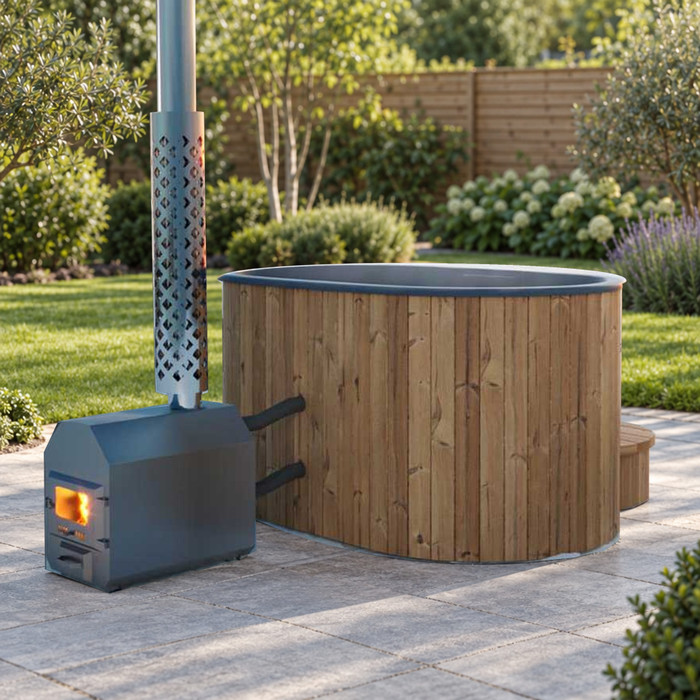
The four models considered here are Bloomcabin Hot Tub Cove 2, Bloomcabin Hot Tub Haven 6, Bloomcabin Hot Tub Fjord 8 and Bloomcabin Hot Tub Aurora 10. Keep a separate comparison entry for each exact model so that a price, package or option is not accidentally attributed to another product. The information available here establishes their names, but not current Canadian prices or regional availability, so it does not support ranking them from cheapest to most expensive. When you find a price, record its date, tax treatment, delivery terms and selected options alongside the model name. Those details make the figure useful for a purchase decision.
On the Cove 2 listing, capture the amount and conditions actually presented to you, then repeat the same process for each other exact product page. Keep the date and postal code beside every saved figure: a screenshot without those details may not explain a later checkout difference. If a page shows a product price but does not show delivery or tax, label it displayed product price, not total. Do not interpret 2, 6, 8 or 10 in the model names as capacity, dimensions, technical performance or a price tier; those details need explicit product information.
How taxes and delivery affect the order total
Tax treatment belongs in the comparison because a displayed product amount may not be the final amount due. Ask whether the figure includes applicable taxes, which taxes or fees are added at checkout and what the order total becomes before purchase. Do not copy a pre-tax amount into an all-in budget or assume that a page’s use of the word price settles the question. To compare offers, use the same basis for each, preferably the final amount shown after entering the same destination and selections. If the details are not shown, ask for confirmation and leave that line unconfirmed until you have an answer.
Delivery needs the same destination-specific check. Confirm whether it is included, quoted separately or not yet calculated, and ask what service the charge covers; transport, unloading and placement may be described differently from one offer to another. These are points to confirm, not services verified for a particular product. Enter your intended postal code when checking the Haven 6 product page and keep any delivery amount on its own line. A missing delivery figure is incomplete for a delivered-order comparison, but it is not proof that delivery is free. Check any address-related limits before treating the amount as final.
How to compare options and promotions
An option changes the comparison only if you choose it or it is required for the package being quoted. Read configuration controls carefully: a preselected choice can affect the displayed amount, and changing it later can alter the total. List each paid option by name and amount, then compare products either without optional additions or with an equivalent set selected on both. If equivalent items are unavailable or their status is unclear, show that difference instead of calling one offer cheaper. This keeps the base product price distinct from the configuration you actually want.
For a promotion, preserve the conditions as well as the amount: its expiry date, eligible item, included goods and any stated delivery or checkout terms. Recheck the order summary before relying on the discount; a banner or crossed-out amount alone does not establish what you will pay. For the Fjord 8 listing, distinguish the advertised offer from the amount that applies to your selected order. Record the discount separately from the product price so you can see how it affects the total. If the deal expires before you order, update the comparison rather than carrying the old promotional amount into your budget.
Setting a budget for the tub order
Set a ceiling for the tub order before narrowing your shortlist, and define exactly what that ceiling covers. It might mean the product price only, or it might include chosen options, delivery and taxes; those are different limits and can lead to different decisions. If your ceiling is product-only, leave separate lines for order charges so a checkout addition does not blur the decision. If it is an order-total limit, include only costs confirmed for the same postal code and exact order. A clear boundary is more useful than a number that mixes unlike costs, and you can revise it after receiving comparable written quotes.
Once you have defined the budget, compare confirmed product specifications separately from purchase amounts. Review the Aurora 10 product details for information relevant to your household and site, rather than treating its name or price as evidence of suitability. Identify which stated features matter to you, then distinguish those from optional additions you could leave out of the order. If comparable information is missing from another listing, note the question before judging the price difference. This gives you a clearer basis for deciding whether a more expensive quote offers something you actually want, rather than simply assuming that a higher price means better value.
Keep installation and operating costs separate
The product amount is not an installed-project budget. Site preparation, base work, professional electrical or other site work, and any assessment or paperwork needed for a particular property may sit outside the tub order; applicability and cost depend on the actual project. Do not add a national guess or assume the product price includes them. Ask qualified professionals what applies at your site and request separate local quotes. Keeping these entries apart also makes clear whether you are comparing the tub’s purchase price or the cost of a ready-to-use project, without guessing at work the property may need.
Energy, water, treatment supplies and maintenance are recurring or use-related expenses, not part of the upfront product price unless a quote expressly includes a particular item. This article does not estimate them: a defensible calculation would need verified model information and local energy rates or supplier prices. Put each amount in a separate operating-cost worksheet rather than blending it into the purchase figure. That lets you answer two distinct questions: can the order fit your immediate budget, and do later costs fit your plan? A generic estimate should not be treated as evidence about an individual model.
Build a clear order-price worksheet
Use a simple order worksheet. Begin with the confirmed product price, add only the paid options you have chosen, add delivery and handling plus taxes or fees not already included, and subtract a discount only after its eligibility and amount are confirmed. The result is the order total for the stated date and destination. Keep the original displayed product price beside it: those figures answer different questions and make it easier to spot an unexplained change between the listing and checkout. Do not count a bundled item twice if it is already included in the product total.
Add the exact model name, postal code, date, availability status and unanswered terms to your notes. Before ordering, ask for written confirmation of what is included, whether another charge may be added and how long the quote remains valid. If the checkout amount differs from your worksheet, compare the entries line by line: selected options, delivery, taxes, fees and discounts should explain the difference. Resolve any unexplained amount before treating the total as final. If financing or staged payments are offered, also record the total amount payable under those terms rather than comparing the first payment with another seller’s full purchase price.
Frequently asked questions
Why are there no exact Canadian prices in this guide?
The product information available here identifies the four models but does not provide current, dated prices in Canadian dollars, tax treatment, delivery terms or selected options. Without those details, a price or ranking would be unsupported. Check the live product listing and the checkout total for your postal code before treating an amount as a current quote.
Do advertised hot tub prices include tax?
Do not assume they do. Check whether the displayed amount includes applicable taxes and fees or whether they are added at checkout. For a useful comparison, use the final amount shown for the same order and destination. If the listing is unclear, ask the seller to confirm the tax treatment before setting an all-in budget.
Is delivery part of the product price?
It may be included, quoted separately or not calculated until you provide a destination. Confirm what the delivery charge covers and whether any handling or placement service is included. Keep that amount on its own line until you know the terms for your postal code; a missing delivery figure does not mean delivery is free.
Can model numbers tell me a hot tub’s capacity or price?
No. The numbers in Cove 2, Haven 6, Fjord 8 and Aurora 10 are part of the catalogue names provided here. They do not establish capacity, dimensions, performance or a price level. Use current product information for specifications and a dated quote for price.
Should installation and running costs be part of my tub-price comparison?
Keep them separate from the upfront product and order price. Site work and installation need project-specific information and professional quotes. Energy, water, treatment supplies and maintenance are ongoing costs that require relevant product data and local prices. Track those amounts in separate budget lines rather than treating them as part of the tub price.
A useful Canadian hot tub purchase budget starts with a current price for the exact product and destination. Compare the tub price, selected options, delivery and taxes on the same basis for each model, and leave unresolved charges marked as unknown. Keep installation and ongoing expenses separate so the order total answers a clear question: what will this purchase cost? With that breakdown, you can judge which confirmed quote fits your budget without relying on a headline price or assumptions about a model name.
