
Desk Placement for a Garden Shed Office: Daylight, Glare and Video Calls
Garden sheds
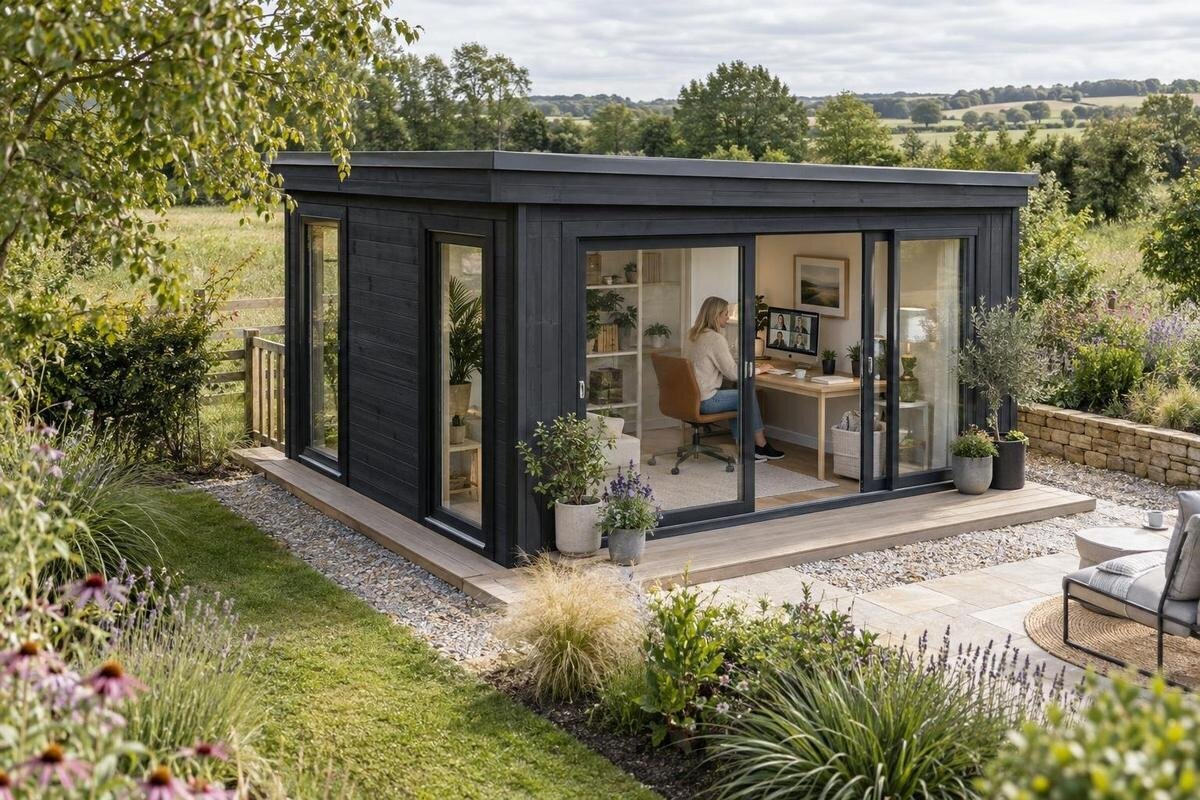
The desk in a garden shed office has to work with three things at once: daylight on the work surface, reflections on the screen and the view on camera. A window can brighten the room yet leave a display hard to read or put a bright patch behind you during calls. Plan around the garden’s actual light at your working hours, then check the desk, camera and openings against reliable product information before ordering.
Observe the garden light before choosing a desk position
Begin with the patch of garden where the shed will stand, rather than choosing a desk direction from a catalogue image. Visit in the morning, around midday and later in the afternoon, at the hours you normally work; repeat on another day if possible. Record when direct sun reaches the spot and when it stays shaded. A visit at noon can miss a bright period that falls across the screen during a regular morning call. If you cannot observe the site for a full day, make notes at each visit instead of treating one snapshot as the usual pattern. If possible, check in bright and overcast conditions too.
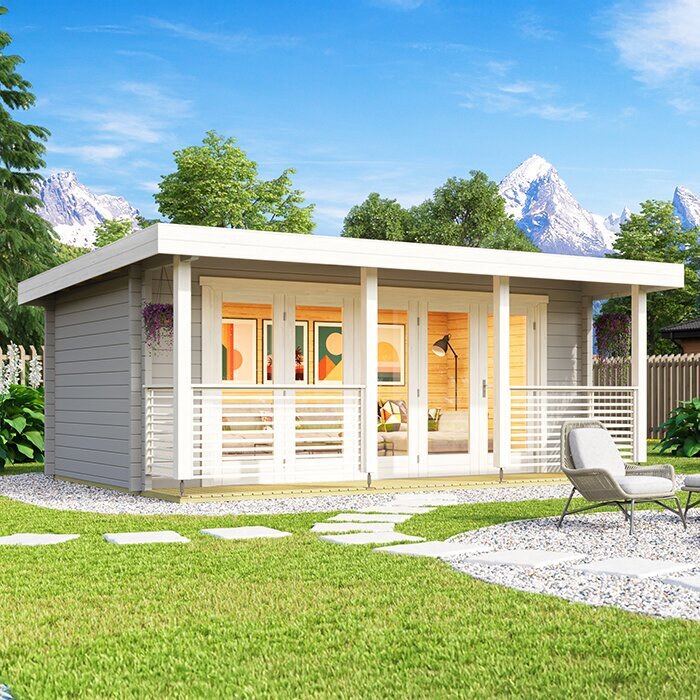
Note the features that change the light: nearby buildings, boundary walls, trees, a roof overhang or a pale surface that reflects sun towards the shed. Their effect can shift as the sun’s angle changes through the year. Mark the proposed building position, garden direction and obstructions on a sketch, distinguishing direct sun from general brightness. A model name cannot tell you where openings sit: if you are weighing the Verdana 1 garden shed listing, compare only its published layout details with your notes and ask for anything important that is missing. That gives you a practical basis for judging desk positions rather than relying on an exterior photograph.
Use side daylight without putting the screen in direct sun
Treat a window to the side of the screen as a starting point, not a rule. Side daylight may give you useful light without making you face a bright opening directly, but the result depends on window height, desk depth, monitor angle and the hours of direct sun. Your dominant hand also matters if you write on paper: light from the wrong side can leave your hand casting a shadow across the page. Try the desk facing the opening and turned away from it, then compare both from the seated position. Include any second monitor, since its angle may differ from the laptop’s. Consider whether you can reach a curtain or blind without moving the monitor.
On a plan, draw the desk, chair, window and screen rather than using a single rectangle labelled office furniture. If you can, mark the desk outline on the floor after the building is assembled, and try rotating it before bringing in permanent furniture. When comparing the Verdana 2 garden shed listing, look for documented window and door positions; do not infer them from the model name or a marketing image. If an opening sits in a direction that creates unwanted light, another desk orientation may work better than keeping the room shaded all day. If the desk has to remain in one position, check whether the screen can turn independently.
Check the screen for reflected light
Check glare from your actual seat before settling on a monitor position. Display a dark screen or switch it off briefly: reflected window shapes, sky and lamps are easier to see against a dark surface. Look from your normal distance and viewing angle, because a reflection may disappear when you stand up or move sideways. Check the whole display, not just the centre; a bright strip at an edge can still obscure controls. A bright room and a readable screen are not the same thing, so increasing screen brightness should not be your only response. Check reflections with room lights on as well, since they may matter after daylight fades.
Change one factor at a time: turn the screen slightly, shift the desk or add a suitable adjustable shade if the building can accommodate one. Retest in the morning and afternoon, since a setup that avoids direct sun at one time may not do so later. If you are considering a screen filter, confirm that it suits the device and still lets you see the detail your work requires. For the Durano spacious garden shed listing, use documented opening details, if provided, to plan the monitor; its listing name or an exterior image cannot predict what a seated screen will reflect. Any shade also needs to suit the particular opening and your working hours.
Give the webcam a usable view of your face
A video-call image has a different requirement from a screen: the camera needs enough light on your face without a very bright background taking over the picture. A window directly behind your chair can make your face appear dark in the preview, especially when daylight is strong. Test a position with the opening in front of you or slightly to one side, then check how the light falls on your face. If direct sun creates harsh patches, consider a suitable curtain or blind, but verify whether shading can be fitted and whether it is included; do not assume a product image shows supplied accessories. Check the camera preview rather than assuming its automatic exposure will correct backlighting.
Use the camera preview from your normal chair, with the screen and webcam in their intended positions. Test it at the time you are likely to make calls, then repeat when the weather or light changes. Try the room lamp as well as daylight: a setup that looks fine in the room may look unbalanced on screen. Adjust the desk first and the camera second; moving the camera to fix framing can put a bright reflection back on the display. If the preview does not show how the image changes when you move, make a short test recording. When looking at the Veltor 1 garden shed page, map the camera to documented opening details, not an assumed layout.
Plan task lighting for cloudy days and evening calls
Natural daylight will not be constant through a working day, and it may be limited on cloudy days or after sunset. Plan a desk lamp for notes and keyboard work, plus enough general light to use the room comfortably. Place the task light outside the monitor’s reflection line and check it from the chair; a small bright bulb reflected on the screen can be as distracting as sunlight. A movable lamp also lets you test another desk position before fixing the layout. Keep the fitting choice flexible until you know what the building provides and how you will use it. If the lamp arm may appear above the screen, check that in the camera preview too.
Check the full lighting combination rather than choosing each lamp separately. A bright window and a strong lamp can create contrasting patches in a camera image, while a poorly lit desk may make paper work difficult. Test a typical call and a non-call task using the screen and lamp arrangement you expect to use. Before ordering, ask which electrical provision, if any, is included and what further work is expected; use a qualified electrician for advice about electrical installation or changes. The Orello 1 garden shed listing is a product option to compare, not evidence of included lighting or electrical provision. If you use different lighting for work and calls, note the arrangement that works for each.
Choose the background your camera will show
Choose the background as deliberately as the light. The desk may face a plain wall for a simple frame or face across the room for a view, but the camera will also pick up whatever sits behind you. A bright window, a route through the garden or visible personal papers may distract or expose more than you intend. Check the frame for privacy and work interruptions as well as appearance. This is not a reason to fill every wall with storage: first decide what will be visible from the camera, then place only what you need in that view. A background is also easier to use if people are not regularly passing through it during meetings.
Sit where you will work and inspect the edges of the camera frame, not just the centre. Move the chair slightly as you would during a call; make sure a normal shift does not bring private notes into view. If daylight is better with your back partly towards an opening, a movable screen or curtain may provide a simpler background when needed, provided the arrangement is feasible. Check whether an open door or a window reflection appears behind you in the preview. Use the Modano 1 garden shed listing only alongside verified layout information: an exterior photograph cannot show how the desk and background will meet inside.
Measure the desk, chair and usable floor area
Measure the desk you plan to use instead of relying on a standard size. Note its width and depth, monitor stand or arm, keyboard, and the footprint of the chair when it is pulled back. Add any document holder, second screen or webcam mount that affects where you sit or how far the display can turn. Mark these dimensions on a plan of the usable interior, not just the outside footprint. A tape outline at full scale on the floor can reveal whether the chair blocks a route or sits too close to a wall, which is hard to judge from a small sketch. Include a route for cables that will not become an obstacle.
Compare that outline with published internal measurements and opening positions. Ask for a dimensioned drawing if the available information does not make the usable floor area clear; an external measurement is not a substitute. Include the space needed for openings, handles and access where they affect your desk or chair, and check that the monitor can sit at your intended angle. Remember any cabinet, printer or paper stand that must be close to hand. A desk that technically fits but cannot be approached or used comfortably is a poor layout. When checking the Wooden Garden Shed M listing, rely on measurements actually stated for that model, not assumptions carried over from another product.
Compare window and shading details before ordering
Before choosing between models, identify which opening will provide light, which may appear behind you on calls and whether a doorway affects the chair position. Then check a plan or drawing for the location and measurements of those openings. Product photographs can help with general appearance, but they may not show precise interior dimensions, the view from a seated position or which details are standard. Confirm which features belong to the exact configuration you are ordering and which are optional. If the drawing leaves a gap, ask for the missing detail before deciding that a particular desk arrangement will work. Also consider the seated view for privacy, not just how much light an opening admits.
More glazing is not automatically better for computer work. It may admit more daylight, but its position and exposure still determine whether light falls on the screen or creates a bright background; privacy and shading need consideration too. Ask whether blinds or other shading are included, optional or not offered, and whether fitting them affects the proposed desk position. Direct sunlight changes through the day, so check whether the available shading suits the hours you expect to work. For the Wooden Garden Storage Shed S listing, check the stated intended use and confirmed opening details rather than assuming that the word storage tells you whether it meets your office needs.
Confirm the garden building suits your intended office use
Before placing an order, confirm that the building and selected configuration suit how you intend to use the room. Ask what is included, what is optional and what conditions the seller says the product is designed for; do not assume that every garden shed is ready for regular office use. Depending on your plan, useful information may include the floor, wall and roof details, glazing, weather protection, ventilation and any insulation or internal finish. Request details for the exact model and configuration, because a feature shown on another model or upgraded version may not apply to your choice. For frequent use, consider how access to openings and routine upkeep fit your expectations.
List services separately from the building: power for the computer and lights, a reliable internet connection, and a way to keep the space comfortable during the hours you use it. Test mobile or Wi-Fi reception at the proposed garden location rather than assuming it matches the house. Ask a qualified professional about electrical work or any installation that needs specialist judgement; the right provision depends on the particular site. If approvals or site constraints may be relevant, check with the appropriate local authority or professional before committing. Also confirm delivery access, assembly responsibilities, included components and any preparation expected, preferably in writing, distinguishing the base model from optional changes.
Test the full layout before fixing the desk position
Before finalising the desk position, run a mock-up. If the shed is already installed, tape out the desk and chair and sit there at different times of day with the screen in place. If it is not built yet, use the proposed internal dimensions to draw the arrangement as accurately as the site allows, but treat it as provisional until the actual openings are confirmed. Test the call frame, read text on the screen, write on paper and look at the display from your usual sitting position. A plan that looks balanced from above can still produce glare or a poor camera angle. Record what you notice so you can compare visits rather than rely on memory.
Keep a first-choice and a backup position, noting what each needs: the preferred one may avoid screen reflections, while the alternative may give a cleaner camera background. Record the shade and lamp position, and which opening is visible behind the chair. When the finished interior differs from the drawing, repeat the checks before fixing furniture or relying on a single angle. This makes the desk choice easier to adapt to actual light and verified dimensions. It is especially useful if someone else will use the room at different times. The aim is not to imitate a conventional office, but to choose a position that supports the work you will really do.
Frequently asked questions
Should a desk face a window?
Not necessarily. Facing a window can provide a bright view, but it may also create reflections on the screen. Try placing the window to one side, then compare both positions from your usual seat at different times of day.
How can I check whether a screen will have glare?
Sit in the proposed desk position and look at the screen with the display dark. Reflected windows, lamps or bright areas are often easier to spot this way. Repeat the check in the morning and afternoon, with room lights on as well.
Where should a window be for video calls?
Avoid having a very bright window directly behind you if it makes your face look dark in the camera preview. Try daylight from in front or slightly to one side, then check the frame at the time you usually make calls.
Is daylight enough for a garden shed office?
That depends on when you work and how much daylight reaches the chosen position. Plan for a task light and general lighting as well, then check their placement for screen reflections and the camera view. Confirm the building’s actual electrical provision before ordering.
What should I confirm before ordering a garden shed for office use?
Check the usable internal dimensions, opening positions and the details for the exact model and configuration. Ask what is included, what is optional and what use the seller says it is designed for. Seek qualified advice on electrical work or other site-specific requirements.
Good desk placement comes from matching your real work routine to the light and openings at the chosen garden location. Check the display for reflections, use the camera preview to judge your face and background, and verify the dimensions and included features for the exact model before ordering. A measured mock-up and a backup position can help avoid a layout that only works at one time of day.
