
Smart-Home Pergola Control: Questions Before You Connect
Pergola control guide
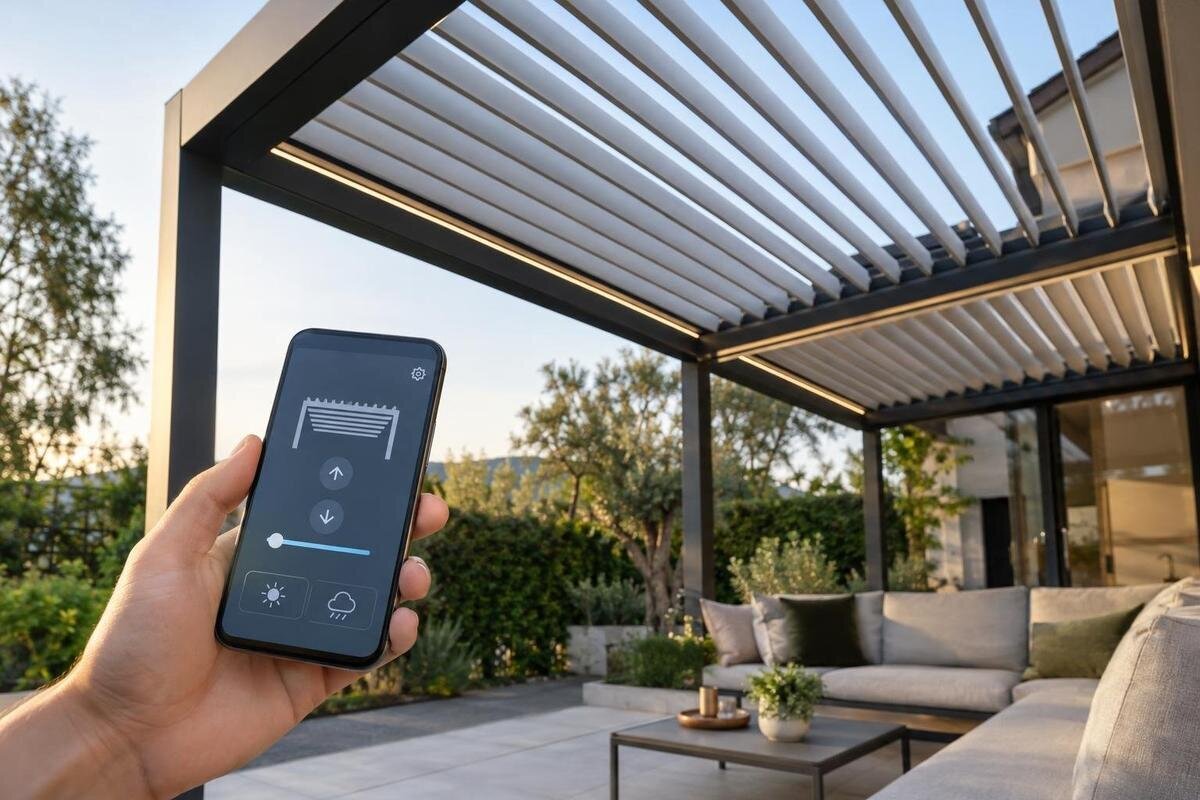
Smart-home control can make a pergola easier to operate, but a familiar app icon is not proof that the roof mechanism can join your setup. The connection may involve a motor, its controller, a bridge or hub, a manufacturer’s app and an online service; some pergolas may have no motor or connected control at all. Before comparing hubs, confirm the exact model and configuration, which equipment is included, and what the integration can actually do. The useful question is not simply whether the controller has Wi-Fi. It is whether your chosen platform can issue the commands you need, whether those commands work locally, and what accounts or services they depend on. These checks help you separate documented compatibility from a vague “smart-ready” claim.
Compatibility checks 1
What “smart-home compatible” needs to mean
“Smart-home compatible” can describe several different arrangements. A pergola might be operated through a manufacturer’s app, connected to a platform such as Apple Home, Google Home or Amazon Alexa, or included in a routine that runs locally. Those are not interchangeable claims. An app that moves a roof does not automatically mean the platform can see or control it; a voice-assistant connection may offer fewer actions than the maker’s own app. Remote access while away from home and local control at home are also different capabilities. Ask the supplier to define the phrase for the exact model and included control equipment, not just for the product family. Support for one platform may not extend to another or to every controller revision.
Write down what you expect to do before comparing protocols. Is the goal simply to open and close a roof from your phone, to share control with household members, or to include the pergola in a particular home routine? Note whether you need a visible position, a stop command, voice control or operation without internet. A clear need prevents “connects to Wi-Fi” being treated as a complete answer. If one basic action is all that matters, a dedicated remote or wall control may be adequate; if routines are essential, support for the specific trigger and command matters. A short list of required functions also makes it easier to spot an integration that offers only a subset.
Confirm the pergola has a supported control system
Automation needs a controllable mechanism. Establish whether the exact pergola configuration has a motorised moving part and a controller that accepts external commands; a model name or roof style cannot confirm either. Ask whether a motor, receiver, control box and any integration module are included, optional or separate purchases, and write down their exact model numbers. “Smart-ready” might refer to provision for a later controller, a compatible motor or a complete platform connection, so ask what the supplier means. The Bloomcabin Bioclimatic Pergola page identifies a model, but the listing name alone is not proof of a motor, smart-home function or supported connection. Get the manual and offered configuration in writing before shopping for a hub.
The manual should identify how the mechanism is meant to be controlled and whether the controller offers an approved route to a third-party system. A motor with a handheld remote is not automatically compatible with a home hub: the remote and motor may use a proprietary control system, and a third-party bridge may or may not be supported. Ask whether the manufacturer’s controller is required, whether an accessory must be purchased, and whether the integration is expressly approved for that controller. Check whether any extra accessory or software update is needed and who confirms it. Avoid assumptions based on a generic motor description or a similar-looking model; compatibility belongs to the exact hardware and configuration.
Compatibility checks 2
Match the controller to a protocol and hub
Use “protocol” precisely. Wi-Fi or Bluetooth may describe how a device communicates; Zigbee, Thread and Z-Wave are other common connection technologies. Matter is an interoperability standard, while Apple Home, Google Home and Amazon Alexa are smart-home platforms. A pergola controller may need a bridge or hub between these layers. A device having Wi-Fi does not establish that it can join a platform, and two devices mentioning the same technology do not necessarily understand the same controls. When comparing the Bloomcabin Wall-Mounted Pergola with other options, record the proposed controller and connection technology together so that you can compare complete control systems rather than isolated labels.
Ask the supplier to describe the connection path in plain language: from controller to home network, then directly to a platform or through a named hub, bridge or cloud service. Confirm the exact hub model, whether it is mandatory, and whether its software and region support the controller being offered. “Compatible with Zigbee” or “works with Wi-Fi” is incomplete unless the seller can name the supported controller and integration. Check whether the arrangement works with the smart-home platform already in your home; buying another hub solely because it uses a familiar technology can add cost and upkeep without delivering the actions you want. Ask whether the connection depends on a particular software version.
Check the exact platform integration
Get an answer for your actual platform, not a broad promise of “smart-home ready”. Ask whether the exact controller is listed as working with the platform you use, and whether that support is direct or supplied through the pergola maker’s app or bridge. The distinction affects the available actions. If you are considering the model on the bioclimatic pergola product page, ask specifically whether the offered controller supports Apple Home, Google Home or Alexa, as relevant to your household. Ask what commands appear in that platform and whether the system reports roof position or only sends a command. A logo alone does not explain the scope of the integration.
Compatibility can change with controller revisions, software versions and platform updates, so ask which combination has actually been tested and when the information was last confirmed. A useful answer names the pergola model, control unit, hub or bridge, app and platform, rather than showing a logo without context. If practical, ask for a demonstration of the basic action you plan to use, including any stated limitations. Also check what support is available if an integration changes or the controller is replaced. This is not a prediction that an update will cause a problem; it is a way to understand how the connection is maintained and where to look for current guidance.
Compatibility checks 3
Find out what works without internet access
“Works offline” needs a specific definition. A command may travel from your phone to the manufacturer’s cloud and back, even when the phone and controller are both on the home Wi-Fi. Local operation usually means that the command can be handled within the home network without relying on an external service. Ask whether local control is available from the app, a hub or a separate control, and which parts—manual operation, app commands, platform routines and status—remain available if internet access is unavailable. Do not assume that Wi-Fi on the controller means the control path stays within your home.
Ask the supplier to distinguish internet access from the local network and to identify any account or cloud connection required for everyday commands. If the answer is “it needs the internet”, ask which specific feature needs it; remote access from outside the property is different from operating equipment while at home. One function may be local while another relies on a cloud service, so ask about each one you intend to use. If the Bloomcabin Pergola is on your shortlist, include these questions when requesting details of the proposed control system. The aim is to decide whether online dependence suits your use, not to infer behaviour from a general connectivity label.
Understand accounts, household access and privacy
A smart-home integration may involve more than one account: the pergola manufacturer’s app, a hub or platform account, and sometimes a voice-assistant account. Ask which are needed for setup and which remain necessary for ordinary use. Find out whether an owner can invite other household members, what permission levels are available, and whether each user needs an individual login. This matters if one person buys and sets up the system but someone else manages the home later. Ask how account ownership can be transferred if the property changes hands or an installer initially performs setup; do not rely on sharing one password as the household access plan.
Check privacy and maintenance before granting app or voice-assistant access. Ask what information the app collects, whether movement commands or device activity are stored, where to find the privacy terms, and how to remove access or close an account. If voice control is involved, establish which platform receives the command and whether it reports the device’s state. When discussing options for the model on the wall-mounted pergola listing, include the relevant control service’s account rules in your comparison. Use a unique password, enable multi-factor authentication if offered, and keep the controller and app up to date using the maker’s documented process. Confirm how account access is handled if the usual administrator is unavailable.
Compatibility checks 4
Confirm which commands and status are available
A connection is only useful if it provides the movement controls you need. Ask whether the integrated control can open, close, tilt or stop the roof, where those actions apply to the actual mechanism, and whether you can select each action separately or only use a preset. Do not infer those functions from a roof style or a smart-home logo. Some integrations may offer a range of commands, while others may provide only a basic action; the exact mapping must come from the controller documentation. For Bloomcabin’s bioclimatic model, request a command list for the proposed configuration so you can compare it directly with the functions your household needs.
Ask whether the platform receives a confirmed position or simply sends a request. Feedback matters when a routine depends on whether the roof moved; a command accepted by an app is not the same as a verified final position. Find out how a stop command is presented, what the system reports if a command does not complete, and whether the manufacturer’s control remains available alongside the smart-home interface. Ask the supplier or installer to demonstrate the actual control path on the offered hardware, not a similar product or a different accessory. Keep the approved everyday control understandable for every household member who may use the space.
Check routines and additional devices
Automation adds another layer to check. A scheduled action or a rule triggered by a sensor can control a pergola only if both the trigger and the required roof command are available to the same system. Confirm that the exact hub supports those device types and actions; the presence of a sensor in a smart home does not mean the pergola controller can respond to it. If you are comparing the model on the regular pergola listing, describe the routine you want and ask whether the proposed equipment supports it. Ask whether any required hub, sensor or software feature is separate and whether the complete combination is supported.
Keep routines simple enough to understand and easy to pause. Before relying on automatic movement, consider who may be in the operating area, what would prompt the routine, and how a user can stop or disable it through the supported controls. These are planning questions, not proof that a particular system includes safeguards. Ask whether the platform can show a notification or current state, and how a household member can identify which routine sent a command. A routine that works in a demonstration may behave differently if a hub, network or account is unavailable, so confirm what the manufacturer documents and test the permitted functions after commissioning.
Compatibility checks 5
Plan installation and commissioning with the right people
Outdoor equipment and a pergola control system need a suitable installation plan; app compatibility does not settle where the controller belongs or how it is connected. Ask the supplier and a qualified installer to confirm the exact power and control requirements, where the equipment can be located, and whether its specified environmental rating suits that location. Have them check that the offered controller and integration accessories are approved for the pergola model. When discussing the product on Bloomcabin’s wall-mounted model page, identify the proposed control equipment as well as the pergola itself. Do not adapt wiring, add a relay or alter the mechanism on the basis of a generic smart-home guide.
Agree what commissioning will include before the work is complete: pairing the exact controller with the agreed hub or platform, checking the commands you intend to use, and confirming who owns the accounts and support documents. Ask for manuals, current integration instructions, accessory model numbers and a clear handover of user access. Establish whom to ask if the connection stops working after a controller or software update. A qualified installer can check the electrical and control side; the product supplier should confirm model-specific approval and support. It is also useful to check that the controller’s location suits the intended connection, rather than relying on a general claim about wireless coverage.
Get a written compatibility answer before choosing
Ask for a written answer that names the exact pergola and mechanism configuration, controller model, any bridge or hub, required app and account, supported platform, and route used for commands. It should state which functions are exposed, whether control is local or cloud-dependent, and any known limitations. Request the manual or support information for that exact combination; a generic statement, product image or logo is not enough. If one element is unknown, record it as unverified instead of treating the whole chain as compatible. This makes comparisons between suppliers clearer and gives the installer a concrete system to check.
Compare the answer with the way you will use the outdoor area. A simple phone command, multi-user access and internet-independent routines are different requirements; not every system needs to satisfy all three. Choose a pergola for its design and intended operation first, then confirm that a supported control package meets the requirements you actually have. If a necessary feature is not documented, ask before deciding rather than assuming an adapter or future update will add it. A clear, model-specific “not supported” is more useful than a vague “smart-ready” promise.
Frequently asked questions
Can any motorised pergola join Apple Home, Google Home or Alexa?
No. A motor proves only that the mechanism is powered; compatibility depends on its controller and the supported integration. Check the exact controller model, any required hub or bridge, and which commands the platform can use.
Does Wi-Fi on the controller mean it is smart-home compatible?
Not by itself. Wi-Fi describes a way to connect, but does not confirm support for a particular smart-home platform or the functions it can control. Ask for the documented connection path and the exact integrations available.
Will smart control work if the internet is unavailable?
That depends on whether commands are handled locally or rely on a cloud service. Ask which functions remain available without internet, and whether they need the home network, a hub or a manufacturer’s account.
Does Matter support guarantee access to every roof function?
No. The functions exposed depend on the exact controller and integration. Check whether the pergola itself, rather than just a hub or bridge, is supported and whether the actions you want are available.
Can I use a smart plug or generic relay to add control?
Do not assume so. A motor and its control system need a suitable, approved interface. Ask the pergola supplier and a qualified installer to confirm an authorised option for the exact model.
A pergola joins a smart home only when the moving mechanism, controller, bridge or hub, platform and account requirements form a documented chain. Decide which commands and offline behaviour matter to your household, then compare exact configurations against those requirements. That keeps the conversation focused on capability you can verify—and makes an honest limit just as useful as a confirmed integration.
