
Pergola Remote Not Working: Battery, Pairing or Power?
Pergola troubleshooting
When a motorised pergola stops responding to its remote, the cause may be in the handset, its link to a receiver, or the pergola’s control or power system. A blank display or flashing light is a clue, not a diagnosis. Start with checks you can make without opening equipment, and use the manual for the exact controller before trying to pair a remote or ordering a part; procedures and compatibility are not universal.

What a non-responsive remote can—and cannot—tell you
A remote that produces no movement may have a depleted battery, a damaged handset, a lost connection to a receiver, a controller without power or a fault elsewhere in the mechanism. These possibilities can look alike from the patio. A handset may also operate one function while another stays still; that is a different symptom, but it still does not identify a failed part. Do not conclude that the motor is faulty, or that the remote needs pairing, after one unsuccessful command. If movement starts unexpectedly or stops part-way, keep clear and record exactly what happened rather than repeatedly testing it.
Before changing anything, note which control you used, whether its display or indicator reacted, whether you heard a sound and whether the result was no response, intermittent movement or a partial response. Record any recent battery change, power outage, storm or work around the pergola, distinguishing events you know about from possible explanations. Add the product name from your order and any handset or controller labels that are safely visible. If your order identifies the Bloomcabin Wall-Mounted Pergola, use that name to identify the structure, then record the control equipment separately. Do not remove a cover just to find a label. Keep this initial record so you can compare it with the result of a permitted owner check. A description such as ‘the indicator lit up, but nothing moved’ is more useful than ‘the remote is broken’: it tells support what you observed without assuming which part has failed.
Safe checks you can make without opening anything
Start with the handset as it is, without tools or electrical checks. Look for an obviously stuck or damaged button, a cracked case or signs that the remote has become wet. Make sure you are using the control in the way described in its manual; some controls have a lock function or require a particular operating sequence, but those details vary. If the instructions state an operating range or orientation, use that information rather than assuming every remote needs a clear line of sight or works from the same distance.
Make a normal operating attempt as the manual describes, while staying clear of any moving parts. Do not press several buttons together, try random button combinations or keep sending commands to see if the mechanism will eventually respond. If the result changes when you are closer, farther away or in a different position, make a note of that pattern; it is useful evidence, not proof of a particular fault. Stop if the pergola behaves erratically, makes an unusual sound or appears obstructed. Do not push or pull a moving component by hand.
Check the batteries against the remote’s instructions
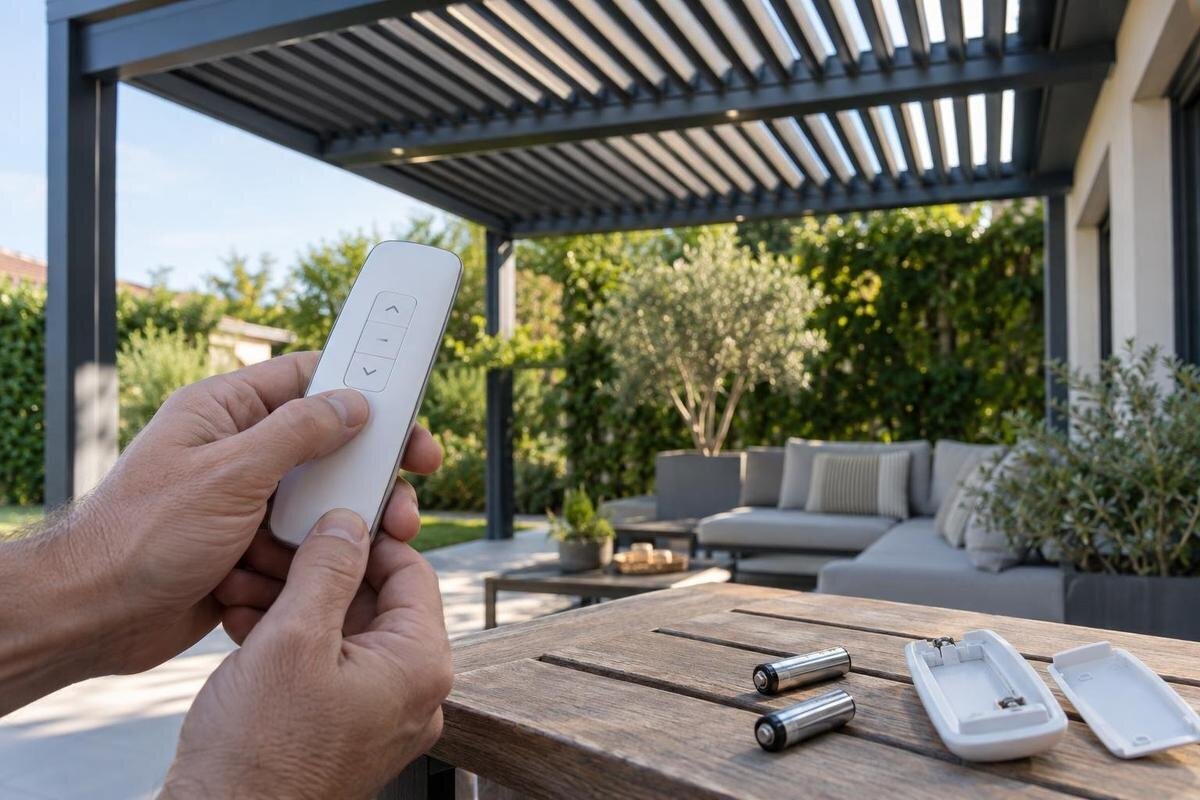
A weak or exhausted battery is a plausible cause when a remote’s display is faint, its indicator behaves inconsistently or the handset stops responding. Those signs are not conclusive: a damaged remote or a connection problem can look similar. If the battery is designed to be replaced by the owner, check the handset markings or the exact manual for the specified type and polarity before buying a replacement. Where there is more than one cell, follow the manual’s instructions for replacing them rather than mixing old and new batteries.
Use only the access method described for that handset. Do not prise open a sealed case or force a battery cover. If you see leakage, corrosion, a cracked compartment or signs of heat, stop and ask the supplier or service provider for advice instead of scraping or washing the compartment. After a permitted battery change, close the cover as instructed and make one normal test. Record the replacement battery type, the date and whether the handset or pergola responded differently. If nothing changes, that result is worth reporting; it is not a reason to keep buying batteries or move straight to a reset. When requesting help for a Bloomcabin Pergola, include the handset details alongside the structure’s name so the supplier knows which battery you replaced. Describe any remaining symptom precisely, such as a display that is still blank or an indicator that now lights up without any movement.
How to interpret an indicator light
Not every remote has an indicator or display, and different models use them in different ways. If yours has one, note whether it stays dark, lights steadily, flashes or changes when you use a button. A dim or inconsistent light can support the idea that the battery or handset needs attention, but it cannot confirm that the remote is faulty. A light that responds normally may show only that the handset registered your action; it does not prove that the receiver accepted a signal or that the pergola has power.
Use the exact handset or controller manual to interpret any light pattern. There is no single blink code that applies to every pergola control system, so do not rely on instructions for a similar-looking remote. For a support enquiry, describe when the light appears: before you press a button, while you hold it or after you release it. Include its colour if relevant, and describe the flashes as clearly as you can without assigning them a meaning that the manual does not confirm. If the pattern is difficult to describe, a short recording of the handset may help, provided you can make it without approaching moving parts or repeating an unsafe test. Use the Bloomcabin Bioclimatic Pergola name where it matches your order, but include the handset’s own model label as well. This gives support both the structure’s identity and the details needed to interpret the indicator.

Test another control only if one is already installed
Some installations have another original control, such as a wall control or an app, while others do not. If yours has one, use it only as the manual describes and note whether it operates the same function. If another control works while the remote does not, that narrows the possibilities towards the handset or its connection to the control system, but it does not prove which one has failed. Different control paths can behave differently, so treat the result as a clue rather than a diagnosis.
If no existing control works, a shared power or controller issue becomes more plausible, but the observation still does not identify the cause. An app may also depend on its own connection, so its lack of response does not by itself prove that the pergola has lost power. Do not install an app, add a control or change settings as a test. Compare like with like: record whether each installed control was used for the same function, rather than treating a working accessory as proof that every part of the system works. For an enquiry about a model shown in Bloomcabin’s pergola listing, name the structure and list the controls actually fitted to it. State which ones you tried, what each did and which you did not test. This distinction prevents an untested wall control, for example, from being described as faulty simply because the remote did not work.
Clues that point towards a power issue
Think about recent events rather than inspecting electrical equipment. A wider power outage, planned maintenance or a known interruption to the pergola’s supply may help explain when the fault began. Note whether any controller indicators are visible without removing a cover, and whether other functions that normally work have also stopped. Keep in mind that separate accessories may use different control paths, so a light or another feature working does not necessarily confirm that the motor or receiver is powered.
Do not open an enclosure, probe wiring or use repeated switching as a diagnostic method. If a household electrical protection device has tripped, or there are signs of heat, water or damage, do not keep resetting or testing it; arrange qualified service. Give the installer a clear timeline of any known interruption: when the pergola last worked, when the outage or maintenance occurred and when you first noticed the lack of response. If you do not know whether those events coincided, say so rather than presenting a connection as certain. For a structure identified in the wall-mounted pergola listing, include the order details and installation location in the enquiry, while leaving assessment of the property’s power arrangements to the service provider. This information helps describe the circumstances without requiring you to handle electrical equipment. Keep a report of ‘no response after an outage’ separate from a diagnosis of ‘no power’.
Pairing and resets depend on the exact controller
Pairing means linking a handset to a receiver where the control system uses that arrangement. The process, and whether it is an owner task at all, depends on the actual controller. There is no reliable universal button sequence for pergola remotes. Before looking for instructions, identify the handset and controller from their labels or your installation paperwork; a broad pergola model name on its own may not identify the electronics or the correct procedure.
Follow a pairing or reset procedure only when it appears in the manual for your exact controller and is described for the owner. A reset may affect stored associations or settings, so random sequences found for another system can make diagnosis harder. Before a permitted procedure, note which handsets and functions currently work so you can report any change afterwards. Read the complete procedure first, including any stated stopping points; if it calls for access or work beyond an owner task, leave it to service. If the manual is missing, unclear or does not match the labels, ask the installer or manufacturer to identify the correct instructions. The model name on the Bloomcabin pergola page can help identify your order, but the request should also include the controller details. Explain whether you are reconnecting an existing handset or enquiring about a replacement, rather than asking for a generic reset sequence.
Choose replacement parts by confirmed compatibility
If normal owner checks do not restore operation, do not choose a replacement handset by its appearance, button layout or a general product name. Ask the installer or supplier to match the remote to the control system using the exact model and part information available. A handset that looks the same may not work with your receiver. If labels are not visible without opening equipment, use order documents or ask a service provider to identify the parts safely.
Clarify whether the proposed part is a handset, a receiver or controller, or another component; these are not interchangeable descriptions. Ask who will confirm compatibility, whether the replacement needs pairing and whether that task is suitable for an owner or requires service. When discussing a structure shown in the bioclimatic pergola listing, request the exact replacement part reference rather than accepting the pergola model name as the whole specification. The quote or order description should make clear which component is being supplied and what work, if any, is included. If the proposed solution involves replacing more than the handset, ask the supplier to explain which recorded symptoms led to that recommendation. This keeps the purchase tied to the reported fault rather than the appearance of the remote. Do not order until the supplier has checked the part against your actual system and clarified how it will be put into use.

When to stop and arrange qualified service
Keep checks at the level of normal remote use, visible labels and observations. Opening a controller enclosure, tracing or changing wiring, replacing a receiver, adjusting motor settings or bypassing a sensor are service tasks, not safe ways to test a remote. Some systems may also have protective features or settings that should not be overridden. If the manual does not clearly describe a task as an owner check, do not assume it is safe to attempt.
Stop using the controls if the pergola moves unexpectedly, repeatedly stops part-way, makes an unusual noise or shows signs of physical or electrical damage. Exposed wiring, water in electrical equipment, a burning smell, heat or repeated power trips call for qualified assessment. Keep clear of damaged or wet equipment and do not remove covers to investigate. An installer or qualified electrician can assess the issue at the appropriate level; explain the symptoms and any visible warning signs without trying to repair the internal parts yourself.
Give support the details needed to diagnose it
A concise record can help an installer or supplier distinguish a handset problem from a wider control fault. Include the pergola model and any visible serial or product labels, the handset and controller labels, when the issue began, which buttons were tried and what happened. Note any indicator pattern, sounds, partial movement, recent battery change or known power interruption. Attach clear photos of labels only when they are accessible without removing covers, and take any video from a safe position away from moving parts.
Organise the enquiry so support can distinguish your observations from the help you need. First describe the original symptom, then list the permitted checks you completed and their results. Finish with the outstanding request: identifying the correct manual, assessing the fault or confirming a replacement part. Keep the dates and results together, especially if the behaviour changed after a battery replacement or another owner check. If support recommends a part, ask them to identify it clearly and explain whether pairing is an owner procedure or requires service. Replacing the whole structure is a separate buying decision. If you are considering the model on the Wall-Mounted Pergola page for other reasons, discuss that project separately from the remote fault rather than assuming a new structure is necessary. Keeping those two decisions separate lets you consider a repair on its own merits and avoids ordering more than the diagnosed fault requires.
Frequently asked questions
If the remote’s light comes on, does that prove the pergola has power?
No. An indicator may show that the handset has power or has registered a button press, but it does not prove that a signal reached the receiver or that the controller and motor have power. Check what the light means in the manual for your exact remote.
Can I use a universal remote as a replacement?
Only if the manufacturer or installer confirms that the specific remote is compatible with your controller. A similar shape, button layout or brand name is not enough to establish a match. Ask for the part reference and compatibility confirmation before ordering.
Should I reset or re-pair the remote after changing its battery?
Not automatically. A battery change does not prove that pairing has been lost, and a reset may affect stored settings or other handsets. Follow a re-pairing procedure only if it appears in the manual for your exact controller and is described as an owner task.
Do I need to replace the pergola if its remote has failed?
A remote fault alone is not a reason to replace the whole structure. First establish whether the issue is the handset, its connection, the controller or the power supply. Consider a pergola replacement only as a separate decision, not as a substitute for diagnosing the control fault.
When should I stop checking it myself?
Stop if you see exposed or damaged wiring, signs of heat or burning, water in electrical equipment, repeated power trips or unexpected movement. Do not open the controller or bypass a sensor. Arrange assessment by a qualified installer or electrician, as appropriate to the issue.
An unresponsive pergola remote does not identify the failed part on its own. Check the handset and any user-replaceable battery only as its instructions allow, then compare its behaviour with other controls already installed. Pairing, controller diagnosis and replacement parts depend on the exact system; internal electrical work belongs with qualified service. A short record of symptoms and labels is more useful than random resets, repeated commands or a guess at which part has failed.
