
Stuck Pergola Louvres: Safe Checks Before Seeking Support
PERGOLA SUPPORT
When a louvred pergola stops partway, moves unevenly or does not respond to its usual control, it is tempting to test it again or look for a quick fix. Resist that urge. A safe first assessment is observational: preserve the roof’s current position, note what happened and look only from a safe position at ground level. Clear notes and photographs help qualified support understand the symptom without you forcing the mechanism, opening electrical equipment or guessing which component has failed. The checks below are about documenting what you can see, not repairing the roof.
Pause operation and keep the area clear
If the louvres have stopped, pause normal operation rather than checking repeatedly whether they will move. Record what they were doing when they stopped and leave the roof in its current position. Keep people and pets clear of the space beneath it, especially if it has stopped partway or any component looks loose. Don’t stand underneath, climb on furniture or lean across a moving edge for a closer look. The aim is to describe the condition you found, not to create another test result that changes it. If you have already tried another command, note what happened and stop testing.
Changing weather does not make a stuck roof safe to handle. Don’t climb up to cover it, force it shut or improvise a prop. Use only weather guidance in the manual for the exact model; if you can’t confirm a safe user action, stay clear and contact the installer or support. Move portable belongings from below only if you can do so without going under a moving or unstable part. If you notice a loose component, sparks, a burning smell or water around electrical equipment, stop using the system and keep away until qualified service advises you.
Avoid force and improvised fixes
Don’t push the louvres by hand, lever them with a pole, tap the frame or try to free a part by pulling it. A mechanism that appears close to moving may still be under tension or may shift unexpectedly; appearance alone doesn’t tell you what is holding it. Forcing the roof can change the position you need to report or damage a component. Avoid putting tools, fingers or cleaning equipment into gaps between louvres or around joints. If something seems wedged, make a note of where it is rather than trying to dislodge it.
Don’t remove covers, reach into the drive mechanism, open an electrical enclosure, touch wiring or bypass a sensor or interlock if one is fitted. Don’t reset, disconnect or adjust equipment unless the exact manual identifies the action as suitable for you. The same caution applies to lubricants, cleaners and online repair demonstrations: a method that looks simple may not suit your model. You can use the Wall-Mounted Pergola product page to help identify the catalogue product, but the product title alone cannot confirm which service instructions or parts match your installation.
Look for visible interference from the ground
From a clear position at ground level, look for leaves, branches, fabric or another loose item resting on or near the roof. You can also note visible damage, a hanging part or something that appears to sit between louvres. Describe its location and whether it seems to be touching the roof, rather than deciding that it caused the stoppage. Don’t climb a ladder, stand on a chair, reach between moving parts or use a long tool to investigate. If you can’t see the area safely, record that and leave it for the person carrying out the inspection.
A visible obstruction is useful evidence, but it doesn’t confirm that the mechanism is otherwise sound or explain why it stopped. Be precise about what you can actually see: for example, whether an item is on top of the roof or appears to be caught in a gap. Describe its location relative to a recognisable feature, such as the house wall or a corner post, and use the same reference in your photo caption. If part of the item is hidden, distinguish the visible part from what you cannot see. Product photographs aren’t a record of your pergola’s current condition. If you include the Bloomcabin Pergola page as a product reference, keep it separate from your own photographs so support can tell which images show the fault.
Describe where the louvres stopped
Use simple descriptions: fully open, fully closed, partway open, or stopped while opening or closing. Note whether the whole roof appears to be in the same position or whether one area looks different. If you’re unsure whether a gap or angle is unusual, say that rather than calling the louvres misaligned. Don’t assume that each louvre should move independently, or that the roof’s sections have separate controls. A technician can compare your observation with the design and instructions for the specific unit.
If the roof is stationary and you can see it safely, take an overview from the ground and note the date and time. Describe the position shown in that photograph, rather than relying on an estimate of the opening angle. If different areas appear to be at different angles, identify them using the same landmarks you used for any obstruction. This keeps the written description and photographs easy to compare. Don’t operate the roof to create a clearer picture or use a catalogue photograph to judge what normal movement should look like. Include the Bloomcabin Bioclimatic Pergola product page only as a product reference. Use the exact model’s manual for descriptions of normal positions; if you don’t have it, ask support rather than guessing.
Record what the control did
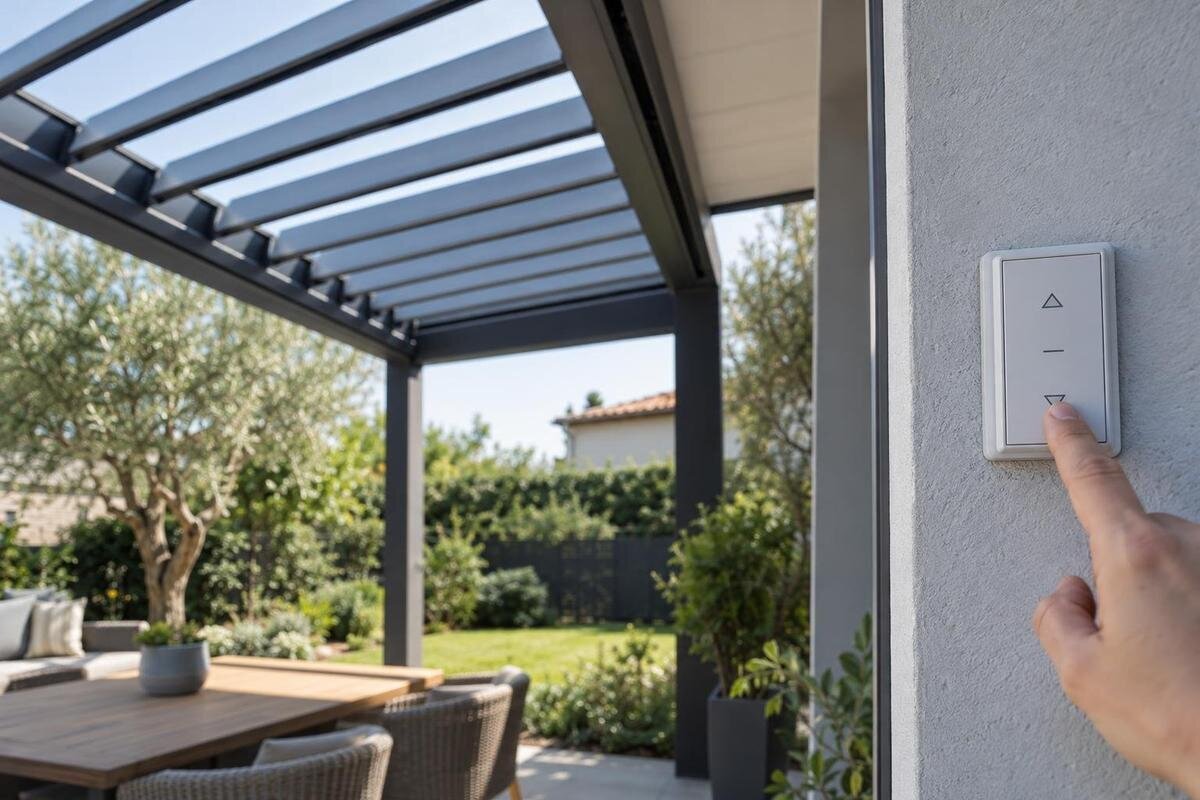
Write down which usual control was involved, if there is one: for example, a wall switch, remote or app. Record what you observed during the last normal command: whether an indicator or display responded, whether you heard a sound, and whether the roof moved at all or stopped partway. Describe the response without diagnosing it. A light, sound or lack of movement on its own doesn’t identify a failed component. Don’t send repeated commands just to see whether the same result happens again.
If you have already used more than one control, note which one you used and in what order; don’t deliberately test another one if the roof looks damaged, sounds unusual or has an obstruction. Keep the sequence clear: which command you gave, what response you noticed and whether you then tried anything else. Distinguish a response on the controller from movement at the roof, so that a lit indicator is not described as the roof responding. Record the controller’s own model or label only if you can read it safely without removing a cover. If your product record names Bloomcabin Wall-Mounted Pergola, include that name alongside the controller details rather than treating it as the controller’s identity. Ask support to confirm compatibility before choosing a replacement control.
Note when the problem began
Make a short timeline: when the roof last worked normally, when you first noticed the problem and what it was doing when it stopped. If movement had seemed slower or less even beforehand, describe what you noticed and when, rather than saying what you think caused it. Record the weather as a simple observation, such as whether it was raining or windy, and whether the roof was wet or dry when you found it. These details give support context; they are not a diagnosis and don’t prove that weather caused the fault.
Include relevant recent events, such as cleaning, maintenance, an impact, a storm, a power interruption or work by an installer. Note roughly when the event happened and who carried out any work, if you know. If nothing relevant comes to mind, say so rather than filling gaps with a guess. Keep any existing service notes, receipts or messages together with the timeline. A clear sequence helps a support person ask focused questions without you needing to recreate the problem or operate the roof again.
Identify the pergola from its records
Check your order confirmation, invoice, installation paperwork or handover documents for the exact product name and any model or order reference. If the paperwork names Bloomcabin Bioclimatic Pergola, use that wording in your enquiry rather than relying on a description based on appearance. Keep the order reference separate from any serial number or controller identifier, and label each one as it appears in the record. If two documents use different names, send both descriptions and explain where each came from instead of choosing one by guesswork. If you have more than one pergola, make clear which one has the fault and which records belong to it. A product name helps identify the catalogue entry, but it doesn’t establish the exact mechanism, controller version or compatibility of a spare part. Share the relevant record, rather than unrelated pages containing personal or payment details.
Use a serial or product label only if it is already accessible from the ground without moving the roof or removing a cover. You can also note the installation date, installer’s details and any controller label that is safely visible. Don’t climb to read a label or dismantle anything to find one. If a detail isn’t available, say that it’s unknown and ask support how to identify it safely. An accurate partial record is more useful than a guessed model number or an identifier taken from a similar-looking product.
Use the manual for the exact model
Look for the operating manual supplied with the pergola and check that its product name matches your records. Keep any model or revision details shown in the document, along with the controller’s manual if you have it. If your paperwork lists Bloomcabin Wall-Mounted Pergola, include that exact name when asking for the relevant instructions. The listing itself is not the manual, and a document for a similar product may describe different controls or user checks. When referring to a manual, give the page number or heading as well as the document name, so support can see which passage you mean. Explain any wording you find unclear rather than interpreting it as permission to carry out a repair. If you can’t confirm a match, ask the original supplier, installer or support team to identify the correct document.
Use a manual only for actions it clearly presents as user-level checks. Instructions about wiring, opening service covers, adjusting or replacing internal components are not a reason to attempt the work yourself. If the manual is missing, don’t substitute a general video, a forum post or a procedure for a different pergola. Ask support for the exact operating instructions and, if needed, the relevant parts information. State that you haven’t found a matching manual; that helps avoid advice being based on the wrong product record.

Take clear photos without recreating the fault
Take an overall photograph showing the pergola’s position, then closer views of any visible obstruction or damage you can capture safely from the ground. Keep each image still and clear, and include enough of the surrounding roof to show where the detail is. Pair a closer view with the overview rather than sending an isolated detail that is difficult to locate. Use brief captions to identify what each image shows and which side of the pergola you were facing. Don’t climb, reach through a gap or stand beneath the roof to get a closer shot. If you need to refer to the product name, include the matching order or product record separately. You can include the Bioclimatic Pergola catalogue listing with those identification details, while keeping your fault photographs together as a clearly labelled set.
An existing video recorded safely during normal use may help describe movement or a sound. Don’t operate the roof again simply to make a clip, and don’t ask someone to stand underneath it while you record. Tell support when the footage was taken and whether it shows the stoppage itself or an earlier occasion when the roof was working. If a sound is audible, note where it occurs in the recording without naming a failed component. Keep the original files and label them with the date and the view shown; avoid filters or edits that obscure the condition. If the problem isn’t visible in a photograph, explain that in your message rather than trying to provoke it. Clear, honest evidence is more useful than a dramatic but unsafe demonstration.
Give support a clear account of the fault
Contact the original seller, installer or product support team and give a concise account: the exact product name and order reference if available, where the louvres stopped, what the usual control did, when the issue began and what you observed around the roof. Attach your ground-level photographs and any relevant manual or service record. Mention any commands or other actions already tried, including if you have not tried anything beyond normal use. Ask what information they need next and whether there is a safe user-level check for your exact model.
Don’t order a motor, controller or other part on the basis of a broad product name or a photograph. Ask support to confirm the exact compatible component and whether inspection or repair should be handled by qualified service. If a part is proposed, make clear which pergola and controller records you supplied, especially if your enquiry covers more than one unit. Keep the proposed part reference with the support correspondence so it is not confused with the original product name. If the discussion turns to replacing the whole pergola, use the Bloomcabin Pergola listing as a starting point for a separate product enquiry, not as confirmation of suitability for your site or an identical louvre mechanism. Have the relevant product and installation details confirmed before deciding between repair and replacement.
Frequently asked questions
Is it safe to push the louvres by hand?
No. Don’t assume the mechanism is designed to move by hand, and don’t use force or a tool to shift it. Leave the louvres where they stopped and ask support what is safe for your model.
Should I keep pressing the control to see if the roof moves?
No. Repeated commands can change the roof’s position and make the fault harder to describe. Record what happened during the last normal command, then stop testing until you have model-specific advice.
Can I remove debris or apply lubricant myself?
Don’t reach into the roof, remove anything lodged near moving parts or apply lubricant unless the exact manual clearly gives that as a user-level task. Photograph what you can see from the ground and report it.
What if the roof is stuck partway and the weather is changing?
Don’t climb up, force the roof closed or improvise a prop or cover. Follow only the weather guidance in the manual for your exact model. If you can’t confirm a safe action, keep clear and contact the installer or support.
What information should I send to support?
Include the exact product name and order reference if available, where the louvres stopped, what the usual control did, when the issue began, relevant recent events and clear photos taken safely from the ground. Say what you have already tried.
A stuck louvre roof is best treated as a condition to document, not a mechanism to overcome. Ground-level observations, a clear timeline, the right product record and unaltered photographs give support a better starting point. Leave repairs, wiring and compatibility decisions to qualified service, and wait for model-specific guidance before trying another operation.
