
Pergola Louvres Not Moving: Safe Checks Before Contacting Support
Pergola troubleshooting
Louvres that stop part-way or do not respond can have several causes, and the visible symptom alone does not identify which component is at fault. Begin with safe observations rather than a repair attempt. Do not force the blades, repeat commands to make them move, reach into the mechanism or remove covers. Note whether all or only part of the roof responds, the position where it stopped, what the control showed and whether anything is visibly obstructing movement. Clear notes and photographs give qualified support a better starting point without turning a fault report into an unsafe DIY diagnosis.
Stop operating the louvres if movement is abnormal
Do not keep pressing the control if the louvres have stalled, moved only part-way or begun to move unevenly. Repeated attempts are not a safe diagnostic test and may make a mechanical problem worse. Do not push or pull a blade, lever it with a tool, or try to force the roof to an end position by hand. You cannot tell by looking at a stationary roof whether the drive remains engaged, and gaps between moving parts can pinch. Keep people clear of the operating area while you observe; do not stand beneath anything that appears loose or unstable.
Stop using the system if you notice a bent or loose component, a damaged cable, sparks, a burning smell, an unusual grinding noise or water close to electrical equipment. Do not touch the affected part, open an enclosure, remove a cover or attempt a reset. Leave the structure alone and contact qualified service support. If there is an immediate danger, keep people away and seek appropriate professional help. Do not climb onto the pergola or use a ladder to inspect the roof. If no warning sign is apparent, limit checks to normal user controls and observations from a safe place.
Describe exactly what the louvres are doing
Describe the movement in plain terms: no response at all, a brief start followed by a stop, slow or uneven movement, or one area of the roof appearing different from the rest. Note whether the louvres are fully open, fully closed or at an intermediate angle, and whether their position has changed since you first noticed the fault. Do not assume that each louvre should move independently; record only what you can see. Distinguishing between 'nothing moved' and 'part of the roof moved before stopping' gives support a useful starting point without asking you to identify a failed component.
Include the product name with your description so support knows which pergola the observations concern. If your records identify it as a Bloomcabin Bioclimatic Pergola, use that wording rather than a general description such as 'electric roof'. Keep the symptom separate from the product identity: the name tells support which product you have, while your description explains what happened. It does not establish which component has failed. If the invoice and manual use different names, include both and explain which document each came from. Support can then clarify the model without mistaking your description of the fault for a technical diagnosis.
Check for obstructions from ground level only
From a safe position on the ground, look for an obvious branch, loose item or other object resting against or caught near the moving parts. Notice whether anything has been placed beneath the roof or shifted into its path since the louvres last moved normally. Keep this to a visual check: do not push the blades to see whether an object is trapped, or reach between them or into an opening around the mechanism. Leave the louvres in the position where they stopped while you look.
Do not use a broom, pole, ladder or improvised hook to clear something overhead, and do not operate the roof to shake debris loose. If an object is out of safe reach, leave it in place and take a photograph only if you can do so without climbing or standing beneath something unstable. Not seeing an obstruction from the ground does not mean the mechanism is clear. If you see nothing, report 'no obstruction visible from the ground' rather than concluding that a motor or control has failed.
Use only the controls as described in your manual
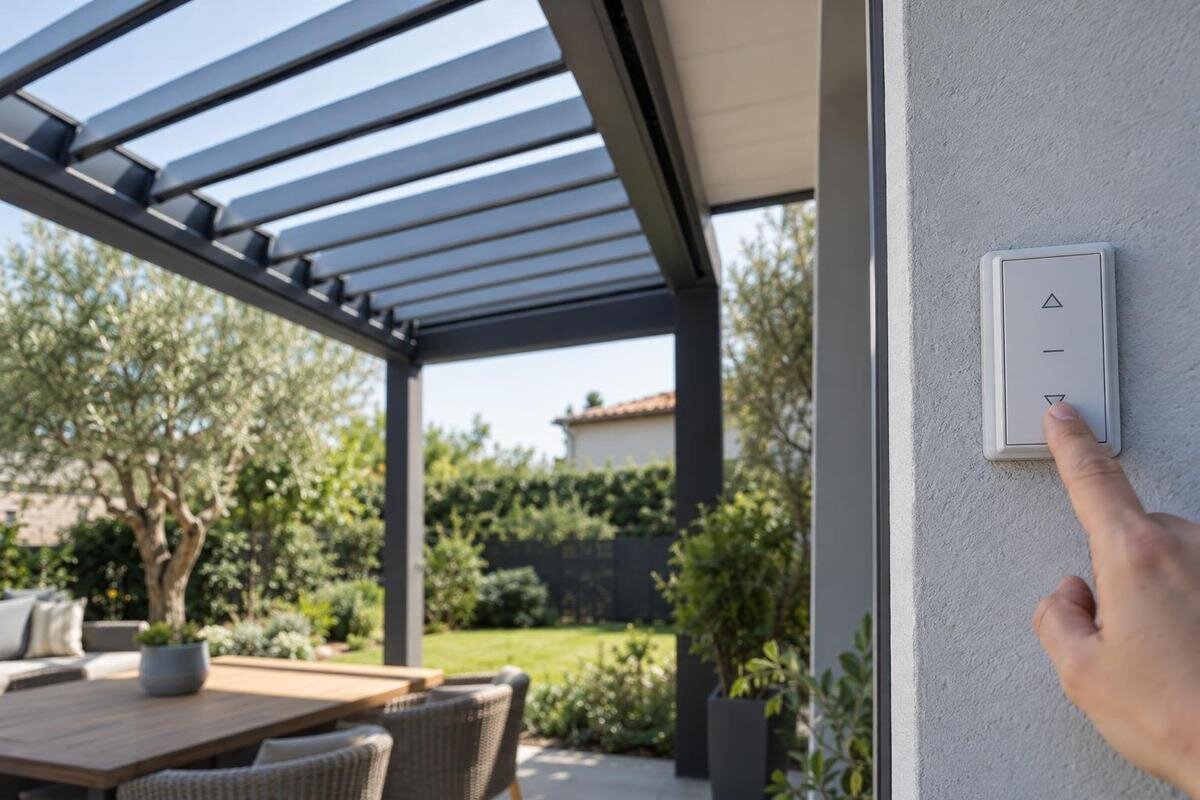
If there is no visible hazard and the user instructions allow operation, observe what happens during one ordinary command. If the roof has just stalled, do not repeat the command simply to get a better view or video. Note whether the button or switch responds, whether an indicator changes and whether the louvres begin to move. If the system has more than one normal control, compare them only as the exact manual directs; do not assume that an unresponsive remote proves the pergola itself has failed or begin pairing procedures as a test.
Do not change travel limits, settings, programmes or safety inputs, and never bridge or bypass a sensor or other safety feature. Avoid opening a controller or motor cover to look for a loose wire. If you own a Bloomcabin Wall Pergola, use the instructions for the controller actually fitted to it, rather than treating the product listing as an operating guide. Follow only the instructions supplied for the exact unit. If you do not have them, ask support for the appropriate manual using your order and model details. Do not try a generic online reset while waiting for guidance.
Record indicator lights and unusual sounds accurately
Copy any visible code or message exactly as shown, including letters, numbers and the light pattern if you can see it clearly. Note whether it appeared before or after the command, and whether a light was steady or flashing. You can describe a sound in ordinary language, such as a single click or a continuing buzz, and note its approximate duration. Do not move closer to trace the sound, remove a cover to look for a light or treat a generic code found online as a diagnosis.
Photograph a display only if you can do so from your normal standing position without disturbing the control. Keep the photograph with your written record of the message and the product name, such as Bloomcabin Pergola, so support can relate the observation to your installation. Use the legend in the exact user manual if it is available, and send the wording even if its meaning seems obvious. Record what you saw separately from your interpretation of it. If there is no display or visible code, say so; not every system presents a message in the same way.
Note what changed before the fault
Make a short timeline: when you last saw normal movement, when the problem appeared and what happened immediately beforehand. Note any power interruption, cleaning or maintenance, nearby building work, impact, accessory change or long period when the system was not used. Record outdoor conditions as observations—for example, whether it was wet or windy—but do not assume they caused the fault. If the louvres stopped during an event, describe the sequence rather than recreating it to test the system.
Add the installation date or a recent service visit if known, who carried out the work and whether the problem was present before or after it. When recording the history of a pergola from the Bioclimatic Pergola range, distinguish the date you first noticed the fault from the date you reported it or arranged a visit. This keeps the sequence clear if several people have been involved. A timeline can help support understand whether the problem is new or recurring, but it cannot show what happened inside the mechanism. Keep receipts, service notes and messages from the installer with your photographs.
Gather the model, order and installation details
Use the order confirmation, invoice, product label and installation paperwork rather than lifting the roof or removing a cover to find a label. Write down the full product or model name and any serial or batch number that is printed and safely accessible. Add the purchase and installation dates if known, the original installer and any later service visits. Record the controller's visible make or model only when you can read it from the outside. If a detail is missing, say so; do not guess from the pergola's colour, size or appearance.
The exact product name helps support, but it is not enough to select a spare part. If an order refers to the Wall Pergola model, send that wording along with any separate serial or label information and ask the team to confirm the installed version. Do not infer the actuator, control version or compatible replacement from a catalogue title. Keep the original documents together and make clear which details came from the order and which came from a label on the installation. If warranty terms may matter, share the proof of purchase and ask how a proposed inspection or repair should be handled under the terms that apply to your order.
Take photographs without reaching up
Take photographs from safe, stable ground: one showing the whole pergola and its current roof position, one showing the area that appears not to move, and one of any visible obstruction or damage. Use a wide view that shows where the affected area sits, then take a closer image only if you can do so without climbing, leaning over the roof or reaching underneath it. Do not put a phone, camera or hand into a gap, and do not move the louvres to improve the angle.
A photograph of the order document or a safely accessible label can help identify the product family, such as the one shown on the Bloomcabin Pergola product page, but it cannot replace an image of the stopped roof. Keep identification images separate from photographs showing the fault so each is easy to find. Include a short video only if you can film safely during an ordinary operation that would have been appropriate anyway; one brief record is enough. Do not run another cycle solely for evidence or film damaged equipment at close range. Label files by date and view, and check that they do not show unrelated personal information.
Send support a concise fault report
Include the date, exact model and order details, where the louvres stopped, whether all or only part of the roof moved, what the control did, any visible message or sound, any obstruction and relevant recent events. State what you have already tried, including whether you did nothing beyond a normal control command. This helps support distinguish observed facts from assumptions such as 'the motor has failed' and avoids asking you to repeat a check that may not be suitable. Attach the useful photographs or video, with filenames that make their viewpoints clear.
For an enquiry concerning the Bloomcabin bioclimatic pergola model, put the product name and order reference at the beginning of the message, followed by the fault description and attachments. Keep your questions together so support can respond to each one: request the exact manual or a safe, model-specific check if you need one, and ask whether the structure should remain unused pending a qualified inspection. If a component is suggested, request confirmation of compatibility before buying it and ask who should carry out the work. Do not present a guessed part number as an identified fault or order it simply to test your theory.
Do not order parts before compatibility is confirmed
Do not order a motor, controller, sensor or louvre because its photograph or description looks similar. A matching product family does not confirm that a replacement suits your installation; support may need the exact model, serial number, control details and a diagnosis before recommending a part. Ask whether a technician needs to inspect the unit, which approved part or repair method applies, and whether qualified service must carry out the work. Leave electrical work, adjustments and mechanical disassembly to appropriately qualified personnel.
If repair is unavailable or you are considering a replacement or upgrade, request an assessment of your actual pergola. The Wall Pergola catalogue page can help identify the product you wish to discuss, but it does not establish whether a proposed replacement suits the existing installation. Ask what compatibility has been confirmed, what work the proposal includes and whether existing controls or accessories need separate attention. Check the written warranty terms before authorising work; do not assume that it is covered. Keep the proposed solution with your fault report so the recommended work, the unit concerned and the agreed scope remain clear.
Frequently asked questions
Can I move the louvres by hand?
Only use a manual movement method if the manual for your exact pergola model explicitly describes it as an owner-level procedure and explains how to do it safely. Otherwise, do not push, pull or lever the louvres. A stopped roof may still be connected to its drive, and forcing it can cause damage or injury. Leave it where it stopped and ask qualified support if the manual is unavailable or unclear.
Should I keep pressing the control?
No. If a normal command has already caused the louvres to stall, avoid repeated attempts and record what happened. A single ordinary command may be observed only if there are no signs of damage, obstruction or unusual noise, and the manual allows operation. Repeated cycles are not a diagnostic test and may make the fault harder to assess.
Can I remove a leaf or branch I can see?
Do not reach into the roof, climb, use a pole or operate the louvres to dislodge anything. If an object is caught overhead or near moving parts, leave it in place and photograph it from a safe position. If nothing is visible from the ground, report that fact; it does not rule out an obstruction inside the mechanism.
Can I reset the controller or inspect its wiring?
Use a reset only if the exact manual identifies it as a normal owner procedure and the situation is safe. Do not open a control or motor enclosure, touch wiring, change settings or bypass a sensor or other safety feature. If the instructions are missing or do not match your unit, ask qualified support for guidance.
What should I send support?
Include the model and order details, where the louvres stopped, whether all or only part of the roof moved, what the control did, any visible message or sound, and when the fault began. Add relevant recent events and clear photographs taken from a safe position. State what you have already tried, and mark unknown details as unknown rather than guessing.
Once you have recorded the roof position, control response, visible surroundings, recent events and exact product details, stop there unless the manual gives a clear owner-level check for that model. The aim is not to name a failed part from a photograph, but to give support reliable information for deciding whether a further safe check or qualified inspection is needed. Keeping the pergola stationary and the evidence factual is safer than trying to coax it into moving.
