
Pergola Remote Not Working: Batteries, Pairing or Power?
Pergola troubleshooting
When a pergola remote stops responding, the same symptom can point to a weak battery, a pairing issue, a loss of power elsewhere in the system, or a fault beyond the remote. An indicator light, if fitted, is only a clue; it does not confirm that the command reached the pergola. Begin by recording exactly what happens and making only checks intended for the user in the manual for the installed equipment. Access to a battery compartment may be straightforward, but pairing sequences, controller resets, wiring and repairs are not universal. This guide helps separate safe observations from work that needs exact instructions or a qualified technician.
What to observe before diagnosing the remote
When a remote appears dead, note the precise failure before changing anything. Does the handset show a light or display, if it has one? Does the pergola make a sound, move briefly or do nothing? Does the fault affect every button or just one function? These observations are more useful than a guess: an indicator may show that the handset has some power, but it does not prove that a command reached the control system or that the motor can respond. Equally, no light may mean a flat battery, or simply that this handset has no visible indicator.
Try the ordinary user operation once, from the usual position and in the way your manual describes. Note how far away you were, whether you had to repeat the press, and whether anything had changed since it last worked, such as a power interruption, a new remote or service work. Do not hold buttons down or issue repeated commands to force movement. Record the exact pergola name from your order documents; the Bloomcabin Wall Pergola catalogue page can help with product naming, but it cannot identify the controller or remote fitted to an individual installation. Keep the product name separate from the handset details in your notes so that support can distinguish the structure from its controls. If you do not have the manual, avoid experimenting with unfamiliar buttons.
Battery checks you can make safely
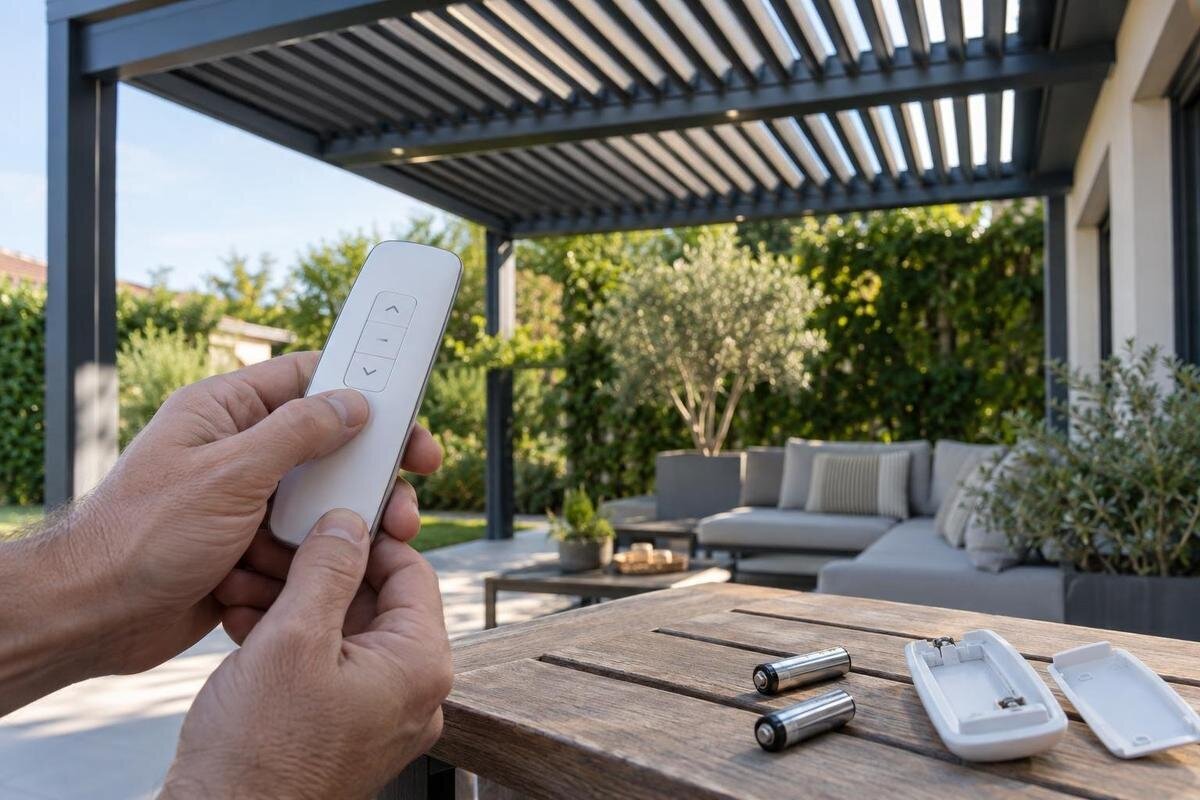
If the handset has a battery compartment intended for user access, check the markings for the required type and orientation. Look for cells sitting as marked, an obviously loose contact, leakage or a damaged cover; do not dismantle the handset to inspect inside. A dim, intermittent or absent indicator can be consistent with a weak battery, but it is not a diagnosis: some handsets have no indicator, and a fault elsewhere can produce much the same response. If the compartment is sealed, stuck or damaged, stop rather than prising it open. Keep the check to the area the manufacturer expects a user to access.
If the manual permits replacement, use the exact battery type specified in the instructions or marked inside the compartment. Follow the instructions for fitting the batteries and closing the cover. Do not mix old and new batteries or substitute a different format because it appears to fit. Change only the batteries, then try the usual operation once; changing several things at the same time makes the result harder to interpret. If a battery is leaking or contacts look badly corroded, do not scrape them or apply cleaner. If correctly specified fresh batteries make no difference, that does not by itself prove the remote needs pairing; continue with safe observations or seek service.
Pairing instructions must match the controller
Pairing is worth considering after a handset or control component has been replaced, after work on the system, or when the exact manual says a connection must be made. It is not safe to assume that every pergola remote pairs in the same way, or that a battery change automatically removes pairing. Button combinations, timing and reset behaviour can vary between control systems. Some setup or reset procedures may also change saved settings or affect other controls, so do not try a generic sequence because the remote has stopped responding.
Find the instructions for the exact handset and the controller or receiver actually installed. Follow a pairing procedure only if that manual explicitly describes it as a user task; otherwise arrange support. Do not open the control enclosure to identify the receiver or press an unidentified setup button. If your order identifies the structure as the Bloomcabin Pergola, use that name when asking the supplier to locate the matching control instructions. Include any handset identifier you can read and say whether it is the original handset or a replacement. These details help distinguish a request to reconnect an existing remote from a request to add a different one. If several manuals are available, do not select one just because its handset illustration looks familiar; match the equipment identifiers before following its procedure.
Check power without opening electrical equipment
A remote and the equipment that moves a pergola do not have to share a power source. A working handset therefore does not establish that the controller or motor has power; an unlit handset does not establish a fault in the pergola’s supply either. Check only what you can see during ordinary use: whether other household equipment has lost power, whether there is a visible status light on an accessible part, and whether you know of a recent interruption. Do not remove covers, touch wiring, test voltage, bridge terminals or bypass a safety feature. The internal supply arrangement must be established from the installation documents or by qualified service.
If you notice a tripped protective device, exposed cable, a burnt smell, unusual heat or signs of water around electrical equipment, stop operating the pergola and get qualified help. Do not keep resetting or investigating it. Note which controls or movements have stopped and whether anything else lost power, without deciding that this proves the cause. Where the structure is a Bloomcabin Bioclimatic Pergola, include that product name in the service request, alongside the separate control details. Describe the timing clearly: did the remote stop responding before the interruption, immediately afterwards, or at an unknown point? If you only discovered the fault later, say so. This preserves the distinction between an observed sequence and an assumed connection. Leave the supply arrangement and any electrical testing to the service provider.

Use response patterns as clues, not proof
The way the pergola responds can help you describe the fault. If a light appears on the remote but no function responds, the indicator does not confirm that the command reached the control system. If one button works and another does not, a button, selected function or part beyond the remote could be involved. If movement starts and then stops, record where it stopped and any change in sound. Do not keep pressing to see if it will finish, and do not approach moving parts to look for an obstruction. None of these signs identifies a failed component on its own.
Describe the pattern precisely: all functions or one, no movement or partial movement, immediate stop or later stop. If the same behaviour has occurred on separate occasions, include that history without running extra tests to reproduce it. If one function still works, say so rather than describing the whole pergola as unresponsive. Use a consistent description in your notes: for example, distinguish a button that produces no response from one that starts movement which then stops. Record what you saw rather than naming a failed part. Keep clear while it moves, and do not force any moving part or defeat a sensor or stop. If your paperwork identifies a Bloomcabin wall-mounted pergola, use that product name in the report, followed by the specific response you observed.
Compare controls only if the system is designed for it
If the installation has another control that is already part of its normal use, such as a second handset or a fixed user control, you may compare its ordinary operation only as described in that system’s manual. Do not add, borrow or pair another remote as a test. If the second control works while one handset does not, the fault may be local to that handset or its pairing, but the result is not conclusive: the controls may operate different functions, or the fault may be intermittent. If neither works, a shared power, controller or mechanical issue becomes possible, but the comparison cannot identify the failed part.
Keep the comparison simple: try the same ordinary function once with each permitted control, note the result, and stop if the pergola behaves unexpectedly. Do not use a fixed control to bypass safety arrangements or try an app or smart device that is not part of normal operation. Before describing the results as a comparison, make sure you have recorded which function each control was asked to operate. A successful command for one function is not the same as a successful command for another. Label the controls clearly in your notes, such as original handset and fixed control, rather than calling both of them the remote. For an installation identified as the regular Bloomcabin Pergola, keep that catalogue name alongside these control descriptions; it does not establish whether the controls are interchangeable.
When to stop and arrange qualified service
Stop user checks if you see damaged wiring, water or impact damage to a control unit, a cracked handset, leakage that has reached its electronics, an unusual smell or heat, or if the pergola moves erratically. Also stop if the only next step in the manual involves opening an enclosure, changing settings intended for commissioning, or working near moving parts. Do not try to repair a receiver, motor or supply connection yourself, and do not repeatedly reset a system when the cause is unclear. These are not routine battery or remote checks.
Service is also appropriate when correctly specified user-replaceable batteries have not helped, pairing instructions cannot be matched to the fitted controller, or a replacement part is being considered. When requesting help for a Bloomcabin Wall Pergola, give any model or serial label from the installed equipment as well as the catalogue name. Explain where you stopped: after observing the fault, after changing batteries, or before an unfamiliar pairing procedure. Ask the provider to distinguish any remaining user check from work that requires a service visit. If you have already attempted a reset or used a different handset, report that too, including any change in behaviour afterwards. A complete account is more useful than presenting an uncertain step as successful or repeating it to obtain a clearer result.
Choose a replacement only after compatibility is confirmed
A replacement handset is not necessarily compatible because it looks similar, comes from the same brand or is listed for a pergola of the same general type. Compatibility depends on the control system actually installed and the exact remote requirements; the pergola’s product name alone does not confirm it. Before buying, get confirmation against the handset’s make and model, the controller or receiver identification, and the relevant manual or installation record. Do not choose a universal transmitter, receiver or other control component on appearance or an informal description, and do not attempt to fit electrical parts yourself.
For example, the Bioclimatic Pergola product page identifies a product family; it does not show which controls were supplied with an individual installation or confirm compatibility with a replacement remote. Send the supplier relevant labels and clear photographs taken without opening electrical equipment. State whether you want to replace a faulty handset or add another control while keeping the existing one. Also identify which functions the current handset operates, rather than asking only for a remote for the roof. Ask whether the handset alone needs replacing or whether the control system requires professional assessment, and whether any required setup is a user task. If compatibility cannot be confirmed, wait for an exact answer rather than buying a part that may not work with the installed system.
Send support a concise fault record
A useful service request separates what you know from what you suspect. Include the pergola model and any serial or order reference you can find, the remote’s visible make or model, and a controller label only if it can be read without opening a cover. Note whether the problem affects all buttons or one, whether an indicator is visible, what happened after a permitted battery change, whether another normal control works, and whether a power cut or recent service preceded the fault. Say clearly if you have not tried pairing; this prevents a guess being mistaken for an established step.
Photographs of the handset front and back, accessible battery markings if relevant, and external product labels that can be read safely can help. A short video can show the response, provided you film from a safe distance and keep hands and objects away from moving parts. Do not dismantle the remote or controller just to obtain a label. Name each image so it is clear which item it shows, particularly if the installation has more than one handset. Keep the original label photographs available rather than relying solely on a typed model number. If you include the Bloomcabin Pergola catalogue entry, identify it as the product reference, not as evidence of the fitted controls. Finish the request with the specific help you need: identifying the correct manual, assessing the fault or confirming a replacement.
After the fault is resolved
Once a manual-approved battery change, pairing step or service repair has been completed, test the control in the ordinary way described for the system. Confirm which functions work; do not run repeated cycles, test limits or hold a button to see whether something else moves. If any movement is uneven, stops unexpectedly or sounds different, stop and report the change rather than treating partial operation as proof that the repair is complete.
Keep the matching manual and make a note of any replacement handset or service work, including the date and component identifiers supplied by the technician. If the fault returns, record what changed between the successful test and the next failure. That history can help distinguish a recurring symptom from a new event. The useful outcome is not just a remote that responds once, but a clear record of what was checked and which instructions apply to the controller installed at your property.
Frequently asked questions
Can I use a universal remote with my pergola?
Do not assume it will work, even if it looks similar or is sold for pergolas generally. A replacement needs to match the control system actually installed, and the pergola’s product name alone does not confirm compatibility. Check the exact remote and controller details with the supplier before buying.
Does a light on the remote prove the batteries are good?
No. If the handset has an indicator, it may show that the handset has some power, but it does not confirm that the batteries are in good condition or that a command reached the pergola. Use the manual and any battery-compartment markings to check or replace user-accessible batteries.
Do I need to pair the remote again after replacing its batteries?
Not necessarily. Whether pairing is required depends on the exact control system; a battery change does not automatically mean that the remote has lost its connection. Check the manual for your handset and controller, and do not try a generic button sequence or reset.
The remote lights up but the pergola does not move. What should I do?
Treat the light as one observation, not a diagnosis. Note whether the pergola makes a sound, whether any function responds, and whether another control that is already part of normal use works. Do not repeatedly press buttons or open electrical equipment. If the manual does not resolve the issue, give these observations to a qualified service provider.
Can I reset the controller to reconnect the remote?
Only follow a reset or pairing procedure if the manual for the exact installed controller describes it as a user task. A generic reset could change settings or affect other controls. Do not open the controller enclosure or press unidentified setup buttons; arrange qualified service if the correct instructions are unavailable.
A remote that fails is a starting point for diagnosis, not proof that the handset is faulty. Check accessible batteries as the manual allows, record how the pergola responds, and compare another control only if it is already part of normal use. Pairing and replacement decisions depend on the exact installed controller; power and repair work belong with qualified service. A clear record of the symptoms and the equipment labels is more useful than repeated button presses or an unverified reset.
