
Planning an Outdoor Work Area Under a Pergola
Pergola planning guide
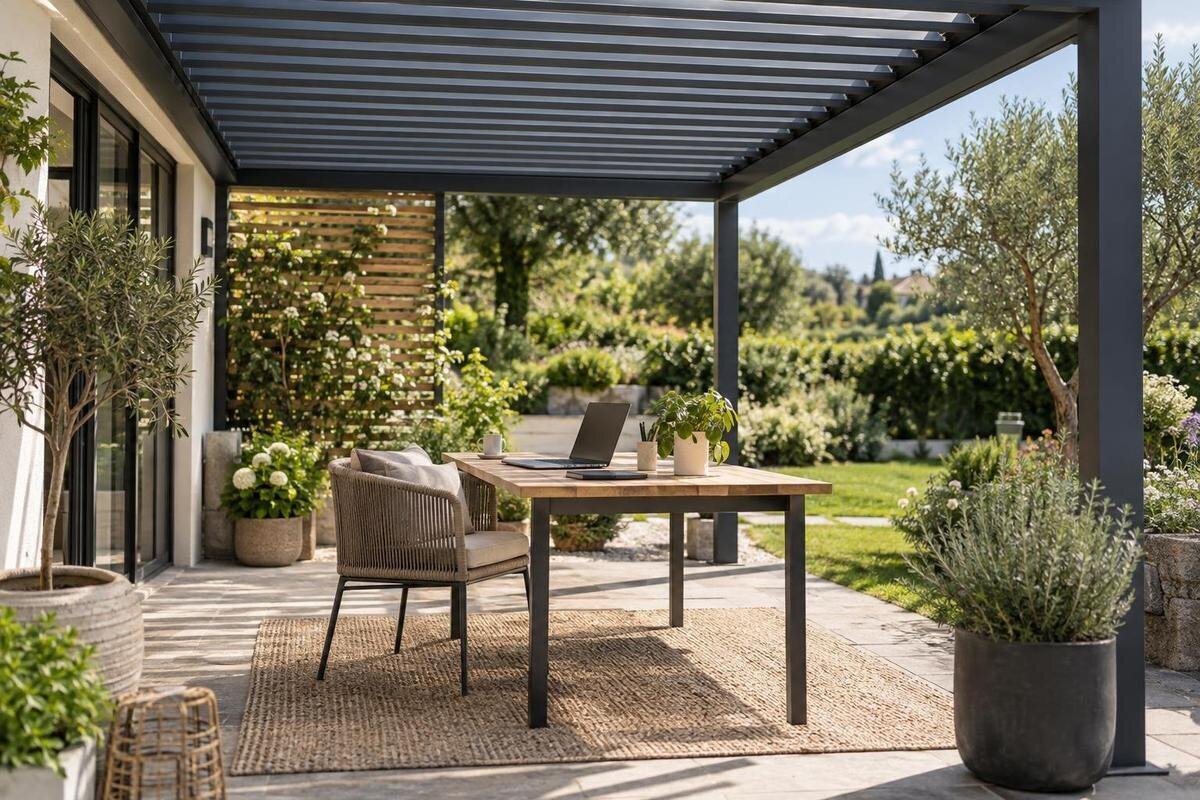
An outdoor workstation under a pergola can make a terrace useful for a laptop session, paperwork or a change of scene, but it is not an enclosed office. Screen reflections, sun moving across the space, wind and rain, power access and somewhere to put devices after work all affect whether it suits your routine. Plan around the tasks you actually do and the hours you expect to work. Then test a measured desk-and-chair layout on site before choosing a configuration.
Before you choose 1
Define the tasks the outdoor desk must support
Write down what happens at the desk before shopping by square metres. A laptop-only email block has a different footprint from a day with a separate screen, keyboard, mouse, notebook, headset and papers. Include things that appear only occasionally, such as a second monitor, document stand or files that must stay open, because each still needs a place. For each common task, note whether it includes a video call, focused writing, reading from paper or frequent switching between devices. Record which jobs are brief and flexible and which have fixed times or deadlines. How often you intend to work outside matters too: a spot for a few sessions per week does not have to replace a permanent indoor office.
Separate tasks that can tolerate noise, changing light or a quick move indoors from work that needs privacy, uninterrupted calls or stable conditions. This sets realistic limits: a pergola may suit occasional work between indoor tasks, while confidential discussions or work that cannot pause may be better handled inside. Decide whether the desk will stay set up or be cleared after each session, and list the devices that need to operate at the same time. The Bloomcabin Pergola listing shows an area range of 9 to 24 m². Use your task list to establish how much of that space the workstation would need, rather than choosing an area before deciding what must fit.
Measure the usable floor area
Measure the area at ground level before sketching a workstation. Mark the support positions from the exact plan or proposed configuration, then plot doors, steps, walls, drains, planters and routes people already use across the terrace. The outer roof outline does not automatically equal usable floor space: supports, edges and access routes can affect where a desk will fit. Note changes in floor level, nearby surfaces where a chair may roll differently, and every door that needs to open through the area. Include space to carry a laptop and chair in and out. If the site drawing is approximate, label it as a concept and confirm measurements before ordering furniture or comparing configurations.
Measure the desk, chair and every device that needs a place, including the depth of a monitor stand, laptop dock or tray. Use tape or a temporary outline to represent the desk on the terrace; put the chair behind it and physically sit, pull back, turn, stand and walk to the entrance. Mark the space the chair occupies both when you are seated and when it is pulled back, not just the position of its legs. Check whether someone can pass without stepping around cables or bumping furniture. When comparing the Bloomcabin Bioclimatic Pergola with your layout, use the exact configuration’s dimensions and support positions: a listed area alone cannot confirm clearance around a desk.
Before you choose 2
Position the desk around doors and walking routes
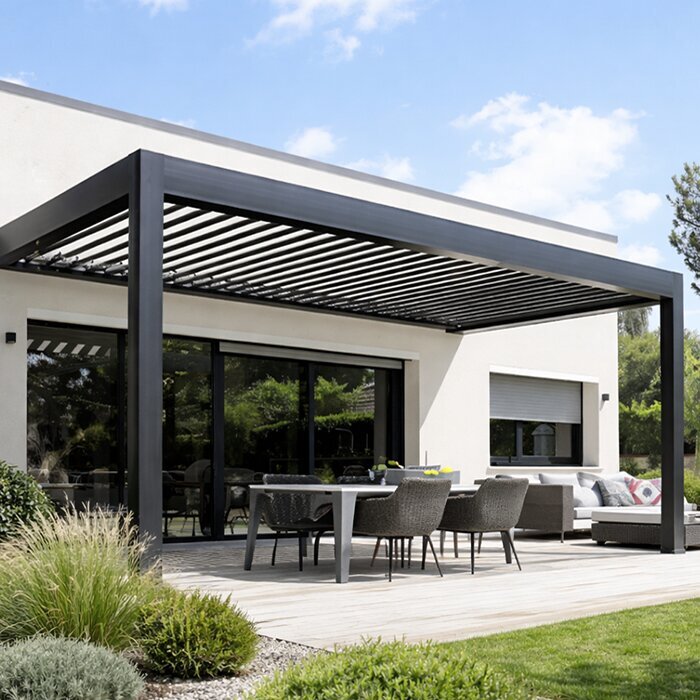
Consider how the proposed pergola relates to the house and the way people use the terrace. A desk close to an entrance may make it easier to carry a laptop in and out, while one placed across a main route can make everyday movement awkward. Mark door swings, thresholds and the path to the rest of the garden, and do not let a pulled-back chair block the most convenient route. If the work area will share a terrace with family or guests, draw their usual routes too. A layout should let someone pass without interrupting the person at the desk or moving equipment.
Where the workstation sits beside a house, consider whether your screen and video calls will be visible through nearby windows, from neighbouring spaces or from the main seating area. A screen facing a busy route may be easy for passers-by to see; turning it away can change how light falls on it, so test both positions rather than assuming one solves every issue. If you are considering the Bloomcabin Wall Pergola, compare the proposed configuration with the façade, doors and walkway on your plan. Keep questions about attachment to the house separate from furniture placement, and seek qualified advice where the site or attachment needs assessment.
Track the sun before positioning the screen
Do not assess screen glare only at midday. Sun moves over the course of a work session, and a roof overhead may reduce direct light from above without stopping lower-angle light from reaching the screen through an open side. Bright paving, pale walls or nearby glass can also appear as reflections in a display. Visit the spot at the hours you normally plan to work, ideally on more than one day, and note the sun’s direction, the brightest background and the screen position. Looking at the screen from your normal seat helps reveal reflections that may not be obvious while standing.
Test the desk and screen in more than one orientation before fixing the layout. Turn the screen or desk to move bright reflections out of view, then check whether the display remains readable from your usual seated position. A temporary shade or small change in desk angle may help, but neither should be assumed to eliminate side light. If sunlight reaches the screen later in the session, you will need to adjust the setup or move indoors. When reviewing the bioclimatic pergola listing, compare the exact configuration’s stated features with the light conditions you observed. The useful question is whether the arrangement suits your working hours, rather than whether it looks shaded at one moment.
Before you choose 3
Expect interruptions from rain and wind
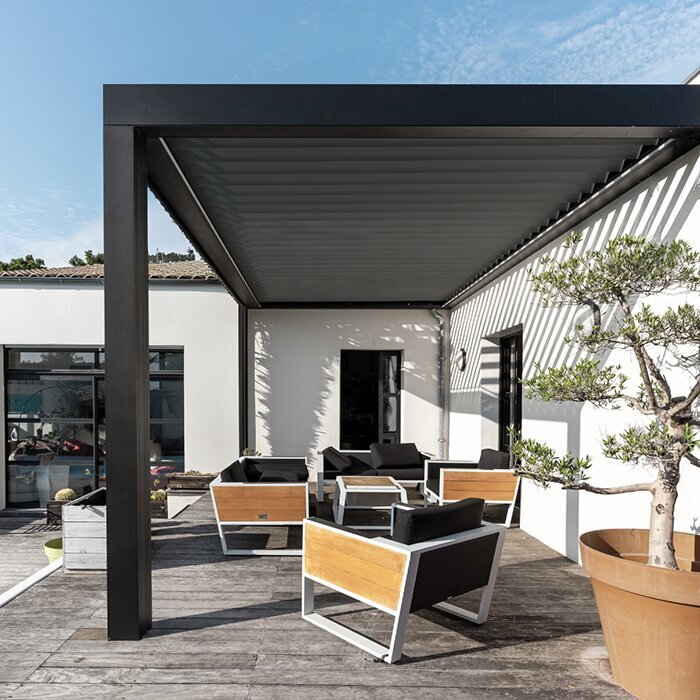
Treat a pergola as an outdoor space, not a sealed room. Rain can arrive from the side, and wind can blow papers, dust or droplets towards a desk even beneath an overhead roof. Light and temperature can also change during a session. Before working outside, decide what conditions mean you will stop, bring equipment inside or move to an indoor desk; make that decision before a call or deadline rather than after a device gets wet. Do not assume that a roof or an added screen makes the space suitable for equipment exposure unless the exact specification and the device maker’s instructions support that use.
Build a quick interruption routine around the work you plan to do. Save documents regularly, keep files synchronised where appropriate, and know which phone, charger, paper notes or meeting details need to come indoors with the laptop. Keep the path to the house clear so you can move equipment without shifting several pieces of furniture. For a fixed video meeting, choose an indoor fallback and test that the connection and camera are usable there as well. Prioritise the items needed to continue working indoors, so an interruption does not leave you searching for notes or accessories outside.
Check power and connectivity at the desk
List every device that needs power during the same session: laptop, external display, dock, phone and any other accessories. Mark the likely desk position and consider the route to a suitable power source without letting a cable cross a walking route or pass through a door. A nearby indoor socket is not automatically suitable for outdoor use, and an indoor extension lead should not be treated as a permanent outdoor solution. If fixed outdoor power or a new supply is part of the plan, ask a qualified electrician to assess the location, equipment and required protection. For a layout beside the house, the wall-mounted pergola option can be compared with your proposed desk position, but proximity to the wall does not establish that a suitable supply is available.
Check connectivity from the chair, not just at the house door. Test a real video call or the most demanding work task you expect, at the times you will use the space, and listen for drop-outs as well as checking signal strength. Consider whether you need a private network connection, a backup connection or a stable place to take calls; do not assume a phone hotspot will work well enough without trying it. If your work involves large files or live collaboration, test those tasks too. Keep sensitive work within your employer’s or client’s rules, and choose an indoor room for tasks that cannot safely continue if the signal or power fails.
Before you choose 4
Select furniture for the equipment you use
Choose the desk for the actual equipment, not a catalogue photo of an empty table. Draw the footprint of the display, keyboard, mouse, notebook, charger and any items that must remain reachable at the same time. Check that the screen can sit where you tested for glare and that the chair can be pulled out without meeting a support, wall or walking route. A laptop on an improvised surface may be acceptable for a short email check but may not suit several hours of typing; try the actual equipment and chair together before committing. Aim for a stable surface and a comfortable seated arrangement rather than assuming an outdoor dining chair will work as a desk chair.
Outdoor exposure affects which furniture can be left in place. Choose pieces whose maker describes them as suitable for the conditions where they will stay, or plan to take them indoors; do not assume ordinary indoor furniture will tolerate direct sun, damp air or gusts. Keep loose papers and light accessories in a tray or bag when they are not in use, and check that any powered accessory is suitable for its location. When comparing a configuration on the pergola product page, include the furniture you will keep outside as well as the equipment you will carry out for each session. Both need space in the working layout.
Storage during work and after use
Storage should account for both what is in use and what must be cleared away. A laptop, headset, charger, notebook, mouse and paperwork can crowd a desk if everything is left across the surface. List the items you expect at the workstation, then measure the footprint of any caddy, cabinet or side table you plan to use. Place storage where you can reach it from the chair without narrowing the entrance route or the chair’s movement. If the work area is shared, decide which items can stay there and which need to be carried in a single bag at the end of each session.
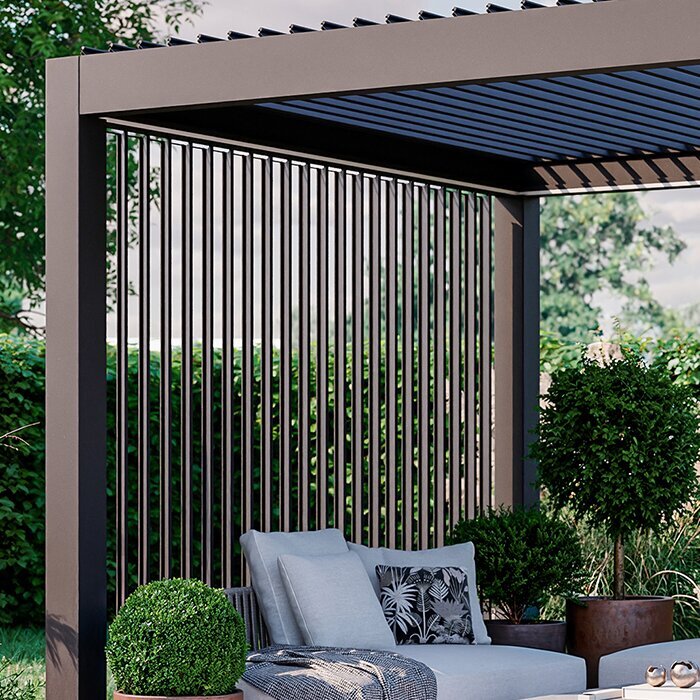
Treat weather protection, privacy and security as separate storage questions. A closed container is not necessarily suitable for electronics outdoors, and overhead cover alone does not provide secure storage. For valuable devices and important papers, the practical plan is often to bring them indoors after use. Where something must remain outside, check the container maker’s stated conditions and the equipment maker’s storage instructions. Keep chargers and accessories organised so they are easy to pack away, and avoid leaving loose items where they can become wet, blow away or obstruct the work surface.
Before you choose 5
Test a realistic working session
Before finalising the layout, run a realistic trial with the equipment and tasks you listed. Sit at the marked desk position for a normal work block, open the documents or applications you use, try the call position, and note when glare, background activity, wind or connection quality becomes distracting. Repeat at another time of day if those are also likely working hours; a layout that feels calm in the morning may be exposed to different light or household traffic later. Write down what interrupted the session instead of relying on memory. The aim is to discover which tasks and time windows work outdoors, not to prove that every working day will be suitable.
Use the trial notes to distinguish a useful regular workstation from an occasional laptop spot. If only short, flexible tasks work well, keep the setup light and easy to bring indoors instead of adding furniture or electrical equipment that the space cannot reliably support. If longer sessions seem viable, assess the chair, monitor position and access route over that time, and consider neighbours, household noise and privacy as well as comfort. Before choosing from the bioclimatic pergola range, use those observations to identify which parts of the tested layout need to stay unchanged. A desk position that worked during the trial is a useful reference when comparing configurations.
Compare the measured layout with a pergola configuration
Bring the decisions together in a layout drawing before selecting furniture or a final pergola configuration. Show the supports, desk and screen, chair in use and pulled back, door swings, walking route, storage and the sun’s position at the times you expect to work. Mark the intended power source and an indoor fallback without drawing in cabling details; any fixed supply needs separate professional assessment. Label illustrative or approximate layouts as concepts, not installation drawings, and distinguish confirmed measurements from dimensions still to be checked. A useful plan makes tight points visible, such as a chair blocking a door, a screen facing reflected light or a cabinet narrowing the route.
Compare configurations against that drawing using their published dimensions and stated details, then confirm the exact model and the space available on site. If the Wall Pergola page is on your shortlist, use the same layout when reviewing it alongside other options. Record whether each configuration accommodates the desk, chair and access route, and keep any unresolved site, attachment or power questions for the relevant qualified professional. This gives you a consistent basis for comparison without treating a product name or overall area as proof of fit. The practical test is whether you can sit down, complete your intended task, move through the area and bring devices inside without rearranging the whole terrace.
Frequently asked questions
Can a pergola work as a full-time home office?
Not automatically. An outdoor workstation may still be affected by changing light, wind, rain, noise and unreliable power or connectivity. Test the tasks you need to do and keep an indoor alternative for calls or work that cannot be interrupted. A pergola does not make outdoor conditions equivalent to an enclosed office.
How can I reduce screen glare outdoors?
Check the work area at the hours you expect to use it, since the sun and reflections change during the day. Try the screen in different positions and view it from your usual seat. Overhead cover may not block low-angle light coming from the side, so keep a flexible alternative if glare returns.
How should I plan power for a workstation under a pergola?
List the devices you intend to use and mark the desk position before deciding where power is needed. A nearby indoor socket is not automatically suitable for outdoor use. Ask a qualified electrician to assess any fixed outdoor supply, equipment and required protection; do not use a pergola plan as an installation drawing.
How much space do I need for an outdoor desk?
There is no single useful figure for every setup. Measure the desk, chair and equipment, then include the chair pulled back, door swings and the route people need to walk through. Mark the layout on the ground and test it in person before comparing it with a pergola configuration.
Can I leave my laptop and other equipment outside?
Do not assume a pergola is a dry, secure storage area. Check the equipment maker’s instructions and bring valuable devices and important papers indoors after use unless the specific storage arrangement is stated to suit the conditions. A closed container is not automatically suitable for electronics.
An outdoor workstation works best as a defined, flexible use of the terrace: enough room for a real desk-and-chair setup, a screen position that remains readable during the intended hours, and a clear way to move work indoors. If a trial exposes problems with glare, power, access or storage, change the work pattern or location before adding more equipment. A pergola can provide a place to work outside; whether it suits a particular task depends on how the space behaves in everyday use.
