
Black Friday Sauna Deals: Compare Complete Packages

Black Friday sauna buying guide
Black Friday can put a sauna package on your shortlist, but a seasonal label and a headline price do not tell you what arrives or what the order will cost to complete. A bundle described as complete may not match another seller’s package: components, accessories or services can be listed differently. Compare the exact configuration, written inclusions, key specifications, required extras, delivery and installation terms side by side. This is a buying guide, not confirmation that a discount is currently available. Treat any advertised price, code or deadline as something to verify on the current listing and at checkout before deciding.
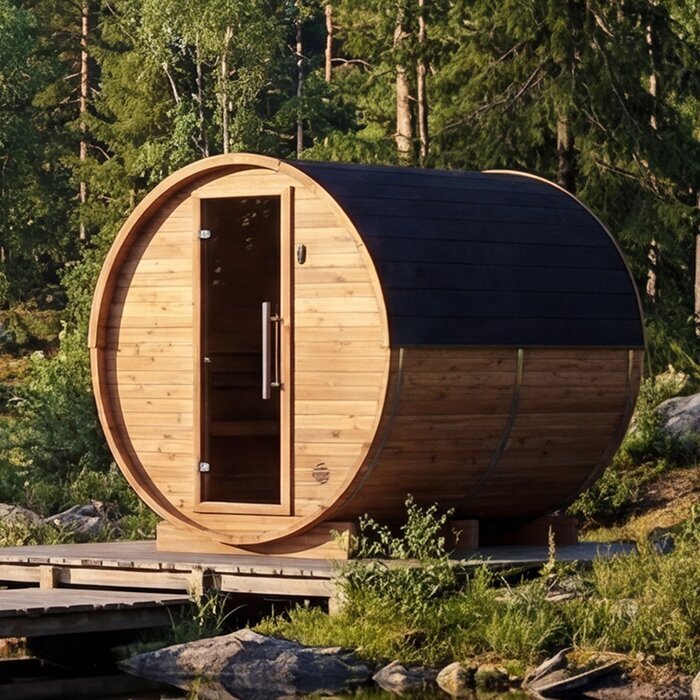
Compare the price against the exact package
Begin with the exact sauna model and configuration to which the displayed price applies. Check whether the price covers a sauna on its own or a defined bundle, and whether selecting a heater, controls or another option changes it. If a page places a seasonal price beside a previous price, compare the current written amount for the same scope rather than treating the event badge as proof of value. A lower figure is not like-for-like when it leaves out a component or service that another package includes. Note the date and selected options as you compare, so you are not matching different versions by mistake.
Build a total for each candidate: package price, delivery to your address, items you genuinely need to buy separately, and any assembly or installation service you plan to arrange. Keep optional extras in their own column; adding every possible accessory can distort the comparison. Check the amount in the basket and final order summary, including any charges applied there. If a voucher or advertised price is offered, confirm that it applies to the configuration you selected rather than assuming the headline amount will carry through. The thermowood barrel sauna S 140 page can be one row in your comparison. Its model name is an identifier, not a statement of what the package contains.
Define what the package includes
The word complete needs an itemised list beside it. Ask which goods are included with the exact model: the sauna structure, heater, controls, any heater components such as stones where relevant, benches or fittings, and other parts named in the offer. These are points to verify, not a standard bundle you can assume. Record quantities and selected options, and note anything expressly excluded or sold separately. Small items shown in a product photo may not appear in the written contents, so check each one rather than relying on the image or a general description. Also check whether an option is preselected; its appearance in your basket may change the total without making it part of the base package.
Check whether the package covers goods only or also delivery, assembly, set-up or professional connection; those are separate services and should not be conflated. Ask the seller to define what each service covers and which costs remain yours. A useful record has four fields for each line: item or task, quantity or scope, included or extra, and quoted cost. The thermowood barrel sauna HC150 product page is another model-level entry to review; use its written details and any clarification to define the actual package, rather than reading completeness into the name.
Compare specifications on the same basis
Compare the listed specifications that affect both fit and the purchase you are making. Record overall and interior dimensions separately, any stated user capacity, bench arrangement, construction or material details, and the heater and controls specified for the selected configuration. Note the units and what each figure measures: external length, usable interior space and product footprint are not interchangeable. If a capacity is stated, record it as the seller’s figure and consider it alongside the seating layout, rather than treating it as a guarantee of roominess. A model code or attractive image cannot fill in a missing specification; mark it as unknown.
Check that each candidate’s specifications refer to the actual option in the basket, not a default variant on the page. Compare heater type, any stated output, and stated supply or connection requirements only where those details are provided; get a qualified professional to confirm whether the requirements suit your planned services. For the site, compare the stated footprint and any opening or clearance requirements named by the supplier with the space available. The thermowood barrel sauna HC 225 listing can be checked against the same fields, but missing information should prompt a question, not an assumption.
Check which accessories are actually included
Accessories can make two packages look different even when their central configuration is similar. List extras you might actually use, such as a bucket and ladle, thermometer, lighting or headrests, and mark each as included, optional, separately sold or merely shown. Do not score an offer by the number of extras: an accessory you would not choose has little practical value, while a missing item you do want belongs in the total cost. Treat photos and the word bundle as prompts for questions, not an inventory. Check whether the stated quantity matches what you need rather than assuming a pictured set is supplied.
For every extra that matters to you, confirm its exact name, quantity, cost and compatibility with the chosen sauna or heater arrangement. Do not assume an item works with a configuration just because it appears on the same site. If you can purchase it later, include its verified price in your comparison only if you expect to buy it; keep speculative values out. Where a promotion mentions a bonus, check which model or options qualify and whether it appears on the order summary. The thermowood barrel sauna N 210 page can be assessed using the same accessory list, without assuming those items are part of its package.

Match the model and configuration
Match the full model name and selected configuration on every listing, quote and basket. A family name or suffix can look informative, but it is not a reliable way to infer dimensions, materials, heater specification or bundle contents. Record the exact item label, then add options the seller explicitly lists, such as a chosen equipment arrangement or finish. If the page opens with a preselected variant, make sure the price and inclusions you note belong to the version you would order. The thermowood barrel sauna N 250 listing gives you an exact product name for a comparison row; its label is an identifier, not evidence of unlisted specifications.
Before setting two listings beside each other, check that their item lists and prices describe the same package scope. A quote for a sauna with a selected heater, for instance, cannot be compared directly with a page where the heater arrangement is not stated. Ask for an itemised quote if the configuration is unclear, and reconcile any difference between the product page, basket and written offer. Keep the seller’s confirmation showing the model, chosen options, quantities, included goods and separate charges. Even labels such as kit or package can describe different contents, so compare the line items rather than the heading.
Confirm site and installation requirements
Check whether your intended site can accommodate the sauna as specified before comparing final prices. Put the listed footprint beside the space available and allow for any doorway, opening or service clearance the supplier states. Ask what ground support or base preparation is required and whether that work is part of the package; do not plan a foundation from a photograph or generic wording. If you intend to place it outdoors, confirm the product’s stated use and exposure limits with the supplier rather than inferring suitability from a picture or the word barrel. The thermally modified wood barrel sauna LC 260 page can be checked for the same information, where it is provided.
Site preparation and connections can sit outside the price even when the sauna itself is sold as a package. Confirm which work is included, who is responsible for assembly, and whether a separate installer or service visit must be arranged. Where the heater or controls have supply or connection requirements, ask for the written details and have a qualified electrician or installer assess them before ordering. Include any work you plan to pay for in your comparison. If a key requirement is missing, leave the site-preparation cost unresolved rather than assuming no work is needed.
Include delivery in the comparison
Treat delivery as part of the purchase, not a footnote beneath the package price. Check the charge for your actual address, any area limits or surcharges, the stated dispatch or delivery estimate, and how an appointment is arranged. Ask what the service includes: the drop-off point, unloading, moving the sauna to its final position, or anything beyond that. These are separate questions, and a product page may not answer all of them. A quote for delivery to one location cannot be compared with collection or a different delivery scope without allowing for the difference.
If access could affect delivery, describe it before paying and confirm what the seller or carrier needs to know, including any restrictions on the approach or unloading. Check the published process for a missed delivery or damaged shipment and whether notice must be given within a stated period; do not rely on assumptions about how claims work. If timing matters, ask how delivery dates are estimated and confirmed. The thermally modified wood barrel sauna HCF 300 page can sit in the product column, but its model name does not answer address-specific delivery questions. Compare every candidate using the same address and delivery scope.
Separate installation services from after-sales terms
Delivery, assembly, installation and commissioning describe different parts of a purchase. A package may cover freight without covering assembly, or assembly without connection work; the seller’s written wording determines the scope. Ask who performs each service, what tasks it covers, whether a site visit or extra labour is priced separately, and when it can be scheduled. Confirm that the sauna and any chosen heater are within the installer’s scope before booking. If you will arrange a professional yourself, check availability and likely costs early enough to include them in your comparison, rather than treating a package label as proof that set-up is included.
Read the warranty, return and after-sales terms for the selected sauna and any important separately sourced component. Check the documents for stated coverage, exclusions, the claims process, responsibility for transport, and how replacement parts or service are handled; do not assume a Black Friday promotion changes or preserves a term without checking. Where a package includes separate components, confirm which terms apply to each. The aim is to compare the written conditions for your order, not to infer a particular warranty or return right. If the seller points to separate terms, save them with the quote.
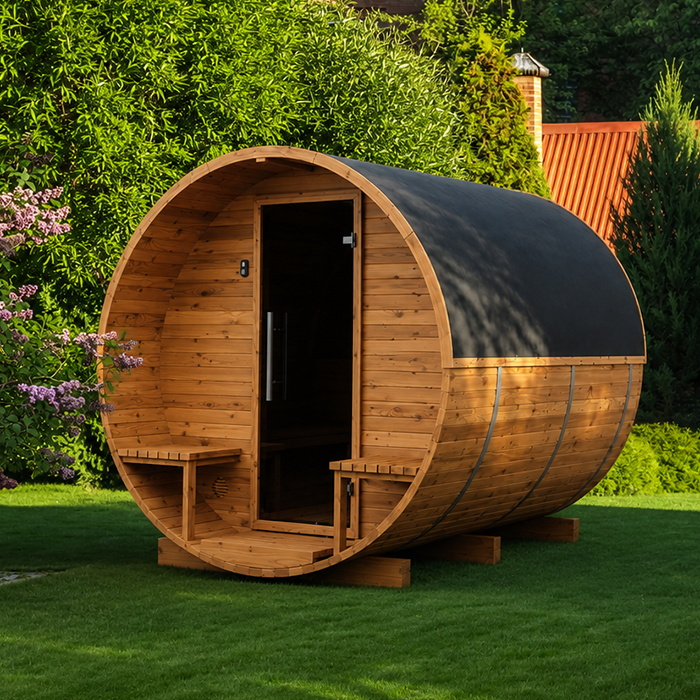
Use a side-by-side comparison sheet
Use one comparison sheet rather than relying on memory. Give each candidate columns for the full model and configuration; written inclusions and exclusions; dimensions, capacity and material or heater details; chosen accessories and their cost; delivery and installation scope; applicable terms; and the order total. Add a status column, such as confirmed, extra or awaiting an answer. The thermowood barrel sauna LCF 300 page can be one candidate on the sheet; enter only details stated for that model and mark gaps for confirmation. One row per actual configuration stops a base listing being mistaken for a bundle.
Then separate must-haves from optional extras. A package with more listed items is not automatically better if those items are irrelevant, incompatible or priced separately elsewhere. Add the cost of the goods and services you genuinely need, and keep unknown charges visible rather than assigning them a value of zero. Compare totals only when the rows cover the same scope; assess fit, stated specifications and support terms alongside cost. If a difference between offers depends on an unverified detail, leave the comparison open until you have a written answer.
Make a final check at checkout
At checkout, make one last pass through the exact product name, selected options, package items, quantities, delivery address and charge, and any separate service lines. If using a voucher or an advertised event price, confirm that it applies to this configuration and that the amount in the order summary matches your comparison sheet. Read any offer conditions affecting eligibility, exclusions or dates. Save the listing, relevant offer terms, written quote and final order confirmation, particularly if package wording differs across pages. This gives you a clear record of what the order was meant to include.
Do not let a countdown or prominent sale label answer an open product question. If inclusions, a key specification, site requirements or delivery scope remain unclear, ask for clarification before committing; the answer may change both cost and suitability. If a seller cannot confirm a detail that matters to you, treat it as unknown or set that candidate aside rather than filling the gap with an assumption. You should be able to explain the purchase line by line: what arrives, what work remains, the full cost and the written terms that apply.
Frequently asked questions
What should a complete sauna package include?
There is no universal set of items implied by the word complete. Ask for an itemised list for the selected model, including the sauna, heater and controls, any relevant heater components, accessories, delivery, and any assembly or installation services. Confirm quantities and exclusions in writing before comparing totals.
How do I compare Black Friday sauna deals with different inclusions?
Put each exact configuration in its own row. Add the verified cost of extras and services you would need to make each option comparable, then compare totals alongside specifications and terms that matter to you. Keep unknown amounts visible; do not treat missing information as a zero-cost extra.
Does the lowest Black Friday price mean the best deal?
Not necessarily. A headline price may cover a different bundle or leave out delivery, accessories or services. Compare the total cost for the same package scope, and check that any advertised price or code applies to the configuration in your basket. The seasonal label alone does not establish a saving.
Should delivery and installation be included?
Only if the written offer says so. Check separately whether delivery reaches your address and what unloading covers, then confirm whether assembly, site preparation, heater connection or other professional work is priced. Ask for the scope and charges before ordering rather than assuming they are included.
Can a product name or photo confirm package contents?
No. Use the full model name to identify the item, then rely on the selected product information and written package list for specifications and inclusions. Treat pictured accessories and missing specification details as questions to confirm, not as facts.
Use the Black Friday label as an occasion to compare, not as a substitute for details. A sound purchase decision rests on a clear record of the chosen model, what is in the package, what still needs to be arranged, and the full cost at your address. Once those lines match across candidates, weigh the stated specifications and written terms against your own requirements. If a detail that affects cost, fit or installation cannot be confirmed, leave it unresolved rather than letting the sale wording decide.
