
Remote Sauna Heating: Compatibility and Safety Checks
Sauna heating and controls
Remote sauna heating can mean anything from checking a temperature in an app to sending a start command when nobody is beside the heater. Those are different functions, with different safety implications. Before planning to warm a sauna remotely, establish that the exact heater, controller, sensors and software are approved to work together and that the manufacturer permits the intended start method. This guide focuses on documentation, operating limits and safeguards—not on fitting or modifying electrical equipment.

01
Remote start is different from app connectivity
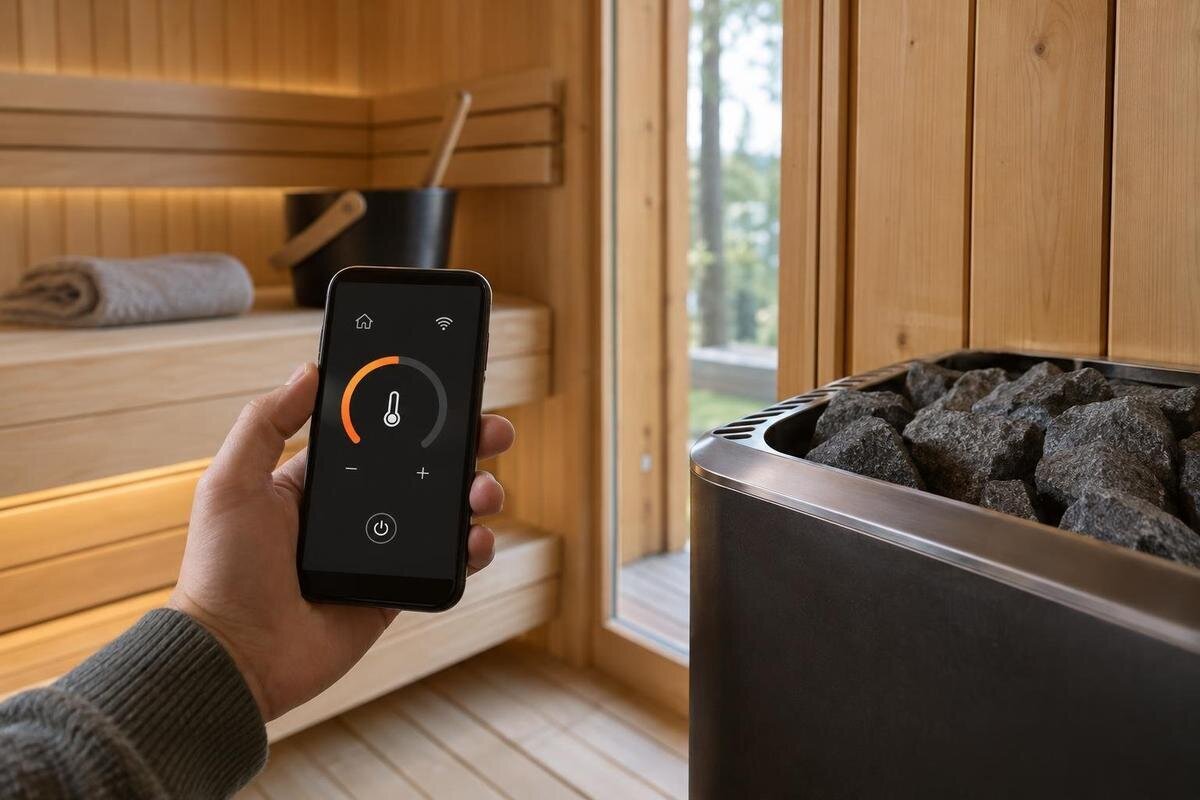
Remote sauna heating means a control can start the heater without someone first pressing its on-site control. An app may instead show a temperature, send a stop command, adjust a heater that was started locally, or manage a schedule that still requires someone to arm the system. Those functions are not interchangeable. A Wi-Fi icon, smart-home listing or phrase such as “app control” does not establish that an unattended start is permitted. Some systems deliberately require a local action or restrict remote operation to particular modes. Treat that restriction as part of the safety design; don’t try to achieve the same result with an unapproved plug, relay or automation. Ask the supplier which exact function the advertised app supports.
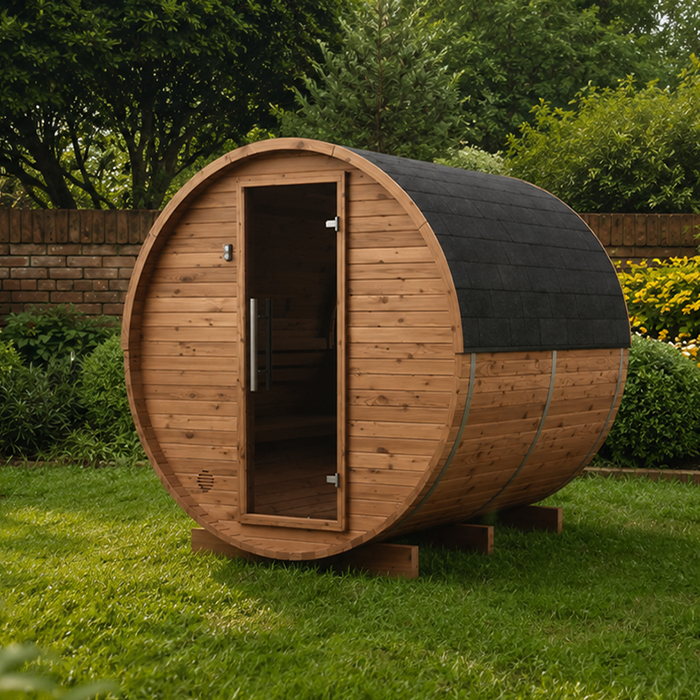
Assess the heating system separately from the sauna itself. For example, the Thermowood Barrel Sauna N-210 listing identifies a sauna and states an area of 4.43 m²; that fact does not confirm that a heater or remote controller is included, or name a compatible control. When asking about a complete setup, quote the exact sauna and heater model numbers and check each product’s stated inclusions. A sauna listing, heater brochure and app page may describe different parts of the purchase. You need documentation linking the heater model to the control unit, required sensors and remote function, not just a general claim that an app exists. Ask whether the proposed package uses built-in or separate controls, since that affects which manuals you need to compare.
Match the controller to the exact heater
Compatibility should be confirmed in the heater and control manufacturers’ documentation for the exact model and, where stated, version or generation. Check the heater model, controller model, any remote-access module or gateway, and the sensors or switches required for that pairing. A controller from the same brand may still be unsuitable for a particular generation; a capacity range or connector that looks similar is not proof. Prefer a compatibility table or manual that names the exact heater and permitted control. If documents disagree or omit the model, ask the manufacturer or authorised supplier for written confirmation rather than relying on a broad sales description. Keep a copy of the answer with the quotation.
When requesting a quote for the Sauna N-250, record the sauna, heater and control as separate items. Ask whether the proposed heating equipment is an approved combination and which components are supplied. If the control is bundled, verify its exact model in the quotation or order instead of assuming every package with the same sauna name has an identical arrangement. This also gives you a clear reference if the supplier proposes a substitution before delivery: compare the replacement heater or controller with the compatibility information, rather than accepting it solely because it comes from the same brand. Recheck the pairing before agreeing to a change.
02
Confirm what the remote function actually does
Ask the supplier to distinguish remote monitoring, a stop command, adjustment of a heater already running, and a start command from an off state. Also ask whether starting is immediate or scheduled, whether someone must arm it locally, what time limits apply to a queued start, and whether more than one user can send commands. A product description may use “remote control” for only one of these functions. Read the relevant manual or feature table, not just an app-store listing or a short sales summary. A displayed temperature or connection icon should not be treated as proof that the room is ready, the heater is operating or a target has been reached.
Pin down the feedback provided after each command: accepted, rejected, heating, stopped or faulted, and whether that status is current or delayed. If you are considering the Sauna LC-260, ask the supplier to describe these functions for the heating package being quoted, rather than for the sauna enclosure. Check the answer against the heater-control manual and exact accessory list. If a seller uses “remote-ready”, ask what equipment, setup and on-site actions the phrase includes. The answer should make clear both what you can do through the app and what confirmation you receive afterwards; a broad feature label leaves those two questions unresolved.
Read the operating limits and start conditions
Manufacturer instructions may limit when a remote start is available, how long a timer can run, when a delayed command expires, how often a new start can be requested, or whether a local reset is needed after an interruption. Look for maximum run-time controls, start delays, cancellation rules and any local arming condition; check whether an app schedule follows the same limits as an immediate start. The manual’s rules apply even if an app offers a setting that seems to allow more. Don’t bypass a timer, lockout or local arming step to make remote use more convenient. If a limit is unclear, request a written answer for the exact controller rather than extrapolating from another model.
Check which room conditions the manufacturer requires before heating begins, and whether the approved system can verify them remotely. A command sent from outside the sauna cannot establish by itself that the room is ready for use, unless the system has a documented way to monitor each relevant condition. When reviewing a proposed setup for the Sauna HCF-300, use the sauna and heater manuals for their separate purposes: the enclosure information does not establish the heater’s permitted run time. Follow any requirement for a person to be present or to arm the system on site. A scheduled start does not remove those requirements, so establish whether they fit your intended routine before choosing the controls.
03
Identify every safety feature required for remote operation
Build the safety-feature list from the manual for the exact heater and remote-control combination. Depending on the design, documentation may specify a door contact, a heater-guard or temperature sensor, a safety switch, a start lockout, an automatic time limit or another interlock. Those items have different jobs: a door sensor does not automatically replace a guard sensor, and an app alert is not an interlock. Check which parts are mandatory for remote starting, whether they are supplied, and how the controller indicates a missing or faulty device. Ask whether a fault blocks a start or only produces an alert; those responses are not equivalent. Don’t assume a generic “safety sensor” meets every requirement.
Compare the manual’s included-components list with the actual quote, and ask for the model number of each required sensor or safety accessory. For a package based on the Sauna LCF-300, have the supplier distinguish the enclosure, heating equipment and protective devices so that omissions are easier to spot. If a safety accessory is described as optional, ask whether the manufacturer makes it compulsory for remote start; don’t read an optional listing as permission to omit a required safeguard. Keep that distinction clear where the sauna, heater and controller are sold through separate listings. Before purchasing, confirm whether a missing required device prevents remote operation and whether the quoted package includes it.
Check sensor and interlock behaviour
An approved sensor only does its job when it is the specified part, installed in the documented arrangement and recognised by the control. Verify the correct model and location against the manufacturer’s diagram, and ask what the control does if a sensor is disconnected, gives an implausible reading or has been replaced. A sensor intended to measure temperature may not serve as a safety interlock, even if both parts look similar. Don’t relocate, substitute or bypass a device because another position or component seems to work. Have any change assessed and completed by a qualified professional under the equipment instructions, then confirm that the control recognises the final setup.
For a door-related interlock, ask whether it blocks a new start when the door is open, stops the heater if the door opens, or performs another documented action; behaviour may vary by system. Confirm how a fault is displayed, whether it prevents operation and how it is cleared. When reviewing the Sauna S-140, don’t use a product photograph to decide where a sensor belongs. Request the relevant heater and control drawing and a record of the final configuration. Those records should identify the specified device and its arrangement, rather than relying on a general “remote capable” label. Don’t deliberately disconnect a sensor to test its response; ask the installer for the manufacturer-approved test procedure.
04
Verify certification and local installation suitability
Where the manufacturer specifies certification, approval or a particular standard for remote operation, check the actual documentation rather than relying on a logo or sales phrase. Confirm that the evidence applies to the exact heater, controller, sensors and intended configuration—not just to the app, a wireless module or one component on its own. Ask the supplier or manufacturer to identify the issuing body, document reference and any model or version limits. Check whether the evidence covers the market where the equipment will be installed and whether required accessories are within its scope. If no document identifies the proposed combination, treat certification and compatibility as unresolved.
For a New Zealand installation, ask a qualified local electrician or sauna installer familiar with the equipment to confirm that the proposed combination and site meet the manufacturers’ instructions and applicable local requirements. This is especially relevant if the heater, control or radio module was supplied for another market, or if equipment is being mixed across product ranges. If your quotation includes the Sauna HC-150, keep its product details separate from any certification evidence for the heating system; they identify different parts of the purchase. Ask who will document the final model numbers, safety devices and professional checks after installation, and what paperwork you should retain.
Plan for network loss, power cuts and a failed command
Remote access may depend on more than a phone app: a local controller, home network, internet connection, account or manufacturer service can each affect the command path. Documentation should state how heating can be stopped if remote access is unavailable, what the control shows after recovery, and whether someone needs to be on site. Ask whether queued schedules remain active after an outage, whether an interrupted start can resume automatically, and how to check the heater’s actual state. Don’t assume “offline” means “off”, or that reconnecting cancels a previously set command. Follow the manufacturer’s stated behaviour and don’t send repeat commands until you know what happened.
Status feedback matters as much as the ability to send a command: if a connection fails, you need to know whether a request reached the controller. Ask how to distinguish an accepted app command from a confirmed heater state, whether the display shows the last update, and what action is required if confirmation is missing. For a proposed Sauna HC-225 setup, direct these questions to the supplier of the heater and controls, as the enclosure listing does not describe network or outage behaviour. Confirm the documented local operating method and make sure it remains usable. That fallback should be understood by the people using the sauna, rather than leaving home automation as their only way to manage the heater.

05
Make remote use workable for everyone who shares the sauna
Remote control changes who can start the heater and from where, so agree who is authorised to use the app and how other household members will know a start has been scheduled. Check whether the manufacturer’s system supports separate users, notifications, activity history or account removal before relying on those functions; a shared login may not provide an audit trail. Protect account access and remove it when a person no longer needs it, using documented settings. Decide who can cancel a schedule or respond to a fault, and make sure there is a clear way to pass on that information. The aim is to avoid surprise starts, not to add automation for its own sake.
Consider the actual routine at the property: will someone be present to prepare the sauna and respond to an alert, or is the approved system designed for remote use under conditions the household can meet? If the instructions require local arming, an on-site check or a person in attendance, plan around that rather than treating a calendar or voice assistant as an exception. If no one can verify a condition the manufacturer requires, leave remote start unused and follow the approved local method. A feature is useful only when regular users understand its limits, how to stop it and whom to contact if a fault appears.
Keep a record of the approved configuration
Before purchase or installation, assemble one list with the sauna model, exact heater model, control unit and revision, remote module or gateway, sensor models and required safety switches. Ask the supplier or manufacturer to confirm in writing that those exact parts work together for remote starting in the intended way. Include operating limits, stated certification evidence and network dependencies, and distinguish supplied components from those you need to purchase separately. This makes it easier to spot a substituted model or missing accessory before use, and avoids confusing a compatible sauna enclosure with a compatible heating system. Save the answer with the quotation and manuals, and note the date and any versions covered by the confirmation.
After a qualified professional completes the installation, compare the installed model numbers with the approved list and keep the manuals, drawings, certificates and commissioning notes together. Ask them to explain the normal start and stop sequence, fault indications, and what to do if status is lost or a sensor needs attention. If a component is replaced or a control is updated, the earlier approval may not cover the new combination; have compatibility reconfirmed before enabling remote start again. The final record should describe the equipment actually installed, not just the items on an initial quote. Make sure everyone who will operate it knows where the instructions are kept.
Frequently asked questions
Can I add a smart plug to any sauna heater?
No. Use one only if the heater manufacturer explicitly permits that control arrangement and confirms that all required safety functions remain in place. A connected plug’s ability to switch a device does not prove that it is compatible with remote heater operation. Don’t use a generic relay or modify the controls to create remote start; have a qualified professional check the manufacturer-approved options.
Does a Wi-Fi connection mean remote start is available?
No. Wi-Fi may support monitoring, on-site app access, schedules or status notifications without allowing a start from an off state. Check the manual for the exact heater and control model. It should say whether remote start is supported and whether local arming, someone being present or another condition is required.
Which safety sensors are needed for remote heating?
There is no universal set. Follow the instructions for the exact heater and controller, which may specify a door contact, temperature sensor, heater-guard sensor, safety switch or another interlock. Confirm the required models, their documented placement and how the system responds to a fault. Never replace or bypass a required device because another sensor seems similar.
Can I preheat the sauna while I’m away?
Only if the manufacturer permits remote starting for the exact equipment and you can meet its operating conditions. Some systems require local arming or another on-site check; an app cannot override that restriction. Before relying on a scheduled or remote start, confirm the safeguards, time limits, fault behaviour and how the heater’s actual state can be verified.
What should I ask the supplier to confirm?
Ask for written confirmation listing the exact heater, controller and sensor models or versions; the remote function supported; required interlocks and whether they are included; operating limits; any specified certification evidence; and what happens after an outage. Have a qualified local professional confirm the proposed installation and document the final configuration.
Treat remote starting as a documented feature of an approved system, not an automatic benefit of owning a connected controller. The decisive check is whether the exact heater, control, sensors and configuration are explicitly permitted for the intended start method, with limits and failure behaviour understood. If the paperwork leaves a required safeguard, certification scope or response to an outage unclear, use only the manufacturer-confirmed local operating method until that gap is resolved.
