
Pergola Remote Not Working: Battery, Pairing or Power?
Pergola troubleshooting
When a pergola remote stops responding, the same symptom can come from a flat battery, a handset that is no longer paired, a power interruption or a fault elsewhere in the control system. One button press cannot tell you which. Start with observations you can make safely, then use the manual for the exact handset and controller before attempting any battery change or pairing action. Electrical diagnosis, opening enclosures and repairs are service work, not remote-control troubleshooting.
Identify the remote, pergola and controller
Treat the failed command as a symptom, not a diagnosis. Identify the pergola, handset and control unit or receiver before changing anything; each may have its own model number. Check the paperwork and any labels visible without removing covers. Record the pergola’s product name and serial or product code, plus the remote and controller labels where accessible. If you need a broad product-family reference, the Bloomcabin Wall-Mounted Pergola listing can help match the pergola name; it does not identify the fitted handset or controller.
Look in the installation paperwork or product documents for the guide that matches the controller label, rather than relying on a general pergola leaflet. A different controller version may have different buttons or instructions. If the manual is a download or accessed through a QR code, check its model details before following it. Photograph labels that are already visible and keep those images with your records. Do not remove a motor or control-box cover to find a number: identifying a part does not justify exposing electrical components.
Note which controls still work
Note whether every button has stopped responding or only one function. If other buttons work, that is useful information, but it does not establish why one command fails. Distinguish between pressing a button and seeing the expected response: a light on the handset and movement of the pergola are separate observations. Describe each result rather than recording only that a button ‘works’. If more than one remote was supplied, record whether the other one responds when used normally and in accordance with its manual. Keep the handsets clearly identified in your notes so support can tell which result belongs to which remote. If all controls fail together, report that too. These patterns can help narrow down what needs checking; none, on its own, proves that the battery, pairing, power supply or controller is at fault.
Write down when the problem began and what changed beforehand: a battery replacement, a new remote, recent service or a known power interruption. Separate the last occasion when the remote worked from the first occasion when it did not. If you were away or did not use the pergola for a while, say that the exact starting time is unknown rather than linking the fault to an event without evidence. Where the paperwork uses only a family name, Bloomcabin Pergola’s product page can help you record that name consistently. Keep this product reference separate from the handset and controller identifiers. A short chronology gives support a clearer starting point than an early diagnosis. Include any other control you already tried and its result, without testing an unfamiliar switch or borrowing a remote from another pergola.
Check batteries only if the handset is user-serviceable
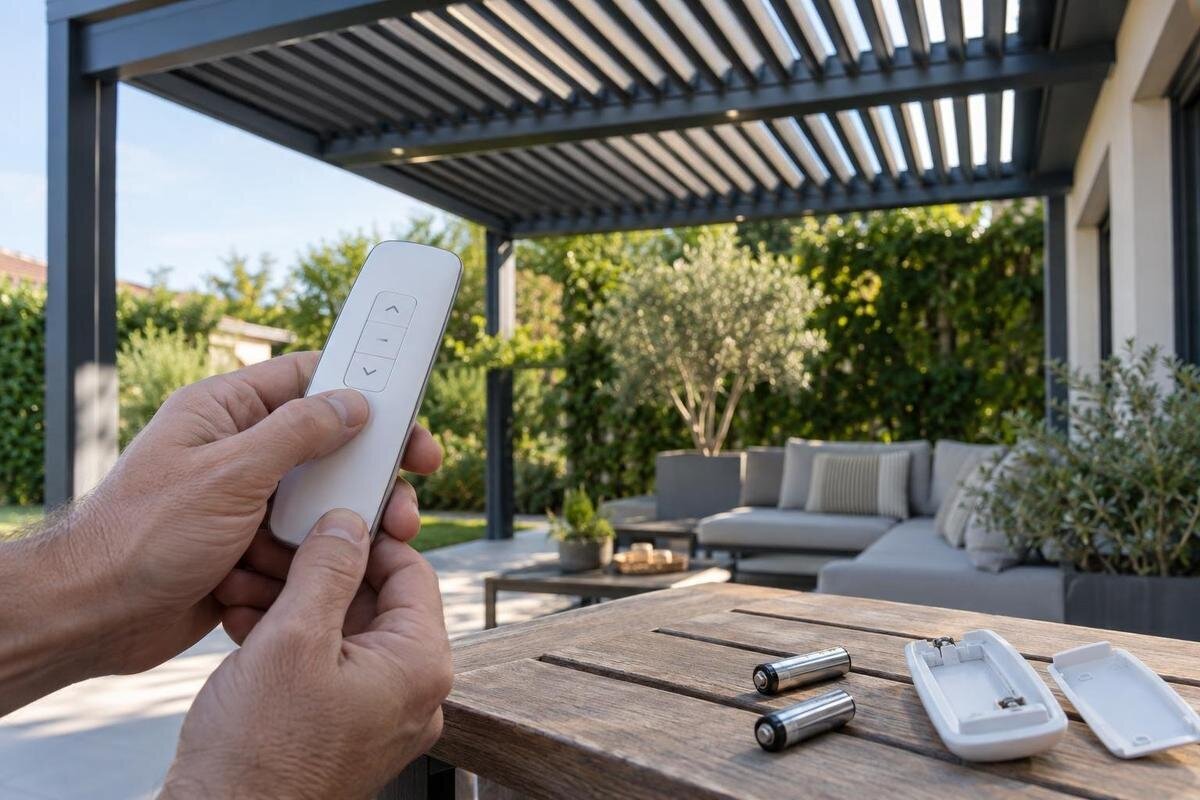
If the handset has a battery compartment intended for owner replacement, follow the instructions for that exact remote. Use the specified battery type and orientation; do not choose a cell just because it looks the same size or force a cover that will not close normally. Read the battery designation in the instructions rather than relying only on what was previously fitted, particularly if you do not know the remote’s service history. Keep the replacement battery’s packaging long enough to record what you used if the problem continues. Your notes should distinguish between checking the existing battery and actually fitting a new one. If the compartment is sealed, the manual does not describe owner replacement, or you are unsure how it opens, stop and ask the installer or supplier. Battery replacement is a sensible check only when it is allowed for the handset you have.
If you can inspect the compartment as described in the manual, look for obvious damage or leakage without scraping contacts or using liquid. Stop if a battery appears swollen, wet or damaged, and follow the manufacturer’s handling and disposal advice. If the remote has a light or display, note what it does when you press a button, but check the manual to understand its meaning. A light may not confirm that the controller received a command. If correct new batteries make no difference, do not assume that pairing is the next step.
Check range and obstructions safely
Remote systems can communicate in different ways, so do not assume that every handset needs the same distance or line of sight. Check the manual for any stated operating position or range. If it allows a simple test, try the remote from a normal, safe position where you would usually use it. You can note whether a temporary object is in the path, but stay clear of moving parts and do not climb towards a receiver or motor to improve reception.
If the response changes with your position, record where you were and what happened; this is a clue for support, not a diagnosis of interference or a faulty antenna. Describe the position in practical terms, such as beside the patio door or at the usual seating area, and note whether you were indoors or outside. Mention a temporary obstruction if you noticed one, without assuming it caused the fault. A report that the handset responded in one position but not another is more useful than an unsupported claim about its range. There is no need to map out a maximum operating distance by repeatedly issuing commands. Do not move or adjust electrical equipment, add a signal booster, or open the controller. The name Bloomcabin Bioclimatic Pergola identifies a product family, not a communication method; operating-distance information belongs in the fitted control system’s documentation.

Use the exact manual for pairing and resets
Pairing is not a universal sequence. If the remote was replaced, the controller was serviced, or the manual specifically directs you to pair a handset, check that the instructions name the remote and controller you have. Do not copy a button-hold sequence from another pergola or a general online video. A reset or pairing command can have different effects on different systems, and may affect stored remotes or settings. Stop if the instructions do not match the labels on your equipment.
A battery change does not automatically mean that the remote needs pairing. Before following any procedure, establish whether the instructions concern adding a handset, replacing one or resetting the controller. Do not treat those descriptions as interchangeable. Read the whole relevant procedure first, including any stated effect on existing remotes or settings, rather than starting with the first button press. If the wording is unclear, ask the installer which procedure applies and whether it is intended for an owner to carry out. Give the installer the handset and controller identifiers, as well as the pergola name. You can use Bloomcabin’s wall-mounted pergola listing for the latter if it matches your installation, but not as a source of pairing instructions. If you have already attempted a sequence, report exactly what you did and what happened instead of trying several variations.
Separate remote symptoms from a power fault
If the pergola has an electrically powered control system, an unresponsive handset can coincide with a supply or controller problem. A known interruption to power in the home is worth recording, but it does not confirm what has happened to the pergola. If another control is fitted and the manual identifies it as a normal user control, note whether it responds when used as directed. Do not open an electrical enclosure, probe wiring or repeatedly reset equipment to test a theory.
If no normal control responds, report that pattern and any visible status indication that the manual explains. Do not treat an unfamiliar light or display as a diagnosis. Keep observations about the household supply separate from observations about the pergola: record a known interruption and whether the remote worked before or after it, but leave gaps marked as unknown. If power has returned elsewhere in the home, report that as context rather than proof that the pergola’s supply is working. For an installation recorded as a Bloomcabin regular pergola, include that name alongside the fitted controller details when requesting help. The useful service question is whether the supply and control system need assessment, not which component you should replace based on silence alone. Ask a qualified installer or electrician to handle electrical checks or repairs.
Warning signs that need qualified service
Before any permitted user-level check, look from a safe position to see whether something visibly obstructs the pergola’s movement. Do not reach between moving parts, push a louvre or panel by hand, or force a mechanism that will not move. Never bypass a safety feature or sensor to see whether the remote will work. If the manual says to stop under the conditions you can see, follow its advice rather than repeating commands.
Stop using the remote if movement is unexpected, repeatedly starts and stops, or is accompanied by an unusual noise. Also stop if you see damaged wiring, water around electrical equipment, smoke or a burning smell. Keep people and pets clear of moving parts and arrange qualified service; do not remove covers or attempt a repair. Describe what you observed and when. This helps the service professional decide what to inspect without asking you to recreate a fault that may be unsafe.
Record what happened before requesting help
A brief fault record can save time. Note the date, which button you pressed, whether the remote showed an indicator response, what the pergola did and whether another fitted control behaved differently. Add any relevant recent change, such as a new battery or a service visit. Use only checks allowed by the manual, and record the result in plain terms. For example, write that an indicator came on rather than concluding that the receiver failed. Avoid repeatedly testing the same command to produce a longer record.
Take clear photos of the remote’s external label, the pergola’s visible product label and the controller label only if it can be seen without opening an enclosure. Where practical, include a view showing which item the label belongs to and a closer image with legible text. Keep the photos named or grouped by component so a handset label is not mistaken for a receiver label. If your documents are missing, Bloomcabin’s Wall-Mounted Pergola product page may help establish the broad family name; retain the installed identifiers as separate records. A short video may help explain the symptom, but use an existing recording or capture one only from a safe position during a permitted check. Do not recreate unexpected movement just to film it. Include the manual version and the steps already followed, if known.

Give support enough information to identify the system
When contacting the installer, supplier or service team, provide the pergola, remote and controller details separately. State what you need help deciding: whether an owner-level battery check remains, whether a pairing procedure applies, or whether a service visit is required. Ask for the manual that matches the fitted controller and, where relevant, the specified battery for the handset. If support sends instructions, check that the named equipment matches your labels before acting on them. A reply about a different controller version is not a reason to improvise. The Bloomcabin bioclimatic pergola page can help communicate the pergola’s product-family name, while your label records identify the fitted controls. Ask support to distinguish any suggested owner checks from work that requires a qualified professional, so the response gives you a clear boundary rather than an unexplained list of actions.
Send the fault record and clear photos of visible labels, then explain what you have already checked and what happened. Ask which actions are intended for an owner and which require a qualified service visit; do not request or follow electrical repair instructions that involve opening equipment. If you have installation or warranty documents, provide them and ask the relevant provider about the service route and any applicable terms. Keep the answer with the manual so the same checks are not repeated later.
Confirm compatibility before buying a replacement
A remote that looks similar to the old one is not necessarily compatible. Before buying a handset, have the supplier or installer confirm its exact model and its compatibility with the installed controller or receiver. Give them the labels and any revision details they request; do not infer compatibility from a shared brand name, button layout or pergola family. Ask whether replacement involves only a handset or whether another control component or professional setup is required. Do not order a generic remote on the assumption that it can be paired later.
If the exact handset is unavailable or you are considering a wider system change, ask what approved options suit the existing installation and what work each option involves. Request a clear description of what is being supplied: a replacement handset, other control components, professional setup or a broader change. This lets you compare proposals for the same work instead of comparing a handset-only option with a system replacement. Keep the diagnosis and the purchase decision separate; a new pergola is not a substitute for establishing why the existing remote stopped responding. If you are also considering a different pergola, Bloomcabin’s regular-pergola page is a separate product reference, not evidence that its control equipment will suit your installation. Resolve compatibility and the scope of the proposed work before ordering, and keep the confirmed replacement details with your equipment records.
Frequently asked questions
How can I tell whether the remote needs new batteries or pairing?
There is no single symptom that confirms either cause. If the handset has a user-replaceable battery, follow its manual and check the specified battery and orientation. Pairing is a separate, controller-specific question: use the manual for the exact handset and controller rather than trying a generic reset.
Does changing the batteries mean I must pair the remote again?
Not necessarily. What happens after a battery change depends on the control system. Check the instructions for your exact model before pairing or resetting anything; do not assume that a battery change erased a connection.
Can I use another pergola remote to test mine?
Only if the manufacturer or installer confirms that the other remote is compatible with your controller and explains how to use it safely. Similar-looking handsets are not proof of compatibility, and an unverified remote may not provide a useful test.
The remote’s indicator comes on, but the pergola does not move. What does that tell me?
Only rely on what the manual says that indicator means. It may show that the handset has registered a button press, but it does not by itself confirm that the signal reached the controller or that the pergola has power. Record the result and report it with the model details.
When should I stop troubleshooting and request service?
Stop if movement is unexpected, repeatedly starts and stops, or sounds abnormal, or if you see damaged wiring, water around electrical equipment, smoke or a burning smell. Keep people clear of moving parts and contact a qualified installer or service professional; do not open the controller or force the mechanism.
A useful diagnosis comes from recording what changed, not from trying every button sequence you find online. Keep the remote, controller and pergola identifiers together, make only manual-approved user checks, and give the service professional a clear account of the symptom. That makes it easier to distinguish a handset issue from a supply or controller fault without exposing anyone to moving parts or electrical equipment.
