
How to Set Up a Work Area Beneath a Pergola

Outdoor workspace planning
An outdoor work area under a pergola takes more planning than putting a desk and chair in the shade. Sunlight moves across a screen, open sides admit changing weather and sound, and power, connectivity and device storage need separate attention. Plan around the work you actually do, then test the position at the times you expect to use it.
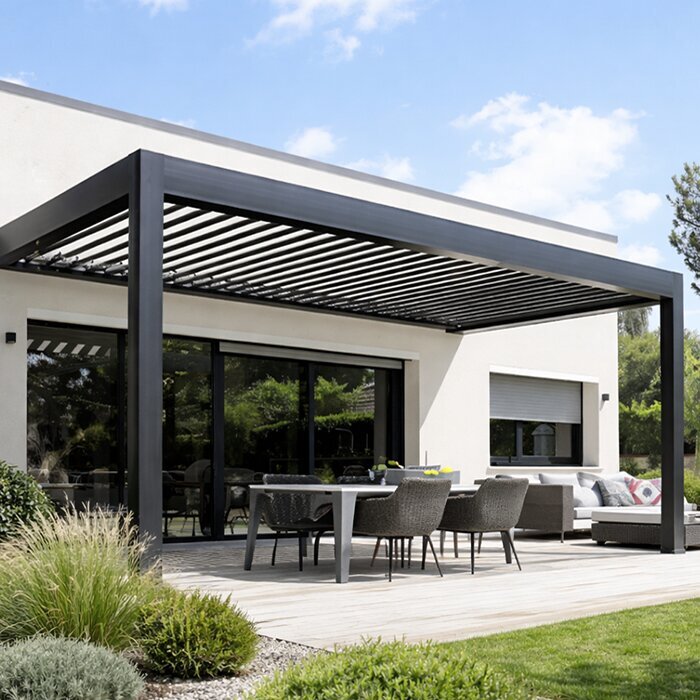
Planning checklist 1
Decide which work belongs outdoors
List the tasks you want to do outside, the devices each one needs and how long a normal session lasts. Reading email on a laptop has different requirements from editing a document on a larger screen, joining video calls, sketching or handling paper records. Note whether a keyboard, mouse, headset, notebook, second screen or charger will be on the surface at the same time. Include the footprint of each item and its cables; a desk chosen to fit only the closed laptop can feel cramped as soon as work begins. If people share the station, plan around the largest simultaneous setup, not an average one. Sort equipment into items that stay on the desk, travel in and out daily, or can be stored elsewhere.
Be clear about which tasks must happen outside and which can move indoors. A short, flexible task may tolerate ordinary household noise or a brief pause; confidential calls, sensitive information, work that depends on a stable connection, or long uninterrupted concentration may not. Mark the tasks that need a quiet, controlled indoor setting and treat the pergola as an alternative place for the rest. Consider whether people regularly cross the terrace, too: a desk beside the main route can disrupt concentration and calls. Set a practical point at which you will move inside, rather than assuming every outdoor task suits every day.
Measure the full desk-and-chair footprint
Measure the desk and work surface, then add the chair both pushed back and occupied. Include space to stand, turn, move the chair, reach storage and pass through without squeezing between furniture. Add a monitor stand, printer, side table or filing tray at its actual size, rather than counting only the desk top. Mark fixed obstructions on the terrace plan: posts, walls, door swings, steps and existing plug points. A workstation that fits between two posts can still block a door or leave no room to get up. Note whether there is space to put papers down and bring equipment in and out without closing off a route used by others.
Draw a measured plan or use removable tape on the ground to outline the desk, chair and clear routes. Label any sketch as a concept, not proof that a particular product will fit. Keep the measured plan beside the Bloomcabin Pergola listing when comparing options, and verify the dimensions for the configuration you are considering rather than relying on a product name or illustration. Take measurements from the actual terrace and note awkward corners or boundaries; a simple rectangle can overstate the usable area. If the outdoor space is shared, show the paths other people need to keep open as well.
Planning checklist 2
Test screen glare at the hours you will work
Screen glare depends on the display and the space around it, so test the exact seat rather than assuming overhead cover will solve it. At the hours you expect to work, look for direct sun on the screen or your face, reflections of bright sky or nearby surfaces, and strong contrast between an opening and the display. Check more than one time of day if you will work there for long periods; low-angle sun can enter from the side and the glare can shift as the day goes on. A single midday test may miss a morning or late-afternoon problem. Repeat the check if you expect to use the station through changing seasons.
Try turning the desk and monitor, changing the screen angle or moving the chair before adding equipment. A screen hood or separate shade may help in some positions, but check that any addition is suited to the site and compatible with the selected pergola. A matte display or brighter setting is not a reliable substitute for managing direct light. When reviewing the Bloomcabin Bioclimatic Pergola, use your glare tests to identify which shade options need closer attention. Assess what the person sees from the working seat, including bright surroundings beyond the desk, and check the chosen configuration’s published details against those needs.
Choose a desk and chair for the actual tasks
Choose the desk around the equipment that will be in use. Leave working space for the keyboard, mouse and notes, and position the monitor so it can be viewed without turning towards a route or bright opening. Before buying furniture, sit in the intended position with the actual laptop or monitor and try the task. Check that controls, cables and frequently used items are within easy reach, without letting them take over the only space for a mouse or notebook. If more than one person will use the workstation, assess each person’s setup rather than assuming one arrangement will suit everyone.
Check that the desk remains stable on the actual surface and that the chair can be moved without catching on an edge or another piece of furniture. Choose furniture for the conditions where it will be kept; do not assume items intended for an indoor room will suit outdoor exposure to sun, damp or dust. Leave room to move the chair out of the way when work ends. When reviewing a Bloomcabin Pergola configuration, compare its dimensions with the furniture layout you have marked out. Check the chair in its working position as well as tucked away, so your comparison reflects daily use rather than storage alone.
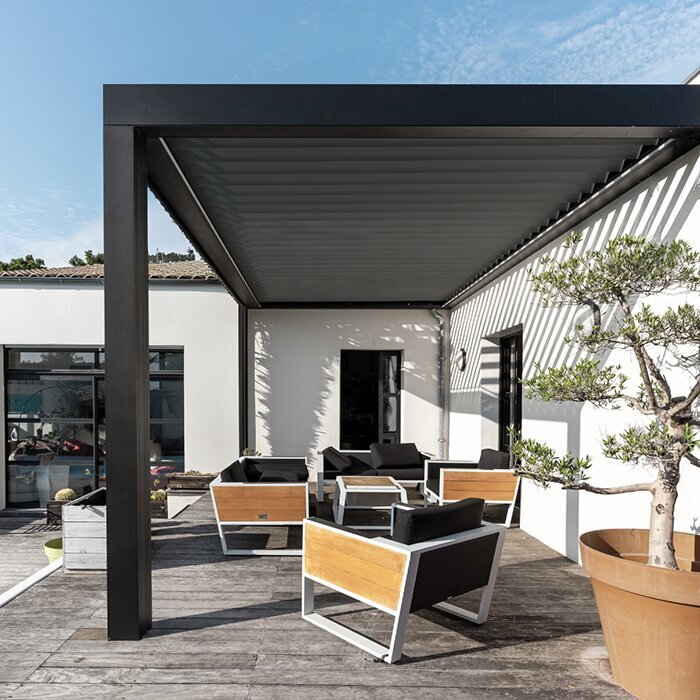
Planning checklist 3
Plan outdoor power and internet access
List every powered item and how you will use it: a laptop charger, monitor, router, task light or printer can all affect where a plug point needs to be. Do not assume that an indoor outlet, cable or power strip is appropriate outdoors. Ask a qualified electrician whether an outdoor power arrangement is suitable and where it should be placed. Include the desk position and walking route when discussing the setup, and avoid making the layout depend on an improvised cable run across a path. If you use devices on battery, check how long your usual tasks take rather than planning around a brief session.
Test the internet connection at the actual chair position with the devices you expect to use. A signal that works indoors may be weaker at the pergola, so try a call or file transfer rather than judging by a connection symbol alone. If power or connectivity is unreliable, reserve demanding tasks for indoors and use the outdoor station for work that can pause. Mark the building and existing plug-point locations when comparing the Bloomcabin Wall-Mounted Pergola listing with your plan; the structure and a suitable electrical supply are separate questions. Ask the relevant professionals about any fixed cabling or building changes.
Plan for weather interruptions
A pergola should not be treated as a weatherproof room. Open sides can leave a work surface exposed to wind-driven rain, dust and changing temperatures, while the position of shade changes as the sun moves. A desk that looks dry at one moment does not mean electronics or papers will remain protected if conditions shift. Pay attention to the forecast and the exposure of the actual site; do not assume a particular cover or configuration will keep every side dry unless its stated features confirm that use. Wind can also make loose papers difficult to manage or interrupt a call.
Plan for interruptions before setting up: decide which items come inside first, where you will take a call if conditions change, and which tasks can be saved or paused. Keep the route indoors clear enough to carry your equipment without having to rearrange furniture first. When reviewing the bioclimatic pergola listing, distinguish the stated cover features from the protection your equipment needs at the proposed desk position. If you are considering a side screen or added shade, check that it is compatible with the selected structure and site. Account for exposure from the open sides rather than treating an extra screen as a complete enclosure.
Planning checklist 4
Give equipment a proper place to go
Decide what goes outside with you each day and what should stay indoors. A tray or small carry case can keep a keyboard, mouse, headset and notes together for packing away. Store devices and papers indoors when they are not in use if their exposure requirements are not known; the space beneath a pergola is not a substitute for dry storage. Keep chargers and spare stationery separate from the work surface so the desk is ready for the task. Account for the distance to indoor storage, too: a long route can make packing away slower when weather changes.
If equipment must remain outside between sessions, check that any proposed cabinet or box is intended for the actual exposure and the items being stored. A lock does not make an open outdoor area secure, and an enclosed container should not be assumed to keep out moisture unless its specifications say so. Include the cabinet and its open doors in your layout when comparing the wall-mounted pergola option with your concept plan. Check that you can reach the contents without moving the desk, blocking the chair or obstructing the route into the house. Treat storage as a separate item in the furniture plan unless it is explicitly included in the listing.
Check privacy and call quality
Calls introduce sound and privacy questions that a desk-only plan can miss. The open setting may include household conversation, traffic, wind or other background noise, and voices can carry beyond the work area. Test a call from the proposed seat at the times you expect to use it; check what the microphone picks up and whether the other person can hear you clearly. A headset may improve the call setup, but it does not create a quiet or private room. If calls are central to your work, identify an indoor alternative for confidential or high-stakes conversations.
Check the camera view as well as the microphone: people passing behind you, bright backlighting and visible documents can all distract or reveal more than intended. Position the screen so work is not easily visible from a route or neighbouring seating, and keep confidential material indoors. When reviewing Bloomcabin’s bioclimatic model, mark the seat, camera direction and nearby routes on your layout to assess privacy alongside the desk position. A physical divider or side screen can affect light and exposure, so check its suitability before adding one. If the layout cannot provide the privacy a task requires, schedule that task indoors.
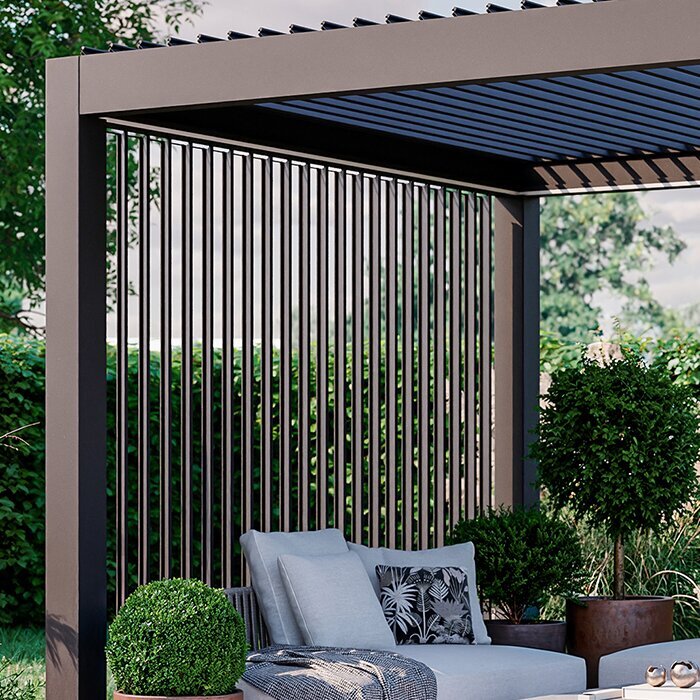
Planning checklist 5
Compare pergola configurations with the measured plan
Compare product configurations against the site drawing, not just a headline area. The Bloomcabin Bioclimatic Pergola, Bloomcabin Wall-Mounted Pergola and Bloomcabin Pergola listings each state an area range from 9 to 24 m². That range is useful for an initial comparison, but area alone does not show the width, projection, clear internal space, support positions or clearances around your workstation. Check the dimensions for the selected configuration and account for fixed furniture and access routes before deciding whether the desk, chair and storage zones fit.
Do not infer structural suitability, weather cover or shade performance from terms such as wall-mounted or bioclimatic. For a wall-mounted option, have the building and attachment requirements assessed by a suitable professional; for any model, confirm the chosen dimensions and site requirements. Review the Bloomcabin Wall-Mounted Pergola listing alongside the wall, doors and access routes shown on your drawing. Separate the space needed for working from the routes that must remain open when the chair is occupied or storage is in use. This makes the comparison more useful than choosing by total area or the appearance of an illustrative image alone.
Test the setup before settling on a layout
Mock up the desk, chair and storage in the intended location using the actual furniture or a clearly labelled concept outline. Set up your normal devices and work through a representative session: open a document, type, use the mouse, take a call, stand up and leave the area. Note glare, movement, noise, connection quality and anything that needs to be carried inside. Repeat the test at different hours you expect to work; a short trial at one time cannot reveal every change in light or exposure. Confirm site dimensions and any professional requirements before fixing equipment or changing the building.
Write down what interrupts the work and adjust one element at a time: rotate the desk, move the chair, revise the storage spot or change the hours you use the space. Test again rather than ordering furniture around an untried drawing. Agree on a point at which you will move inside because of weather, glare, calls or power, and keep an indoor workspace available for tasks that need controlled conditions. If the useful outdoor window is brief, treat the pergola as a secondary station for suitable work rather than designing it around every office device.
Frequently asked questions
Can a pergola work as a full-time home office?
It may suit some tasks, but a pergola is not an enclosed office. Weather, glare, background noise, privacy and connectivity can change during the day. Plan an indoor alternative for work that needs quiet, controlled conditions or an uninterrupted connection.
How can I reduce screen glare under a pergola?
Test the screen from the actual working seat at the hours you plan to use it. Try turning the desk, adjusting the screen angle or moving the workstation. Overhead cover does not prevent low-angle sunlight entering from the sides.
How much space do I need for a desk and chair?
Measure the desk, chair in use, space to stand and routes around them, then include any extra equipment and storage. A pergola’s stated area does not by itself confirm that the full layout will fit; check the selected configuration’s dimensions.
What should I consider for power and internet?
Ask a qualified electrician to advise on suitable outdoor power and placement. Test Wi-Fi at the planned seat using the devices you expect to use. If either is unreliable, keep an indoor option for tasks that cannot pause.
Can I leave a laptop under the pergola between sessions?
Do not assume the space is dry or secure. Move electronics and sensitive papers to a suitable indoor place when work ends, unless separate storage has been confirmed as appropriate for the exposure and equipment.
A useful pergola workspace starts with the tasks and the person doing them, not the product image. Measure the full working area, check glare and connectivity from the seat, and decide how equipment will be moved or stored when conditions change. That gives you a practical basis for comparing pergola configurations while keeping indoor work available when outdoor conditions are not suitable.
