
Stuck Pergola Louvres: What to Check Before Calling Support
Pergola troubleshooting
If a louvred pergola roof stops, sits unevenly or ignores a command, resist the urge to push a blade or repeat the control. A few safe observations—where it stopped, whether the louvres moved together, what the control did and what you could see—can help support assess the fault. Stay on the ground, leave electrical equipment closed and record what happened rather than guessing at a failed part.
Stop before trying the control again
When a louvred roof stops mid-travel, moves unevenly or fails to respond, treat that as a point to pause rather than a reason to help it along. Do not push, pull, twist or lever a louvre, and do not hold a control button down to force movement. The mechanism may still be engaged, and movement can be unpredictable. Keep people and pets clear of the area beneath and around the roof; do not stand underneath to watch for a restart. If it has stopped and there is no immediate danger, leave it where it is while you make a visual note from ground level. Do not change its angle just to make it easier to inspect or photograph.
Do not climb onto furniture or use a ladder, reach between blades, or remove a cover. Never open a motor housing, control box or other electrical enclosure, handle exposed wiring, or defeat a sensor or safety cut-out. If you see a crack, a bent or detached component, loose wiring, smoke, sparks or an unusual burning smell, stop using the control and keep clear while you arrange qualified service. Do not attempt a manual release unless the manual for your exact model describes it as a user action that can be carried out safely. If another person is with you, ask them to keep the area clear rather than operate the roof while you inspect it.
Record the louvre position and movement
From a safe position, note whether the roof appears fully open, fully closed, partly open or impossible to judge. If it stopped while moving, describe where in its travel it halted and whether the louvres look evenly aligned or one area appears different. Say whether all the blades stopped together, whether they moved briefly before stopping, or whether nothing visibly moved. If one side looks higher or more closed, name it using a fixed landmark, such as the house wall or garden edge. Do not measure an angle or claim a part has failed; a visible position is useful evidence, not a diagnosis. Avoid using a stick, ruler or hand to compare blades.
Write down when you first noticed the position and the last time you know the roof moved normally. If you did not see it stop, say so rather than estimating when it happened. Copy any model name from your order papers without shortening it. A catalogue reference such as Bloomcabin Pergola product listing may help you recognise the wording, but the product name alone cannot identify the pergola already installed or its revision. If you cannot tell whether the roof is fully open or closed, say that; uncertainty is more useful than a guess made to sound precise.
Look for visible obstructions from the ground
Scan the louvres and surrounding frame from ground level, without standing beneath the roof. Look for visible material caught between blades or protruding into their path, such as a branch, leaves or a loose object, and note its location. Also record visible damage or a part that appears displaced, but do not touch it to see whether it is loose. A clear description is better than a diagnosis: ‘a small branch is visible between two louvres near the outside edge’ gives support something concrete to assess. A clear view showing no obstruction is worth noting too, although it does not rule out a hidden problem.
Do not lift a louvre, poke through a gap, remove a cover or climb to clear anything caught or out of reach. If your paperwork identifies the installation as a Bloomcabin Wall-Mounted Pergola, use that name and describe where the object is in relation to the wall and outer frame. Take a photo from a stable position on the ground and leave trapped debris for a service technician to assess. Do not ask anyone to operate the roof while another person is close to an obstruction. The object may be nearby without being the cause of the stop.
Note the control response without opening equipment
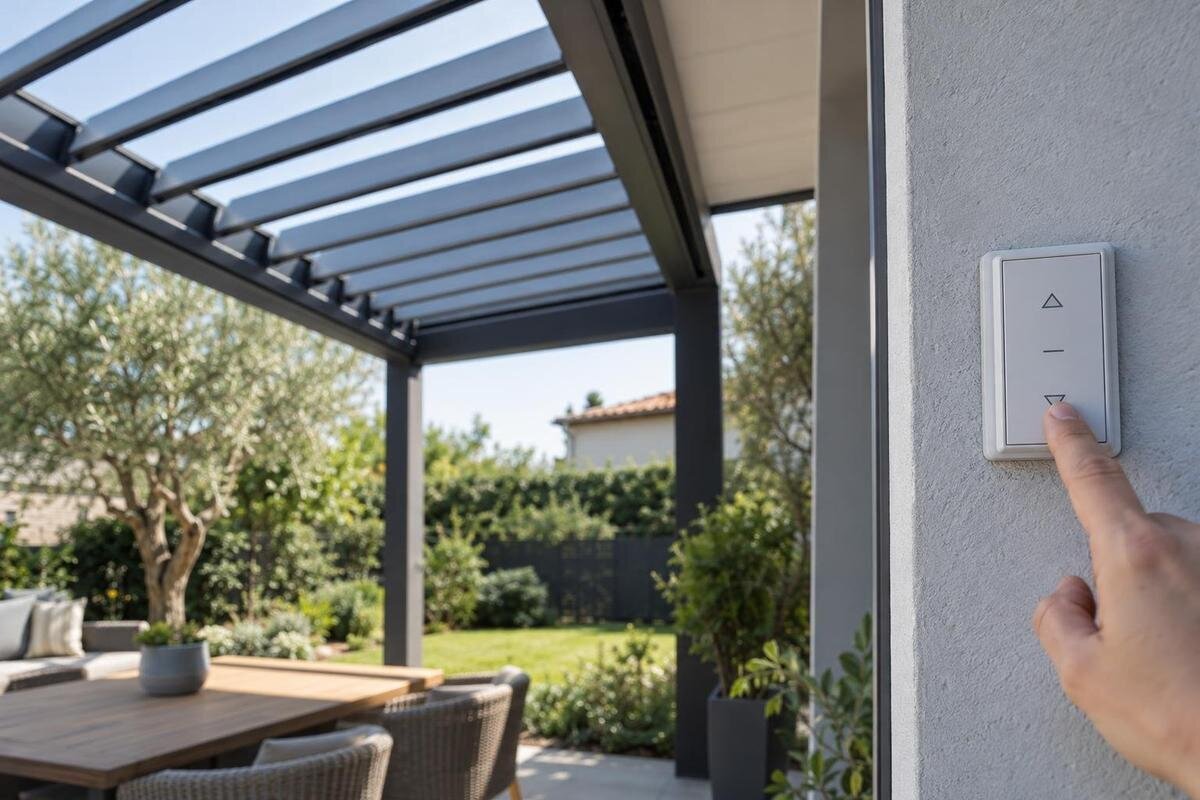
Use the control only as the manual for your exact model describes. If the roof looks intact, the normal procedure is clear and you can operate it from outside the movement area, make at most one ordinary attempt. Stop immediately if the louvres start moving unevenly, you hear a grinding or straining sound, or nothing happens; do not repeat the command for comparison. Record whether the input came from a wall switch, remote or app, if that is actually how your system is operated. Note exactly what followed: no visible response, brief movement, a light or display change, or a sound heard from your safe position.
Keep controls closed: do not remove a cover, open an electrical enclosure, inspect wiring, use test equipment, or reset or bypass a safety device. If you suspect a sensor or interlock has stopped operation, leave it in place and report what happened; do not bridge it or switch it off to test the roof. The Bloomcabin Bioclimatic Pergola page provides a product-name reference, but it does not identify the controls fitted to your installation. Describe the control you actually use and any visible response so support can match those details to the right documentation. If the manual is unclear, skip the test.
Write down when the problem began
A short timeline can be more useful than a theory about the fault. Record the date and approximate time you first noticed the problem, when the roof last moved normally, and what happened immediately before the stop. If you saw it stop, note whether it was already moving or whether it failed to start. Mention weather you observed at the time, such as rain or strong wind, without assuming that a sensor or protection system caused the interruption. A weather event is context, not proof of a fault or a particular response.
Add any recent changes that may help support follow the sequence: cleaning, maintenance, nearby building work, an impact, or a power interruption if you know one occurred. Record when the event happened and who carried out any work, if known. If the roof stopped after a service visit or other change, say so without guessing that the work caused it. Separate direct observations from conclusions: ‘the roof stopped after the power interruption’ is clearer than ‘the power failure damaged the motor’. If you are unsure about timing, mark it as approximate.
Identify the pergola from its records
Gather the original order confirmation, invoice, installation handover and manual if available. Copy the product name, model or variant, order or item number, and any serial number printed on a label you can see safely. Add the purchase and installation dates, and the installer or service provider if known. Do not climb, reach over the roof or remove trim to find a label. If a code is unreadable, report that rather than guessing. Keep notes from later service work with the original paperwork; an order number or service record may be more useful than trying to identify the unit from memory.
A current catalogue listing can help you compare the spelling of a product name, but it cannot establish exactly which revision or components are on a pergola already installed. For example, the Bioclimatic Pergola listing is a model-name reference, not a serial-number or compatibility check. If the order confirmation, label and manual use different wording, send each version and ask support which applies. Do not identify a model by colour, roof shape or a photograph alone; those details may not distinguish versions. If you have no paperwork, say so rather than filling gaps with assumptions.
Take clear photos without approaching the roof
Take a wide image showing the whole pergola and its immediate surroundings, then a closer view from an angle where the stopped roof position is clear. Add a close-up of visible debris or damage only if you can take it from the ground without reaching or standing below the louvres. If safe, photograph an accessible control display or model label; do not remove panels or put a camera into the mechanism. Keep the original files and note when each image was taken. A wide view provides context, so do not rely only on a zoomed image that hides where the roof is or what is nearby.
A short video can show the sequence, but record only an ordinary command that the manual permits and that you were going to try anyway. Do not repeat an operation just to create footage. Stand outside the movement area, keep everyone clear and capture the seconds before and after the response, including any sound you can hear from there. A filename with the date and time can help support relate it to your notes. Keep the model name from your records with the files; use Bloomcabin's wall-mounted pergola page only to compare the product wording, not to identify the model from its appearance. Avoid including people, house numbers or other private details unless needed.
Give support a factual sequence
Put the information in the order it happened: identify the model if known, state when the roof last worked, describe where it stopped, then report what one normal command did, if you made one safely. Add the visible obstruction or damage, any relevant weather or recent change, and the photos you have attached. Use plain descriptions such as ‘no visible movement’ or ‘one area appears out of line’, rather than naming a failed motor or sensor. A concise message could begin: ‘The roof stopped part-way at about [time and date]. It now appears [position]. On one normal command using [control], it [response].’ Say what you do not know as well as what you saw.
Copy the exact product wording from your invoice or label; if it says Bloomcabin Pergola, preserve that name rather than paraphrasing it. Ask support which manual applies and what safe next step they recommend, including whether further operation should be avoided. Attach only relevant photos and requested order details, and use the store's official support channel. Keep any case reference and reply with additional observations if requested. Do not post serial numbers, home-location details or payment information publicly; share only what is needed to identify the order and assess the fault.
Repairs and replacement parts
A roof that stops moving does not by itself identify whether the issue is with a drive, linkage, sensor, control or another component. Similar visible symptoms can have different explanations, so do not order a part based on appearance or try to straighten, loosen, lubricate or replace something to see whether it helps. Follow only maintenance explicitly described as a user task in the manual for your exact model. If the suggested task involves opening a housing, wiring or repairing the moving mechanism, leave it to qualified service rather than attempting it yourself.
Before buying anything, ask support to confirm the compatible part or approved service route for your model and any recorded revision. A listing such as the Bioclimatic Pergola product page identifies a catalogue model, not the individual components fitted to your roof. Send the model details, service records and safely taken photos that support requests, and ask which documentation applies to the proposed repair. Electrical work and repairs should follow the manufacturer's service requirements and be handled by qualified service personnel. Do not assume that a component with a similar appearance will fit or operate correctly.
Keeping the roof out of use and assessing repair options
Keep the roof out of use if you see obvious damage, a detached part, exposed wiring, smoke or sparks, or if it shifts unexpectedly. Stay clear and arrange qualified service rather than trying another command. If there is an active hazard, follow local emergency procedures. If the roof is simply stuck but you cannot see damage, that is still not a reason to force it or climb up to investigate. When weather is changing, do not move the roof into a different position just to improve shelter; ask support for guidance that applies to your exact system.
If support discusses a repair, approved upgrade or replacement, ask for the exact model or part being proposed and written confirmation that it is suitable for your installation. Clarify whether the proposal concerns a single component or the roof as a whole, and whether the existing controls and safety devices also need assessment. If a proposal refers to the Wall-Mounted Pergola listing, ask how that model relates to your existing installation rather than assuming the two are interchangeable. Keep the proposed option with your case notes so you can distinguish it from the details of the current roof. Base the decision on model-specific information and qualified service advice.
Frequently asked questions
Can I push a louvre back into line?
No. Do not push, twist or lever it, or reach between the blades. A louvre that looks out of line may move unexpectedly, and its appearance does not reveal the cause. Leave it as it is and follow only a user procedure described in the manual for your exact model.
Should I keep pressing the control or try another one?
No. If the exact manual permits a normal check and the area is safe, make at most one ordinary attempt from a clear position. Stop if there is no response or anything moves unevenly. Do not repeat commands, open controls or bypass a safety device.
Can I remove a branch or leaves caught in the roof?
Leave anything caught between louvres, out of reach or close to the mechanism for a service technician to assess. Do not climb, lift a blade or use a tool to dislodge it. Photograph what you can see from the ground; move only loose debris that is safely away from the pergola.
What photos should I send to support?
Take a wide view of the pergola, a view showing the roof's stopped position and, if safe, a closer photo of visible debris or damage. You can also photograph an accessible control display or label. A short video is optional; do not operate the roof again just to record one.
Can I order a replacement motor or louvre from a photo?
No. A photo or similar-looking product listing cannot confirm which part fits your installed model. Ask support to identify the correct documentation and confirm compatibility before buying anything. Repairs and wiring should be handled by qualified service in line with the manufacturer's requirements.
A useful first report is built from straightforward observations: the exact model in your records, the roof's position, what one normal command did if it was safe to try, and clear photos taken from the ground. That gives support a better basis for choosing the next inspection. Forcing the louvres or guessing at a part adds risk without confirming the cause.
