
Buying Pergola Bundles for Black Friday: Screens, Lighting & Extras
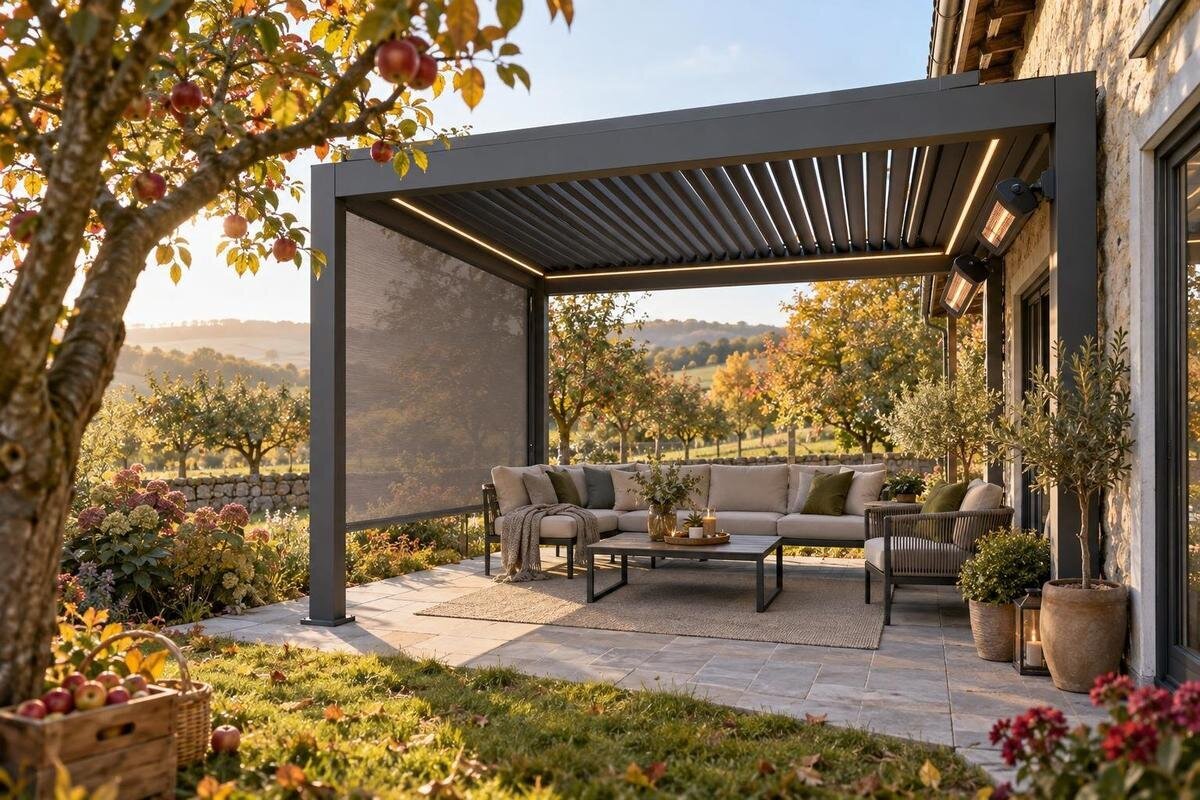
Black Friday pergola buying guide
Black Friday can make a pergola bundle look like a simple way to buy the structure and several extras together, but the label alone tells you little. Screens, lighting and other accessories may be included, optional or sold separately; photographs and promotional wording cannot settle the difference. This guide shows how to compare the written contents, check that additions suit the exact configuration and weigh the full purchase rather than a headline deal. It focuses on bundle choices, without assuming a particular offer is available.

Read the bundle contents line by line
The word bundle can mean a pergola package with named accessories, a core item grouped with selected extras, or a promotion that invites you to add products at checkout. Treat the written item list as the deciding evidence. Look for the pergola model or configuration, each accessory’s name, its quantity and whether the listed price covers it. If a page says “with screens” but gives no number or type, you still do not know whether it includes one panel, a set or a choice of options. Use the bloomcabin pergola product page as a reference for the base listing, then check the offer for any extra line items. A pergola product page alone does not establish what a separate Black Friday bundle includes.
Separate “included” from “available”, “compatible” and “recommended”. An accessory shown beside a pergola may be a separate product; a compatibility note does not mean it comes at no extra charge. Note any component the seller says is required but that is not part of the headline bundle. Keep a copy of the exact configuration you have priced, including quantities and item codes where shown. That makes it easier to revisit the offer or check the order summary without relying on memory. It also helps prevent a display image, short headline or preselected option from being mistaken for the complete contents.
Choose extras around how you use the area
Before comparing bundles, identify what you want the additions to do. A side screen may be intended to provide privacy, shade or insect protection, depending on its material and design. Lighting can help make the area more usable after dusk, but one option will not necessarily suit every activity. Consider which side needs screening, whether you want to keep a view open, and whether you mainly use the space for meals, relaxing or entertaining. These priorities help distinguish a useful extra from one that simply makes a package look more comprehensive.
Rank the features as essential, desirable or unnecessary for now. If privacy matters most, compare screen coverage and material information before placing a value on decorative lighting. If evening use is the priority, establish whether a light is part of the offer and what operating arrangements it needs. An extra can be appealing yet impractical if it changes access to a side of the space or adds a control you do not need. Use this pergola listing as one base item to review, without assuming it includes a screen or lighting shown elsewhere.
Compare screen purpose and coverage
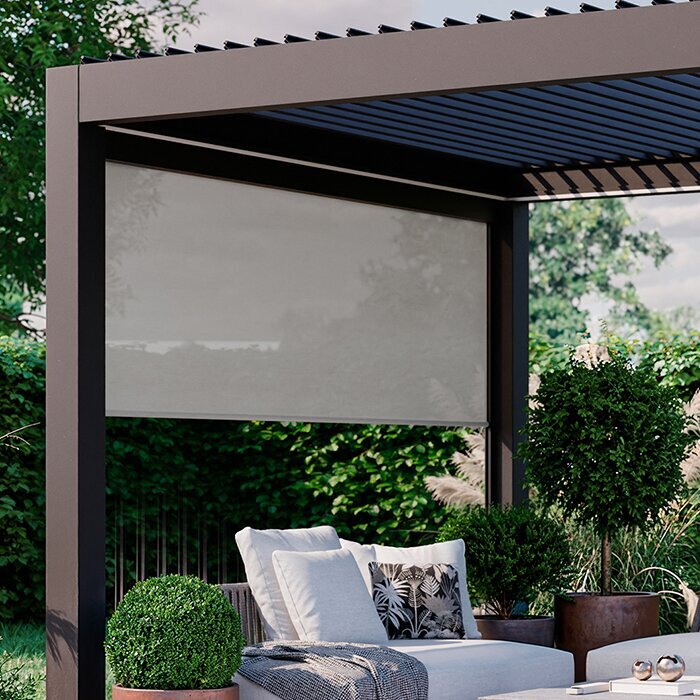
Screen labels can refer to quite different products. Mesh, translucent panels and more opaque privacy screens differ in visibility, airflow and the sense of enclosure they provide; the result depends on the stated material and design. Match the option to a particular side and purpose rather than relying on a broad phrase such as “privacy screen”. Ask what the material is, whether the screen is fixed or retractable, how it is operated and what coverage the selected configuration provides. If those details are missing, do not infer them from a photograph or from the word screen.
Count the panels and find out where each one goes. A single screen may address a particular view, while an offer listing several panels may not explain their placement. The side and configuration should be clear in a plan or in the seller’s written description. Check that the screen leaves the entry you expect to use and that its operation suits the people using the area. Ask about fit with the precise pergola configuration, including any limits on adding another panel later. When reviewing the written details, keep the linked pergola product page beside the screen description; it is not confirmation that screens are part of the offer.
Check the lighting kit, not just the word lighting
Pergola lighting options can range from a single fixture to a multi-part kit, so ask for a named list rather than relying on a styled image. Establish whether the lights themselves are included, how many units are supplied and which power or control components, if any, come with them. If the seller offers several arrangements, record which one is selected and whether it is covered by the bundle price. Wording such as “lighting available” can mean an option for separate purchase, not an inclusion. Only an itemised offer can tell you what the package actually contains.
Consider how you expect to use the area. You might want general illumination or focused light over a table, and the location and controls can affect how convenient a setup feels. Ask for the stated outdoor-use suitability and the intended power and control details; do not infer them from a product’s appearance. If mains electrical work may be involved, have a qualified electrician assess what is required before you commit. A product page such as this pergola page identifies a pergola listing only; it does not confirm that lighting is included or compatible.
Decide which other extras are worth comparing
A bundle may also be promoted with privacy panels, curtains, heaters, fans or other accessories, but availability and compatibility vary by product. Treat every extra as a separate question: what is it intended to do, what comes in its package and what else is needed to use it? For an accessory that produces heat or uses electricity, check its stated outdoor suitability and ask a qualified professional about any site-specific installation needs. Do not count a heater, fan, bracket or control as included merely because it appears in a merchandising image.
Think about convenience as well as initial appeal. A screen that needs to be moved, a light with a control you cannot easily reach or an accessory that must be stored when not in use can affect how often you use it. Ask how each part is operated, maintained and replaced, and whether any component needs to be ordered separately. Compare accessory pricing with a bundle only when you are comparing the same parts and quantities. For the base item, the bloomcabin pergola listing is a place to begin checking the written product information; it is not proof that a particular extra is included.
Verify compatibility with the exact configuration
An accessory may suit a pergola range in general yet still be unsuitable for a particular configuration. Check the exact product name or item code, the dimensions or mounting details provided by the seller, and any stated model or version limits. Look for a compatibility or installation diagram that shows the accessory on the configuration you are considering. If the illustration is unclear, ask the retailer to confirm the fit in writing. Do not rely on a familiar appearance or a general description such as “universal” in place of information about the specific combination.
Check combinations as well as individual items. Two extras each described as compatible may not be intended for use together in the arrangement you have in mind: a screen could affect access to a control, for example, or a fixture might need a clear location. Ask whether your chosen screens, lighting and other accessories can be supplied and used together on the exact pergola configuration, and request the relevant written guidance. This product listing can sit beside the accessory information in your comparison, but it cannot substitute for specific compatibility confirmation.
Compare Black Friday prices on like-for-like terms
A seasonal promotion label does not tell you whether two offers contain the same products. For each option, record the pergola configuration, every included extra, its quantity and anything that must be bought separately. Compare the amount payable for that same combination, including delivery or other charges shown at checkout. If one offer includes two screens and another includes one, the headline prices are not a direct comparison. No offer details have been supplied for this guide, so treat any current event price or saving as something to establish on the retailer’s live offer, not as a given.
Read the event conditions for dates, exclusions and whether the price applies to the base pergola, selected add-ons or a pre-set bundle. Check whether you need to select an option or enter a code, and whether the total changes when you add the accessories you want. If you compare with an ordinary price, make sure it refers to the same configuration and quantities; comparing a bundle with a bare pergola can distort the apparent difference. Save the dated offer details and checkout summary for your own records, then base the decision on what the seller displays when you place the order.
Read the purchase and return terms before paying
A multi-item order can contain several product lines, so check how the seller records the pergola and extras on the order confirmation. Confirm each chosen item, quantity and price before payment. If configuration, colour or accessory options apply, make sure the order summary identifies the selections you made. If an extra is described as included, check that it appears in the final summary rather than assuming the promotion has carried through correctly. Keep the confirmation and the product information that describes the bundle together so you can refer to the same details later.
Review the store’s current terms for changes, cancellations, returns and missing or incompatible accessories. Do not assume that a bundled purchase is treated exactly like a single item. Check how to contact the seller if a line item is absent and what information they ask you to retain. These are points to settle before payment, not promises about the retailer’s policy. If a product page and an event promotion appear to disagree, ask for written clarification before completing the order. That matters particularly when the extras are the main reason you chose a package.

Make a side-by-side bundle comparison
Put each candidate in a simple comparison sheet. Use columns for the base pergola, screen type and count, lighting items and power or control arrangement, other extras, separate purchases, compatibility evidence, stated exclusions and total payable. Enter “not stated” rather than filling a gap with a guess. This makes offers easier to compare and gives you a clear list of questions for the seller. You can put another pergola listing in the base-product column when reviewing options, but enter only details stated on its page. Do not assume its accessories or bundle contents.
Then mark each feature as essential, useful or optional. A bundle with more pieces is not automatically better value if several extras do not suit your space, compatibility remains unclear or buying only what you need costs less. A lower-priced base configuration may instead require separate add-ons to meet your priorities. Compare the final combination you would actually order, not the number of accessories or the size of a discount headline. Note any unknown that affects use or total cost, and resolve it before making your choice.
Get written answers to the remaining questions
Before ordering, send the seller a concise set of questions tied to the offer: which exact pergola configuration is included; which screens and lights come with it, and in what quantities; which accessories cost extra; and whether those parts suit the chosen configuration together. Ask for any missing product details, operating information and exclusions in writing. A useful answer should let you identify the items that will appear on your order, rather than simply repeat that the bundle is suitable. If the seller points you to the base pergola page, use it to check the core listing while seeking clear answers about the extras.
If an essential screen, light or other accessory is not named, priced or confirmed as compatible, treat it as unresolved rather than counting on it. You can compare a corrected quote, choose a simpler set of extras or wait until the offer is clear. Black Friday can create pressure to decide quickly, but the practical value of a bundle depends on its actual contents and how they suit your plans—not on the word bundle or an event banner. A written itemisation gives you a firmer basis for choosing than a display photo or discount claim alone.
Frequently asked questions
Are screens automatically included in a pergola bundle?
No. The word bundle does not define its contents. Check the itemised offer for the screen type, quantity and price, and make sure it appears in the final order summary. A screen shown in a product image is not confirmation that it is included.
How can I tell whether pergola lighting is included?
Look for named lighting items, quantities and any supplied power or control components in the offer. If the page says lighting is available but does not list it as part of the package, ask the seller to confirm whether it costs extra. Check the final order summary before paying.
Will any screen fit any pergola?
Do not assume so. Compatibility can depend on the exact pergola configuration and the screen design. Check the seller’s compatibility information or diagrams, and get written confirmation for the combination you plan to order.
What is the fairest way to compare Black Friday pergola offers?
Compare the same pergola configuration with the same screen and lighting options, quantities and other extras. Include separately purchased items and charges shown at checkout, then check the event terms. A bundle with more accessories is not necessarily better value if they are not useful to you.
What should I check before buying a bundle with electrical extras?
Confirm the stated outdoor-use suitability, power and control details, and which components are included. If mains electrical work may be involved, have a qualified electrician assess what is required for your situation before committing to the purchase.
Choose the bundle that names the pergola and every extra you actually want, confirms compatibility for the exact configuration and gives a clear final cost. Select screens for their intended purpose and coverage, and look for enough information about lighting to assess its contents and operating needs. Treat anything shown but not itemised as unconfirmed. On Black Friday, a clearly specified package can suit you better than a longer list of accessories whose function, compatibility or cost remains uncertain.
