
Connecting a Pergola to Smart-Home Controls: Key Questions
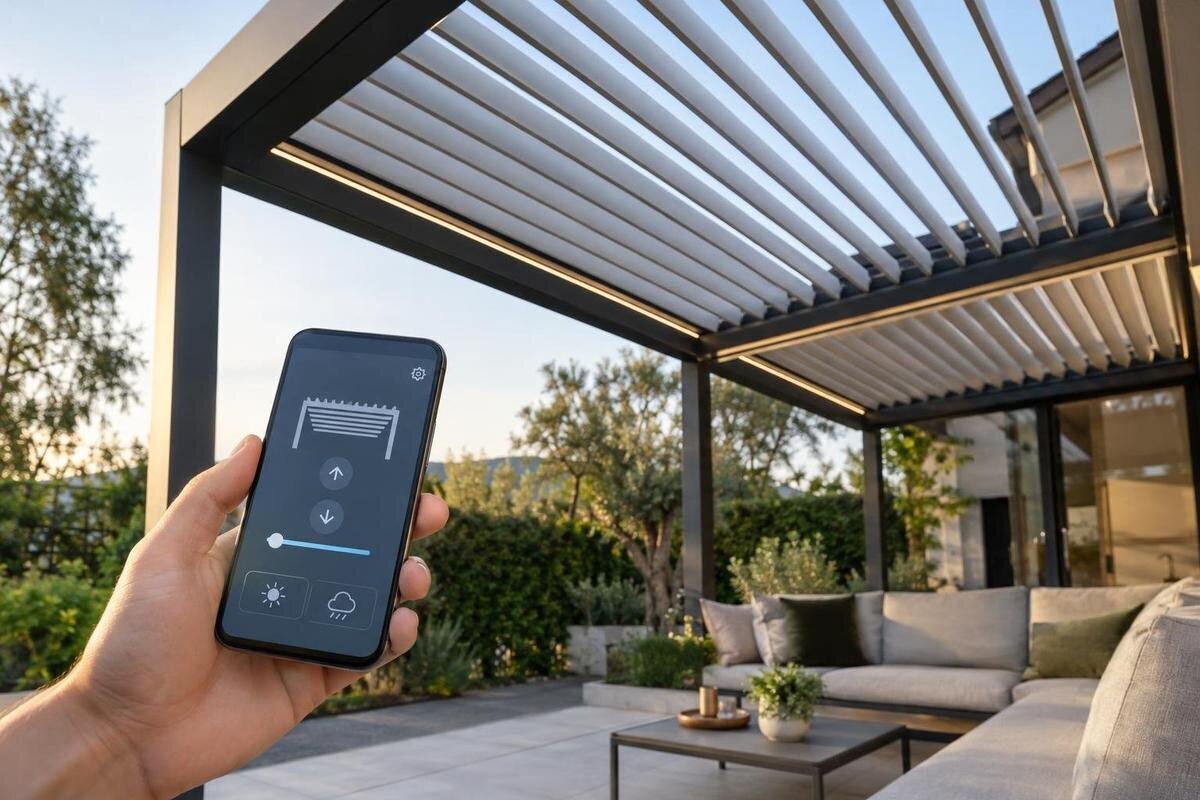
Pergola smart-home compatibility
Smart-home control is not a feature you can infer from a pergola’s name or appearance. It depends on the exact powered equipment, controller and communication method, as well as the home platform you plan to use. A product described as “smart” may still need a separate bridge, app, account or internet connection, and it may expose fewer functions than the manufacturer’s own control. Before choosing an integration, verify protocol support, local operation, account requirements and the commands available for the specific configuration.
Compatibility checklist 1
Identify the powered equipment
Begin with the exact package being quoted, rather than the phrase “smart pergola”. Ask whether the roof, an attached screen, lighting or another item you want to operate has a powered actuator, and record the manufacturer and model of each motor, receiver and controller. A pergola frame alone does not show that a component moves or exposes a control connection. Parts may be supplied separately or as options, so confirm the ordered configuration rather than relying on a brochure for a whole product family. Do not assume one controller operates every accessory. Without a documented interface, an app has nothing to command; a retrofit needs a supported route and may call for additional hardware.
Request the control-system manual for the configuration, plus a diagram or accessory schedule showing which controller connects to the equipment you want to operate. The documents should identify the interface and permitted control options; a phone screenshot or “smart-ready” label leaves open whether the exact actuator is supported. The Bloomcabin Bioclimatic Pergola page identifies a pergola model, but the supplied product facts do not confirm a motor, sensor, receiver or smart-home function. If an extra controller is proposed, ask for its model number and who supports it. Check whether it is included or optional, and make sure its manual matches the quoted configuration. Treat selection of the structure and verification of automation as related, but separate, decisions.
Check protocols, versions and bridges
Write down the controller’s exact communication method and version, then compare these with the smart-home platform’s supported-device information. Wi-Fi, Bluetooth, Zigbee, Z-Wave and Thread are different communication routes; Matter is an interoperability standard that still depends on supported devices and a suitable network. A wired input, such as a dry-contact interface, is different again. A Wi-Fi label alone may mean a device can join a network, not that your chosen platform can operate it. Ask for the precise controller model and any software or version requirements. Compatibility can depend on the specific device profile, so a brand name or general protocol label is not enough.
Some controllers connect directly to a platform; others need a bridge, hub or gateway, and some rely on a third-party service. Ask which device links the two sides, whether it must be on an approved list, and what network connection it needs. A bridge can add another account or software-update dependency, so include it in the compatibility check rather than treating it as an optional detail. When considering the Bloomcabin Wall-Mounted Pergola, list any proposed bridge separately in the control package. If a platform logo or partner service is mentioned, ask which functions are supported through it. Get the supplier to match the quoted controller, not just the brand name, to the platform you intend to use.
Compatibility checklist 2
Define what the integration can actually do
“Compatible” can mean that a device appears in an app while the controls you expect remain unavailable. Ask for the exact commands exposed by the integration, such as a supported open, close, stop or tilt command, but only if the installed mechanism offers that action. Find out whether a position can be set or whether the system sends a simpler on/off command. Ask whether the platform reports the pergola’s current state and how that state is determined: direct feedback is different from a record of the last command. A button that sends a command without confirming the result should not be described as position feedback.
List the actions that matter in your routine and ask for each one to be demonstrated. App control, a voice command, a scene or a scheduled action may have different levels of support, and the platform may not offer them all. Check whether accessories such as lighting are included in the same integration or have separate controls; do not infer this from a shared app. Ask what the platform shows if a command fails or the equipment does not return a status. For a quote covering the Bloomcabin Pergola, distinguish the controls supplied with the package from functions added through a proposed integration. This gives you a clear basis for comparing the promised commands with those demonstrated at handover.
Test what works without internet
Ask the supplier to define “local operation” for the proposed system. It might mean an on-site wall control works without internet, an app communicates over the home network, or a phone uses a direct nearby connection; these options are not equivalent. A mobile app can still send commands through an external cloud service even when you are standing beside the pergola. Find out whether the controller needs the router, an internet link, an account or a particular app for each type of operation. Ask separately what happens if internet access is lost and if the home network itself is unavailable.
Find out what remains available during an internet outage while the controller and home network still have power. Ask separately about wall controls, app commands, voice control and scheduled scenes, including whether a routine is stored locally or depends on an online service. Do not treat “manual control” as a complete answer unless the supplier identifies the actual on-site method and confirms it works without the cloud service. If you are considering the bioclimatic pergola listing, include these offline requirements in your enquiry about the proposed control package. A short demonstration can clarify which connection must be available, but model-specific documentation should remain the reference.
Compatibility checklist 3
Check account and cloud dependencies
Setup, local use and remote use can have different sign-in requirements. Ask whether the manufacturer’s app needs an account to pair the controller, whether that account is still needed for everyday local commands, and whether remote access or voice-assistant linking requires another account. Establish whether commands pass directly between devices, through the manufacturer’s cloud or through a separate service. A successful first setup does not prove that control will continue if a service changes, an account closes or ownership changes. Ask how account recovery works and what access remains if the online service is unavailable.
Check who will own the main account and manage access for household members, guests and future occupants. Ask how an administrator can remove access, reset credentials and transfer the system, and whether app or remote functions require an ongoing fee. Review the relevant privacy information to understand what data is collected and how it is handled; do not assume account-free operation from a claim of local control. When discussing a control package for the wall-mounted pergola, ask for these account arrangements alongside the hardware details. That keeps responsibility for access clear before someone creates the main account during setup.
Retain a practical on-site control
Keep a clear on-site control in the plan, even if phone or voice access is the main attraction. Ask whether the supplied wall control, handset or other documented local method remains available after smart-home pairing, and whether it works if the app or internet is unavailable. If more than one control can issue a command, find out how the system responds when they are used close together and whether its displayed status updates after a local action. A stale app status is not proof of the equipment’s physical position. Consider who else may need to operate it when the main account holder is away.
Ask the installer to demonstrate the local method and the app route, including the approved way to stop or cancel an operation if the equipment supports it. Avoid connecting an off-the-shelf relay or substituting a switch based only on a matching voltage or connector; a qualified electrician or the manufacturer’s installer should verify any fixed electrical change and confirm the interface is supported. When reviewing a quote for the pergola model under consideration, have the supplier name the proposed on-site control and explain how it will be used alongside the app. This lets household members understand their everyday control options without relying on the main account holder’s phone.
Compatibility checklist 4
Keep automations within supported functions
An automation routine can only use the commands and feedback the installed controller exposes. Before planning a scene, schedule or voice trigger, write down the action, when it should happen and how a person can cancel it. Ask whether the manufacturer supports that particular combination, not only whether each device separately appears in the same app. A timer or scene may send a command without knowing whether the pergola is already in the requested position. If the platform receives no status feedback, describe the action as a one-way command rather than a confirmed change of position. Check separately whether the platform supports any conditions you want to apply to the routine.
For moving or adjustable equipment, confirm how the approved integration handles stop commands, conflicting requests and any safeguards specified for the control system. Do not add unattended or weather-triggered movement unless the manufacturer confirms that the exact motor, sensor and rule are designed to work together; a generic smart-home sensor does not establish a pergola safety function. If the bioclimatic model is on your shortlist, describe the routines you want when asking about its proposed control configuration, rather than requesting automation in general. Keep routines within the written operating guidance, and make sure household members know how to cancel them.
Plan commissioning and owner handover
Check compatibility against the exact controller, bridge, software version and platform combination, not a general statement that a product range is smart-home compatible. Ask who will pair the devices, verify the integration and diagnose a failure between the pergola controller and home platform. Confirm what network connection the controller or bridge needs at its installed location, and which party provides it. If the router, app or platform changes later, find out who can restore the setup and whether the owner can do so without an installer account. Ask how software changes are handled if they affect the connection.
At handover, test every promised command using the household’s intended phone or control hub, then test the documented local route with the internet unavailable. Record model numbers, software versions, account ownership and the functions demonstrated; note anything that remains unsupported. If several household members will use the system, have them check their own access rather than assuming one successful login covers everyone. For an installation based on the wall-mounted pergola model, keep the structural product details and the control-system record together so the owner can identify both when seeking support. Leave the controller manual and support contact with the owner.
Compatibility checklist 5
Compare ongoing costs and service dependencies
Compare the whole control arrangement rather than a single device or feature badge. Request a written quote that separates any motor or controller, bridge, home hub, installation work and required platform service; include only items confirmed for the exact setup. Ask whether remote access, app functions or integration features carry recurring charges, and what stops working if a paid service ends. Do not assume an existing smart-home hub or a generic relay can replace an approved interface. A clear list of one-off and ongoing requirements makes it easier to compare proposals without guessing what “ready” includes.
Ask who provides updates and support for each link in the chain: the pergola controller, bridge, app and home platform may have different suppliers. Find out whether parts can be replaced separately, who diagnoses a failure between systems and how changes to software support are communicated. If third-party additions are proposed, ask the pergola supplier how they affect product support and get the answer in writing; do not infer warranty treatment from a compatibility logo. These are ongoing ownership questions, not claims about a particular model or service.
Get confirmation for the exact combination
Before ordering, send the same specification to the pergola supplier and smart-home installer: the exact pergola and accessory package, actuator and controller model, supported protocol or interface, required bridge and target platform. Add the functions you need, including any status feedback, what must keep working without internet and which accounts are required. Ask each party to confirm the combination in writing and point to the relevant manual or compatibility information. If the response is only “it should work”, ask what model-specific evidence or demonstration supports that answer.
Decide which requirements are essential and which are conveniences. Someone who prioritises on-site operation may choose differently from someone who values remote app access, but neither preference proves a product has that capability. Keep an approved local control available, agree who administers the accounts and leave unsupported automations out of the plan. If the documents cannot confirm an essential function, treat the integration as unverified and compare a documented alternative rather than assuming a later software update will close the gap.
Frequently asked questions
Can I connect any motorised pergola to a voice assistant?
No. The motor and controller need a documented connection path to that particular smart-home platform, sometimes through a bridge. Confirm which commands are supported for the exact controller; a compatible voice assistant does not make an unsupported motor controllable.
Does Wi-Fi support mean the pergola is smart-home compatible?
Not necessarily. Wi-Fi may connect a controller to its own app or an online service without allowing your chosen platform to control it. Check the controller model against the platform’s supported-device information and ask whether a bridge or account is required.
Will the controls work if the internet goes down?
It depends on how the system is designed. A local wall control or network connection may remain available, while cloud-dependent commands may not. Ask separately what works through the on-site control, the app, voice commands and any scheduled routines during an internet outage.
Do Bloomcabin’s pergola listings confirm smart-home compatibility?
No. The product information identifies pergola models but does not verify motors, sensors, automation, protocols or smart-home integration. Check the documentation for the exact controller and accessories being offered rather than inferring features from a model name.
What should the installer confirm before connecting the system?
Ask them to confirm the exact controller and platform, the protocol and any required bridge, the commands and status information available, account requirements, local operation without internet, and who will support the connection after handover.
Smart-home integration is a chain of specific hardware, software, accounts and control routes; an undocumented link can limit the whole setup. Match the pergola’s exact controller to the platform, define the commands and status information you need, and confirm which controls remain available locally if internet access disappears. A pergola model page can help identify the structure, but only model-specific control documentation can establish automation compatibility. If the evidence is missing, keep that feature unconfirmed in your buying decision.
