
Creating an Outdoor Workstation Under a Pergola
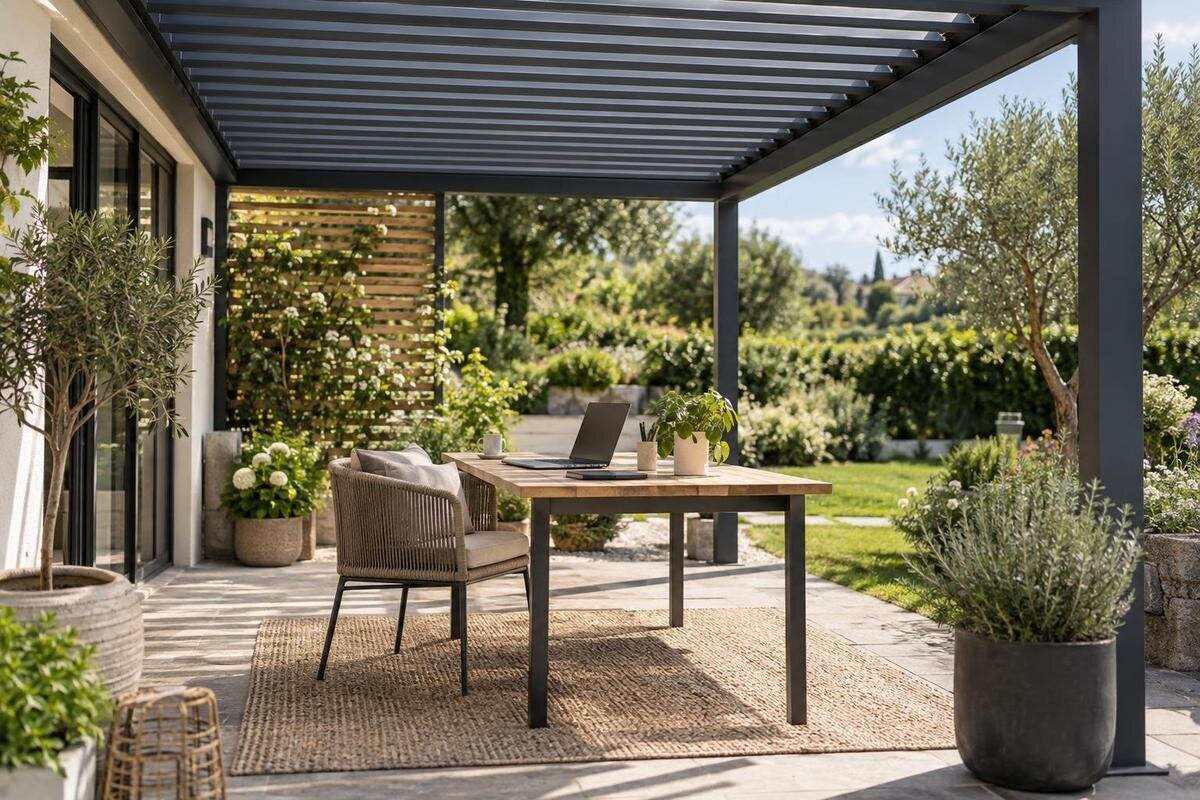
Pergola planning guide
A pergola can make outdoor work more inviting, but it does not turn an open space into an indoor office. A useful setup depends on screen glare and moving shade as much as on the desk itself, while rain, wind, power access and equipment storage all affect whether you can keep working. Plan around real tasks and measured furniture, then test the proposed position at the hours you expect to use it.

What to check before buying 1
Decide what the workstation needs to do
Before looking at a structure, write down what an ordinary outdoor work session includes. A laptop and headphones need a different surface from a monitor, keyboard, mouse, notebook and a second screen. Add any documents, docking equipment, task light or phone stand you actually use, then note whether the work involves video calls, focused writing or brief checks. These details determine desk width, depth, power needs and whether you need room to lay materials out. Decide which jobs can move indoors without disruption; a pergola remains an outdoor setting, so it is better suited to flexible work than to tasks requiring a controlled environment. Note how often you expect to use it, too: an occasional setup has different storage needs from a regular work routine.
Decide which hours you want to work outdoors, how often you will pack the setup away, and whether another person needs to pass through. If the desk would sit against the house, include the Bloomcabin Wall-Mounted Pergola in your comparison, with the proposed wall connection and site suitability confirmed by the supplier and an appropriately qualified professional. Record your work requirements before comparing models, so a spacious-looking product image does not take the place of an actual plan. Include what would make you abandon the outdoor session, such as a screen that remains hard to read or no practical indoor fallback.
Measure the desk, chair and walking route
Measure the furniture you intend to use, not just the rectangle of floor beneath it. Record the desk's full width and depth, the chair with its back in the working position and when pushed back, and any drawers or mobile stand that must open. Include room for your feet, a bag or printer, and the space needed to sit down and stand up. Mark the route from the house and keep it clear of the desk chair and cables. Check doors, steps, posts, garden paths and fixed items that could narrow this route, then sketch them with dimensions. If another person will pass during calls, show that route as well rather than assuming they can squeeze past.
Measure the usable space between posts or other obstructions and note any changes in level; an overall area figure cannot show how a particular layout fits. The listing for Bloomcabin Bioclimatic Pergola presents area options from 9 to 24 m², which can help with an initial comparison, but area alone does not establish desk clearance or post positions. Ask for the exact dimensions of the configuration being considered and compare them with your measured furniture plan. A sketch that leaves room for the desk but not for the chair to move is not a workable workstation. Check whether you need to retain room for a path, door swing, drainage access or another existing use of the terrace.
What to check before buying 2
Test screen glare from your usual seat
Glare is not only a bright patch on the display. Direct light can make the image difficult to read, while reflections of bright sky or surrounding surfaces may appear on a glossy screen even when the sun is not shining directly on it. Sit in the intended chair and look at the screen from your normal viewing position. Check whether you can read comfortably rather than judging the spot while standing. Try a few small changes to the screen angle and desk position. A position that removes one reflection can introduce another, so assess the whole screen. Check with normal content and briefly with the display dark, when reflections can be easier to notice.
Use the actual site rather than a catalogue image to decide where the workstation goes. If the Bloomcabin Pergola is on your shortlist, ask for the exact dimensions of the selected configuration, then test the intended screen position in the space it would occupy. A temporary table or laptop stand can help reveal reflections before furniture is bought. A compatible anti-glare filter may be worth considering for a particular device, but it cannot correct direct sun on the screen or replace a better position. Adjust screen brightness only after reducing avoidable glare, and check the result again when the sun has moved. Consider where you can shift the display without blocking your route.
Check how shade changes during the day
A shadow that covers the desk at one time may miss it later. Observe the proposed position at the hours you expect to work, including morning and afternoon if both matter, and repeat the check at another point in the year where practical. Note the screen, keyboard and chair separately: a shaded desktop can still leave the display reflecting a bright opening, or sunlight reaching your hands and paperwork. Photos taken from the seated viewpoint can help compare the moving shadow without relying on memory. This is especially useful if you plan to work there regularly. Record when the screen becomes difficult to read and whether shifting the chair would solve it.
The model name alone cannot show where shade will fall. When considering the Bioclimatic Pergola configuration, ask the supplier to clarify its coverage at your chosen position; do not assume a particular roof operation or performance from the name. Check any proposed side blinds or screens for compatibility and consider how they would affect the open space. Use your observations from the desk to explain which direction the troublesome light comes from and when it reaches the screen. If an add-on is not included, confirm its suitability before treating it as the solution to a reflection problem.
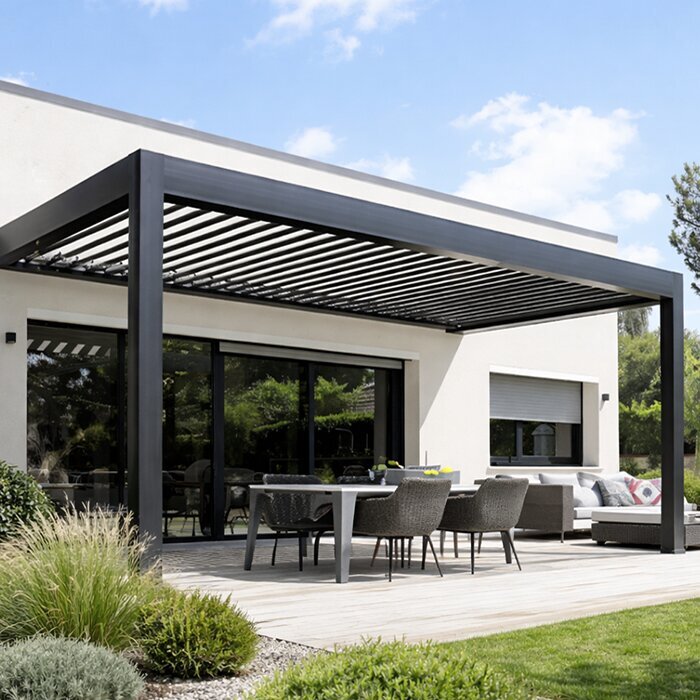
What to check before buying 3
Weather exposure beneath a pergola
An open-sided pergola is not equivalent to an enclosed office. Wind can carry rain beneath the covered area, dampness can reach the surface from nearby ground, and dust or debris can settle on a keyboard. Sun exposure and warm air can also make the spot uncomfortable, even when some shade is available. How much overhead protection a specific configuration provides depends on what is supplied and the site, so do not assume a laptop, papers or monitor will stay dry. Plan to move devices promptly if the weather changes, rather than treating the workstation as storage. Keep paper and equipment away from places where splash or dampness is likely to reach them.
When assessing a Wall-Mounted Pergola option, discuss how its coverage relates to the house, exposed sides and nearby runoff. Have relevant site or installation questions reviewed by the supplier or a qualified professional. Identify any part of the proposed desk position that could receive splash or wind-driven rain, rather than assessing only the area directly beneath the roof. Avoid improvised covers as a way to extend weather protection; check proposed additions with the supplier. Follow the instructions for the selected configuration rather than assuming the outdoor space remains usable whenever it is raining.
Plan for weather interruptions
Allow for weather interruptions when planning the workday. Check conditions before setting out, but remember that a forecast cannot guarantee what will happen at the desk. Schedule outdoor sessions for tasks that can pause or move indoors, and avoid putting a time-critical presentation, upload or meeting at risk if the arrangement has no easy fallback. For calls, have an indoor location ready and tell household members which one you will use if you need to switch. Consider how much time the changeover would take before scheduling back-to-back meetings outdoors. Decide in advance what would end the session, so you are not making that choice while distracted.
Keep the changeover simple: save open work, gather loose paper and carry portable electronics inside when conditions change. Do not leave an open laptop, charger or headset on an outdoor desk while you wait for a shower to pass. If you depend on continuous internet or a particular device, test the indoor alternative before relying on the outdoor arrangement. Save and back up files as you normally would so an interrupted session does not also mean lost work. A short, repeatable pack-away routine is more useful than trying to keep working beneath an open structure through every change in the weather.
What to check before buying 4
Arrange power and connectivity safely
List the devices that need charging, how long each session runs and whether battery power is realistic. A laptop, monitor, phone, task light and accessories can make a nearby power point useful, but the right arrangement depends on the equipment and site. Mark where the desk sits and whether a cable would cross a doorway or walking route. If you want permanent outdoor power, ask a qualified electrician to assess a suitable power point and route; do not improvise an installation or assume the pergola itself provides electrical service. If sessions are brief, charging equipment indoors between uses may make a new installation unnecessary.
Before asking for a power point beside a structure, discuss the proposed location with the electrician and pergola supplier. A wall-mounted pergola may be relevant if the workstation is near the house, but its name does not establish where a fitting can go or how services should be routed. Follow the electrician's advice and confirm with the pergola supplier that any proposed fixture or attachment suits the exact model. Separately, test Wi-Fi at the seated desk and make a real video call; if it drops out, consider an indoor fallback or mobile connection rather than discovering the problem mid-meeting. Check mobile reception before relying on a hotspot, too.
Store devices and work gear indoors
Plan storage as part of the routine, not as an afterthought. When work is over, bring laptops, tablets, monitors, chargers and paper records into a dry, secure indoor place unless the maker says an item suits those exact outdoor conditions. A pergola does not provide a sealed, temperature-controlled or locked room. Even a covered desk may be exposed to windblown rain, dust, changing temperatures or people passing through. Choose an indoor storage spot that is convenient to reach from the workstation. If carrying a full monitor is cumbersome, consider a portable setup or keep the monitor inside and take only the laptop outside.
Use one portable caddy for headphones, mouse, notebooks and cables so set-up does not spread into the main garden route. Keep paper, memory cards and other sensitive items out of exposed boxes; a box described as outdoor storage is not necessarily suitable for electronics or documents, so check its stated use. If the desk and chair will remain outside, select items intended for the exposure at that location and follow their care instructions. Compare the convenience of leaving furniture in place with the need to clear the surface quickly when a shower or strong wind approaches. A pack-away list also helps make sure small items, such as an adapter, are not left behind.
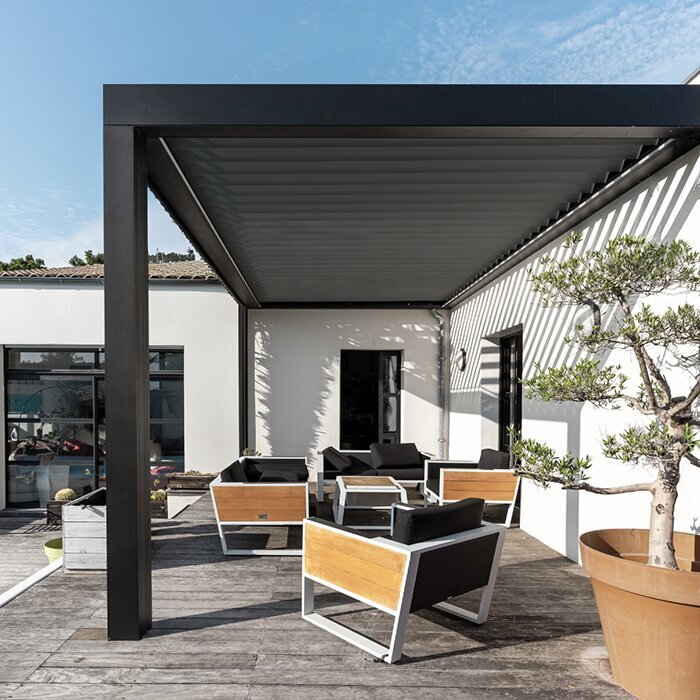
What to check before buying 5
Compare the usable dimensions of each configuration
Use the measured plan to compare actual configuration dimensions, not just total square metres. Account for the usable space after posts, wall edges, rails and fixed objects are taken into account. Then place the desk so the screen can face a workable direction and the chair does not obstruct access. A layout that fits only when the chair is pushed under the desk may not suit a normal work session. If another person uses the same outdoor route, trace their movement while the chair is pulled back. Keep the sketch tied to your work equipment rather than to a generic furniture layout. Include the position of doors and the path to the house so the desk does not create a daily detour.
When reviewing the listed Bioclimatic Pergola range, use the dimensions and component details for the option you want. Ask which components are included and which are optional, where the supports sit, whether a wall connection is proposed, and what coverage the supplier describes. These details let you check whether the configuration matches the layout rather than merely offering enough total area. Do not infer a retracting roof, adjustable slats, waterproof enclosure or built-in power from a model name. Record any answer that changes the desk position, chair clearance or access route so your comparison reflects the configuration actually being considered.
Mock up the layout before committing
Before ordering furniture or settling on a pergola position, mark the proposed footprint on the ground with removable tape or another temporary marker. Place the intended desk and chair, or objects of the same size, within it. Sit down, pull the chair back, turn to enter and leave, open drawers, and check whether a family member can still use the route past the space. Repeat with the screen at the intended height and angle at the hours you expect to work. This mock-up is a planning test, not a construction drawing; keep any sketch labelled as a concept. If a suitable table is available, use it to trial a full work session rather than only a quick sit-down.
After the trial, compare your notes with the configuration you are considering. If the Bloomcabin Pergola listing is on your shortlist, use the same measured layout and task list to assess it as you would any other option. Note which parts of the trial worked and which required moving furniture or changing the screen angle. If shade or chair clearance fails at your main work time, move the desk, revise the layout or reserve that task for indoors. Settle those layout changes before ordering, rather than committing to furniture that fitted the marked footprint but proved awkward during a full work session.
Frequently asked questions
Can a pergola keep a computer dry?
Do not rely on a pergola to keep a computer dry. Coverage depends on the selected configuration and site, and open sides can admit wind-driven rain or dampness. Check the product-specific guidance, but move laptops, monitors and chargers indoors when the weather changes.
How can I reduce glare on an outdoor screen?
Sit at the intended desk and check the display at the times you plan to work. Change the screen angle or desk position to reduce direct light and bright reflections, then test again as the sun moves. A compatible screen filter may help, but it is not a substitute for a suitable position.
How much space do I need for an outdoor workstation?
There is no useful area figure without the desk and chair dimensions. Measure the desk, chair movement, open drawers, equipment and walking route, then compare that plan with the exact configuration dimensions and post positions. A pergola's total area alone cannot show whether the layout works.
Can I add a power point under a pergola?
Possibly, but do not assume the pergola includes electrical service. Ask a qualified electrician to assess a suitable outdoor power point and route, and check any proposed fixture or attachment with the pergola supplier. For brief sessions, charging devices indoors may be simpler.
Can I leave my laptop and monitor outside overnight?
It is best to bring them indoors. An open pergola is not a locked, enclosed or temperature-controlled room, and equipment may be exposed to rain, dust, temperature changes and other people. Leave devices outside only if their maker says they suit those exact conditions and you have considered security.
An outdoor workstation works best as a flexible extension of an indoor office, not a replacement for it. Fit the plan to your real desk, chair and equipment; check screen glare and shade at the hours you work; arrange power through a qualified professional if needed; and build a quick move-inside routine around changing conditions. Once the mock-up passes those tests, compare it with the exact pergola configuration. If it does not, a different desk position or keeping that task indoors may be the more practical choice.
