
Pergola Remote Stopped Working: Battery, Pairing or Power?
Pergola troubleshooting
When a pergola remote stops responding, the cause may be the handset, its pairing, the signal path, or the pergola’s control system and power supply. A lit indicator—or a motionless roof—does not identify the fault on its own. This guide separates safe, owner-level observations from pairing, electrical and internal repair work that must follow the exact controller manual or be handled by a qualified service professional.

Record the symptoms before changing anything
Note the first symptom before trying anything else. If the remote has an indicator, does it light when you press a button? Does the pergola make a sound, move briefly or remain still? Does the failure affect every normal command or just one function? Record what happens and when. Keep people, pets and loose furniture clear of moving parts before a routine test, because the equipment may respond unexpectedly. One deliberate observation is more useful than repeated rapid presses, which can blur the pattern or start movement without warning.
Record whether the problem began after a battery change, power interruption, cleaning, severe weather or a long period without use; timing is a clue, not proof. Include when the remote last worked normally and whether the current fault happens every time. If another control supplied for your system works, the fault may be limited to the remote or its signal path. If every control fails, a shared control system, power supply, operating restriction or mechanical issue becomes more plausible. Keep the structure’s identity separate from these observations. For example, if your purchase records identify the Bloomcabin Wall-Mounted Pergola, use that name in your enquiry alongside the installed controller’s details. The pergola model alone does not identify those controls. This gives support a clear starting point without presenting a suspected cause as an established fault.
Check the remote battery without guessing
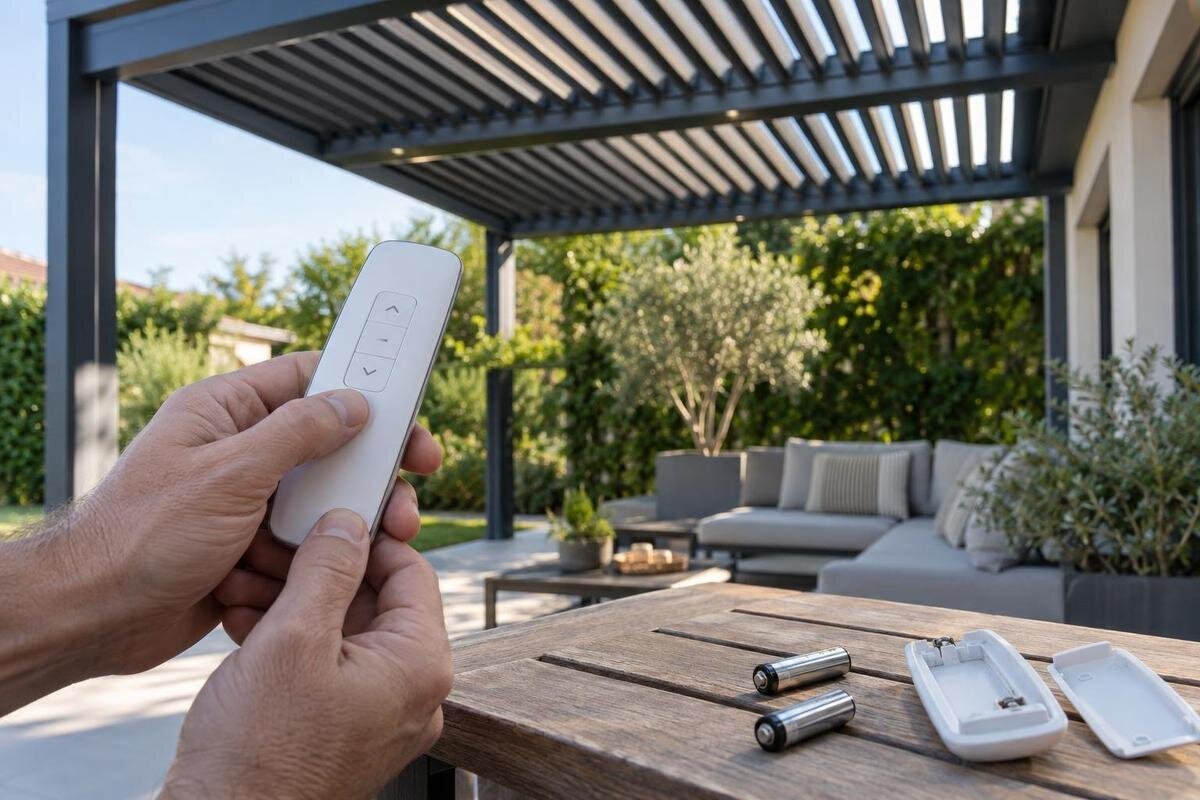
If the handset has a user-replaceable battery, use the type printed in its accessible battery compartment or specified in the remote’s own manual. Match the polarity markings, fit the cover as designed, and do not guess from size alone, substitute a rechargeable cell unless specified, or force open a sealed case. Check the stated requirement rather than assuming the battery already fitted is correct, particularly if you did not install it yourself. If the handset takes several cells, follow the manual on whether they should be replaced together. A cell that physically fits is not necessarily suitable. Before closing the compartment, make a note of the specified battery type for future reference. Keep clear of moving parts when you make the single normal test after replacement, and record whether the response differs from the original symptom.
If there is no light, that may be consistent with an exhausted battery or a remote fault, but it is not a diagnosis; some remotes have no indicator. If a light appears, it shows only that the indicator responds, not that the command reached the pergola. If the compartment is wet, damaged or shows leakage or corrosion, do not scrape, wash or dismantle it. Stop using the handset and ask support how to handle it. Note the battery type and whether the symptom changed, then follow local guidance for disposing of used cells.
Compare the remote with any other normal control
If your system has another supplied control, such as a wall control, check the manual and use only its ordinary controls. Test the same function, and make sure the second control is intended for this pergola rather than a nearby or similar-looking system. If it works, a remote, pairing or signal-path issue becomes more plausible, but is not confirmed. If it also fails, the fault may be in something shared by the controls, such as the control system or its power supply.
Write down the result for each control and function: for example, whether the remote indicator lights, whether another control responds and whether movement starts or stops. Compare like with like rather than treating a working light or a different function as an equivalent test. Do not use an unpaired remote as a test, or assume one working function proves the rest are safe. When recording the equipment, distinguish the pergola model from the control that produced each result. A purchase record for the Bloomcabin Pergola identifies the structure, while your own documents or a safely accessible external label are needed to identify the installed controls. Use the same names throughout your notes so support can tell which handset, control and function you mean without having to interpret phrases such as ‘the other button’.
Pairing and reset procedures must match the controller
Pairing is not universal: steps can differ between controllers and remote models. Before considering it, identify the exact controller and handset models or part numbers from the manual, installation documents or labels that are visible without opening covers. Check that the instructions refer to both items, rather than relying only on the pergola’s product name or a photograph of a similar handset. Check whether the manual allows an owner to pair the remote, and note any channel or group information it asks you to identify. Where several controls are involved, establish which one the procedure concerns before changing anything. If you cannot identify the equipment or match it to the instructions, request the correct manual from the installer or supplier. Explain which identifying details you have and which are missing rather than adapting instructions for a similar unit.
If the manual gives an owner-level pairing process, follow that procedure in order and stop if the indicators or controls do not match its description. Note where the result differed so support can understand the attempted procedure; do not fill in a missing step with instructions from another source. Avoid random button holds, generic reset videos and factory resets. On some systems, a reset can remove existing pairings or change other settings, and it will not resolve a power fault. When requesting instructions for a pergola identified as the Bloomcabin Bioclimatic Pergola, include the controller and handset identifiers as well. A structure listing is not pairing documentation. Ask specifically for the procedure that matches the installed equipment, including any stated conditions that must be met before an owner begins.
Know when the problem may involve power or the controller
A remote indicator can light even when the pergola does not respond. If no supplied control works, the issue may involve the shared control system, its power supply, a receiver if fitted, or an operating condition described in the manual. These are possibilities, not a diagnosis. Note any externally visible indicator or message only if your manual explains it. Do not assume that every pergola has the same controller, display or safety features.
Keep electrical checks to safe observations from outside the equipment. Do not remove a control-box cover, touch wiring, test voltage or repeatedly reset a protective device. If there has been a power interruption, note when it happened; do not cycle power unless the exact manual describes a user-level action. A suspected mains fault needs qualified attention. In a service enquiry, distinguish between a loss of response and a confirmed loss of power: report what you observed rather than saying the power supply has failed. If the discussion later includes replacing the structure with the Bloomcabin wall-mounted pergola, ask for the proposed electrical work to be described separately from the product itself. The listing does not specify your existing supply, and a replacement enquiry should not be treated as a diagnosis of the present fault.
Check range and surrounding conditions from a safe position
If the remote works intermittently or only from certain positions, check the operating distance and orientation stated in your manual, if it provides them. Make a normal test from a safe, visible position and change only one simple condition at a time, such as standing where you usually operate it. Do not assume the remote uses a particular signal technology or copy another model’s stated range. Avoid climbing, reaching into the structure or moving equipment to improve reception.
Note whether the fault coincides with a new obstruction, nearby equipment, weather or a particular location, but treat that pattern as information for service rather than proof of interference. Describe the position plainly, such as the usual operating spot on the terrace, and say whether the response is consistent there. Do not disable other equipment or remove covers to investigate a signal path. If operating distance also matters to a separate purchase enquiry, use Bloomcabin’s pergola listing to identify the product you are asking about, then request details of the controls proposed for that configuration. Explain where you expect to use the remote. Do not transfer a range assumption from your existing handset to another system or treat the structure’s product name as a receiver specification.
Stop testing when there are warning signs
Stop using the remote and keep clear if the pergola moves unexpectedly, starts and stops repeatedly, responds in a way that differs from the command, or makes an unusual noise or vibration. The same applies if you notice damaged wiring, moisture inside equipment, unusual heat, a burning smell or smoke. Do not keep pressing buttons to reproduce the fault, force a roof or louvre by hand, or reach into a moving mechanism.
Leave internal inspection, wiring, controller or receiver work, and any procedure beyond the owner instructions to a qualified pergola service professional or electrician as appropriate. Do not bypass a safety device or improvise a way to isolate equipment; follow only a stop or emergency instruction clearly given in your system’s manual. Describe what happened and when, and tell the service provider whether the fault is still present. This helps them decide what needs inspection without asking you to open the equipment.
Prepare clear information for support
Before contacting the installer or supplier, gather the pergola model and serial number if they are available in your documents or on a safely accessible external label. Include the remote and controller model or part numbers, the manual you have, and the date of installation if known. Describe which control and function failed, what its indicator did, whether another supplied control worked, and whether the fault is constant or intermittent. Mention recent battery changes or power interruptions without presenting them as a confirmed cause.
A clear photo of an external label or the remote can help identify the equipment; do not remove covers to take one. A short video may help only if the movement is predictable and can be recorded from a safe distance with people clear of the mechanism. Do not recreate an unsafe fault for a recording. Label any attachments so the service provider can distinguish the remote, controller label and overall structure. If you are also enquiring about a whole-structure replacement, identify the Bloomcabin Bioclimatic Pergola listing as a product you wish to discuss, not as the model you already own. Keep the current fault description and the proposed purchase in separate parts of the enquiry. This avoids confusing information about installed equipment with questions about a new configuration. Avoid posting serial numbers, addresses or order documents publicly.
Choose replacement parts only after compatibility is confirmed
A remote with the same appearance, brand or button layout may not be compatible with your controller. Before buying, ask the supplier or installer to check the exact remote and controller models or part numbers, and whether the proposed handset is approved for that system. Confirm whether it needs pairing or other setup, and who should carry that out. Do not select a replacement on battery type, colour or case shape alone, and be cautious about listings that do not identify the compatible system.
Explain what the existing remote does, what other controls have been tested and what information is on the controller label, if it is safely visible. Ask whether the proposed job is a handset replacement, a controller upgrade or another service task, and what setup it includes. Request a clear description of the component being supplied and which existing equipment it is intended to work with. Keep that description with the compatibility advice so you can distinguish the agreed replacement from a similar-looking item. The wall-mounted Bloomcabin pergola listing is for a complete pergola product, not a spare remote. If it appears in the same correspondence, make clear whether you are asking about a component for your current installation or considering a separate structure purchase.
Treat a full pergola replacement as a separate decision
A remote fault does not automatically mean the whole pergola needs replacing. First establish whether the issue can be resolved by the owner-level checks in the manual or requires a service assessment. If an approved upgrade or replacement is being considered, ask what components would change, what existing equipment could remain, what setup is included and whether the proposed work affects existing support arrangements. Compare the stated scope rather than assuming that a new handset, controller and complete structure are interchangeable options.
If you are exploring a whole structure separately, the Bloomcabin Pergola product page can identify a model for that discussion. Its product identity does not establish which controller it includes, whether it will suit your existing installation or whether your current remote can be carried over. Those details need separate confirmation for the proposed configuration. Ask for the proposed structure and its controls to be described together, including what setup and operating instructions are included. Compare that proposal with the scope of any repair or component replacement, rather than comparing the product names alone. Keep the final decision about the pergola distinct from the diagnosis of the remote fault: a purchase option describes what you might install, not why the current system stopped responding.
Frequently asked questions
The remote light comes on, but nothing moves. What does that mean?
It confirms only that the remote’s indicator responds; it does not show that the command reached the pergola or that the control system has power. Check whether another approved control works, if one is fitted, and record what happens. Pairing, signal, controller or power issues are all possible, so use the exact manual rather than guessing.
Should I reset or pair the remote again?
Only if the manual for your exact controller and remote gives an owner-level procedure. Pairing and reset steps vary, and a reset may remove existing pairings or change settings on some systems. Avoid generic button combinations and videos for similar-looking equipment. If you cannot identify the model, ask the supplier or installer for the correct manual.
Can I use any battery that fits?
No. Use the battery type and polarity specified on the remote or in its manual. Similar-looking cells can differ, and a sealed handset may not be intended for owner battery replacement. If the compartment is damaged, wet or corroded, stop using the remote and ask support how to proceed.
How can I tell whether it is a power problem?
If every supplied control stops responding, a shared control-system or power issue becomes more plausible, but that does not prove the cause. A remote indicator is not a power test for the pergola. Do not open electrical covers or test wiring. Record the symptoms and arrange qualified service if power is suspected.
Can I replace it with a remote that looks the same?
Appearance, brand or a matching button layout does not confirm compatibility. Before ordering, have the exact remote and controller models or part numbers checked by the supplier or installer. Ask whether the replacement needs pairing or other setup, and use only a part approved for your system.
A dark remote, a lit indicator with no movement and a failure across every control are different clues, but none proves the cause by itself. Check only what the remote’s own instructions allow, record what happens, and use the exact controller manual for pairing. When symptoms point to power, internal equipment or unpredictable movement, leave diagnosis and repair to qualified service rather than trying a reset or an unverified replacement.
