
Choosing Pergola Bundles for Black Friday: Screens, Lighting and Extras
Pergola buying guide
Black Friday pergola bundles can make screens, lighting and other add-ons look like one easy decision, but the bundle label does not tell you what is actually included. Compare the named components, their quantities, compatibility and final price against the way you plan to use the space. A sale label alone does not establish which configurations qualify or what the checkout total will be, so confirm the live offer and its terms before treating an accessory or discount as part of the deal.

What a pergola bundle includes
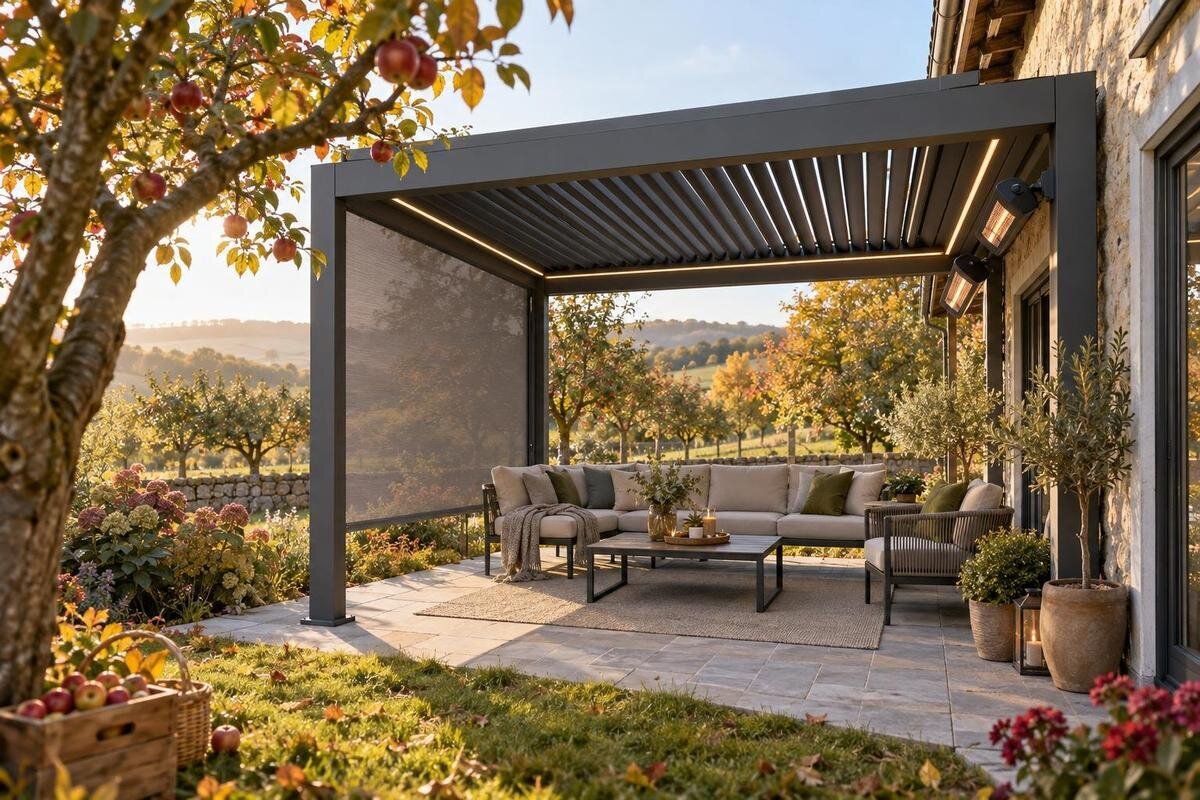
Treat the word bundle as a claim to verify, not as a parts list. A package might group a pergola with a screen, a lighting kit or another extra, but the label alone does not establish which components or quantities come with it. Identify the base pergola configuration first, then write down every accessory by its exact name and count. Look for a clear distinction between included items, optional upgrades and products shown only for illustration. A staged photograph can show a complete outdoor setting even when some pieces are separate purchases. Also note whether the screen or light kit appears under the same package description or in a separate add-on selector. Use the Bloomcabin pergola listing as a page to inspect; rely on its written package details, not the image, to establish what is offered.
Then check whether the advertised bundle is tied to a particular model, size, colour or configuration, and whether the add-ons are selected separately during ordering. A headline may refer to a starting configuration rather than every version on the page. Record the price shown for the exact choice, the listed bundle price if there is one, and any required accessories that are not included. If the page does not spell out the package contents, do not fill gaps from a photo or a general category name. Ask for clarification before comparing it with another package; otherwise, you may compare a screen-equipped setup with a basic pergola and mistake the difference for a saving.
Choose screens for privacy, shade and airflow
Choose a screen by the job it needs to do, not just by its appearance. A screen intended to limit sightlines has different priorities from one chosen to reduce glare or keep small insects out; a single product may not deliver every result. Compare the material or mesh description, openness, stated light-control claims and whether the screen is designed to cover a full side or only a portion. More coverage can change how enclosed the space feels, so consider views, breeze and daylight as well as privacy. Where performance figures are provided, use those figures instead of assuming that a dark fabric blocks more sun or offers better privacy.
Also check how each screen opens, closes or is removed. A roll-down screen, a fixed panel and a removable curtain create different day-to-day routines, so look for the operating method and any storage requirements. Think about the side that faces neighbours, the direction you want to keep open, and the path to a door or seating area. Confirm that the screen is listed as compatible with the exact pergola configuration; products with similar names are not automatically interchangeable. The Bloomcabin pergola product page can help identify the precise pergola listing you are comparing, but it does not by itself confirm a screen is included or suitable. Check the screen’s own specifications and stated compatibility before adding it to a bundle.
Check how much screen coverage you are buying
Screen coverage deserves its own check because a package that includes screens may cover one side, several sides or only selected openings. Count the panels or screen units named in the package, then map them to the sides you actually want to cover. Check whether the listing describes dimensions for each screen and the opening it fits, rather than relying on a broad phrase such as full coverage. A photo can be taken from an angle that hides an uncovered side. This is not just a matter of appearance: incomplete coverage may leave a sightline or gap where you expected a screen, while covering every side may make access less convenient.
Walk through the planned arrangement on paper: where people enter, where chairs or a table sit, and which side must remain open for circulation. If a screen needs a clear path to move or stack, account for that in the layout without assuming it can be repositioned later. Check the count of tracks, panels and any required mounting parts in the package list; one included screen does not mean a full set. The a Bloomcabin pergola listing is useful for confirming which exact product page you have open, but verify screen coverage against the accessory description, not the pergola name. If a side, measurement or attachment method is missing, ask before ordering.
Plan pergola lighting around the activity
Plan lighting around what you will do under the pergola. A soft wash of light can suit conversation, while reading, preparing food or other close-up tasks calls for a different level and placement; a single decorative fixture may not serve both. Compare the stated brightness, colour temperature, beam direction and number of lights, if those details are given. Consider glare when seated and whether light would reach the work area without shining directly into a nearby window. Treat photos taken at dusk as atmosphere, not a reliable indication of output. Decide which areas you want illuminated before judging whether a kit offers enough coverage.
Controls matter in everyday use as well as the fixtures. Check whether the package description names a switch, remote, dimmer, app control or another method, and whether separate lights can be controlled together. Identify the stated power source and any compatibility limits; do not assume a pergola bundle includes wiring, a power supply or controls simply because lights appear in the image. If a permanent electrical connection is part of the plan, confirm the product requirements and have a qualified electrician review the work. A Bloomcabin pergola page is a neutral reference for the pergola listing itself; use the lighting kit’s own details to confirm which parts and controls, if any, are supplied.

Verify every component in a lighting package
Read the lighting package line by line. Depending on the offer, the word lighting could refer to fixtures alone or to a kit with mounting pieces, a power supply, connecting leads and controls; only the actual item list tells you. Check the number and type of fixtures, what connects them, and whether the package includes every component shown in its description. Note any separately selected option or required item. If a seller provides details for a separate lighting product, compare its model and instructions with the pergola bundle rather than assuming that a general-purpose light will fit. For a careful comparison, keep the fixture list beside the exact pergola configuration and mark any item that remains unspecified.
Outdoor placement adds another important question: whether the listed lighting is intended for the location and exposure you have in mind. Look for explicit suitability information and installation instructions; a product’s appearance or a photograph of it outdoors is not proof of its rating. If those details are absent, ask the seller or manufacturer before buying, and have a qualified electrician assess fixed electrical work. Do not improvise a connection or infer that two products work together because both are described for outdoor use. The Bloomcabin pergola product listing can establish which pergola page is under review, while the lighting product’s specifications must establish its own requirements and compatibility.
Decide which other extras are useful
Other extras can be useful, but the name needs to match a real need. If a package lists a privacy panel, curtain, decorative trim, mounting accessory or cover, check what it changes: visibility, appearance, storage or day-to-day convenience. These items are not interchangeable, and a picture of a styled pergola may include décor that is not part of a bundle. For anything that attaches to the structure, check the intended attachment point and documented compatibility. If the accessory is meant to carry or support an item, rely on stated use and limits rather than assuming a beam or rail can take the load. Keep personal additions separate from manufacturer-approved accessories in your comparison.
Think about what you would still choose if the Black Friday label were removed. A practical extra that solves a recurring issue may be worth more to you than several decorative pieces, while an accessory you will rarely use can inflate the apparent value without improving the setup. Compare whether the item is included, an optional paid upgrade or a separate purchase, and whether it needs another component to work. If an extra is described alongside a Bloomcabin pergola listing, check its own item name and package status rather than reading the link or page context as proof that it comes with the pergola. A shorter, clearly specified bundle may be easier to assess.
Confirm each accessory fits the chosen pergola
Compatibility should be checked by model and configuration, not by appearance. Accessories can depend on the pergola’s attachment points, profile, orientation or exact version, even when two products look similar in a photograph. Find the accessory’s compatibility statement and match it to the full product name or configuration shown on the pergola listing. If the information gives only a broad category, ask which versions it covers. The Bloomcabin pergola page you are checking can help you keep the base listing identifiable, but it cannot establish that a screen, light or other add-on fits. Do not treat a shared brand name, colour or general description as a fit guarantee.
Consider future changes too. If you may add screens or lighting later, confirm that the separate accessory is made for the version you plan to buy and that the required mounting components are included or sold as an identified extra. A future upgrade is not assured merely because the category offers accessories today; compatibility and availability can vary by product. Check colour descriptions and care information when a visible add-on needs to match the pergola, and find out how any removable piece is stored when not in use. That helps avoid paying for a bundle whose extras cannot be adapted to your actual plan.
Compare Black Friday value beyond the headline
Compare value using the same shopping list on every offer. Write down the exact pergola configuration, screen units, lighting components and extras; then compare a bundle price with separate listed prices only if those prices refer to the same items and options. A package with more pieces is not automatically better value if you would not use them or still need to buy a missing component. Where the listing provides a saving, check its basis and make sure the displayed price applies to the selection in your cart. The other Bloomcabin pergola listing can be kept as a separate comparison point, but use its displayed details rather than assuming that another page carries the same package or terms.
Look at the amount payable, not just the largest discount figure. Review whether delivery charges, taxes, installation costs or other required purchases affect your budget, and read the offer’s qualifying configurations, exclusions and dates. A promotion may be limited to particular options or quantities; do not assume the bundle you want qualifies until the price is shown for that exact selection. Check the store’s current terms for returns or changes as well, since a seasonal headline does not explain them. No specific offer details are established in this guide, so treat a saving as confirmed only when the live price and terms clearly show it.

Match the order summary to the package
Before paying, compare the final order summary with the list you made. Confirm the pergola configuration, colour if selected, screen count and side coverage, lighting option, controls, and every other extra by its named item and quantity. Check that each add-on appears as included or selected at the price you expect; a checkbox, product photo or description on a different page is not enough. If a required component is missing from the summary, pause and ask for clarification rather than assuming it will be packed with the main item. This small reconciliation step catches common bundle misunderstandings before you rely on the package for a planned outdoor setup.
Keep the order confirmation and the offer details you relied on together, including the selected configuration and any exclusions or conditions shown at checkout. That gives you a clear record of what you believed was included if a description was ambiguous. Also review any product-specific instructions available for the screens and lights before treating them as ready for use; installation, care and operating limits may be different for each accessory. If the seller provides a written answer about compatibility or package contents, keep it with the order information. None of this replaces the product instructions, but it prevents a vague bundle heading from becoming your only reference for what you bought.
Prioritize extras before choosing a bundle
A quick comparison sheet helps when several Black Friday pages use similar wording. Use one row per bundle and columns for the exact pergola configuration, screen type and coverage, lighting components and controls, other extras, compatibility evidence, final price and unanswered questions. Add a note on why each item matters to your use: privacy on a particular side, evening light at a seating area or a need to keep a route open. That turns a long feature list into a practical comparison instead of a contest over the number of accessories. Mark unconfirmed details as unknown; do not treat blank fields as included features.
Give each feature a priority such as essential, useful or optional, then compare the packages against that list. A bundle is a sound candidate when its contents are clear, its accessories are confirmed for the chosen pergola and the total fits your budget without extras you do not want. If a decisive detail, such as screen coverage or a light’s included controls, cannot be confirmed, the headline price cannot resolve the uncertainty. You may prefer to compare a simpler configuration with individually chosen accessories, provided each is verified as compatible. The aim is not to buy the most items during Black Friday; it is to choose a package whose documented contents fit your plans.
Frequently asked questions
Does a pergola bundle always include screens?
Not necessarily. A bundle heading or staged photograph does not establish screen inclusion. Check the named items, quantity, sides covered, mounting hardware and whether the screen is part of the price or an optional selection. If the listing is unclear, ask for written confirmation before relying on it.
Can I add lighting to any pergola?
Not automatically. Confirm that the light kit is compatible with the exact pergola configuration and check its fixtures, controls, power requirements and suitability for the intended outdoor location. For fixed electrical work, have a qualified electrician review the product requirements; do not assume a generic light will fit.
Are Black Friday pergola bundles necessarily cheaper than separate items?
No. Compare the same pergola configuration and accessory list at the bundle price and at separate prices when available. Include required extras and applicable checkout costs, and verify that any advertised promotion applies to the option you selected. More items do not by themselves mean better value.
How should I compare pergola screen options?
Start with the purpose: privacy, light control, insect screening or a mix. Compare the stated mesh, openness and coverage, then check how the screen opens and what airflow or view the design allows. Treat these as product-specific characteristics; the word screen alone does not establish them.
What should I confirm before ordering a pergola bundle?
Confirm the pergola version, screen count and coverage, exact lighting components and controls, other extras, compatibility statements, price, exclusions and offer conditions. Compare those details with the final order summary. If a detail that affects fit or use is missing, get it clarified before purchase.
On Black Friday, compare pergola bundles by what the package documents, not by the size of its feature list. A screen is valuable only when its coverage and function suit your space; lighting is useful only when its components, controls and requirements are clear. Confirm each add-on, the exact configuration and the final terms before judging the price. With those details in hand, you can choose a bundle that supports the way you plan to use the pergola without paying for uncertain or unwanted extras.
