
Pergola Remote Not Responding: Battery, Pairing or Power?
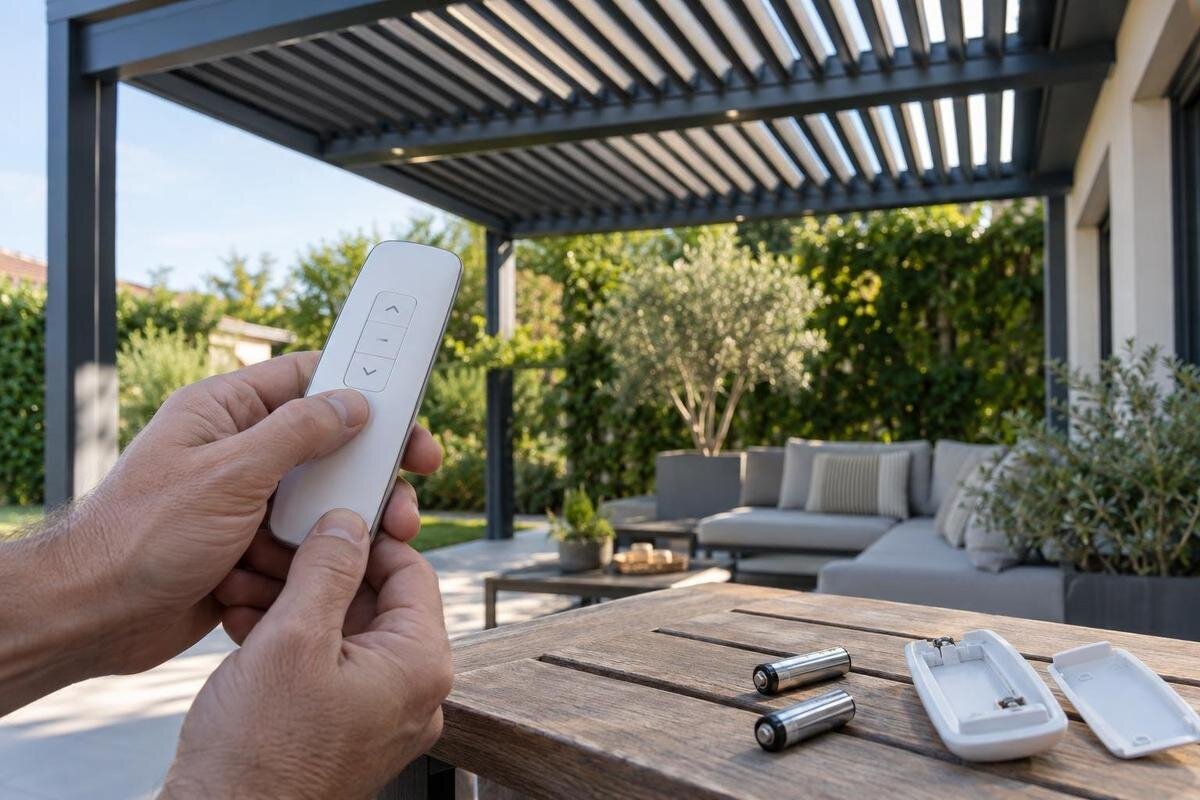
Pergola troubleshooting
A remote that appears dead, lights up without producing movement, or works intermittently can point to different parts of a control system. None of those symptoms proves a single fault. Safe owner checks are limited to what the exact controller manual allows, such as observing indicators or changing batteries when the remote is designed for it. Pairing, controller power, and wiring need the correct documentation and, when a task goes beyond user instructions, qualified service. Avoid generic reset steps.

What does “not responding” look like?
First note whether the remote itself shows any activity. Using a button you normally use, observe whether its display or indicator stays dark, lights briefly, or behaves inconsistently. Then record whether the controlled function does nothing, starts and stops, or responds after a delay. A lit indicator may show that the handset has power or registered a button press; it does not, by itself, prove the command reached the pergola’s receiver. If there is no indicator, that still does not prove the batteries are the cause. Describe the two observations separately: what happened on the remote and what happened at the pergola. For example, “the indicator lit, but the selected function did not respond” is more useful than “the remote is broken.” Report what you have already observed rather than operating the equipment repeatedly to reproduce the problem. Avoid repeated presses, since movement could begin after the area has changed.
Record whether one function or every function is affected, and when the change began. A problem that appeared after a new remote, service visit, or interruption to normal operation is useful context, not proof of lost pairing or power. If you already use a second remote or fixed control, note whether it responds, but do not add a new control as a test. Keep people clear before any normal operation. Add the pergola family as a separate identifier: the Bloomcabin Pergola product name identifies a structure family, not the handset or receiver installed with it.
Match the manual to the control hardware
Look for model information in places intended for routine access: the remote’s exterior label, paperwork, order records, or a manual you already have. Open a battery compartment only if the remote is designed for user access. Do not remove a motor, receiver, or weatherproof enclosure to look for a label. If you can safely photograph an external marking, capture all letters, numbers, and revision details; a partial model name can lead to the wrong instructions. The pergola, controller, and remote can have separate identifiers, so note each one you can find without dismantling anything. Label your records clearly so support knows which number belongs to which component. If a number comes from paperwork rather than the installed equipment, say so. Where the two records differ, pass along both instead of choosing one yourself; this keeps the identification question separate from the reported fault.
Use documentation for the exact transmitter and controller, including a revision where one is shown. A general assembly guide may cover the pergola but not its remote, while instructions for a similar-looking control may describe different procedures. A catalogue entry such as Bloomcabin Wall-Mounted Pergola can help identify a product family, but it is not the remote’s manual or a compatibility list. If your control documentation is missing, ask the seller or manufacturer for the correct version using the labels and order details rather than trying a reset found for another system.
Replace batteries only as specified
Change batteries only if the remote’s instructions describe them as user-replaceable and explain how to access them. Follow the specified battery type, quantity, and orientation; do not guess from the size of the compartment or from advice for another remote. Use a fresh set as directed, and do not mix old and new batteries. Do not substitute rechargeable cells unless the controller documentation explicitly permits them. A display that is blank or inconsistent can make battery condition worth checking, but it does not identify the fault on its own. Note whether you have actually replaced the batteries or only inspected them, and record the result separately. “New batteries fitted as instructed, with no change” tells support more than “batteries checked” and avoids uncertainty about which owner-level step has already been completed.
Keep the check to the accessible battery compartment and visible condition. If the remote is cracked, wet, unusually warm, or shows leakage or corrosion, stop handling it and ask the manufacturer or a qualified service provider what to do; do not scrape contacts or apply liquid cleaners. Follow local guidance for disposing of used batteries. If batteries replaced as the manual describes make no difference, do not keep trying different types. The issue could still involve the handset, pairing, the receiver, or power, and further steps should come from the exact manual or service.
Pairing instructions are controller-specific
There is no safe generic button sequence for pairing every pergola remote. Use a pairing or reset procedure only when it appears in documentation for the exact transmitter and controller installed at your pergola. A long press or reset intended for another model may not do the same thing on yours; it could also change existing pairings or settings. Do not copy an online video simply because its remote looks similar, and do not press combinations to see what happens. If the manual does not clearly match your labels, stop before changing the control setup.
Tell support whether the remote was recently replaced, whether a service visit took place, or whether the problem appeared after another change, but treat those events as clues rather than a diagnosis. Provide both the remote and controller identifiers and, if known, the pergola family. For example, Bloomcabin Bioclimatic Pergola names a product family, not a pairing method. Ask for the exact instructions for your installed controls and whether setup is an owner task or needs qualified service. Be clear about whether you are trying to restore an existing remote or add a replacement. Also mention any other controls you want to keep using. Before following an approved procedure, read it through and make sure you understand its stated result: adding a transmitter and clearing existing pairings are different objectives. If the instructions leave that distinction unclear, ask support to clarify rather than assuming that “reset” means “reconnect.”

Signs of a wider power problem
If several established controls stop responding at the same time, the remote may not be the only part of the system involved. A shared supply or controller issue is possible, but that symptom alone cannot identify the cause. Note whether a status light or display is visible on a normal user control, and compare it only with the indications described in your manual. Do not assume that every pergola has the same switch, app, receiver, or power arrangement. When reporting a system-wide problem, include the family name if you know it. If the wall-mounted pergola listing matches your order records, you can use it as a product reference alongside your description of the affected controls.
Keep power checks to safe observations and controls intended for the user. Do not open electrical housings, probe wiring, disconnect connectors, or bypass a control. If you notice a tripped breaker, record that fact rather than repeatedly restoring power; a breaker that trips again needs qualified attention. Do not infer that a visible switch is the correct isolator unless your manual identifies it and describes its user operation. If the supply or controller cannot be checked without access to wiring or a protected enclosure, leave that work to a qualified service provider.
Compare only with a control already in use
If a second remote or fixed control is already set up, the manual may allow you to compare its normal operation with the remote that has stopped responding. First make sure the area is clear and follow the usual operating method. If one established control works and the other does not, that narrows the question towards the handset or its pairing, but it does not prove which one has failed. Record exactly which control works and which function you tried. Do not enrol a new remote or borrow another one as a diagnostic shortcut.
Avoid treating distance or button appearance as a reliable compatibility test. Different systems can use different signal paths, and you should follow any positioning guidance in your own manual rather than assuming how the remote communicates. Compare controls under the same safe conditions and make only observations, not changes to the setup. Be precise about the comparison: name the control, the selected function, and whether it responded normally. A second control that operates a different function does not provide the same comparison as one operating the function that failed. If no suitable second control is already available, simply record that a comparison was not possible. If your records identify the structure as a regular Bloomcabin Pergola, include that product reference without treating it as evidence that another transmitter is compatible.
Stop when there are safety warning signs
Stop using the remote and keep people clear if you notice an unusual smell, unexpected heat, visible damage, water around an electrical control, or repeated interruptions to power. Do not touch a damaged cable or enclosure, and do not remove a cover to check what is inside. If the system is moving unexpectedly, do not stand beneath or reach into the moving area. Use only a normal user control to stop operation when the manual identifies it and it is safe to do so; do not improvise with wiring or a breaker.
Do not force a stopped mechanism by hand, climb onto the pergola, or reach between moving parts to look for a blockage. Avoid holding a button while someone else inspects the structure, and never bypass a safety device to make a test work. If movement is jerky, stops partway, or is accompanied by an unusual sound, repeated commands can make the situation harder to manage. Leave the equipment alone and describe what happened to a qualified service provider who can assess the exact system.
Information to collect before contacting service
A concise record helps support distinguish a remote symptom from a broader control issue. Note the pergola, remote, and controller identifiers you can see safely, when the problem began, which function you tried, and what the indicator or display did. Include whether another control already in use responded and whether the manual-approved battery check changed anything. If you photograph labels, take pictures only from places you can reach safely without removing covers. Do not guess at a model number when a label is incomplete; say which characters are unclear. Arrange the information in a short sequence: normal operation before the problem, the first symptom, and any permitted check you subsequently made. Separate observations from assumptions so that a suspected pairing issue is not presented as a confirmed fault. If the behaviour is intermittent, describe when you have noticed it rather than assigning a frequency you have not recorded. This gives support a usable account without requiring further tests.
Mention any relevant recent event, such as a remote replacement or service visit, without assuming it caused the fault. A short video from a safe position may help show an indicator or a symptom, but do not move closer to film moving equipment. Keep the recording focused on the issue and share it only when requested. If your paperwork identifies a bioclimatic family, include the bioclimatic pergola family page as a product-name reference. Keep that reference separate from close-up label photos so the service provider can distinguish the overall structure from the control components.
When qualified service is the right next step
Request help when the manual does not provide a clear owner-level check, when pairing or reset instructions do not match your controls, or when more than one established control has stopped working. Service is also appropriate if the remote is damaged, its batteries are not user-replaceable, the problem returns after the permitted checks, or any electrical enclosure or wiring would need to be accessed. Choose a provider qualified to work with the installed controls, and give them the symptom record rather than attempting to diagnose a receiver or power fault yourself.
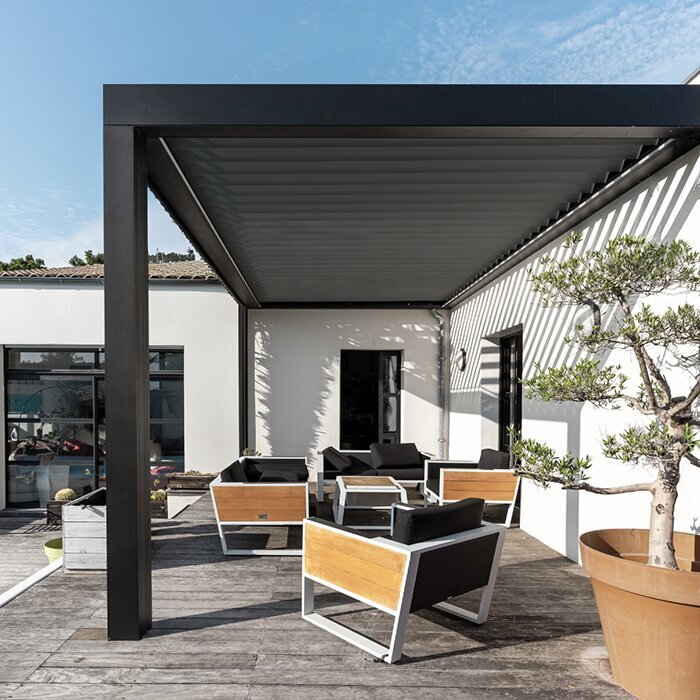
Ask for the exact manual and, if a part is needed, confirmation of the compatible remote or receiver for your installed model. Clarify whether a replacement remote needs setup and whether that task is intended for an owner or a qualified installer. Do not assume a whole pergola listing is a remote part: the wall-mounted pergola page identifies a product family, not a repair component or a compatible control. If you are considering a broader replacement project, treat that as a separate decision from fixing the current remote.
Choose a compatible remote—or plan a separate upgrade
A replacement remote should be confirmed for the exact controller and receiver, not selected because it has a similar case, button layout, or brand name. Ask the supplier to verify compatibility using the model identifiers you recorded, and to provide the correct setup instructions. If the remote and receiver must be replaced together, or the installation needs service, make that clear before ordering. Also state which functions your current remote controls and whether other existing controls need to remain in use. Ask the supplier to identify the replacement by its part or model number, rather than relying on a product photo alone. That gives you a specific item to compare with the order confirmation. A generic or look-alike remote can leave the original fault unresolved and create another setup question; do not treat successful battery checks as proof that any replacement will work.
Replacing the pergola itself is a separate choice, not the automatic answer to a remote fault. If a broader project is already being considered, use product pages to compare product families and ask separately what controls are included or supported. The Bloomcabin Pergola product page identifies a pergola family; it does not confirm that an existing remote can be transferred, paired, or retrofitted. Keep the repair decision and any full-structure purchase decision distinct so that a handset problem is not mistaken for evidence that the pergola must be replaced.
Frequently asked questions
How can I tell whether the remote batteries are the problem?
A blank or inconsistent display or indicator can make the batteries one possibility, but it does not confirm the cause. If the manual says the batteries are user-replaceable, use only the type and orientation it specifies. If the remote still does not respond, avoid repeated battery changes and follow the manual’s next steps or contact service.
Should I reset or re-pair the pergola remote?
Only use a pairing or reset procedure from the manual for your exact transmitter and controller. A sequence from a similar-looking remote may not apply, and a reset can affect existing pairings or settings. If you cannot confirm the model, ask the seller or manufacturer for the correct documentation.
The remote indicator lights up, but nothing moves. What does that mean?
It shows that the handset has some activity, not that the receiver received or accepted a command. Pairing, the receiver, power, or another control-system issue could be involved. Check only what the exact manual permits, and compare with a second control only if it is already set up and safe to use.
Both the remote and another control have stopped working. Is the remote still the issue?
It may not be the only issue. When multiple established controls stop responding, a shared power or controller problem is possible, but the symptom does not identify the fault. Note any visible status indication and arrange qualified service rather than opening the controller or testing wiring.
Can I buy a universal remote or one that looks the same?
Do not assume that the same brand, button layout, or appearance means it will work. Ask the supplier to confirm compatibility with the exact transmitter and receiver models, and whether setup requires an installer. A product listing for a pergola is not proof that a particular remote will pair with its controls.
A nonresponsive remote is a symptom, not a diagnosis. Check batteries only as the remote manual allows, use pairing instructions for the exact controls, and treat failures affecting several controls as a possible wider issue. Record what you observed before changing the setup or buying a replacement. That gives service a clearer starting point and helps keep an uncertain control problem from becoming an avoidable safety risk.
