
Creating an Outdoor Workstation Under a Pergola
Outdoor living guide
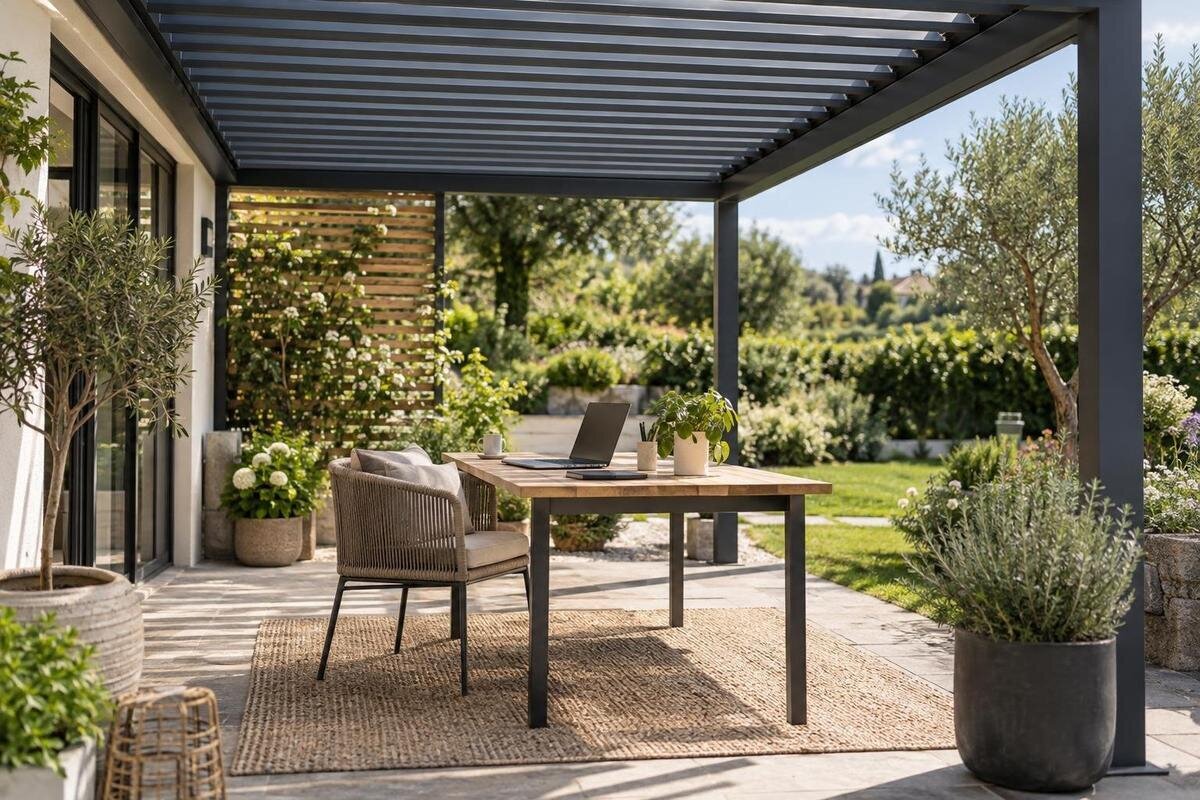
An outdoor workstation can be useful for a change of setting, but a pergola does not turn a garden into an indoor office. Glare, moving shade, showers, wind, power access and somewhere secure for devices all affect how it works. Plan around the tasks you actually do, test a full-size furniture layout and keep an indoor alternative for work that cannot be interrupted.
Before you choose 1
Decide what the workstation needs to support
Before choosing furniture or a pergola, define what you will do outside. Short email sessions on a laptop need a different arrangement from several hours of writing, a separate monitor, paperwork or frequent video calls. List the tasks, devices and accessories you use, and how long you intend to work at a time. Note what must stay within reach—a mouse, notebook, charger, headset or papers—and whether you need room to stand briefly or spread documents out. This avoids planning around a photograph of a tidy desk rather than the real working setup: a chair may obstruct a route, loose papers may move in a breeze, and a screen that looks fine early in the day may be difficult to read later.
Separate essentials from extras, then identify which tasks can move indoors if conditions change. If your work is flexible, a compact surface and a pack-away routine may be enough; if calls, set working hours or several devices matter, access to power, a usable network and a quieter indoor fallback deserve attention before furniture is chosen. Write down non-negotiables, such as space for a full-size monitor, a clear route to the house or somewhere secure for equipment after work. Do not assume a pergola provides the privacy, temperature control, acoustics or weather protection of an enclosed room. Treat the workstation as an outdoor one and make the work plan fit that reality.
Measure furniture and working clearances
Draw the work area to scale using the furniture you will actually use. Measure the desk, including feet or supports, the chair, and the space needed to sit down, pull back, turn and stand. Include monitor stands, lamps and side tables from the outset, along with the laptop and any separate keyboard or mouse that affect your seated position. Mark posts, walls, steps, doors and existing paths on the same plan. A desktop may fit between posts on paper while the chair catches a post or obstructs an opening door in everyday use. Tape the outlines on the patio and test them, including the movement you make when getting up.
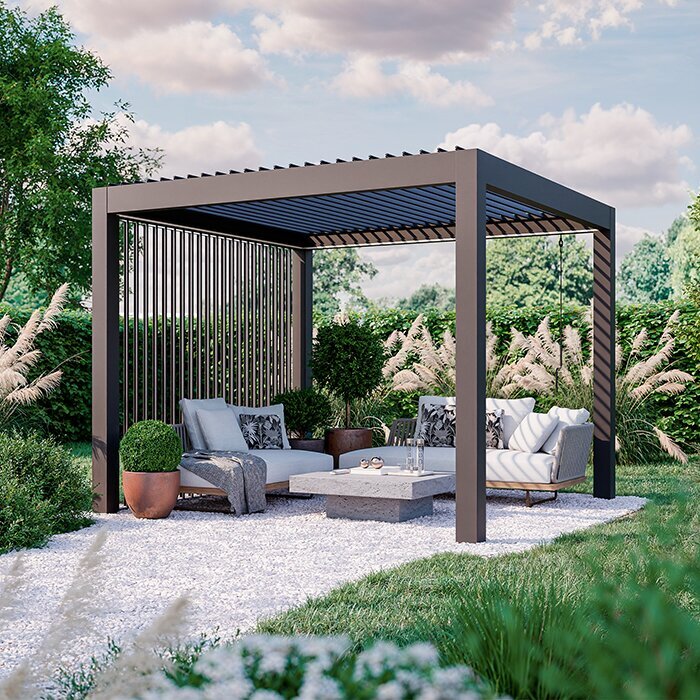
Include a clear route past the workstation and room to carry a cup or work bag without brushing the screen or cables. If storage is part of the setup, draw its footprint and the space needed to open it; do not count the entire covered area as usable desk space. The Bloomcabin Bioclimatic Pergola listing gives a stated area range from 9 to 24 m². Use that for an initial comparison only: area does not tell you the exact width, depth, post positions or usable clearance around your furniture. Check the dimensions and layout of the particular configuration against your drawing before deciding, and account for any change in level or narrow approach to the patio.
Before you choose 2
Position the screen to manage glare
Screen glare can come from more than direct sunshine. A bright patch of sky behind the display, reflections from nearby glazing or a pale surface, and changing light through the day can all make a screen harder to read. At the intended desk position, turn the screen and seat through several angles rather than choosing an orientation from the house plan alone. Side lighting may be easier to manage than sun falling straight on the display, but the best direction depends on the site and time. Test with the actual laptop or monitor, not a dark screen, and check whether you can read it without repeatedly shifting your posture or moving the equipment.
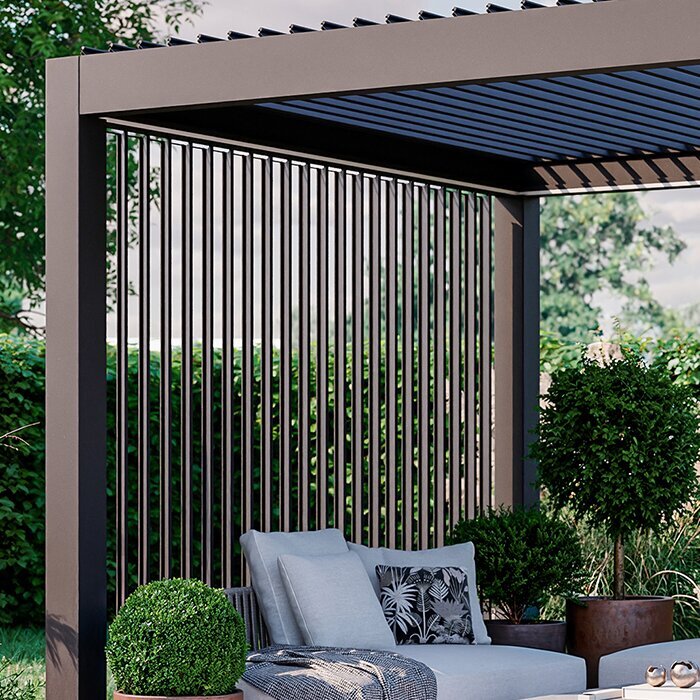
If a wall is part of the proposed layout, note its openings, reflected light and the direction you face before settling the furniture. The wall-mounted pergola configuration still needs to be assessed against the real wall, doors and screen position; its name does not establish how much shade reaches a desk. Try the laptop or monitor in the intended spot at more than one time of day. Changing the desk angle, rotating the display or using a movable shade may help, but check that any added item is compatible with the structure and safe in the conditions. Avoid a setup where glare can be fixed only by blocking the main walking route or a door.
Check how shade changes through the day
Map when direct sun reaches the work area, not only where the shadow falls in a single photograph. Note the morning, midday and late-afternoon conditions at the times you expect to use the desk; nearby buildings, fences and trees alter shade, and the angle changes over the year. The roof may shade part of the desktop while low-angle sun still reaches the screen from an open side. If you cannot observe the patio across several days, visit it at different times and leave room to move the workstation rather than assuming one fixed place will suit every session. Include the chair and display in the test: a shaded desktop does not guarantee a readable screen.
Check what the selected pergola configuration actually includes before relying on it to manage light. Do not infer adjustable shade, side screening or a particular roof arrangement from a model name or product image. The bioclimatic pergola listing identifies a product to investigate; use current technical information to confirm features and dimensions, then compare them with the sun positions you recorded. If you plan to add a separate shade or screen, verify compatibility and follow its instructions for use. A temporary cloth or parasol can help you explore a position, but it does not prove that a permanent attachment is suitable or that the work area will stay shaded all day.
Before you choose 3
Plan for showers and other interruptions
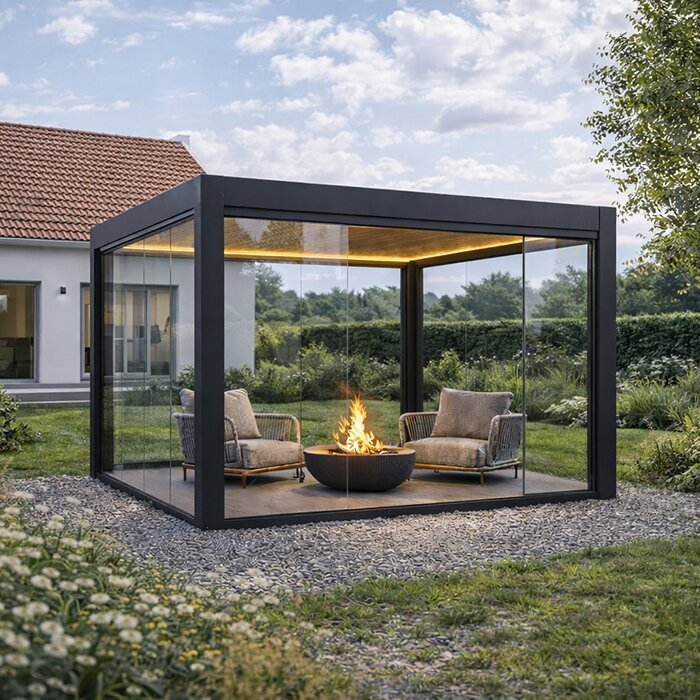
Plan for conditions that interrupt work rather than treating a pergola as an enclosed office. Open sides can leave a desk exposed to wind-driven rain, splashes and gusts even when there is overhead cover; papers, lightweight accessories and an open laptop can also be affected. The degree of shelter depends on the precise design, site and weather, so a product photograph cannot establish how dry or calm the workstation will be. Check the technical details of the chosen configuration for its stated weather limits and consider where rain can blow in from. Decide which tasks you will stop or move indoors if conditions change, rather than relying on a pergola to make every work session possible.
Build a pack-away routine around the equipment you actually use: save work, close the laptop, bring sensitive devices and loose papers indoors, and put other items somewhere dry. A brief pause may be workable for flexible tasks, but keep an indoor fallback for calls or deadlines that cannot wait. When comparing the Bloomcabin Pergola listing, consider how the proposed layout would let you gather your equipment and reach the house without obstructions. Keep the routine quick enough to complete when a shower is approaching, rather than leaving packing until the desk is already exposed. Decide which items you can carry together and which need a separate trip, especially if you use a monitor as well as a laptop.
Plan power and connectivity before placing the desk
Make an inventory of what needs power: a laptop or monitor, chargers, a task light if used, and any other equipment. Decide whether battery operation meets your actual work pattern or whether you need a permanent supply; note where charging can happen indoors. Keep cables away from walking paths and places where water can collect, and do not use an indoor extension lead outside unless it is specifically rated for that use. For fixed outdoor sockets or wiring, ask a qualified electrician to assess the location and specify and install a suitable solution. Avoid planning around an improvised cable run from a room, especially if a door would trap or crush it.
Check the network from the exact seat, at the times you are likely to work, rather than relying on reception indoors. Try a normal video call or large file transfer if those are part of the job, and have an alternative for tasks that do not need a live connection. If considering the Bloomcabin Wall-Mounted Pergola listing, map the desk, house access and proposed power route against the actual wall and openings. Do not take a product listing as evidence that wiring is included or that the structure provides an approved route; confirm the layout with the supplier and leave fixed electrical work to a qualified professional. This check can also expose a poor cable route before furniture is bought.
Before you choose 4
Give devices a dry place between sessions
Give every device a clear end-of-session destination. If a laptop, monitor or headset cannot be left safely in the work area, plan to bring it indoors rather than relying on an unverified outdoor cabinet or box. Choose somewhere dry and secure for charging and storage, and check the device maker’s instructions for temperature, moisture and handling. Keep bags, papers and small accessories together so packing is quick; a labelled case or tray indoors can prevent chargers and adapters being left scattered on the patio. Think about theft as well as rain if equipment could be visible from a public or shared area.
Make room for the storage solution before buying it. A cabinet, carry case or shelf can narrow the route or take up the space needed to move the chair, so include its full footprint and access in the taped-out plan. When comparing the Bloomcabin Pergola product listing, use the exact configuration dimensions to see whether your desk and storage arrangement fit together. Allow for opening a cabinet while the chair is occupied, and make sure a bag placed beside the desk does not become an obstacle. Consider where kit will sit during a session as well as afterwards: wet outdoor clothing, garden tools or watering equipment should not share the same surface as a laptop. Storage needs to support both daily use and packing away.
Consider calls, sound and privacy
An open pergola is not a soundproof call room. Wind, garden activity, household movement and nearby conversation may be audible, while your own voice can carry beyond the workspace. Test a short call from the seat at the time you intend to work. Listen for background sound and consider whether the conversation would disturb others; a headset may help with audio, but it does not create acoustic privacy. If calls are central to the job, plan a quiet indoor place as the default for important or confidential conversations. For occasional calls, make sure you can move inside without leaving devices or documents exposed.
Position the camera and display with privacy in mind. A screen facing a path, neighbouring windows or a shared garden area may reveal work to people passing, and a webcam can show more of the setting than you expect. Turn the setup away from direct views where practical, use the software’s privacy controls and close the laptop when stepping away. Do not rely on a curtain or panel unless you have confirmed it is suitable for the pergola and conditions. If your work involves sensitive information, keep documents and devices out of view when the area is unattended and move them indoors at the end of the session.
Before you choose 5
Compare pergola configurations with the site plan
Once the work requirements and site conditions are clear, compare pergola configurations. Consider whether the workstation can sit where the shade test worked, where posts or walls would be, how people reach the door, and whether storage and a clear route still fit. Assess the Bloomcabin Bioclimatic Pergola alongside the other options on your shortlist, using documented dimensions, roof details and accessory information. Keep the requirements list beside the plan so you can distinguish features that help with your work from extras you may not need. Record any unanswered fit questions for each configuration rather than assuming that options with the same stated area will accommodate the furniture in the same way.
Ask for the information that resolves the actual fit questions: a dimensioned drawing showing the outside footprint and post positions, required clearances, and details relevant to the proposed site. Where the design meets a house or relies on existing ground conditions, have an appropriately qualified installer or professional confirm that the site and fixing approach are suitable. This is not a structural calculation for a desk layout; it is a way to avoid a structure conflicting with a door, window, drain or route you need. Check whether separate side screens or shade items are compatible rather than assuming accessories work across models, and verify the exact finish and configuration you are buying.
Test a concept layout before committing
Concept layout only—not a measured plan: put the desk to one side, leave the chair room to move, keep the main walking route clear, and place storage beside rather than behind the chair if that keeps access open. This arrangement is only a prompt for testing; positions depend on your actual furniture, route, doors, sun and pergola configuration. Mark the furniture outlines with tape, sit down, swivel, pull the chair out, reach for accessories and walk past as someone else might. Open nearby doors fully and repeat the test with the equipment you intend to use; note any collision or blocked route before changing the plan.
Run the trial at a realistic time of day with the screen switched on, and note whether you can read it, connect to the network, keep cables out of the way and pack equipment away quickly. Repeat under different light if possible, and keep a record of what needs to move. If considering the wall-mounted Bloomcabin pergola option, compare the tested arrangement with its exact dimensions and the position of openings in the house wall. Use the trial to identify furniture changes before committing to the layout. If one adjustment solves glare but blocks circulation, redraw the plan rather than squeezing in another item. A workable workstation should preserve ordinary access to the patio as well as room to complete the task.
Frequently asked questions
Can I work under a pergola when it rains?
Not automatically. A pergola should not be treated as a sealed room, and overhead cover does not guarantee protection from wind-driven rain. Check the chosen configuration’s documented limits, keep electronics out of wet conditions and move time-sensitive work indoors when needed.
How can I reduce screen glare outdoors?
Test your actual screen and seat at the times you expect to work. Try different desk and display angles, and watch for low sun and reflections from nearby glass or bright surfaces. Leave room to adjust the setup or move inside if the light changes.
What is the safest way to provide power?
List the equipment you need to power and decide whether batteries meet your working pattern. Ask a qualified electrician to assess any permanent outdoor supply. Do not use an indoor extension lead outside unless it is specifically rated for that use, and keep cable routes clear of paths and water.
Where should I store a laptop and work equipment?
Plan to bring sensitive electronics and important papers indoors to a dry, secure place between sessions. Check the equipment maker’s storage guidance. If you add a cabinet or shelf, include its footprint and access space in your workstation layout.
How large should a pergola be for a workstation?
Measure the desk, chair movement, walking routes, doors and storage—not just the desktop. Compare these with a dimensioned plan for the specific configuration. Bloomcabin product listings state area ranges from 9 to 24 m², but area alone does not give exact dimensions, post positions or suitability for your site.
A good outdoor work area is one you can set up, use and clear away without struggling with glare, blocking a route or leaving devices exposed. Measure the real furniture, test it at the hours you work, check connectivity and arrange qualified help for any permanent outdoor power supply. Keep an indoor alternative for weather or calls. The pergola then becomes part of a carefully tested garden workspace, rather than a substitute for an office.
