
Smart-Home Control for a Pergola: Questions to Ask
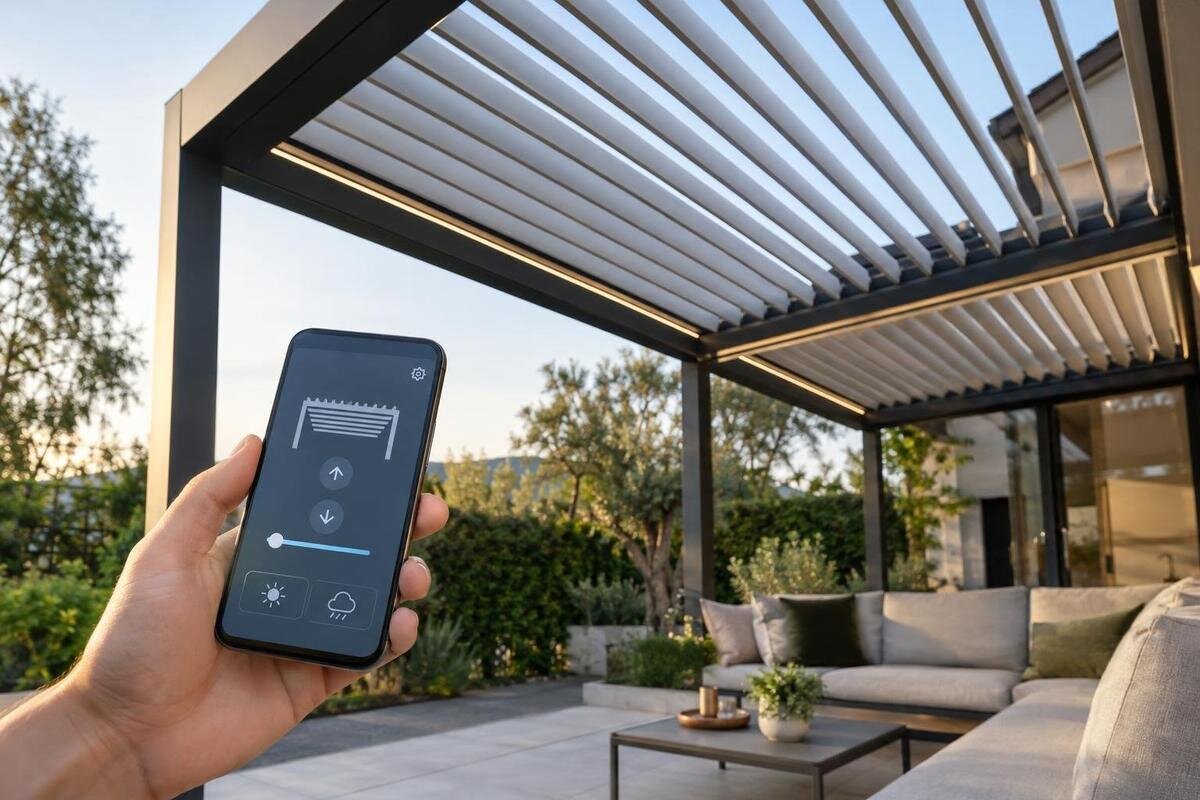
Pergola controls
Adding smart-home control to a pergola is not simply a question of whether the phone, voice assistant and motor use Wi-Fi. Compatibility depends on the exact roof mechanism, drive, controller, communications route and smart-home platform. A product name or app icon is not enough. Before choosing a system, ask which parts can be controlled, whether commands stay on your home network or depend on an online account, and what remains usable if the connection fails. The questions below help turn broad compatibility claims into details you can compare.
Questions to ask before buying 1
Define the action you want to control
Decide exactly what you expect the smart-home system to move or switch. Pergola systems may have a fixed roof, adjustable louvres or a retractable covering; these are different mechanical arrangements, and a manual mechanism does not become motorised because an app is added. If the intended command is for a screen, light or heater rather than the roof, identify that item separately. A smart command can reach only a compatible powered component and controller, which may be separate from the structure you are comparing. Make a simple inventory of the roof and any accessories in the proposed package rather than grouping everything under the word pergola.
Describe the task in operational terms: open or close the roof, set an intermediate position, stop movement, or operate another device. Ask whether the exact mechanism supports each action and whether the system reports actual position or merely sends a command. Clarify whether one command affects the whole roof or whether sections can be controlled independently. That distinction matters for scenes and schedules as much as for a phone app. A claim such as smart-ready does not explain which component moves or what feedback the platform receives. If the roof is manually operated, ask whether an approved motorisation option exists rather than assuming an app can be added.
Identify every part in the control chain
Think of smart control as a chain: roof or screen mechanism, motor or actuator, control unit or receiver, optional bridge, then app or smart-home platform. A break at any link can limit what the system does. When requesting a quote for Bloomcabin Bioclimatic Pergola, list the structure and any proposed control package separately so that you can see what the offer includes. Ask the supplier to distinguish supplied components from optional extras and equipment you must provide yourself. If the proposal relies on a hub already in your home, include its exact reference in the list rather than treating it as interchangeable with any hub. This also helps you compare two quotations that use the same pergola name but propose different control arrangements, without assuming either package includes motorisation or integration.
Ask for the make and model references of each supplied control component, including any separate hub or accessory. Confirm who supplies, installs and supports each item, and whether the motor and controller are approved to work together. If a dealer or installer proposes a third-party bridge or interface, ask who confirms the complete set-up and handles support after commissioning. A statement that a motor is suitable for a pergola, or that a controller works with a platform, may cover only one link. Request the proposed configuration in writing, including any component substitutions that would need to be checked again.
Questions to ask before buying 2
Ask which protocols and bridges are supported
Ask the supplier to name the communication protocol or interface used at each stage, and say which device uses it. You may hear terms such as Wi-Fi, Bluetooth, Zigbee, Z-Wave and Matter, but they do not all describe the same layer of a system. A device connecting to Wi-Fi, for instance, does not by itself prove that a home platform can control it. For a quotation covering Bloomcabin Wall-Mounted Pergola, ask for the proposed connections to be described from the controller through to your chosen platform. Include the connection between the controller and any bridge, not just the bridge’s connection to the router. Ask whether the proposed equipment has particular network requirements and whether your existing set-up meets them. This gives the installer a specific configuration to assess rather than a list of protocol names.
Ask whether the motor controller connects directly to the home platform or needs a separate bridge or hub, and get the exact model of any required equipment. If a bridge translates between standards, confirm which functions it exposes and whether the supplier supports that integration. Check relevant versions and the precise device type or profile, rather than relying on a protocol name alone. The protocol may be supported at one point in the chain but not carried through to the platform. A written compatibility list for the complete configuration is more useful than a general claim that a system is compatible.
Find out whether control is local or cloud-based
Ask what the supplier means by local control. It may mean that commands travel over your home network to a controller, but other parts of the set-up, such as account sign-in, initial setup, remote access or voice control, may still use online services. The term does not always describe every function. When comparing a control proposal for the Bloomcabin Pergola model, separate everyday operation at home from operation while you are away. Ask where a command is processed and which services it must pass through before reaching the controller. Also ask whether an internet connection is needed only to commission the system or remains necessary afterwards. An explanation that distinguishes setup, routine operation and remote access is more useful than a single local-or-cloud label, particularly if you want to minimise dependence on an online service.
Ask for a function-by-function description of those dependencies: which app controls run locally, where schedules are stored, and whether voice commands or remote access require an online service. Include status reporting as well as commands, since you will want to know how the app obtains the information it displays. If a local hub is involved, ask which functions it manages and which still pass through the manufacturer’s service. Clarify whether routine use requires repeated account authentication or whether signing in is only part of setup. Keep these answers separate from the outage test: they describe how the system is intended to operate, while a demonstration shows what remains usable when a particular connection is unavailable.
Questions to ask before buying 3
Check the exact smart-home platform and functions
Name the platform you already use, such as Apple Home, Google Home, Amazon Alexa or Home Assistant, and ask whether the exact controller is officially supported. Find out if the connection is direct, provided through a bridge, or dependent on a third-party integration. When discussing a bioclimatic pergola model, give the supplier the details of your existing platform and hub, rather than asking only whether the proposed controls are smart-compatible. Confirm whether a particular hub, app version or region is required. Ask how the pergola would appear in the platform: as one controllable device, as separate roof and accessory controls, or in another form. Request a demonstration of that interface if available. Seeing the controls you would actually use can make the difference between basic compatibility and the functions you expect much clearer.
Then check what “supported” actually allows you to do. One integration might expose open and close commands but not an intermediate position, a stop command or reliable status feedback. Ask whether you can include the pergola in scenes or routines, whether those can set a defined position, and what information the platform reports afterwards. A manufacturer’s app and a smart-home integration are not the same thing. If the answer is that control is available only in the maker’s app, record that plainly. Ask who supports the integration if a platform or app is updated.
Clarify what works without internet
Separate loss of internet from loss of power or a fault in the motor. For a proposed control package with the wall-mounted Bloomcabin model, agree which connectivity conditions the handover demonstration should cover. These might include the home network working without internet access and the phone having no connection to that network. Ask the supplier to explain how each condition will be demonstrated safely, without changing wiring or bypassing equipment. Before the test, identify the controls you expect to use and the result you expect to see. A local switch or other control, if included, may have different requirements from an app, so assess them separately. Record any function that cannot be demonstrated as unconfirmed rather than treating a successful online demonstration as proof of offline operation.
For the internet-loss case, ask whether an existing schedule continues, whether an unfinished command is cancelled or retried, and how the reported position is updated when connectivity returns. Find out whether the app needs to sign in to a cloud service even when you are at home. Ask the supplier or installer to demonstrate the documented offline behaviour at handover, without altering electrical connections or bypassing equipment. A normal demonstration while every service is online cannot show which functions will remain available if a connection is interrupted.
Questions to ask before buying 4
Set out how automations and commands interact
If schedules, scenes, sensors or other automations are part of the proposed system, ask which controller manages each one and whether those items are included or separately supplied. Do not assume a sensor or automation comes with the pergola. In a proposal for Bloomcabin’s regular pergola model, identify each requested routine separately from the structure and its controls. For example, describe whether you want an action at a set time or an action triggered through your existing home platform, without assuming either is supported. Ask where you would edit or disable that routine and whether another household member could change it. Find out whether an automation can be paused temporarily without deleting its settings. These details help establish whether the proposed arrangement will be manageable in everyday use, not merely whether a routine can be created.
Check how the system handles overlapping commands from a wall control, phone app, voice assistant, schedule or sensor. Can a movement be stopped, and does a new command replace an earlier one? Ask whether a platform receives the actual position or only the last requested action; those are not necessarily the same. Find out what happens if a command does not complete or a status update is delayed, so a scene does not rely on an assumed position. The supplier’s explanation should cover the exact combination of controls being offered, not a general description of automation.
Check account ownership and ongoing support
Ask whether operating the system requires an account with a manufacturer, app provider or smart-home platform, and who should own that account. Confirm how an installer or another household member gets access, whether different users can have different permissions, and how access is transferred if the main account holder changes. For a control package proposed alongside Bloomcabin’s bioclimatic pergola, identify the account provider for each app or service involved. Ask whether you can invite another user without sharing the main password, and how you would remove access later. Agree how any installer access will be handled after commissioning. If more than one account is required, clarify which one controls device ownership and which merely provides an integration. This avoids confusion over who can administer the system, recover access or authorise changes.
Ask whether any ongoing fee is required, which functions depend on continued access to a service, and who provides updates or technical support. Find out what options remain if an app or cloud service changes, and whether account recovery or a factory reset affects local settings. If the supplier collects operational or usage information, ask what is collected and where its privacy information is provided. These questions do not assume that a fee or particular data collection applies; they help reveal dependencies before you choose a control system.

Questions to ask before buying 5
Confirm outdoor suitability and installation responsibility
A wireless signal that reaches the patio is not proof that every control component can be installed in an outdoor location. Ask where the controller, receiver, antenna and any hub are intended to sit, and whether each component is rated for that location by its manufacturer. Walls, distance and the chosen position can affect connectivity, so ask the installer to check the signal where the equipment will actually be used. A mounting arrangement alone is not an outdoor rating or a guarantee of wireless coverage.
Have a qualified installer or electrician confirm that the proposed controller matches the exact motor and power arrangement, and that the equipment is suitable for its intended location. If you are considering a Bloomcabin wall-mounted pergola, include the intended positions of the control components in that discussion, alongside the structure itself. Ask who is responsible for commissioning the integrated system and providing instructions if an interface or controller is supplied separately. Clarify who will configure the app, connect any hub and show you how to use the supported controls. Also ask whether you need to have your phone, account details or home-network information available for the appointment. Agree what the handover covers so that installation of the physical equipment is not confused with completion of the smart-home integration. Do not rely on a generic online diagram for electrical or outdoor installation decisions.
Comparing complete control configurations
For each option, record the exact pergola and roof mechanism, motor and controller references, protocol, bridge or hub, supported platform and functions. Add whether each function needs the internet, which account is required, what continues offline, and who supports the complete configuration. This can be a short comparison table or a written response from the supplier; the important point is that the answer names the components rather than only saying smart-compatible. Mark any detail that has not been confirmed instead of filling gaps with assumptions.
Compare the systems against situations you will actually use: operating the roof from home, including it in a routine, using a phone away from home, sharing access with another household member, or losing internet temporarily. Ask for a demonstration of the supported functions and check that the displayed status matches the action being requested. If a feature depends on an additional hub, account or service, include that in the comparison. This makes it easier to tell whether a system suits your expected use without assuming that every pergola or motor offers the same controls.
Frequently asked questions
Does a pergola need Wi-Fi for smart-home control?
Not always. It depends on the motor, controller, bridge and smart-home platform in the specific set-up. A Wi-Fi connection alone does not confirm that a platform can control the pergola, or that the controls will work locally if the internet is unavailable.
Does a manufacturer’s app mean the pergola works with Apple Home, Alexa or Google Home?
No. An app may operate a device without providing an integration with another platform. Ask which platforms are officially supported for the exact controller, which actions they expose and whether an additional hub or bridge is needed.
Will voice control still work if the internet goes down?
That depends on how the assistant and pergola controller communicate. Some functions may rely on online services even when the controller is on your home network. Ask about voice commands separately from app control, and get the offline behaviour confirmed.
Can smart control be added to an existing pergola?
Possibly, but compatibility depends on the roof mechanism, drive and approved controller. Do not assume a third-party motor or interface will suit the structure. Ask the manufacturer or supplier to confirm the proposed components, and have a qualified installer assess the configuration.
What should a supplier confirm in writing?
Ask for the exact pergola, motor and controller references; supported protocol, platform and required hub; which functions work locally or need the internet; what remains available offline; account requirements; and who supports the complete installed system.
Smart-home compatibility is a property of the complete, specified control chain, not of a pergola category or a phone app in isolation. A useful answer names the mechanism, controller, protocol, platform, connection path and offline behaviour for the configuration actually offered. If any link is still described only as compatible, treat it as unresolved until the exact function and responsibility are clear.
