
Choosing Sauna Controls: Built-In, Separate Panel or App
Sauna heater controls
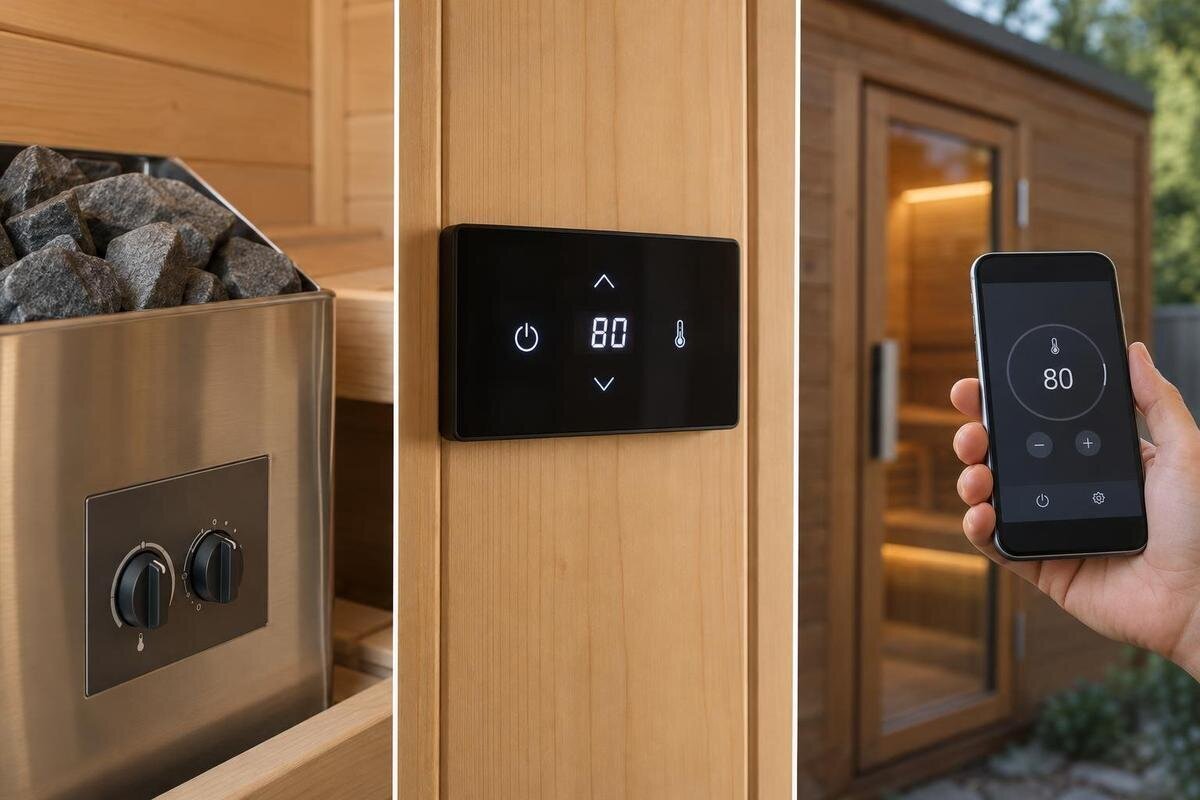
Choosing sauna controls is less about which option sounds most advanced and more about where you want to operate the heater, how clearly the controls show what is happening and what the specified heater supports. Built-in controls, a separate panel and an app are different interfaces, not universal grades of quality. Compare them against the exact equipment and your household’s routine, rather than the sauna model name alone.
01
What built-in, separate and app-based controls mean
These labels describe where the user interacts with the system, not three standard types of heater. Here, built-in means that the user-facing controls are integrated into the heater; confirm that the supplier uses the term in that sense. A separate panel is a distinct physical interface connected to compatible control equipment and positioned separately, within the manufacturer’s instructions. App-based control uses software on a phone or tablet to communicate with supported equipment. It may supplement a physical panel rather than replace it. Functions, connection methods and included components vary, so a label alone does not tell you what you will receive.
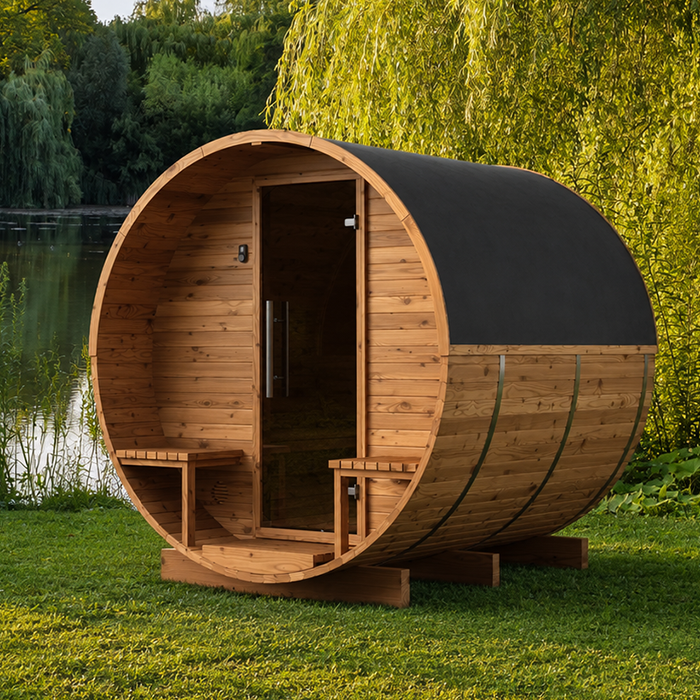
For everyday use, ask who needs to reach the controls, whether they can read the display and whether the system makes its state clear. Find out how normal adjustments and stopping work; a familiar format is not useful if important information is hard to see. The store lists the Thermowood Barrel Sauna S-140 at 1.93 m², identifying a cabin and its stated area, not its heater-control interface. Treat cabin selection and heater and control selection as related but separate decisions. Remote-start features and their safeguards are also a separate question from choosing a convenient interface.
Built-in controls: direct access at the heater
With built-in controls, the user’s point of interaction remains at the heater. That can make ordinary operation straightforward: you do not need to find a separate wall panel or rely on a phone for routine adjustments. It may suit a household that prefers physical controls in a known place. Look at how the controls are labelled and how you move between settings. If one dial or button serves several functions, ask how you identify the selected function and confirm a change. Familiar-looking controls still need to communicate clearly. Also confirm what the supplier means by built-in. A control included in the same package is not necessarily integrated into the heater. Ask for the exact heater and control model so that you can compare like with like, and check whether any additional control hardware is required.
The fixed location is the main trade-off. Consider whether users can reach the controls conveniently and see the display, without assuming the heater is inside the cabin or that the controls should be operated from a particular position. Follow the heater’s documentation for its installation and use. If you are considering the Thermowood Barrel Sauna HC-150, listed at 2.97 m², include control access in your discussion of the proposed layout. Ask to see the actual interface and consider whether its labels and operating sequence are clear to everyone who will use it. If access to the heater would be awkward, compare a separate compatible panel.
02
Separate panels: a fixed control point away from the heater
A separate panel gives you a physical interface positioned apart from the heater, but only where the manufacturer permits it. Its practical benefit is a consistent point for checking or adjusting controls without needing to reach the heater itself. That can be helpful when several people use the sauna or when a fixed display is easier to find than a phone. The panel’s position is not unlimited, however. Check the manufacturer’s instructions before planning around a particular wall or assuming the panel can be placed wherever it feels convenient.
Ask what the supplier means by panel. In some systems, the visible keypad and other control hardware are separate parts, so a product photo or brief description may not show the full package. Confirm the panel model, whether it is included with the heater, where it may be positioned and what a qualified installer needs to know. The Thermowood Barrel Sauna HC-225 is listed as a 4.4 m² sauna; check panel options against the actual heater offered with the cabin. A separate panel is not automatically wireless, and the word separate does not mean it will work with every heater.
App-based controls: convenience depends on the system
An app can put controls on a familiar mobile interface, but it is useful only when the heater system includes compatible control equipment and the app supports that configuration. A phone cannot make an incompatible heater controllable. Depending on the system, an app may accompany a fixed panel or form part of a specified control arrangement; do not assume it replaces physical hardware. When reviewing the Thermowood Barrel Sauna N-210 listing, whose stated area is 4.43 m², establish which heater and controller are being offered before comparing app functions. Then look at the tasks you would actually perform on screen. Can you find the current status without opening several menus? Is changing a setting clearly distinguished from simply viewing it? A familiar phone does not necessarily make an unfamiliar app easy to use.
Pay particular attention to feedback after an action. Ask how the app confirms that a setting has been accepted and how it indicates that it cannot communicate with the equipment. You should be able to distinguish a requested change from the status the system reports; ask for an explanation if the screen makes that unclear. An app interface is not proof that remote starting is available or appropriate. That is a separate feature with its own manufacturer instructions and safeguards. Choose an app because its everyday functions suit your routine, not simply because a description calls the system smart. Phone, account and connection requirements also need a separate practical check.
03
Check compatibility against the exact heater
Compatibility should be confirmed against the equipment model, not its appearance. A panel or app that looks similar to one shown for another sauna is not evidence that it can operate the heater in your quote. Ask the supplier to name the heater and the exact controller or accessory, then confirm that the manufacturer specifies that combination. If there are several versions, a broad description such as digital control may not be enough. Record the full model details so that the quote, product documentation and installation plan all refer to the same equipment.
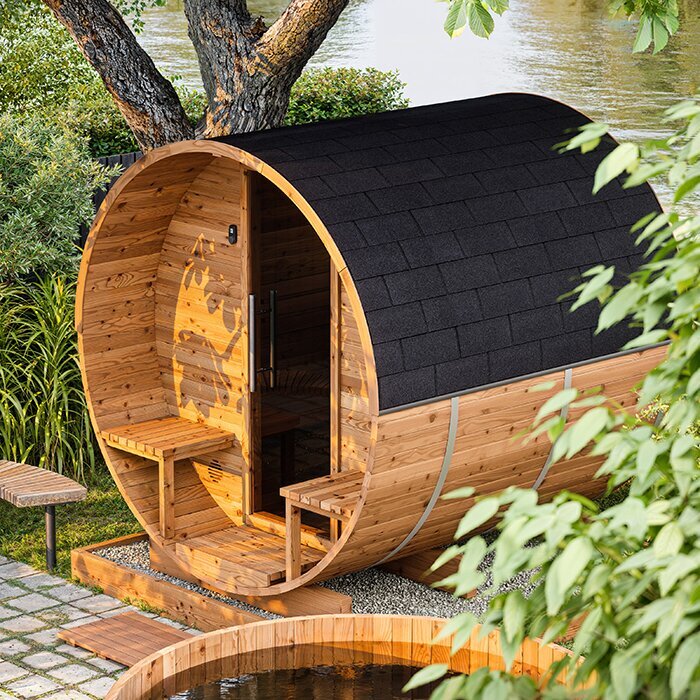
Read the package as a list of components: sauna cabin, heater, user interface and any required control hardware. Confirm which items are included, optional or not included, and whether a stated function depends on another component. The Thermowood Barrel Sauna N-250 is listed as a 5.27 m² Thermowood Barrel Sauna. For this or any other cabin on your shortlist, compare the proposed heater and controls as a combination rather than choosing them independently. Keep the distinction between compatibility and inclusion clear: a controller may be suitable for the heater without being included in the price. Equally, an included interface may not offer every function shown elsewhere in the supplier’s range.
Choose a control position that works for users
A fixed control’s location affects how easy it is to use. Before agreeing to a separate panel position, consider the route into the sauna and whether different users can comfortably see and reach it. A display hidden from view or placed awkwardly can be frustrating, even if its feature list looks appealing. The manufacturer’s instructions set the permitted position; usability has to be considered within those limits. With built-in controls, access depends on where the heater is installed. With an app, you may still need to plan for the position of physical control equipment.
Do not treat a product photograph or another sauna’s layout as a mounting plan. Use the documentation for the exact heater and panel to establish the permitted location and any installation requirements. A qualified installer should confirm the proposed position and handle any electrical work. The Thermowood Barrel Sauna LC-260 is listed at 5.12 m²; use the proposed layout, rather than that area alone, to discuss access to the controls. Explain where users would normally stand to read the panel and whether an open door would obstruct their view or approach. Consider the difference between checking a display while passing and standing in front of it to make an adjustment. These practical details help you assess the permitted positions without attempting to specify a mounting location yourself.
04
Check what the controls show and how they work
Assess the interface as an everyday user, not just from a feature list. If the display shows a target temperature and a measured reading, can you tell which is which? Does it show the heater’s status, or only the value entered? Ask what controls are available for ordinary operation, such as starting, stopping, timing or adjusting temperature, and whether they are part of the selected model. These are questions to verify, not features to assume: functions and display information vary. Ask for the manual or a demonstration of the exact controller.
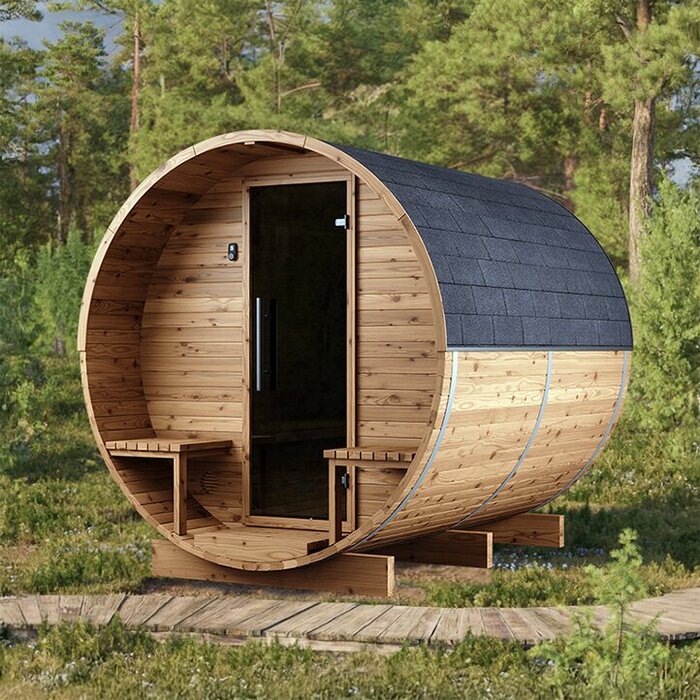
Look at physical usability too. Are the labels easy to read from the planned position? Do the buttons or touch controls respond clearly? Can someone unfamiliar with the system find the ordinary controls without searching through menus? In a shared household, straightforward, consistent operation may matter more than secondary features. For the Thermowood Barrel Sauna HCF-300, identified as a 6.89 m² cabin, assess the interface supplied with the proposed heater rather than judging it from the cabin photograph. During a demonstration, ask what each symbol means and which information remains visible while you change a setting. Check whether you can review an existing value without accidentally changing it, and how you leave a menu without confirming an unwanted adjustment. Request the user guide so the people who will use the sauna can review these everyday tasks before buying.
Check app, connection and household requirements
App-based controls need a few checks that a fixed panel may not. Ask for the app’s exact name and current compatibility requirements; confirm the supported mobile operating systems, account requirements, connection method and any applicable ongoing or optional charges. Find out whether the system relies on an internet service or can communicate locally, and how software updates and support are handled. For the Thermowood Barrel Sauna LCF-300, listed at 6.89 m², ask these questions about the quoted heater and controller, not the cabin model. Compare the requirements with the phones your household actually uses. If you expect to use an older handset or a shared tablet, check that device specifically rather than relying on a demonstration using the supplier’s phone. A general statement that a heater is app-ready does not establish how it will work in your home.
Think about who will use the app and what happens if a phone or connection cannot be used. If several adults share the sauna, ask whether more than one person can be given access and what happens when a handset is replaced. Confirm whether a physical control remains available in those circumstances; do not assume there is a fallback. If you value buttons and a display, check whether the selected system includes that option rather than treating an app as a substitute by default. A demonstration using the actual system is more informative than a generic app screenshot.
05
Match the control format to your routine
Choose according to how you expect to operate the sauna. Built-in controls may suit people who are comfortable going to the heater for adjustments and whose installation gives convenient access. A separate panel may be a better fit when a fixed, visible point is easier for several users, provided that the manufacturer allows its position and the correct hardware is included. An app may suit someone who prefers a phone interface and can rely on the stated connection and compatibility requirements. None is automatically easiest for everyone: a physical panel may be simpler for one person, while another may be more comfortable with an app.
Describe an ordinary session before choosing: who operates the controls, who checks the settings, whether anyone changes them during use, and how the system is stopped. This makes it easier to see whether access at the heater, a fixed panel or a phone would solve a real inconvenience. Consider guests and other household members as well as the person who chose the equipment. For each option, work through the same sequence rather than comparing one system’s basic controls with another’s full feature list. Note which tasks everyone needs to perform and which functions only one person expects to use. If preferences differ, ask whether the compatible arrangement offers both a physical interface and app access. That gives you a concrete comparison without assuming that more features will make everyday operation easier.
Confirm the details before ordering
Put the comparison in writing before you order. Ask for the exact heater and control models, a clear list of what is supplied and confirmation that those components are compatible. Check whether a panel or app is optional, whether extra control hardware is needed and which version is included in the quote. Request the relevant manual or installation documentation so the supplier and installer can refer to the same configuration. If the quote uses broad terms such as built-in, digital or app-ready, ask what each term means for the specific heater you will receive.
Agree where any physical panel may be positioned and who will confirm the installation requirements. A qualified professional should check the proposed arrangement against the manufacturer’s instructions and handle any electrical work. Confirm current local availability and the configuration actually offered; a catalogue name alone does not settle package inclusions. At handover, ask for a demonstration of ordinary operation, how to read the display, how to stop the system and where to find the user manual. Use the controls yourself during that explanation so you can ask about anything unclear. If an app forms part of the purchase, include its normal use in the demonstration rather than checking only the physical panel. Keep the equipment model details with the operating information so that future questions refer to the system you received.
Frequently asked questions
Are built-in sauna controls always inside the sauna?
No. Built-in describes how the controls relate to the heater; it does not, by itself, tell you where the heater is installed or whether its controls are comfortable to reach. Check the exact heater’s instructions and planned installation position.
Does a separate control panel need Wi-Fi?
Not necessarily. Separate describes the physical panel, not how it connects to the heater system. Connection methods and permitted locations vary, so confirm the requirements for the exact panel and heater rather than assuming it is wireless.
Can an app operate any sauna heater?
No. An app needs compatible control equipment and support for the specific heater configuration. Confirm the heater and controller model, the app’s phone requirements and its connection needs before relying on app-based operation.
Does app control mean I can start the sauna remotely?
No. App-based controls describe an interface; they do not establish that remote starting is available or suitable. Treat remote start and its safeguards as a separate question, and follow the exact manufacturer’s instructions.
What should I check in a sauna quote?
Ask for the exact heater and controller models, what equipment is included, whether the components are compatible and where a physical panel may be positioned. Request the relevant manuals and confirm any installation requirements with a qualified professional.
Good sauna controls match the specified heater and can be used confidently in the intended location. Identify the heater and included control hardware first, then compare access, display clarity, connection requirements and who will use the system. Built-in controls, a separate panel and an app can each suit different routines, but their labels alone do not establish compatibility, functions or remote-start permissions. A clear match between the heater, controller and installation plan is the soundest basis for an everyday choice.
