
Why Your Greenhouse Is Hotter Than the Forecast
Greenhouse climate guide
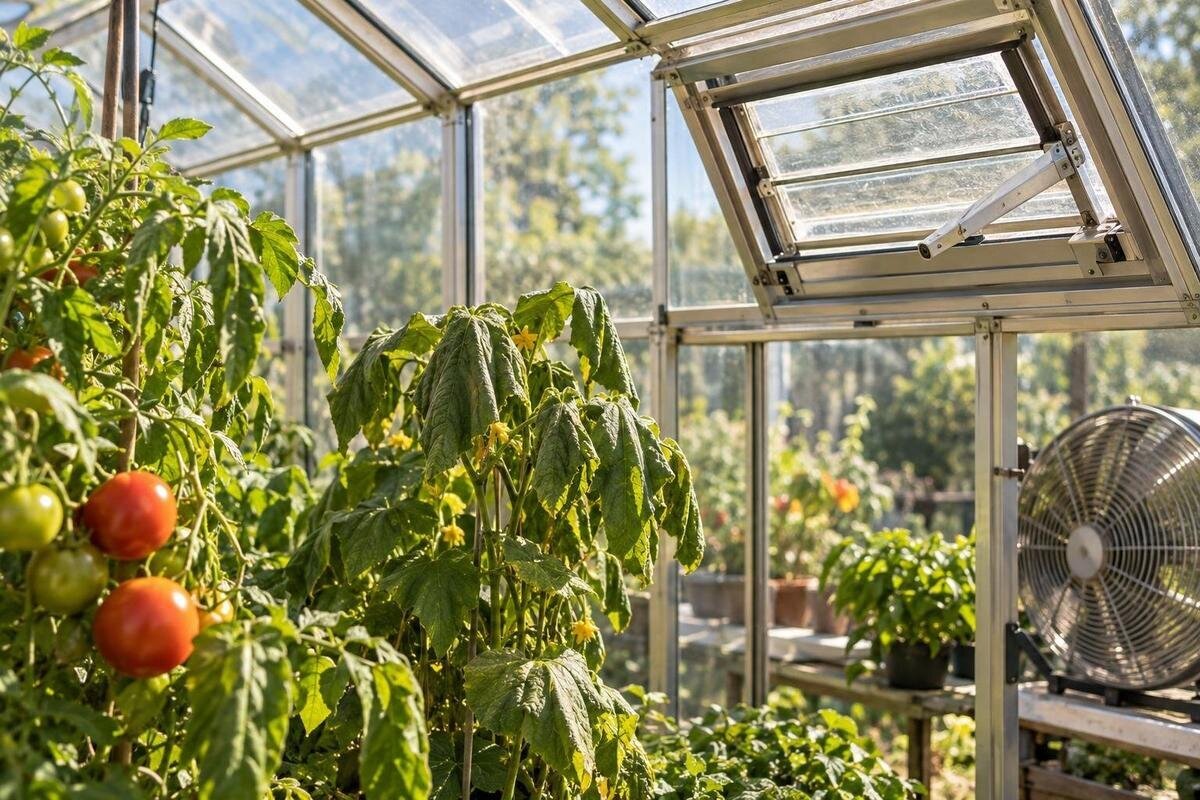
Your weather app may show a reasonable outdoor forecast while a greenhouse thermometer reports a much higher number. Those readings describe different places, and sometimes different moments: sunlight can warm the greenhouse faster than air moves out, while the app estimates outdoor conditions for a nearby area. Before changing ventilation, installing shade or replacing a sensor, check whether the thermometer is measuring air accurately and whether the greenhouse is warming unevenly. A short, consistent temperature-and-humidity log can help separate a sensor problem from a site or ventilation issue.
How greenhouse temperatures differ from the forecast
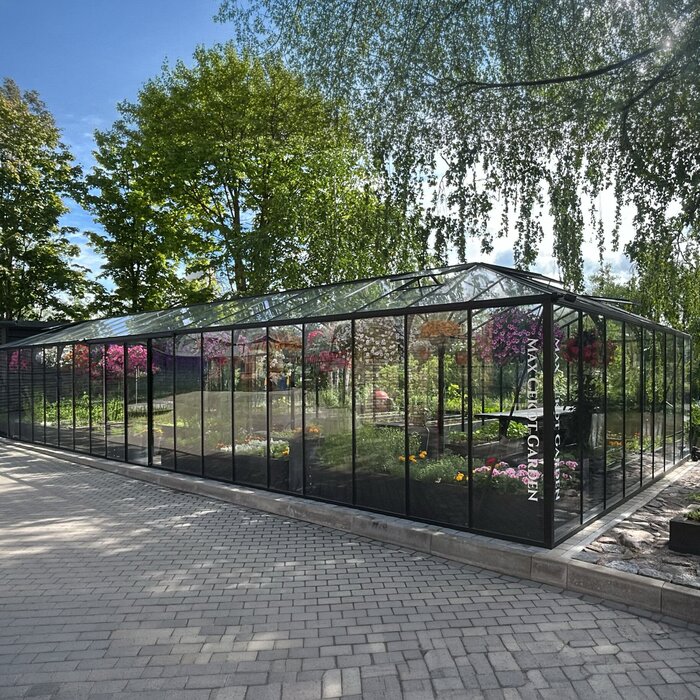
An hourly forecast estimates outdoor air for its forecast location; it does not predict the temperature under your greenhouse glazing. In sunlight, energy enters through the covering and warms the air, soil, benches, pots and other surfaces. If air exchange is slower than the heat gain, the inside can climb above outdoors. The difference changes with sun, cloud, wind, shelter and the greenhouse’s openings, so there is no fixed amount to add to or subtract from a forecast. A warmer greenhouse reading is not, by itself, proof that either the forecast or thermometer is wrong.
Check that you are comparing the same hour and location, not just the daily forecast high with a current indoor reading. Note whether the outdoor figure is forecast or observed, and remember that an app or nearby station cannot represent every sheltered yard. If you have an outdoor thermometer, place it in a shaded, ventilated spot near the greenhouse, away from sunlit walls, pavement and the greenhouse itself. Compare indoor and outdoor readings at the same time. That gives you a more useful local contrast than subtracting unrelated values from an app.
Rule out direct sun on the sensor
A sensor in direct sunlight can become warmer than the surrounding air and give a reading higher than the air temperature. A probe in a sunbeam, against glazing, on a frame, under a sunlit roof panel or above a heat-absorbing surface may spike well above a nearby shaded reading. Check the instrument manual for its requirements for a radiation shield and airflow around the probe. Avoid wrapping it in fabric or placing it in a closed box: blocking air can create a different measurement problem.
Look for a number that jumps when direct sun reaches the device and falls when a cloud or shadow passes. That pattern warrants a placement test, especially if a second shaded sensor stays steadier. Move the first sensor to a shaded, ventilated place without letting it touch glass or a warm object. Keep its height and logging interval consistent, and allow it to settle according to the manual before comparing again. Label readings from the old and new positions clearly: a change in location changes what you are measuring; it does not prove the greenhouse cooled.
Choose a representative place to measure
A correctly placed sensor still reports only the air at its own location. A sunny end, an area near a door, a bench under a vent and the middle of a densely planted zone may have different solar exposure and airflow. Choose a primary point that represents the plants or work area you want to understand: usually within the crop zone, in moving air and away from an opening, wall or heat source. Record its height and exact position, and leave it there while you are building a trend.
In a long greenhouse or one with distinct areas, a second logger can show whether one reading represents the whole space. The Pyramid Greenhouse listing covers options from 5.53 to 18.9 m²; use those footprints to plan measurement locations, not to assume that one sensor will capture every area. Sketch the growing zones, doors and vents for the exact size you are considering, confirming opening locations separately. Mark a primary monitoring point and any additional point you want to compare with it. Give each sensor a clear label in the log so readings from different positions do not get mixed together. The model name and floor area alone do not tell you how evenly air circulates.
Check the instrument before changing the greenhouse
Read the manual for the sensor’s stated accuracy, operating conditions, placement and response time. Check the battery, clock, recording interval and temperature unit as well. If you have two instruments, place them side by side in the same shaded, ventilated spot, give them time to settle, then compare several readings against their published accuracy. Convert Celsius and Fahrenheit values before judging a difference, and align timestamps if one logger is running ahead. A quick comparison does not establish formal calibration, so do not change a device’s offset unless its instructions explain how.
Keep the instrument comparison separate from a comparison between greenhouse areas. First check both sensors side by side; then, if you move them to different zones, record the new positions and time of the move. For instance, the Limited-Edition Aluminum Greenhouses with Storage name identifies a storage feature, but it does not establish whether the storage and growing areas are separated or how air moves between them. Confirm the proposed layout before deciding which areas need their own readings. In an existing greenhouse, label each area separately and note which sensor is in it. Otherwise, a difference between instruments could be mistaken for a difference between zones, or a genuine local temperature difference could be dismissed as an instrument problem.
Build a temperature and humidity log
Start by setting the logger’s clock and unit, then write down the date, time, indoor temperature, relative humidity if available, and the sensor’s exact location. Note which outdoor reading or forecast you are using for comparison. Use a consistent cadence: an interval such as 15 minutes, if your logger supports it, can show short peaks better than occasional checks. If you are recording manually, choose repeatable times and add observations when the sun, weather or equipment changes. Record when doors, vents, fans or shade are adjusted, and note clouds, wind, rain and watering so you can interpret the curve later. Keep observations separate from explanations: write “west vent partly open” rather than “not enough ventilation.” Leave missing readings blank instead of estimating them. A simple set of columns for time, indoor temperature, outdoor temperature, humidity, opening positions and site observations makes the record easier to compare from day to day.
Keep one entry per timestamp and, if you graph the results, plot temperature and relative humidity separately. Mark the daily high, when it occurred and how long it lasted; a single peak does not show the whole pattern. Avoid comparing the greenhouse’s highest reading at one time with an outdoor forecast maximum for a different hour. The Bloomcabin Prestige Greenhouse range is listed from 3.77 to 28.08 m², so identify the exact variant in the log rather than using the model name alone. Add a short description of the sensor position and keep it with any exported readings. If you later change the layout or move the sensor, date that change instead of treating the records as one uninterrupted comparison.
Account for conditions around the greenhouse
Use the log to describe the site as well as the weather. Note sun or shade, cloud cover, wind or calm, and the positions of doors and vents. Watch how shadows move during the day. A nearby building, fence or trees may shelter the greenhouse or shade one side, while sun-warmed pavement or a wall can affect an outdoor sensor placed too close. A sheltered yard can differ from the area represented by an app or weather station. A shaded outdoor thermometer near the greenhouse gives you a more relevant comparison than assuming the closest forecast describes your exact spot.
Floor area alone does not predict a peak temperature or show whether readings will be uniform. The Spacious Greenhouse listing covers 47 to 70 m², but that range is not a measure of heat performance. For any candidate size, compare the proposed site and ventilation layout with the locations you intend to monitor. In an existing greenhouse, keep separate curves for different measurement points and note when each point is shaded or exposed to sun. If one area warms earlier than another, look back at those site observations before attributing the difference to ventilation. Comparing the same positions on days with similar conditions is more useful than combining readings from different spots into a single daily maximum.
Read humidity alongside temperature
Relative humidity is useful context, but it is not a heat meter. It describes moisture in relation to how much moisture air can hold at its temperature, so the percentage can change as the air warms or cools even when the amount of water vapour has not changed. A high humidity reading does not prove that the temperature sensor is wrong, nor does humidity alone explain why sunlight has warmed the greenhouse. Watering, wet surfaces, plants and limited air exchange can all affect moisture, so record humidity at the same place and time as temperature.
Check the humidity sensor’s instructions and location too; readings from separate zones or a sensor affected by a wet surface may not be comparable. A temperature drop overnight can coincide with rising relative humidity even without a new source of moisture. Note watering, wet surfaces and vent changes beside the readings rather than interpreting the humidity percentage on its own. The Aluminum Greenhouses range is listed from 3.77 to 28.08 m², but footprint alone cannot predict indoor humidity. When comparing variants, include their ventilation configurations in your notes. Keep each humidity reading paired with the temperature recorded at the same point and time, so the relationship between the two remains clear.
Inspect ventilation in a consistent order
Once the sensor is checked, note what the openings are doing when temperatures rise. Record each door or vent as closed, partly open or open, and check for obstructions such as plants or stored items. For automatic openers, compare the actual movement with the equipment’s instructions; do not assume that a control signal means a vent has moved as intended. If there is a fan, record whether it is running and check its manual or display. Air movement also varies with outdoor wind and conditions. Do not force a stuck vent or take apart powered equipment to investigate it.
More openings are not automatically a solution: their position, operation and the route air can take all matter, as do conditions outside. The Lean-To Greenhouses listing covers options from 3.69 to 14.34 m², but the name and area do not establish air exchange at a particular site. Use the exact variant’s model-specific information to identify its openings and compatible accessories. Give each opening a label in your notes so you can distinguish, for example, a door adjustment from a roof-vent adjustment. Record what actually moved, not just the setting you selected. If an opening does not move as expected or a powered system needs attention, consult the manufacturer or a qualified professional.
Consider shade only after confirming the cause
If reliable readings rise during strong sun while ventilation is working as intended, reducing incoming sunlight may be worth considering. Shade can reduce light and may reduce solar gain, but the result depends on its material, position and coverage. The plants’ light requirements matter too, so there is no single shade choice that suits every greenhouse. Shading the greenhouse does not correct poor sensor placement or ventilation that is not operating properly. Use your log to establish the pattern before changing more than one thing at a time.
Before buying a shade option, confirm that it is intended for greenhouse use and compatible with the exact model and variant; do not assume that a cloth or fixing will suit every frame. The Limited Edition Aluminum Greenhouses range is listed from 3.77 to 28.08 m², but its footprint does not confirm shade compatibility. Check the product-specific information or ask about fit before deciding. If you make a compatible shade adjustment, record its position, coverage and the time of the change in your log. Leave the thermometer’s own radiation shield in place so the sensor setup remains consistent. This keeps a change in greenhouse shading separate from a change in how the air temperature is measured.
Use the pattern to choose the next adjustment
Look at the whole curve rather than focusing only on the highest number. If one sensor spikes in direct sun while another nearby reading remains steadier, check placement or the instrument. If several well-placed sensors rise together during strong sun, the warming is likely occurring across the greenhouse rather than at just one probe. A difference between zones points to a local pattern worth mapping. Compare indoor and outdoor readings at the same time, and record one adjustment at a time so you can see whether changing an opening or shade altered the pattern. Write down the question each adjustment is meant to answer. For a vent adjustment, for example, compare the readings before and after it while also noting any change in cloud or wind. If the weather changes at the same time, keep that uncertainty in the record rather than crediting the adjustment alone.
If you are comparing larger or differently shaped models, the T-Shaped Orangery Greenhouse listing covers options from 16.52 to 30 m². Its name and area do not establish air exchange or temperatures in different parts of a particular installation. Use the proposed layout to identify distinct areas, then confirm the ventilation arrangement and ask where measurements should be taken. For an existing greenhouse, summarize your findings by sensor location, time of peak and opening positions rather than reporting only the hottest number. If readings still conflict after placement and instrument checks, share that summary with the equipment manufacturer or a qualified greenhouse professional. It gives a clearer account of the problem than a single reading without context.
Frequently asked questions
Is it normal for a greenhouse to be hotter than the forecast?
Yes, it can be. A forecast estimates outdoor conditions for a wider area, while sunlight can warm the air and surfaces inside a greenhouse. A warmer reading alone does not show that the forecast or thermometer is wrong. Check the sensor placement and compare readings taken at the same time.
Where should I place a greenhouse thermometer?
Put it in a shaded, ventilated spot that represents the growing area you want to monitor. Keep it away from glazing, frames, sunlit surfaces and direct airflow through an open vent. Record its height and position so you can compare readings consistently.
Can a thermometer read high in direct sunlight?
Yes. Sunlight can warm the sensor itself, so it may report a higher temperature than the surrounding air. Follow the instrument manual’s guidance on shielding and airflow, then compare it with another sensor placed beside it in shade.
Does high humidity make a greenhouse overheat?
High relative humidity does not, by itself, explain solar heating. Relative humidity changes with temperature, and moisture from watering, wet surfaces and plants can also affect it. Log humidity alongside temperature to see how the readings change together.
Should I open vents or add shade first?
First check that the temperature reading is reliable. Then record vent positions and see whether the openings are operating as intended. Consider shade only after you have identified a real heat pattern and checked that the option suits your plants and greenhouse. Follow the instructions for the specific equipment.
A useful diagnosis does not require the greenhouse and forecast to match. It requires comparable measurements: a correctly placed sensor, a nearby outdoor reference, consistent timestamps, humidity readings and notes about sun, wind and vent positions. Follow the log from a low reading to the afternoon peak and see whether the rise is sensor-specific, local or shared across the greenhouse. Once the pattern is clear, make a targeted change and repeat the same observations to learn whether it addressed the cause.
