
Which Greenhouse Temperature Alerts Should You Set?
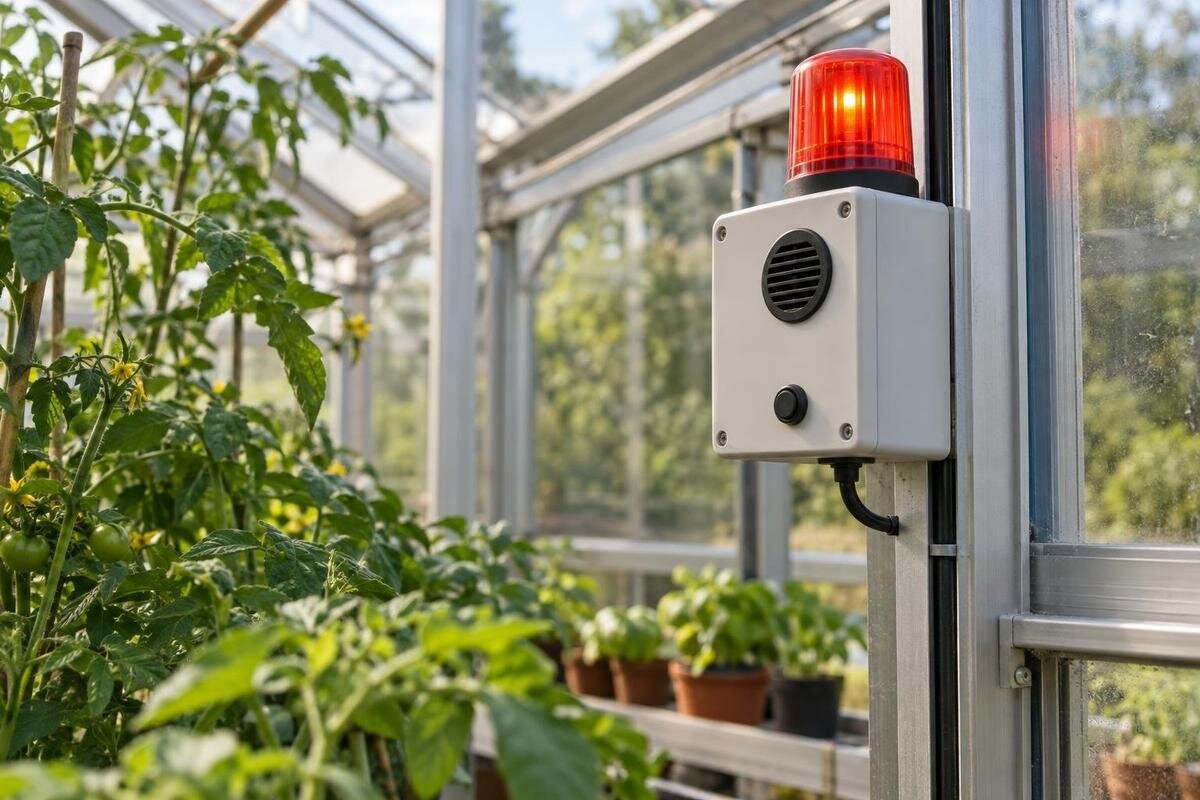
Greenhouse monitoring
A useful greenhouse temperature alert is a request to take a defined action—not another number on a phone. Set separate high and low limits from crop needs and actual logged conditions, add a critical tier only where faster action is needed, and decide who responds if you are away. Exact thresholds depend on what is growing and the equipment in the greenhouse, so there is no safe universal setpoint. A written escalation plan matters as much as the alarm.
01
What each alert should tell the responder
Decide which readings belong in a log and which should interrupt someone. A reading can be worth recording without needing an immediate response; an alarm should indicate that a threshold has been crossed and someone needs to act. For each notification, write down what condition triggers it, how urgent it is, what the recipient should do first and what happens if that person is unavailable. These details turn a temperature reading into a usable instruction. If no action follows a message, put it in a trend report rather than the urgent channel. Avoid enabling an alarm merely because your app offers the setting.
Make the alert identify the greenhouse and the crop area it reports, rather than simply say “high temperature.” Record the selected structure and use consistent names for its growing areas. If you are comparing sizes in the Pyramid Greenhouse range, listed from 5.53 to 18.9 m², keep the product name separate from the names you assign to monitored areas. A helper should be able to match the message to the right greenhouse or growing area without guessing. Include the reading, unit, time, direction of change and threshold in the notification if your system allows.
Warning and critical temperature thresholds
Use crop-specific guidance and your own growing notes to set the limits; there is no one temperature suitable for every greenhouse. Useful lower and upper limits can differ by plant and growth stage, so avoid copying another grower’s setting or choosing a round number because an app suggests it. Set a warning early enough to investigate and respond before the temperature reaches the limit you need to protect. Add a critical threshold only if it calls for a faster or different response. If you grow different crops in distinct managed areas, write down which profile applies to each rather than averaging their needs. When guidance gives a range, record which part you are protecting and why.
Consider how the alert behaves as well as where it trips. A brief crossing may call for a different response from a sustained reading; if the platform supports a delay, use one only when it will not hide a fast, consequential change. Set a clear recovery point or acknowledgement rule, where available, so the phone does not repeat the same message every time a reading wavers around a limit. Acknowledging an alert should not automatically mean the problem is fixed. The person responsible still needs to confirm that the temperature returned to an acceptable range or hand the task to someone else.
02
Set a low-temperature plan for time away
For a low-temperature warning, start with the minimum your crop plan can tolerate and the time it takes someone to act, not with the outdoor forecast alone. Set an earlier warning so you can contact a helper before the more serious limit is reached; a separate critical alarm can signal that there is little time to wait. Do not treat the freezing point as the only useful threshold: sensitive plants may need attention before water freezes. Review overnight logs as well as daily readings. If your plan depends on a heater or other equipment, an alert only reports conditions; it does not prove that the equipment is operating or can maintain the chosen limit. Check those assumptions against its manual and actual records.
Keep the crop requirement separate from the greenhouse listing. The Limited-Edition Aluminum Greenhouses with Storage range is listed from 5.52 to 28.08 m², but an area range and product name do not establish a safe overnight minimum. Write the low alert from crop guidance and temperature logs for the setup you actually use. The response card should say who will check the reading, which verified equipment or documented step they can inspect, and when to escalate if the temperature keeps falling. If no safe warming option is available, the plan may need someone to protect or relocate the most vulnerable plants rather than a promise that the structure will stay warm.
Set a high-temperature alert with a defined response
A high-temperature alert should warn before the condition becomes difficult to reverse, rather than announce a peak after the useful response window has passed. Use a crop-specific upper limit and the high-temperature periods in your own records to choose a warning point. If you add a critical level, give it a different response, such as an immediate on-site check. An alert for a rising temperature can provide an earlier prompt, but only if your monitor supports a dependable trend notification. Do not use one maximum for every crop or assume a warm sunny day is harmless because the air cools later. If responding requires a visit, allow for travel time in the warning plan.
Write a heat-response instruction that names only controls actually present and covered by their instructions. It may ask a helper to check a verified vent or shade arrangement, confirm a controller status, or contact you if no documented action is available; do not assume an opener or blind is fitted. The Bloomcabin Prestige Greenhouse is listed in areas from 3.77 to 28.08 m², but that range says nothing about a particular ventilation or shading configuration. Confirm the selected greenhouse options and relevant equipment manuals before putting an instruction such as “open the vents” in an away plan.

03
Keep humidity alerts separate from temperature alarms
Temperature and humidity readings can help explain the same event, but they are not interchangeable alarms. A temperature alert should remain clear about the measured temperature and the action it calls for. Set a separate humidity notification only if your growing plan has a meaningful limit and a response; otherwise, keep the humidity record for review rather than adding another interruption. Avoid a combined rule unless both measurements together genuinely change what the recipient should do. A message that says “climate problem” leaves the person away from the greenhouse to guess whether to ventilate, wait or call.
Use distinct labels and units, and include the reported area or crop group so a humidity alert cannot be mistaken for a temperature warning. This matters when one person cares for several parts of a greenhouse or more than one structure. When planning monitoring for a Spacious Greenhouse, whose listed area range is 47 to 70 m², distinguish the total greenhouse area from the crop areas named in your alerts. Use the same area names in the app and the responder’s notes. Compare temperature and humidity logs by timestamp when reviewing an event, so you can see which readings occurred together without combining their response instructions.
Monitor for sensor and communication failures
An alarm system also needs to tell you when it has stopped reporting. If your equipment offers them, enable notices for stale readings, a sensor that has gone offline, low battery, loss of gateway or communication, or a power fault. These alerts do not tell you what the greenhouse temperature is; they tell you that a temperature alarm may no longer be trustworthy. Read the monitor and controller manuals to see which failures are detected, what message appears, and whether the fault itself can be delivered through the channel you rely on. Do not assume every device supports every warning. Check that a stale timestamp cannot be mistaken for a current reading.
Keep the greenhouse identity, monitor model, controller and relevant manuals together in the response file, so a helper can interpret an unfamiliar status message. If you choose a greenhouse from the aluminum greenhouse range, record its identity separately from the sensor and notification service actually installed. The response instructions need to match that equipment, not just the structure’s product name. For a system-failure alert, ask the helper to report the displayed status and timestamp rather than treat an old temperature reading as current. A dated photograph of the display or equipment status, saved beside the relevant temperature-log excerpt, can help you and your helper compare records after a real alarm.
04
Set an escalation chain for absences
Before leaving, decide the order of response. Name a primary recipient, a backup and a local person who can attend if the problem cannot be handled remotely. Set a realistic acknowledgement deadline according to the seriousness of the alert and the time needed to reach the site; no single timer suits every situation. Make clear that “seen” or “acknowledged” means someone has accepted the task, not that the temperature is back in range. If the primary person does not accept an urgent alert by the agreed deadline, the next contact should be notified without relying on you to notice a missed push. Record each person’s alternate contact method and availability.
Give each helper a short, usable instruction sheet: the exact greenhouse location, the alert label, the crop or area at risk, how to reach you, and the steps they are comfortable and equipped to follow. Describing a structure as a lean-to greenhouse does not tell a visitor where it is or which reading triggered the alert; include your own site name and directions. Ask the helper to report the displayed reading and any relevant equipment status, and to stop and call if the documented action does not fit what they see. Do not assign an unfamiliar electrical or mechanical task by text.
Choose notification channels that avoid alert fatigue
Match the channel to the urgency. A routine warning may suit an app notice or a scheduled summary, while an urgent threshold can merit a stronger channel if your monitoring service offers one. Do not count on a push notification as proof that a person received it: test the full route on the phone and account your responders actually use. Check the manuals for what happens if a device loses power or connection and whether another route remains available. If there is no dependable remote route, a scheduled check by a named person may be more honest than an alarm plan that assumes a message always arrives. Do not send every advisory to every contact.
Reduce noise by combining duplicate notices and using suitable persistence or recovery settings where available, not by muting an alert that requires immediate action. Set quiet hours carefully, so they do not silently suppress a critical temperature warning. A useful notification names the greenhouse, high or low condition, current reading, unit, timestamp and next action; vague labels slow a responder down. When considering a Limited Edition greenhouse, keep the choice of structure separate from the choice of monitoring service. Its product page does not identify the alert platform or delivery channels you will use, so do not assume a notification service comes with the greenhouse.

05
Review thresholds when crops or equipment change
Review the thresholds whenever you change the crop, move plants into a different stage, add or remove equipment, or change how you manage a growing area. The old settings may still send messages, but they may no longer represent what needs attention. Use temperature and humidity logs to review when alerts occurred, how long conditions lasted, whether anyone could respond in time and which messages were unhelpful. Change one rule at a time where practical and write down why; otherwise, a quieter phone may simply mean that an important limit has been weakened. Keep dated versions so a helper can tell which settings are current.
Treat a new or replaced greenhouse as a reason to update the alert names and response notes, not as proof that old settings transfer. If you move to a T-Shaped Orangery Greenhouse, listed in areas from 16.52 to 30 m², review which crop areas each alert now covers and which controls the responder can use. Retain an old instruction only if it still matches the actual configuration and equipment instructions, including any verified ventilation or shading options. Remove obsolete area names and former helpers from the plan so they cannot be confused with current assignments. Make sure the person on call has access to the updated version.
Test the full plan before you leave
Test each step while you are present and conditions are safe. Use the monitoring service’s test mode or the method in its manual; do not deliberately overheat or chill plants to trigger an alarm. Confirm that the warning appears on the right device, includes a clear label, reaches the primary recipient and follows the escalation route if that person cannot acknowledge it. Check that the recipient knows whether an alert needs a remote check, a visit or a call to you. A test that only confirms the sensor screen changes does not prove the phone notification or backup contact works.
Keep the final plan brief enough to use under pressure but complete enough to remove guesswork: crop or area, low and high warning and critical limits, any delays or recovery rules, current response step, acknowledgement deadline, escalation contacts, and where to find the equipment instructions. Include the date the thresholds were reviewed and identify any channel or power limitations you have confirmed. After a real alert, preserve the message and relevant log excerpt, note what the responder observed, and revise the plan if the event exposed a gap. Retest after changing notification rules or recipients.
Frequently asked questions
What temperature should I set a greenhouse alert to?
There is no universal setpoint for every greenhouse. Use crop-specific guidance for the plants and growth stage you are protecting, then compare it with your own temperature logs and the time someone would need to respond. Set an earlier warning and a more urgent threshold only if each prompts a different action. Confirm that your system displays the unit you expect.
Do I need separate high- and low-temperature alerts?
Yes. Cold and heat have different limits and usually call for different responses. Set and label separate lower and upper thresholds, with a clear action for each. If your platform supports crop or day-and-night profiles, use them only when they reflect your actual growing plan; extra profiles can make it harder to know which rule applies.
How can I reduce repeated notifications?
Where your system supports it, use an appropriate persistence period, a clear recovery point and settings that combine duplicate notices. Avoid a delay that could hide a fast, serious change, and do not mute a critical alert just to reduce noise. Review the log before changing a threshold so you know whether messages reflect a real event or a rule that needs adjustment.
What should happen if nobody acknowledges an alert?
Set a deadline that reflects the alert’s urgency and how quickly someone can get to the greenhouse. If the primary person has not accepted the task by then, notify the backup or local helper. Make clear that acknowledgement means someone is taking responsibility, not that the temperature has returned to an acceptable range.
Will temperature alerts work during a power or internet outage?
That depends on the specific sensor, gateway, power supply and notification service. Check their manuals to find out which failures are detected and whether alerts can still reach anyone. Test the actual notification route, including the backup contact. If there is no dependable remote route, arrange a scheduled check with a named person rather than relying on an untested message.
The most useful setup is usually a small number of crop-specific high and low limits, plus system-health alerts your equipment can actually send. Each alert should have a clear purpose, a practical response and someone responsible for carrying it out. Test the plan from the initial notification through to the backup contact, so a warning received while you are away leads to action rather than leaving someone to interpret a number.
