
Greenhouse Temperature Alarms: Choosing Alerts That Need Action
Greenhouse climate and equipment
A greenhouse temperature alarm is valuable only if it gives someone enough time to do something useful. One high-temperature setting is rarely a complete plan: plant tolerances differ, an early warning is not the same as an emergency, and a notification left unanswered changes nothing in the greenhouse. Useful alerts combine crop-appropriate limits with a clear action, a named recipient and a fallback when nobody is on site. This guide focuses on thresholds, message priorities and cover while you are away, not on sensor placement or thermostat design. Set actual values from plant guidance, equipment manuals and your own records.
01
Define temperature limits for the plants
Start with crop limits rather than choosing a convenient round figure for the whole greenhouse. List the plants or crop groups present and the growth stage you need to protect, then find dependable guidance for their upper and lower temperature limits. Check whether each stated limit refers to a brief excursion or sustained exposure; those are not interchangeable. Record the source and date beside the value, because the planting plan and care guidance may change as crops are replaced. In a mixed planting, identify which group is most vulnerable and decide whether separate alerts are possible; if not, state plainly what compromise one threshold represents.
Record a documented upper limit as H and a lower limit as L. Set a high warning below H and a low warning above L, leaving enough time for a realistic response. Set the urgent alert closer to the relevant limit, where delay requires prompt action. The warning margin depends on observed rates of change and how long it takes to reach the greenhouse, not on a universal offset. Record the actual values and units in the response plan rather than leaving a helper to interpret H and L. The Bloomcabin Oasis Pyramid Greenhouse is listed in sizes from 5.53 to 18.9 m², but its footprint does not set crop-safe temperatures. Use plant guidance and your crop plan, not a product name or area, to choose values.
Separate early warnings from urgent alerts
Give each alert level a different job. An early warning should prompt a check or a planned adjustment while there is still time; an urgent alert should call for prompt action or contact with a named responder. Set high and low alerts separately: crossing the upper limit calls for a different response from approaching the lower one. Avoid adding several levels that all produce the same instruction. When crops with different needs overlap, use the most vulnerable relevant limit or plan a manual check; an extra profile nobody can identify is not a safeguard.
If your system allows it, choose a recovery point distinct from the trigger so a temperature moving around one value does not repeatedly clear and retrigger the alert. This setting controls when a notification is considered resolved; it must not delay the first urgent message. Note the trigger and recovery values together so a responder understands why an alert remains active after the reading changes. When planning the planting layout in the Aluminium Greenhouses with Storage – Limited Edition range, listed from 5.52 to 28.08 m², decide whether different crop groups need separate thresholds. Use the actual layout and documented alarm capabilities, rather than area alone. Give each supported profile a recognisable crop-group name and remove obsolete profiles when planting changes, so recipients do not receive warnings for plants that are no longer there.
02
Alert on events that call for action
Choose alarm rules for events that call for action, not every movement in a live reading. A high or low threshold is the basic rule; a duration filter can ignore a brief fluctuation if it is safe to wait, while a rapid-rise alert can provide earlier notice if the system offers it and logged patterns make it useful. Ask what the recipient will do differently when each message arrives. Do not let a delay intended to reduce nuisance messages postpone an urgent alert when plant guidance or your response plan calls for prompt action.
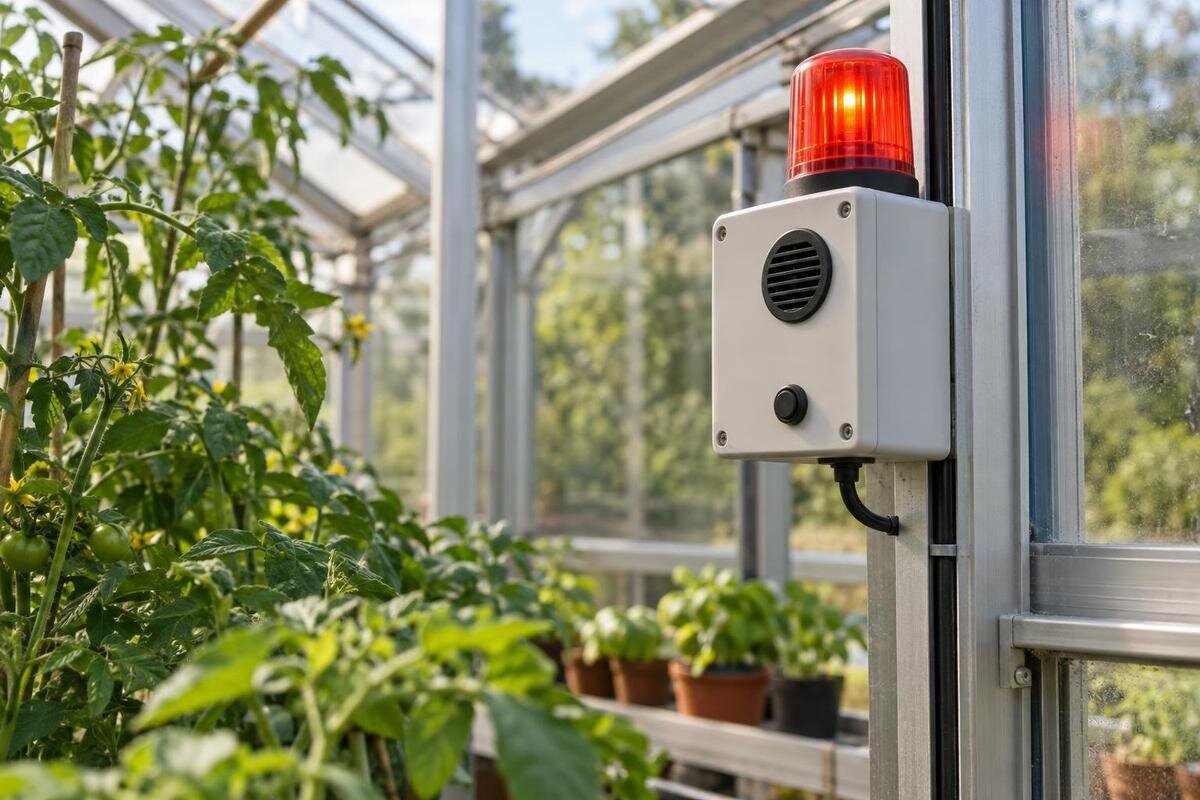
Check whether the alarm system can report its own loss of data or connection. If supported, notices for a missing reading, low battery, power loss or communications failure should go to someone who can investigate; a silent system cannot deliver a temperature message. Read the equipment manual to learn what each fault notice means and whether it reaches the same recipients. If no fault alert is available, arrange a separate check-in while you are away. Do not disable a protection or change wiring to silence a nuisance warning; have recurring equipment faults assessed appropriately.
Give heat alerts a workable response
A high-temperature notification should lead to a pre-agreed sequence, not a vague instruction to cool the greenhouse. Ask the recipient to confirm the current value and which crop group is affected, then use only measures already available and described for that greenhouse. This might mean opening a suitable operable vent or using compatible shade, if present and safe to operate. Agree how long to wait before checking the reading again and who to contact if it keeps rising. Acknowledging the message confirms it was seen; the plan should also say how the responder reports the action and outcome.
Before choosing or relying on a heat response, verify which ventilation or shading measures the selected configuration actually includes or supports. Do not put an instruction to open a vent or deploy shade on a response card unless those options exist, are accessible and are compatible with the setup. If considering the Bloomcabin Prestige Greenhouse, consult the current product details and the instructions for the chosen equipment; the model name alone does not establish a ventilation or shading package. A precise action tied to the installed equipment is more useful than a broad instruction a helper cannot carry out.

03
Make cold alerts specific to the plants at risk
Treat low-temperature alerts as a separate problem, not a reversed heat message. Decide whether the response is to check the most vulnerable plants, close an opening that should be closed in those conditions, use a pre-planned temporary cover, or operate a heating control already installed and described in its manual. Do not tell a helper to turn on heat if there is no suitable system or they are not authorised to use it. An alarm reports a reading; it cannot promise that an unheated greenhouse will stay above outdoor temperature or protect every crop. Keep the action tied to the documented low-temperature limit for the plants concerned.
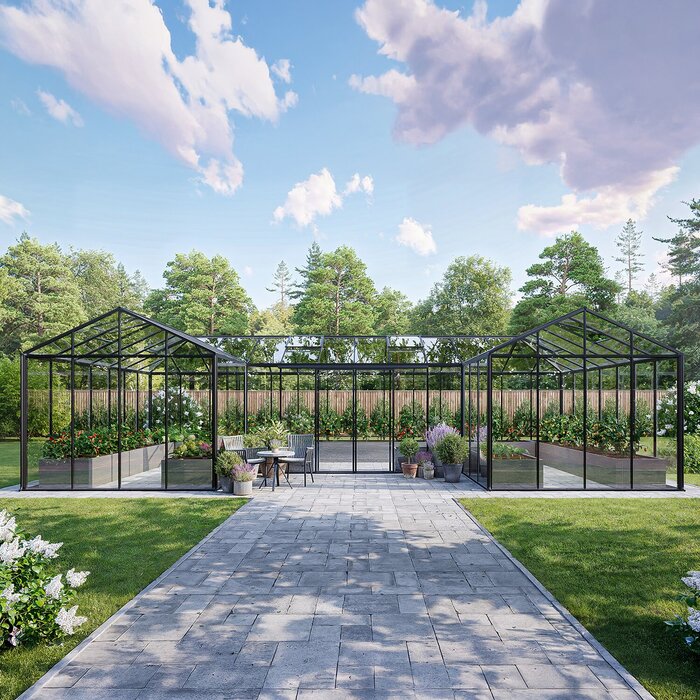
Make the notification say which plants or areas need attention, rather than simply saying the greenhouse is cold. The Bloomcabin Orangerie Spacious Greenhouse is listed in sizes from 47 to 70 m²; for a large space, define the crop groups and inspection route from the actual layout. That area range does not show how temperatures vary, or establish that heating or monitoring equipment is included. In the response note, identify which group to check first and what action has been agreed for it. If several groups share one alarm, explain which group's limit triggered the warning; the helper should not have to reconstruct the planting plan. Keep the inspection instructions specific enough to follow without assuming that every plant needs the same intervention.
Write messages that explain what has happened
A useful message identifies the greenhouse or crop group, the reading and unit, the threshold crossed, and what to do first. Include the time and, if the system shows it, how long the condition has persisted. Use concrete actions and distinguish a request to check from a call to act now; a vague temperature alert forces the recipient to open an app, guess the location and search for instructions. If the message is short, keep labels consistent and store fuller instructions in an accessible response note. Check that the unit is explicit, especially if the system can display temperatures in different units.
If there is more than one structure, include a site nickname and identifying location as well as the model or crop group. For example, identify the actual Aluminium Classic Greenhouse by its chosen size and garden location in the responder's reference, rather than sending only a catalogue family name. Use the same nickname in the app, response note and contact messages so the recipient can match them without guesswork. Test a real message on the device that will receive it, because a complete dashboard view may be truncated in a notification. Put the location, alert level and first action before supplementary detail. Check that a recipient can distinguish a new urgent event from a reminder or recovery message without opening the full event history.
04
Set escalation around response times
Choose escalation by the time someone has to respond, not by the colour or sound of an alert. A first-level warning might go to the person who can check conditions; an urgent alert may also need to reach a backup if the primary contact cannot arrive in time. Set a realistic acknowledgement deadline based on the plants at risk, logged rates of change, travel time and the task required. Acknowledgement means the message was received, not that the condition is resolved. Decide how a responder reports completion or asks for further help, and what happens if nobody acknowledges the alert.
Give responders clear access and location information. If a Wall Greenhouse is one of several structures on the property, identify its actual location and access route rather than assuming the model name will guide someone to it. State who is authorised to operate installed controls, who can contact the owner or gardener, and who covers nights or weekends. Agree who takes responsibility once the backup accepts an alert, so both contacts know whether someone is attending. If the first responder is already on the way, they should be able to pass that information on rather than leaving two people to make conflicting changes. Keep access details current and share them only with people who are meant to respond.
Plan for periods when nobody is on site
A plan for time away needs named people, not just a list of phone numbers. Ask the primary contact whether they can respond during the dates and hours you will be absent, then identify a backup who has agreed to take over if the first person is unavailable. Explain the action for each alert level, how to report the result, and whom to contact if the expected measure is not possible. If neither person can reliably reach the greenhouse, arrange a separate on-site check rather than relying on a phone notification alone.
Prepare a short handover with the crop priorities, actual equipment present, relevant manuals and permitted actions. For a greenhouse from the Limited Edition Aluminium Greenhouses range, identify the exact selected model and setup, then describe the controls and equipment the helper will actually use. Do not infer alarms, controls or shading from a model name. Walk through the response note with the person covering your absence and ask them to explain what they would do for a warning and an urgent alert. Resolve unclear instructions before leaving. Make the note accessible to the agreed responders, including the backup, and state whom they should call if an action cannot be completed. This handover should explain the installed setup, not become a general greenhouse-care manual.
05
Test notifications and review the log
Test the notification route using the alarm system's documented test function or another safe method described in its manual. Do not expose plants to harmful conditions or interrupt equipment just to see whether an alarm works. Check the whole chain: the right person receives a readable message, acknowledges it, and the backup is contacted if the primary does not respond. Repeat the check before a planned absence and after changing a setting, recipient or notification route. A changing status icon on a controller does not prove that a remote message reached the people who need it.
Keep an event record with the date and time, reading, duration, crop group, alert level, action taken and outcome. Identify the actual greenhouse and chosen setup; the T-Model Orangery Greenhouse is listed in sizes from 16.52 to 30 m², so a model-family name alone is too broad for comparing a particular installation. Review repeated nuisance alerts, late warnings and missed messages separately. For each event, distinguish when the threshold was crossed, when someone received the message and when action began, where those times are available. This helps you decide whether to revise a setting, clarify an instruction or change the contact arrangements instead. Change one setting at a time and retain the previous value so you can judge whether the revised plan works better.
Review the plan when conditions change
Revisit thresholds when you replace crops, move plants between groups or begin a different growth stage. Review the response plan after changing ventilation, adding or removing shading, changing equipment, or discovering that the usual responder is no longer available. These changes can affect how quickly someone can act or which action is possible, even if the crop limits have not changed. Use recorded events to review the warning margin and alert duration rather than adjusting values after a single unexplained reading.
Keep one current version of the plan with its date, the plant group and source for each limit, the trigger and recovery settings, the first action, the primary contact and the fallback. Remove outdated contact details and instructions when you update it, so a helper is not left choosing between conflicting versions. A concise plan is easier to follow under pressure: each alert should identify a condition, direct it to someone able to respond and explain what to do if that response is unavailable.
Frequently asked questions
What should a high-temperature alert tell the recipient?
It should identify the greenhouse or crop group, the reading and unit, when the threshold was crossed, how long the condition has lasted if available, and the first action to take. Include who to contact if the response does not bring conditions back within the relevant limits.
Can I use one temperature threshold for every plant?
Only if the plants share suitable temperature limits. Check reliable care guidance for each crop group and note whether a limit applies to brief or sustained exposure. If the alarm cannot separate groups, use the most vulnerable relevant limit or arrange a specific manual check.
How can I reduce repeated nuisance alerts?
Review the event log before changing settings. Check whether a brief fluctuation, an unsuitable duration filter or a poorly matched crop group is causing repeat messages. If your system allows it, set a separate recovery point so the alert does not repeatedly clear and retrigger. Do not silence an urgent warning without understanding its cause.
Should humidity trigger the same alert as temperature?
Usually treat them as separate conditions because they may need different responses. Temperature and humidity readings can be useful together when reviewing an event, but combine them in an alert only if the system supports it and the message still gives someone a clear action.
Will an alarm protect the greenhouse while I am away?
An alarm can notify people, but it cannot carry out an intervention or guarantee that a message is delivered. Name a primary contact and a backup, test the notification route, and arrange a separate check if nobody can reliably respond.
Useful temperature alarms do more than report a reading. They distinguish an early warning from an urgent call, point to an action that is possible with the equipment actually present, and reach someone who has agreed to respond. Set the limits from plant-specific guidance, test the message route and keep a backup plan for time away. Review the settings when the crops, equipment or people responsible for the greenhouse change.
