
Why Is My Greenhouse Hotter Than the Forecast?
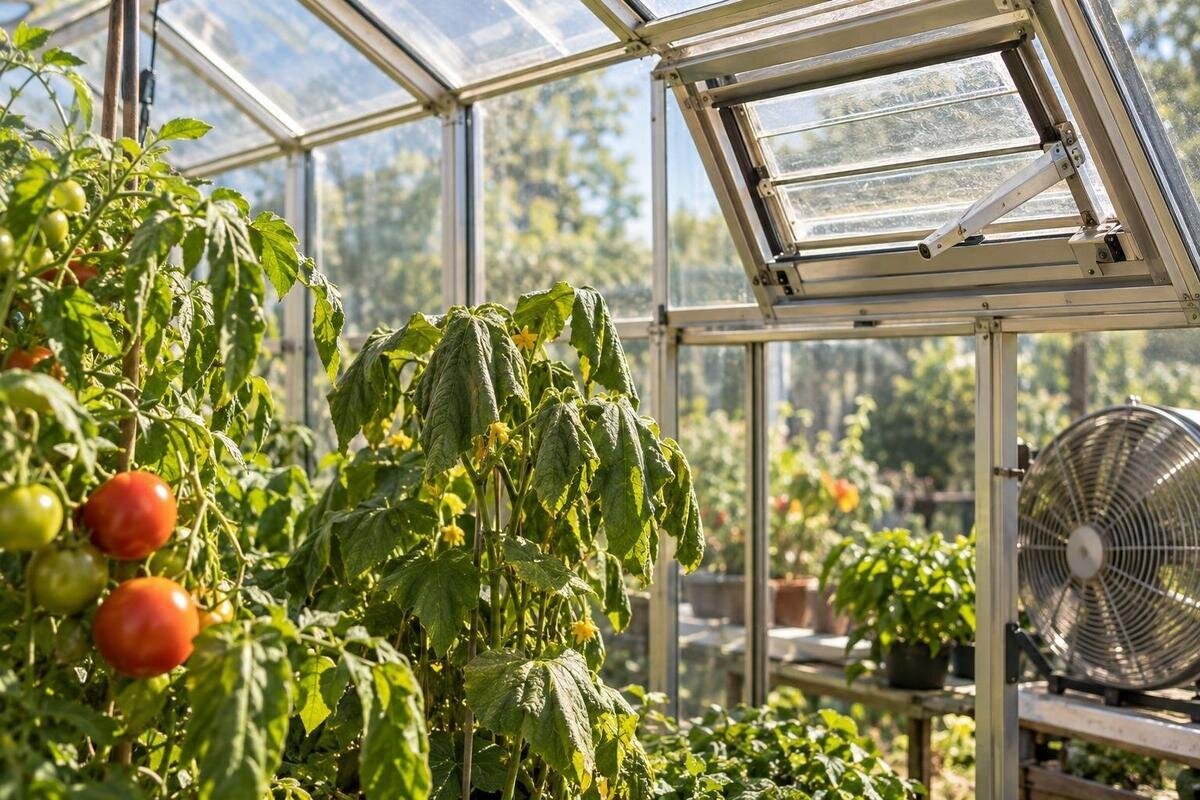
Greenhouse temperature troubleshooting
A greenhouse thermometer can show a temperature well above the outdoor forecast without either figure being wrong. The forecast describes predicted outdoor air for a wider area; the sensor may be warmed by direct sun, placed in a hotter pocket, or measuring heat that ventilation is not clearing. A repeatable log helps distinguish those causes before you add shade, adjust openings or replace equipment.
Why the greenhouse can exceed the outdoor forecast
An outdoor forecast describes predicted air outside, not the temperature beneath greenhouse glazing. Sunlight can enter the structure and warm soil, pots, leaves and other surfaces; those surfaces then warm nearby air. If incoming solar energy exceeds the heat carried away by ventilation and other heat loss, the indoor air becomes warmer than the outdoor air. A higher greenhouse reading is not, by itself, evidence that the forecast or thermometer is wrong. There is no fixed number of degrees to add to a forecast: cloud cover, wind, exposure, openings and sensor position all affect the difference.
A forecast high is not an indoor target or a ceiling. The greenhouse can reach its peak earlier or later than the outdoor forecast’s maximum as sunshine, cloud and wind change through the day. A large difference during bright, still conditions and a smaller difference under cloud are distinct patterns, even if the forecast high is identical. The practical question is whether the reading represents air in the growing area and whether the temperature falls as conditions change. Treat the first surprising number as a prompt to check timing, sensor location and air movement, not proof of a faulty forecast.
Check the time, units and what the thermometer measures
First check what the forecast number means: an hourly prediction, a current outdoor estimate or the day’s maximum. Compare it with a greenhouse reading from the same date and time, not with a high expected later in the afternoon or an earlier app screenshot. Confirm that both readings use the same unit, usually degrees Celsius, and that the forecast pin refers to the relevant area. Record the forecast time separately from the actual reading. If the app also shows observed conditions, note those separately; a forecast remains a prediction, not an outdoor measurement beside the greenhouse.
Check what your instrument measures. A surface reading from an infrared thermometer aimed at glazing, a pot or a leaf is not interchangeable with air temperature, which is what an outdoor forecast describes. On a digital unit, distinguish the live display from a stored minimum or maximum, and check whether it is showing Celsius or Fahrenheit. Use the manual for the sensor’s intended placement, response time and stated accuracy. A display with decimal places does not, on its own, establish that the reading is precise.
Place sensors in representative air
Place the indoor sensor where air can circulate around it, in shade and away from direct sun. Keep it clear of glazing, metal framing, sunlit walls, heaters, lights and warm paving; each can heat a sensor without representing the surrounding air. Avoid placing it under a drip, over wet soil or beside a door that is opened repeatedly unless that doorway is the specific zone you want to measure. For crop conditions, use a height close to the relevant canopy. A reading near the roof may help reveal a hot upper layer, but it does not describe the same air as a sensor among the plants. A ventilated radiation shield designed for the sensor can help keep direct sun off it; do not seal it in a box or wrap it in cloth.
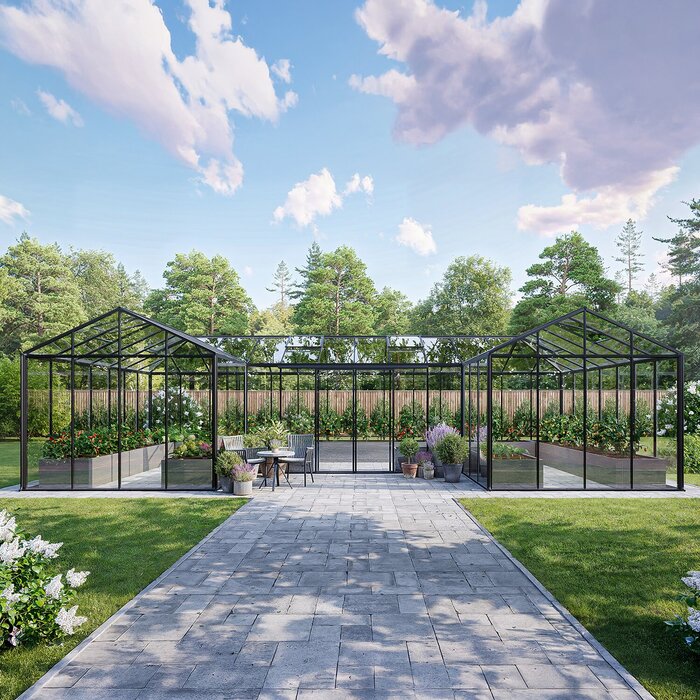
Keep the sensor at one marked position and height during the baseline log. If the greenhouse has separate beds, a shaded corner or a high central area, take a second reading and label each point rather than moving one device and confusing location with time. Compare different zones at the same time if you can; readings taken hours apart may reflect changing weather instead. If you are considering a larger structure, the Spacious Greenhouse listing identifies options from 47 to 70 m². Check the selected layout before planning monitoring points: floor area alone does not predict where the hottest air will be.
Build a temperature and humidity log
Choose a fixed sampling interval and follow it through the warm part of the day. A practical manual log can use readings every 30 minutes, starting before direct sun reaches the greenhouse, continuing through the afternoon and into the cooling period; consistency matters more than a perfect interval. For each time, record the indoor shaded air temperature, the outdoor shaded air temperature and the forecast for that hour if you want a comparison. Add the date, exact time, units and sensor location. Keep forecast and observed outdoor temperatures in separate columns so they cannot be mistaken for the same kind of evidence.
At each reading, note relative humidity, sky conditions, whether direct sun is on the structure, and the state of each relevant opening or automatic opener. Record shade position and any major change, such as watering or a door left open; there is no need to list details that stay unchanged. Photograph the sensor and vents at the start and near the highest reading if their positions are hard to remember. Keep an outdoor reference in ventilated shade near the site, away from a wall, paving or vent outlet. If you have no outdoor thermometer, label the app figure as a forecast, not an observed garden reading. Repeat on more than one day where possible, keeping sensor positions the same. For a layout that includes storage, such as the Limited Edition Greenhouse with Built-in Storage, label readings from the storage and crop areas separately. Use the selected floor plan to mark sensor positions so that each reading can be traced to the right location.
Test whether a sensor is warmed by sunlight
Place two air thermometers side by side in a shaded, ventilated spot, at the same height and not touching one another or a surface. Let them settle for the period their manuals specify, then compare several readings; one instant can catch different refresh cycles. If they differ, check units, batteries, probe connections and the stated accuracy before deciding that a device is faulty. Agreement is a useful cross-check, not formal calibration, because both devices could share an offset. If you have only one thermometer, borrow a second known-working one or compare it with a trusted reference under the same conditions. Follow the manufacturer’s instructions for calibration or replacement rather than improvising a test.
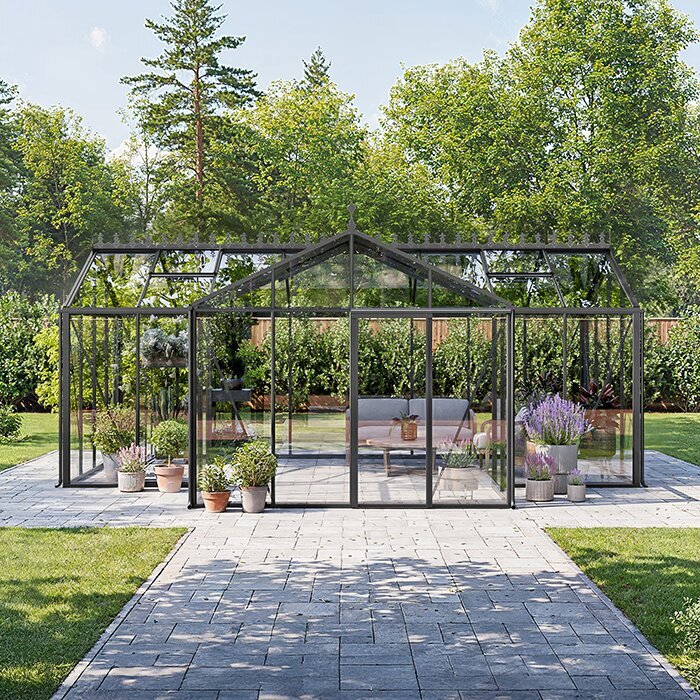
Once the pair agrees closely enough for your purpose, keep one as a shaded reference and put the other in the greenhouse’s usual position. If the exposed sensor rises sharply only when direct sun hits it while the shaded reference stays steady, suspect radiant heating of the sensor or its support. If both rise together, the air may genuinely be warming. Avoid holding a sensor in your hand, moving it between sun and shade at different times, or comparing readings after the weather has changed; each can create a difference unrelated to the greenhouse. Resolve a sensor mismatch before using the readings to justify replacement equipment. If later logs point to a ventilation problem, use them to assess the vent provision in any candidate, including the Aluminium Classic Greenhouse, rather than assuming that a different structure will solve the problem.
Account for the greenhouse’s local surroundings
An outdoor thermometer beside the greenhouse can show a different value from the forecast location because the garden has its own exposure. Sunlit paving, a nearby wall, a sheltered corner, overhanging plants and changes in wind can alter the air around a particular sensor; they can also change how much sunlight reaches the structure. Keep the reference in ventilated shade and away from those surfaces. If you suspect a warm pocket, take a second outdoor reading at a nearby open point at the same time, label both locations, and compare the actual readings with the forecast separately. Avoid placing the sensor on paving or against a wall even if the display is easy to read there. This helps show whether part of the apparent gap exists outside the greenhouse.
Log conditions that affect the comparison: cloud cover, whether direct sun reached the greenhouse, and whether wind reached its openings. Two days with the same forecast high may behave differently if one stays cloudy or breezy and the other is bright and still. For a wall-sited setup, note when the wall shades the greenhouse and how exposed its openings are; a wall can alter shade and airflow, but should not be assumed to keep the interior cool or warm. If you are considering a Wall Greenhouse, use these observations when assessing its proposed position. Check where its openings would sit in relation to the wall and surrounding obstructions, rather than relying on the forecast alone.
Check whether ventilation is moving heat out
Check every opening meant to ventilate the greenhouse, not just the one easiest to reach. At each log reading, note whether it is closed, partly open or fully open, and whether anything blocks its movement or the air path. Air needs a route through the structure, so note whether another opening is available without assuming that one window is enough. Foliage, stored items, screens or shade material can restrict movement where they are present; a window that moves only a little is not equivalent to one fully open. Inspect hinges, latches and supports visually, then follow the manufacturer’s manual for normal operation. Do not force a stiff window or alter fixed parts as a test.
Compare the opening state with the temperature trend. If shaded indoor sensors rise after sunlight increases while intended openings fail to open, a failed, obstructed or poorly timed opening becomes a plausible cause. If openings are clear and open but heat still accumulates, investigate the route and capacity of air exchange as well as solar gain; the log does not identify one defective part by itself. For replacement research, compare documented vent locations, opening sizes and compatible accessories. The Pyramid Greenhouse listing identifies a model, but its name or roof form alone cannot show how air will move at your site.
Verify automatic openers and controls
An automatic opener must be judged by what the vent does, not merely by the presence of an actuator. Read its manual for the operating conditions, sensor arrangement and any adjustment procedure, then note when it begins to move and how far the opening actually travels as the greenhouse warms. A control may sense temperature at a different point from your logging thermometer, so record both positions. Photograph the opener and vent near the indoor peak; the image can show whether the vent was closed, partly open or obstructed. If the mechanism does not move as described in its manual, do not force it.
A useful comparison is between the normal automatic setting and the intended manual opening, but only where the manufacturer’s instructions allow it and the change is appropriate for the plants and equipment. Change one factor at a time and note the weather. If the vent opens earlier but indoor temperatures remain high, investigate the wider ventilation and shading setup rather than assuming that opener timing is the sole cause. When considering another greenhouse or opener, establish whether the exact vent and actuator are supplied, optional or compatible with the selected configuration. For the Prestige Greenhouse, as for any candidate, distinguish the equipment included in your selection from accessories you would need to add.
Use humidity and shade evidence carefully
Record relative humidity at the same place and time as temperature, but do not use it as a standalone ventilation test. Relative humidity is measured against saturation at the current temperature; warming air without adding water vapour usually lowers the percentage. Cooling or watering can shift the reading too. A high or low RH value therefore does not establish that the thermometer is wrong or that a vent is blocked. Check the humidity sensor’s instructions and keep it away from droplets or direct spray. Note condensation or recent watering separately, rather than treating either event as a complete explanation for the temperature. Use crop-specific guidance for any humidity target.
If temperature peaks in direct sun despite working openings, shade is a separate option to investigate because it reduces incoming light as well as solar heat gain. Its effect depends on the crop’s light needs, placement and how it is fitted; there is no universal shading percentage for every greenhouse. Compare similar sunny periods with shade in place, and record whether it obstructs vents. Avoid changing the shade and vent settings during the same test. When assessing shade for a specific candidate such as the Limited Edition Aluminium Greenhouse, check compatibility and fixing guidance for the selected configuration. Include the space needed for vents to open when deciding how the shade would be fitted.
Decide whether to adjust, repair or redesign
Read the pattern across the full log, not just the highest value. If one sensor rises in sunlight while a shaded paired sensor stays steady, correct the sensor position or check the device first. If several shaded indoor sensors rise together while the outdoor reference does not, the greenhouse is genuinely warmer; map the difference by location. If the outdoor garden reading also exceeds the forecast, local exposure or the forecast location contributes to the comparison. If temperatures stay high after the sun weakens and vents remain closed, investigate opening operation; if they are already open, investigate the overall air-exchange setup. Humidity adds context but does not decide the cause. Look for the same pattern on more than one comparable day.
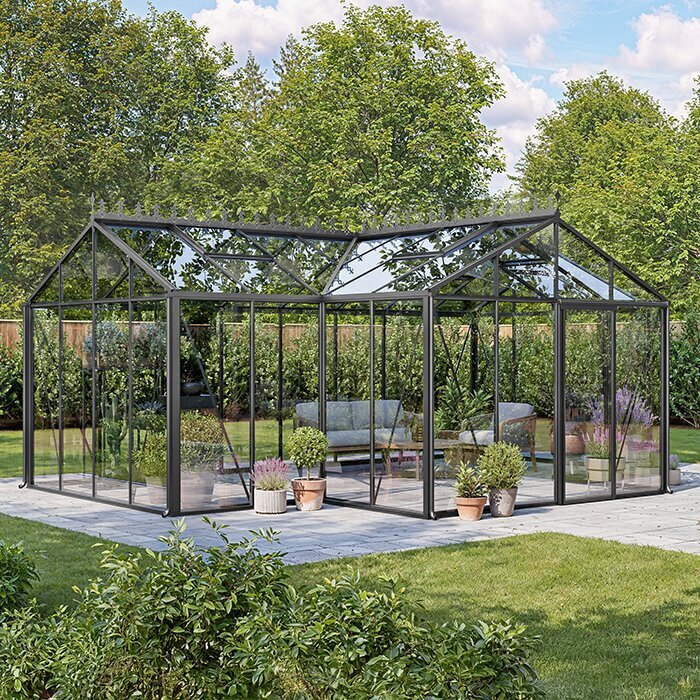
Make the smallest change that answers the next question: move or shield a sensor, clear an obstruction according to the manual, or check the opener’s intended operation. Repeat the log before changing shade, settings and openings together; otherwise you will not know what altered the result. If evidence suggests adding or changing fixed vents, shading or structural features, check model-specific documentation and consult the manufacturer or a qualified greenhouse professional before modifying the structure. If you decide to compare a replacement such as the T-Model Orangery Greenhouse, turn the findings into specific questions: which growing areas need monitoring, where air needs a clear route, and which openings need automatic control. Keep readings and dated photographs together so the comparison addresses the problem you observed rather than appearance alone.
Frequently asked questions
Is a greenhouse supposed to match the outdoor forecast?
No. A forecast estimates outdoor air for a place and time. Sunlight can warm the enclosed air and surfaces, while ventilation affects how quickly heat leaves. Compare the greenhouse with an outdoor shaded measurement taken at the same time; do not expect the indoor reading to match the forecast.
Should the indoor thermometer sit at plant height or near the roof?
Use the height that represents the question. For crop-zone conditions, place a shaded sensor near the relevant canopy; a second, higher reading can reveal a difference between levels. Keep sensors away from glazing, sunlit frames and damp surfaces, and record each position so readings remain comparable.
How often should I record temperatures?
Use a consistent interval, such as every 30 minutes, from before direct sun reaches the greenhouse through the warmest period and into the cooling period. The exact interval matters less than keeping it steady. Repeat on comparable days and note the forecast, outdoor reading, humidity, weather and vent state.
Can humidity prove that greenhouse ventilation is poor?
No. Relative humidity changes with temperature as well as with moisture in the air, so one reading cannot prove that ventilation is poor or adequate. Compare it with temperature, sensor position, recent watering or condensation, and actual vent movement. Use crop-specific guidance for any humidity target.
Should I add shade or change the ventilation first?
First verify the sensor, then confirm that intended vents open and the air path is clear. If shaded air readings remain high in direct sun, shade may be worth assessing separately, with crop light needs and vent clearance in mind. Change one factor at a time and log comparable periods.
A useful diagnosis is a pattern, not a single dramatic peak: whether one sunlit sensor climbs, every indoor sensor warms, outdoor air differs from the forecast, or heat remains after openings operate. Keep the log and dated photographs together. They make it easier to decide whether the next action is sensor correction, routine maintenance or a professionally reviewed change to ventilation or shade.
