
Sauna Heater Controls: Built-In, Separate or App-Based?
SAUNA HEATER CONTROLS
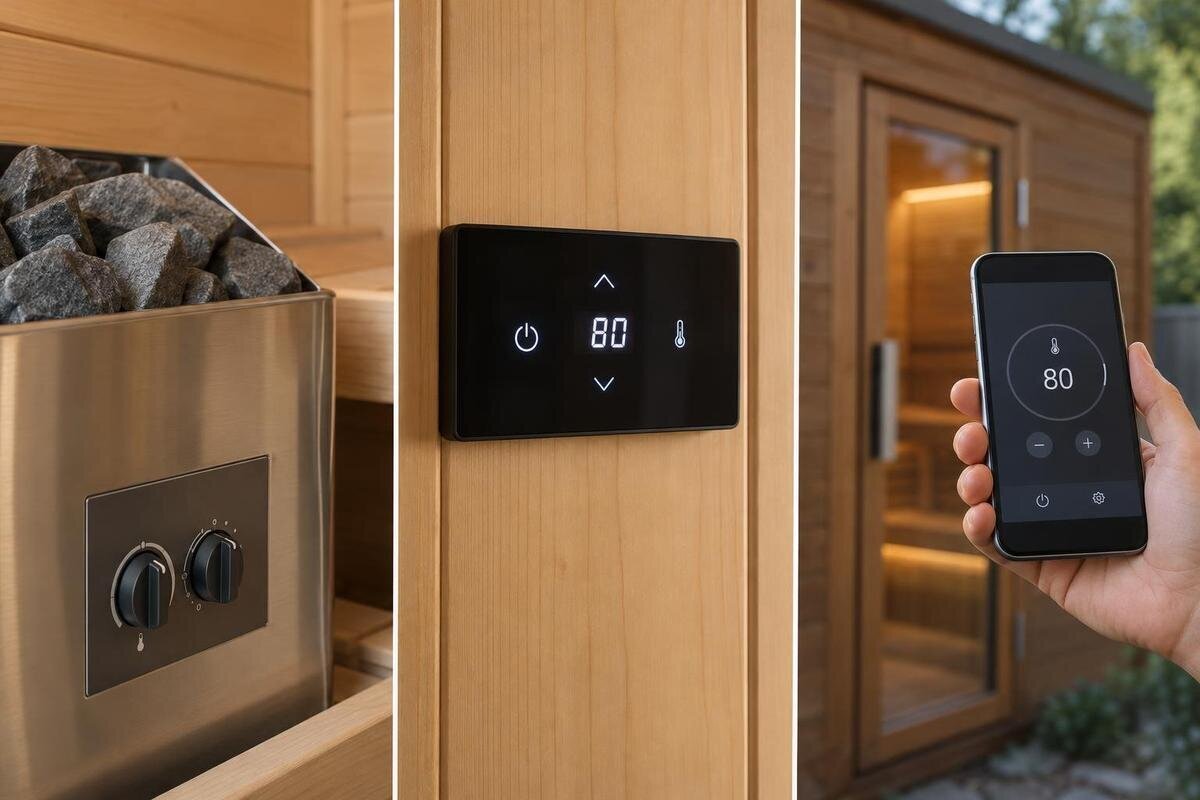
Choosing sauna heater controls is partly about the interface and partly about where it sits, who can reach it and how it works with the exact heater. Built-in controls, separate panels and apps can each suit a different routine; none is automatically easier or more capable. Compare ordinary operation first, then confirm the heater-control combination, included parts, permitted placement and connectivity requirements in the manufacturer’s information. An app or panel format does not by itself say whether remote start is available or appropriate—that is a separate feature with its own safety checks.
01
What the three control formats mean
These labels describe the interface, not a standard feature set. A built-in control sits on or is integrated with the heater assembly, so you operate it at that fixed point. A separate panel is a distinct interface placed away from the heater, but only in locations permitted by its manufacturer. App-based controls use software on a phone for some part of operation; a system may also need dedicated hardware or a network connection. Some systems combine formats, such as a physical panel plus app access, while others offer just one interface. A screen that reports information is not necessarily the whole control system, and the format name alone does not tell you which actions it supports.
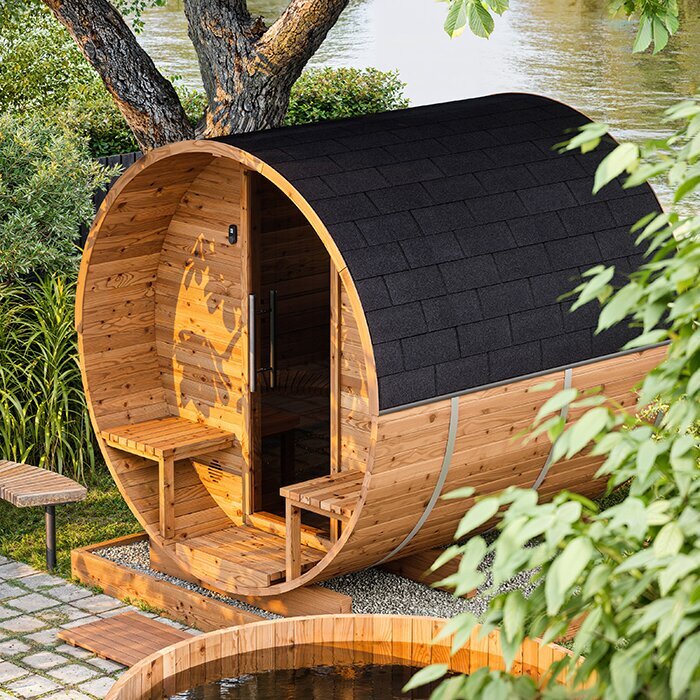
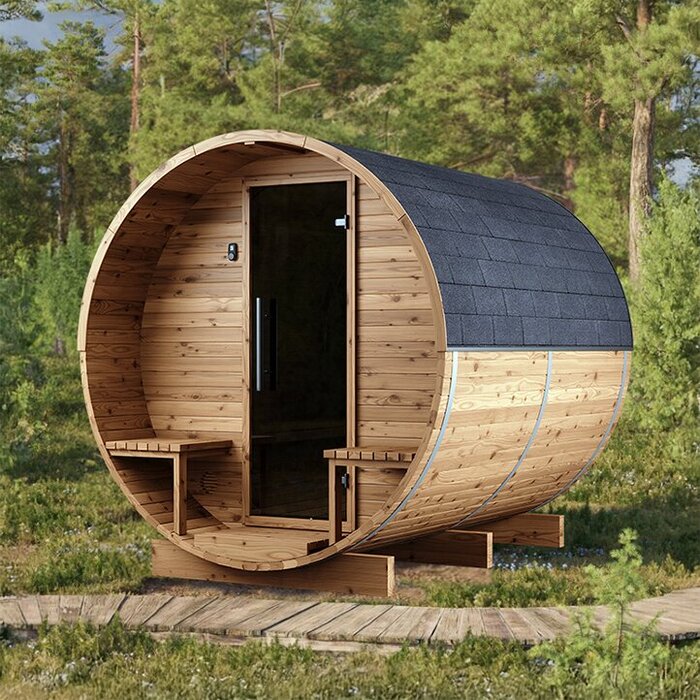
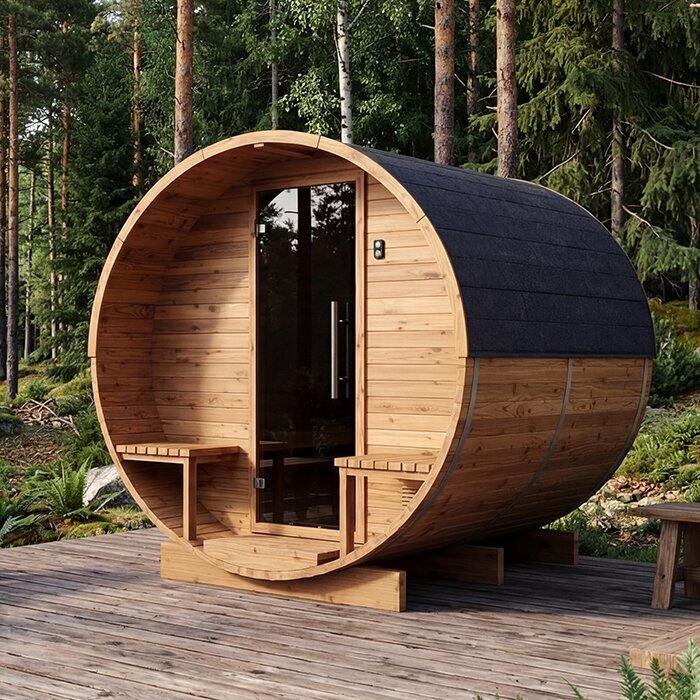
Separate what you touch from the equipment that operates the heater. A display or app may be only one component; a control unit, sensors and accessories may be specified separately. The word controls can therefore refer to less than a complete operating system. For example, Sauna S-140 Thermowood Barrel Sauna is a cabin model; its listing identifies the sauna and its stated floor area, but does not establish the heater, control format or included parts. Ask which exact heater and control components are supplied together, and whether the interface is included or optional. This keeps a format label from standing in for a full configuration.
Built-in controls keep operation at the heater
An on-heater interface keeps the operating point obvious: the controls are where the heater is, so there is no separate screen to locate. That may suit people who prefer a physical dial or buttons and want a fixed place for routine adjustments. The fixed location is also the main compromise. Depending on the layout, a user may have to step closer, bend or turn to read it, and someone outside the room may not be able to see the display. Check sightline and reach from the usual entry point, and follow the heater maker’s instructions on access and use rather than planning to reach across hot equipment. Think about whether you usually make settings before entering or adjust them from inside; the location can favour one routine over the other.
Do not assume every built-in interface is basic or that built-in means one style of control; displays, menus and available settings vary by system. In a demonstration, check whether markings are legible, whether the selected setting is clear and whether it is easy to understand the heater’s status. If you are comparing a cabin such as Sauna HC-150, use the proposed heater details to find out where its interface would sit. Check how clearly the controls show that a setting has changed, and whether you can read that feedback from your normal operating position. This helps you judge the interface itself rather than relying on its appearance in a product photo.
02
Separate control panels change the interface location
A separate panel relocates the interface, not necessarily the heater’s other components. It can make routine adjustments easier when the heater is hard to see or when a dedicated panel near the entry suits the room. However, separate does not mean freely placeable: the approved location, surrounding conditions, cable or communication arrangements and sensor position are system-specific. A wall may look convenient yet fall outside the manufacturer’s permitted environment. Review the required panel location before planning the room, and have a qualified installer confirm any installation constraints. Moving the interface does not, by itself, indicate that other control components can be moved with it.
Judge the panel from where you will actually stand, not from a product photo. Depending on the interface, check screen contrast, label size, button spacing, menu depth and how clearly it shows the selected setting. Ask whether the panel is part of the proposed package or optional, and whether its exact model pairs with the heater. For Sauna HC-225, assess a proposed panel position using the planned entry and equipment layout rather than assuming the cabin model specifies one. Consider whether you would use it before entering or during a session. A panel helps only when it remains visible, reachable and permitted in that location.
App functions and connectivity requirements
An app can put controls on a familiar screen, but app-based does not promise full operation from any location. One system may use the app for limited settings; another may require a paired controller or gateway. Available functions can depend on the heater and control version, phone operating system, account setup and Wi-Fi or another connection. Find out whether the app can view status, change settings or perform another function, and whether it works only near the sauna or over a network. Ask whether it needs an internet connection or a local network, and whether connectivity must be available where the sauna is installed. Do not assume the app duplicates a physical panel or replaces every other interface.
Think through ordinary interruptions before deciding how useful the app would be: the phone is charging elsewhere, a guest does not have the app, the network drops or an update changes the app’s layout. Ask what remains available locally, whether more than one user can be set up and what support is provided if pairing fails. When considering Sauna N-210, assess the proposed heater, controller and required connection hardware as one configuration. If you rely on the app for routine operation, check that its dependencies fit your household and that you know how to recover access if a phone or account is unavailable.
03
Compare controls through ordinary tasks
Compare controls by rehearsing your normal tasks, not by counting buttons or looking at a phone screenshot. Ask for a demonstration of the documented start and stop functions, finding a preferred temperature or time setting if offered, and understanding the current status. Check whether the steps are easy to remember, whether a changed setting is visibly confirmed and whether it is straightforward to return to the main screen. Look at the interface in the lighting and position where it will be used. The manual tells you what the system can do; a demonstration shows how clearly it communicates. Repeat the same tasks on each option where possible, so you are comparing like with like.
Try the controls with the people who will share the sauna, including anyone who may be less comfortable using an app. Notice whether labels are plain, selections are easy to distinguish and common actions take a sensible number of steps; do not give extra credit to functions nobody needs. Product photos rarely show button feel or a live display, and a feature list cannot demonstrate how a menu behaves. When comparing a cabin such as Sauna N-250 Thermowood Barrel Sauna, ask to see the actual proposed control package, not simply the cabin image or a similar-looking interface. A short hands-on comparison can reveal whether the everyday interaction feels clear.
Verify heater and control compatibility as one system
Compatibility is a model-to-model question. Note the heater’s full model identifier and the controller or panel identifier, then use the manufacturer’s compatibility information to confirm the pairing being offered. Check whether the user interface, control unit, any required sensors and accessories are included, optional or supplied separately; the word controls may refer to only one piece. If you are replacing an existing system, do not assume a newer panel or app works with an older heater. Current documentation should identify supported combinations and any required configuration. Leave wiring, circuit capacity and installation questions to a qualified professional rather than making a decision from a connector or product photo.
Ask for confirmation that the complete set is compatible, rather than relying on the brand name or a broad product family. Keep any model suffix or generation in your notes, since similar product names can still represent different equipment. If future app access or a replacement panel matters, ask how compatibility and service support are handled for that exact version. When pricing a cabin such as Sauna LC-260, list the cabin, heater, controls and included accessories separately, then match the equipment against the manufacturer’s documentation. Request specific model identifiers where a quote uses general terms so that you can distinguish the proposed components from other versions.
04
Plan control placement around the sauna layout
Control location affects the route a user takes before and during operation. Built-in controls mean approaching the heater; a separate panel can put the interface at another suitable point if the system permits. Consider the usual entry, the path around benches and equipment, and whether the display can be read from where users will stand. Check that the panel will not be hidden by normal movement or an open door, and that people can identify it as the sauna control rather than a switch for other equipment. Look at the arrangement for each household member, not just the person planning the room. A control that is technically reachable may still be awkward to use.
Check the exact product instructions to find out whether the intended panel may be installed inside the sauna room or must be placed elsewhere; arrangements vary. Consider whether users need to read the display before entering or make adjustments once inside, and avoid choosing a spot that is difficult to see in ordinary use. For a model such as Sauna HCF-300, assess control placement using the proposed heater position, entry layout and approved mounting conditions. A simple room sketch can help a qualified installer assess how the proposed location fits the layout. Include the door’s opening direction and nearby benches so that access to the controls is considered alongside movement through the room.
Shared access and ongoing support
For a shared household, consider how someone other than the main user would operate the controls. A physical panel may be straightforward for anyone to find, while an app may depend on account access and a compatible phone; neither automatically solves guest use. Ask whether additional users or permissions are supported if that matters, how routine settings are restored and whether a visitor can understand the basic interface. If app access belongs to one account holder, consider what happens when that person is not there. These are points to verify, not standard features. A format convenient for one person may be difficult for others to use.
Think beyond the first setup. For an app, check supported phone platforms, account recovery, update arrangements and manufacturer support; for a separate panel, ask about an appropriate replacement and its compatibility with the heater version. For any format, know the documented fallback if a screen, phone or connection is unavailable. When comparing Sauna LCF-300 Thermowood Barrel Sauna, or another cabin model, keep the actual heater and controller identifiers with the package paperwork. That record can make a future service question clearer without assuming which components are supplied or how long support will last.
05
Remote start is a separate question
Remote start is not another name for app control. An app may only adjust settings nearby, or a system may offer remote functions; its format alone does not establish which. If remote operation matters to you, confirm that capability for the exact heater-and-control combination and consult its instructions on when it can be used and what conditions or safeguards apply. A timer or phone screen is not, by itself, proof that starting an unattended sauna is supported. This guide compares day-to-day interfaces, not the separate question of whether remote starting is suitable.
Keep that distinction clear when discussing your options: ask the manufacturer or a qualified installer which exact system supports the function you want, what requirements apply and how its prescribed safeguards work. Do not bypass a safeguard or infer that app connectivity makes operation suitable in every circumstance. If remote start is not a requirement, compare the controls on their everyday functions rather than treating it as a deciding feature. That keeps an app’s advertised appeal—or concern about a remote feature—from overshadowing the usability of the interface for ordinary operation.
Choose the format that fits your routine
Choose among the formats by considering your routine. Built-in controls suit a buyer who wants the interface at the heater and is comfortable with that fixed point. A separate panel is worth considering when a dedicated physical interface elsewhere would improve access and the manufacturer’s permitted location fits the room. App-based control may suit someone who values phone operation and accepts the documented device and connectivity requirements. There is no universal ranking. A clearly labelled physical panel may be easier for a household than an app, while app convenience may matter most when its supported functions solve a recurring problem. Prioritize location, everyday tasks and technology dependencies before comparing optional features.
Before purchasing, compare the exact heater-control combination in the quote or package list with its manual. Record which parts are included, what the interface can do, where it may be placed, whether extra hardware or network access is needed and who can answer compatibility questions. Ask for a brief demonstration if routine adjustments are unclear. If you are replacing equipment, provide existing model identifiers to the manufacturer or a qualified professional instead of relying on a similar connector or app name. Clear records let you judge the format on how it will work, rather than on an assumption about the package.
Frequently asked questions
Which sauna heater control is easiest to use?
It depends on where the interface sits and what you need it to do. Built-in controls may be easy to find if the heater is accessible; a separate panel may be easier to read from a preferred spot; an app may suit someone who prefers using a phone. Compare the actual interface and routine tasks, not just the format name.
Can app-based control be added later?
Only if the exact heater and controller support a compatible app setup. Some systems require additional hardware or a particular control version, and app features may depend on phone and network requirements. Check current manufacturer information before buying an add-on; a similar brand name or an app listing alone does not establish compatibility.
Can a separate control panel be installed anywhere?
No. The manufacturer specifies where the panel may be located and what conditions it can operate in. Wiring or other installation details may also depend on the system. Plan the location with the product instructions and a qualified installer; an attractive wall or familiar mounting height is not automatically suitable.
Does app-based control always include remote start?
No. App-based control may offer limited or local functions, while remote start is a separate capability with its own product-specific conditions and safety requirements. Confirm it for the exact heater and control combination, then follow its instructions. A phone connection alone does not establish that remote operation is supported or appropriate.
Does buying a heater mean the control panel is included?
Not necessarily. The heater, controller, panel, sensors and accessories may be listed separately, and inclusions vary by configuration. Ask for an itemized description of the exact heater and control set, and confirm that the components are a manufacturer-supported combination. Do not infer the interface from a cabin photo or a broad package label.
Choose the control format that fits the actual routine: a fixed interface at the heater, a separate physical panel in a permitted location, or an app whose functions and dependencies you are willing to maintain. A sauna model name does not answer the control question. Clear information about the exact pairing and a quick look at how the controls work will make the comparison more reliable than choosing on novelty alone.
