
Buying a Greenhouse Online: Measurements and Details to Check Before Paying
Greenhouse buying guide
Buying a greenhouse online turns a physical fit question into a document-checking exercise. The product page needs to show enough for you to judge whether the greenhouse fits the site and whether the delivered order will match the configuration you intend to buy. A headline size or attractive photo is not a substitute for a dimensioned drawing, a clear included-parts list and understandable checkout terms. Compare the measurements with a site sketch, then resolve uncertainties with the seller before payment. The checks below focus on exact dimensions, access, materials, what arrives and the terms attached to the order.
Confirm what the listed dimensions measure
An online greenhouse listing may put length, width and height in a specification table, a drawing or both. Confirm the unit beside each value and the points between which it is measured. A stated width might describe the outside of the frame, the base or another reference line; a height might mean the roof peak rather than the side wall. Retailers do not necessarily use identical conventions. If the page does not define a measurement, ask instead of assuming. Record the figure, unit and measurement points together. If one listing uses inches and another centimetres, save the original values before converting so you can check the conversion and return to the source.
Use a dimensioned drawing to cross-check the table, and make sure it belongs to the exact configuration you are considering, not just a category page or a neighbouring model. A title such as an aluminum lean-to greenhouse listing identifies the item, but does not establish its footprint or the points used for its measurements. Don’t estimate scale from a perspective photo. If the drawing, table and description disagree, ask which values apply to the selected model. Also check whether dimensions include projecting roof edges, gutters, handles or a base, where the documentation identifies them. A comparison sheet with separate entries for length, width, height, units and measurement points makes unclear details easier to spot.
Measure the clear space at the site
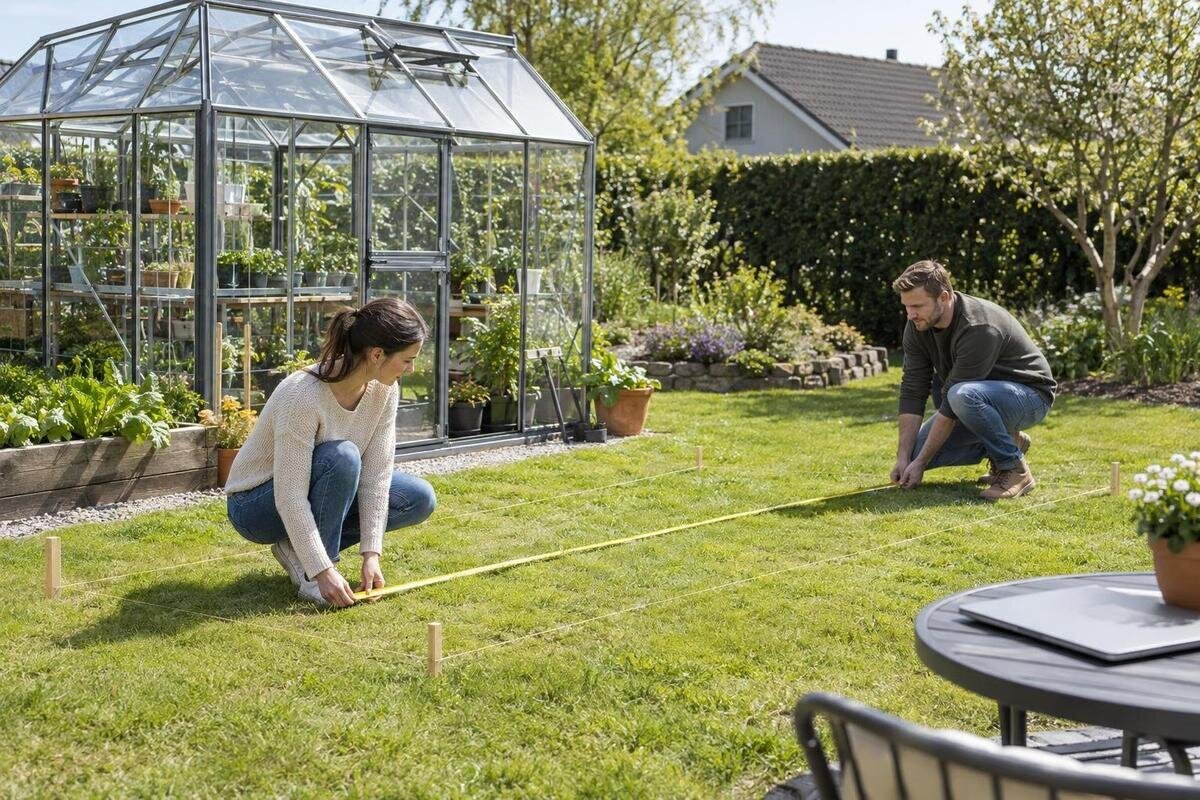
Map the usable area before deciding that a greenhouse will fit. Measure the proposed space at more than one point, especially if fences, beds or other boundaries are not straight. Mark fixed obstructions such as posts, paved edges, existing structures and paths on a simple sketch. Note where the surface changes or slopes, rather than relying on the dimensions of a lawn or garden bed as a rough guide. Compare your measurements with the greenhouse’s stated outside footprint, not an estimate based on its product photo.
Consider whether the usable space also allows for any base or attachment requirements stated in the listing or instructions. Don’t invent a standard clearance: the needed space depends on the design and its installation information. Mark the site boundary and the greenhouse outline separately so an apparent fit does not hide a blocked edge or access route. Measure from the real boundary or obstacle rather than from a movable pot, temporary furniture or an informal edge of a planting area. Check that there is a practical route to each side you may need to reach for cleaning, maintenance or assembly, without treating that route as part of the greenhouse footprint. If the surface or site conditions raise questions about the required base or foundation, ask the seller or a qualified installer what information applies to that model before ordering.
Allow room for doors and everyday access
A greenhouse can fit within the measured site and still be awkward to enter if the door area is blocked. Look for a plan or description that shows where the door is and how it opens. A hinged door needs room to swing; a sliding door needs its own clear operating space. Check the opening against a nearby wall, fence, path or garden bed, and verify the clear doorway size if you need to carry items through it. Don’t infer the door arrangement from a front-facing product image alone.
Plan the route from the entrance to the areas where you expect to work, and consider whether a door left open would obstruct a path or another entrance. The title of the limited-edition aluminum greenhouse listing does not tell you the door’s opening direction or clearance; those details need to come from the product information. If they are missing, ask about the exact model rather than assuming it has the same arrangement as a similar greenhouse. Consider access when carrying trays, tools or soil, as well as when entering empty-handed. Also note whether the approach is level enough for the items you expect to move, and whether a gate or path narrows before the doorway. Marking the door position and opening area on your site sketch can reveal a conflict before checkout.
Check the full footprint and usable interior
A length-and-width pair can be misleading when a greenhouse has an irregular outline. Look for a plan view that shows the complete outside footprint, including any sections that extend beyond the main body. A simple rectangle drawn around the structure may show the space it occupies but not where its edges fall. If the site has a narrow passage or a fixed obstruction, compare each part of the outline with the corresponding space on your sketch, rather than relying on one overall area estimate.
Outside dimensions also don’t tell you how much usable room remains inside. Check whether the listing gives interior measurements, and compare the clear floor area with the arrangement you have in mind, such as a central walking route or space along the sides. A name such as a T-shaped orangery greenhouse listing is not a scaled plan, so use the drawing for the exact outline and dimensions. Consider the position of the entrance and any structural elements shown on that drawing when planning movement through the space. If the plan does not show interior clearances, keep your layout provisional rather than assuming a bench or shelf will fit against every wall. Treat shelving, benches and other equipment as part of your layout; don’t assume that the whole outside footprint is available as clear interior floor space.

Compare overall height with overhead clearance
Check how the listed height is measured. For some designs, the overall height may refer to the highest point, while a separate figure may describe the side or eave height. Those measurements answer different fit questions: a low overhead obstacle calls for the greenhouse’s highest point, while a nearby wall or structure may affect access along the side. Look for a side view or an explanation of the measurement points rather than assuming one height figure describes every part.
Compare the exact measurements with nearby branches, building eaves and other overhead obstructions at the proposed site. A product title such as the Bloomcabin Oasis pyramid greenhouse listing does not give you its peak height or the clearance needed around it. Check the proposed position from more than one direction, since an obstacle may affect only part of the roofline. Account for changes that can make an obstruction extend into the planned location, such as a gate that swings into the area or vegetation that has not been maintained. Use stated dimensions and instructions for the selected model, and ask for clarification if the information is incomplete. If a site restriction makes placement uncertain, get advice from the seller or a qualified installer before ordering instead of relying on an estimate from a photo.
Identify the frame and glazing materials
Read the frame and glazing descriptions as separate specifications. A frame material named in a product title does not tell you what the panels are made of, and a photograph is not a dependable way to identify glazing. Look for the stated material for each component and, if relevant to your comparison, any listed panel thickness or finish. If the page uses a broad term without explaining which part it describes, ask the seller to clarify it for the exact model.
Compare like with like across listings: note the frame material, the glazing type and any other stated details in separate columns. Record the wording used by each listing rather than silently treating broad labels as equivalent. Avoid inferring durability, insulation or maintenance needs from a material name alone; those claims need supporting product information. When comparing configurations, check whether the description applies to the standard item or only to a selected option, since a category image may show a different version. If you may need replacement panels or other parts later, check whether the seller identifies compatible parts for the model and whether the relevant component is described clearly. Clear specifications make it easier to compare offers without assuming that two greenhouses with similar names or photographs have the same construction.
Verify the included parts and base
Use the itemized contents list to work out what the price covers. Check whether it names the frame, glazing, doors and hardware, and whether a base, fasteners or other components are included, optional or sold separately. Don’t assume that an item shown in a product photo comes with the greenhouse. If you need a particular part for your planned setup, confirm its status in the written product information or with the seller before adding the item to your cart.
A product title such as the Prestige greenhouse with metal base listing is not a substitute for an included-parts list. Confirm what the words in the title mean for the exact order: whether the named part is included, offered as an option or simply used to identify the model. Check whether accessories shown elsewhere on the page have separate product entries or prices, and whether a selected option appears in the cart. Read any configuration labels carefully, particularly where a page allows choices that alter the order summary without changing the main product name. Keep the answer with your order notes so you can compare the stated contents with the final order summary and spot an omitted option before payment. This is especially useful when the product page presents several configurations.
Check delivery and assembly logistics
Review the delivery information for your address, not just a general statement on the product page. Check the shipping charge and any estimate shown at checkout, along with the stated delivery location and whether unloading or placement is included. If package dimensions, weights or the number of packages are provided, use them to consider access to the delivery point and room to handle the shipment. If those details are not available and they affect your plans, ask before paying rather than assuming how the order will arrive.
Delivery and assembly are separate questions. Check whether instructions are available before purchase, what the listing says about required tools or assembly, and whether you have room to stage the parts at the site. The Orangerie listing should be reviewed for its own stated shipping and assembly details; a product name cannot answer either question. Consider gates, steps, narrow passages and turns along the route from the delivery point to the proposed assembly location. If you live in a multi-unit property or use a shared driveway, check any access arrangements that could affect delivery without assuming the seller can make special arrangements. Confirm that route in advance, and find out how the seller asks customers to report a problem with a shipment. Don’t assume delivery includes moving packages to the final location.

Review the final price and return terms
Before entering payment details, check the order summary for the exact product name, selected options, quantity, shipping charge and total displayed at checkout. Review any taxes or additional charges shown there, and confirm that the delivery address is correct. A product title such as the Classic Plus 385 listing does not determine the final amount or the terms attached to your order. Don’t treat a price shown on a product page as the complete cost if checkout presents additional charges.
Read the seller’s return and cancellation terms for the order you are placing. Check the stated return period, eligibility conditions, condition or packaging requirements, and who pays any return shipping or handling charges. Check whether the policy distinguishes between an order that has not yet shipped and one that has already been delivered. Note whether terms shown at checkout differ from a general policy page, and retain the version associated with your purchase rather than relying on memory. Find out what the seller asks you to do if a delivery arrives with a problem. A return policy and a warranty are separate terms, so review each one rather than assuming one covers the other. If a condition is unclear, get an answer in writing before you pay and keep a copy of the terms shown for your order.
Reconcile the listing with the order summary
Use the cart as a final comparison point, not just a payment screen. Match the product name and any selected options to the detailed listing, then compare the stated length, width and height with your site notes. Check that the door arrangement, material descriptions and required parts are clear, and that the order summary includes the options you intended to select. A title such as the T-model greenhouse and orangery wall-base listing still needs to be checked against its own contents list and measurements.
Pause if a missing or conflicting detail could change whether the greenhouse fits, what you receive or what you would pay to return it. Send a specific question that names the model and asks for the information you need; a broad question may not resolve a difference between similar listings. Check that any response addresses the selected configuration rather than a general product family. Include the relevant measurement, option or component in your saved note so that a later reply can be compared with the original question. Once the response matches the product page and cart, save the relevant details with your order confirmation. That gives you a clear record of the dimensions, configuration, delivery terms and included parts you agreed to buy, and a useful reference if you need to review the order later.
Frequently asked questions
Which greenhouse dimensions should I use to check fit?
Start with the greenhouse’s outside length and width, but confirm what points those figures measure and check the full outline on a dimensioned drawing. Compare the overall height with overhead obstacles. Check interior dimensions separately if you need room for a particular layout.
What should I do if the drawing and specification table disagree?
Pause before ordering and ask the seller which measurement applies to the exact model and configuration in your cart. Keep the written answer with your order notes. Don’t use a photograph or a measurement from a similar listing to settle the difference.
Can product photos show which parts are included?
Photos can show a greenhouse or accessories without confirming what arrives in the package. Use the itemized contents list to check the frame, glazing, base, hardware and any options. Ask which pictured items are included if the listing does not say.
How much room should I allow for the door?
There isn’t one clearance that suits every design. Check the door’s opening direction and the space it needs to open, then compare that area with nearby paths, walls and beds. Use the product drawing or instructions for the exact door arrangement.
What delivery details should I confirm before paying?
Check the delivery destination, any unloading or placement conditions, package dimensions if provided, charges shown at checkout and the delivery estimate stated for your order. Also find the seller’s instructions for reporting a delivery problem or damage.
A sound greenhouse order is one where the measurements match the site plan and the product page, included parts, delivery details and checkout terms all agree. If a key detail is missing or contradictory, pause and resolve it for the exact model in your cart. That final comparison is more useful than relying on a headline size or product photo when you are deciding whether to pay.
