
Outdoor Sauna Black Friday Offers: What Should Be Included?
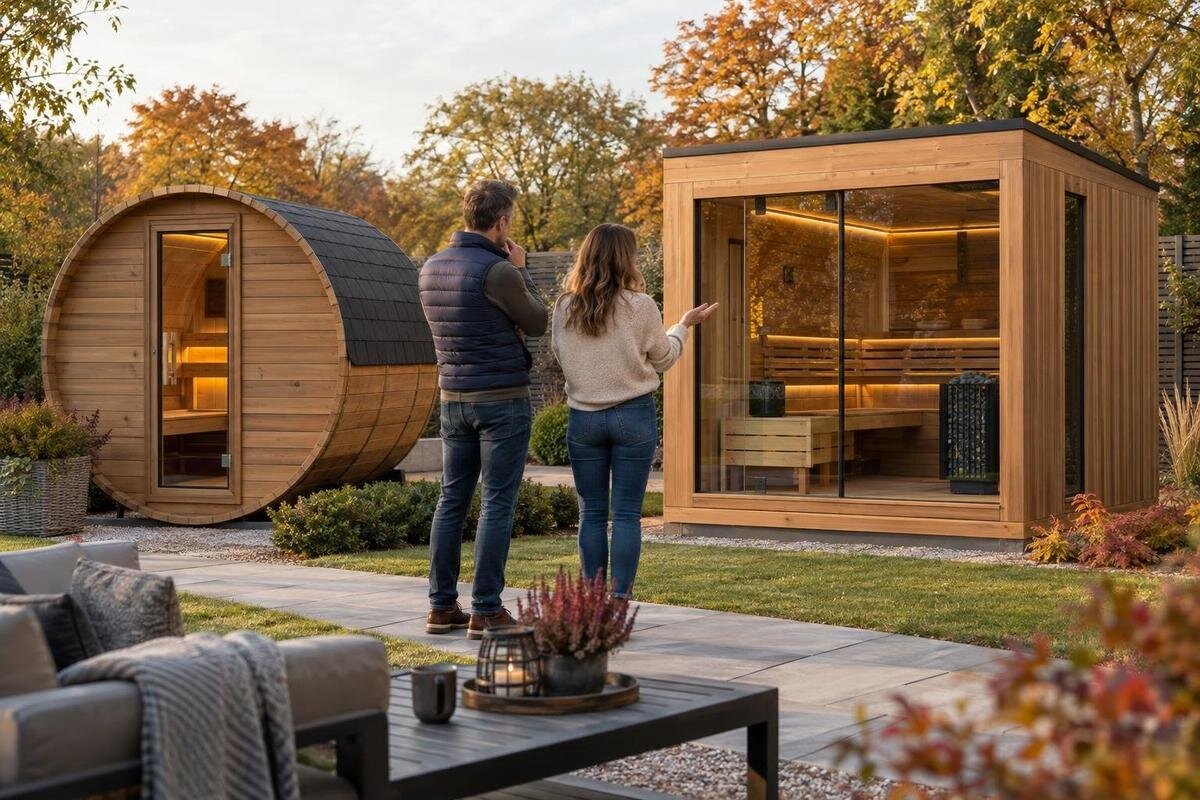
Outdoor sauna buying guide
Black Friday outdoor sauna offers can look simple: one price, one product image and a short “included” line. The package boundaries may be less obvious. The useful comparison is the exact sauna model plus the equipment, delivery, installation and warranty terms attached to that offer. Seasonal promotions can apply to different configurations, so rely on the written listing and checkout summary rather than assuming a photographed item or broad headline covers every component.
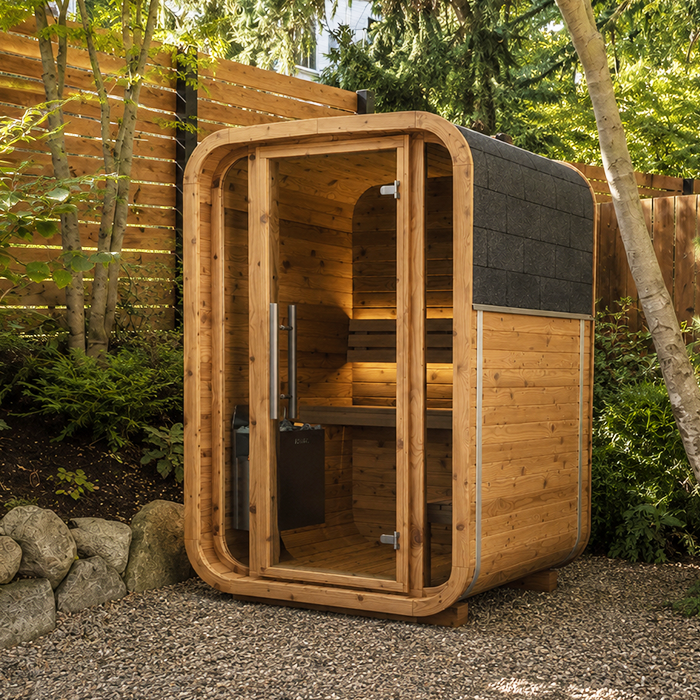
Match the offer to the exact sauna model
Copy the full product name and any model or configuration identifier from each offer you are considering. A promotion may apply to a named sauna alone, to a package, or to a particular selection of add-ons; a broad headline cannot tell you which. Compare the promotional message with the full product page, quote and cart. If one screen shows a different model or configuration, ask which item the offer actually covers before comparing totals. Note any variant shown and save the wording, date, code and conditions as displayed. That record makes a mismatch easier to resolve without relying on memory or a shortened banner.
Treat a model name as an identifier, not as a contents list. For example, Thermowood Barrel Sauna S 140 is the name of a product listing; the name alone does not establish whether a heater, controls, accessories, delivery or assembly are included. Copy the exact title into your comparison and ask the seller to confirm the same model and configuration in writing. Similar names can make two offers look alike even when their quoted contents differ. Use the itemized description, not a thumbnail or abbreviated label, to decide what the price covers. Preserve any model code exactly as shown, and have the seller specify the selected version rather than simply repeating a model family.
Verify whether the heater is part of the price
Check the heating unit as its own line. The offer should say whether it is included in the promoted price, optional or sold separately; calling a product a sauna package does not answer that question. If the heater is included, look for its exact listed make and model, and ask whether any related components named in the package are included too. If it is separate, request its price and the configuration the quote assumes before comparing offers. Make sure the description applies to the same sauna model, not to a separate example elsewhere on the page. A photo of a heater or a general category label is not evidence that a particular unit is part of the offer.
The HC150 Thermowood Barrel Sauna listing provides a model name to match against a quote, but the name alone does not confirm heating equipment or package contents. Check the cart after selecting a promotion: an item shown on the product page may have been an add-on rather than an inclusion. Ask the seller to identify each component and show it on the written quote or order summary. For questions about a heater’s suitability or electrical requirements, consult the manufacturer’s documentation and a qualified professional; do not choose based on a Black Friday label alone. If the offer has selectable options, save the selected choice and leave any unspecified heater line unresolved.
Confirm which controls are supplied
Controls deserve a separate question even after the heater is settled. Confirm whether the control unit or panel is included, built into the supplied equipment or sold as an additional item, and ask what the offer means by “controls.” Marketing wording such as “ready for use” may be too broad to define the contents. If the controls have a separate model number or option, ask for that identifier and make sure the quote lists it. Clarify whether the stated package includes every control component identified in the product documentation, or only the heater. Do not infer an inclusion from a product image, comparison graphic or assumption that equipment and its interface always come together.
For a listing such as Thermowood Barrel Sauna HC 225, use the current product documentation and offer lines to confirm what applies to that specific configuration. Ask whether the control component named in the documentation is included or must be selected separately. Sales staff can clarify package scope, while technical compatibility should be checked against manufacturer specifications by a qualified professional when needed. Keep optional controls outside the base price in your comparison unless the written offer explicitly includes them. If a control choice changes the quoted package, record the exact choice and its cost. This prevents one offer from seeming less expensive simply because a component has not yet been counted.
Separate included accessories from display items
Separate accessories from the sauna and heater on your worksheet. Depending on what an offer mentions, items to clarify might include lighting, a bucket and ladle, a thermometer, heater stones or other named fittings; none is guaranteed by the category name or by appearing in product photography. For each item, ask whether it is included, optional, separately priced or not supplied, then note its quantity and model when the quote identifies one. If the wording says an accessory is included but does not specify what or how many, ask for a precise description. This is particularly useful when one package says “accessories” and another names each piece.
A listing such as Thermowood Barrel Sauna N 210 is a useful label for your comparison sheet, not proof of an accessory bundle. Use clear entries for each item—included, separately priced, not included or not specified—and do not read an unanswered line as a free extra. Ask whether the offer price changes when an accessory is selected and whether an advertised bundle replaces or excludes another listed item. If you already have some optional items, compare the same chosen contents across offers rather than automatically adding their cost. Judge a bundle by what the written quote says will arrive, not by the number of objects shown around a sauna in a photograph.
Read the Black Friday price conditions
Read the promotion conditions beside the advertised price. Confirm which model and package qualify, whether a code is required and where to enter it, or whether the price applies automatically. Note a minimum spend, exclusions, combination rule or other condition only if it is actually stated; do not assume a headline percentage applies to the heater, accessories, delivery or every configuration. If the offer gives an end date, record it as written, including any time-zone detail. If eligibility or timing is unclear, ask before ordering rather than inventing a deadline or relying on a banner. This is a comparison of stated terms, not a reason to presume an active promotion.
Compare the amount payable for the same contents, not just the largest discount figure. Taxes, delivery, installation and optional accessories may be separate from the displayed product amount, so list them separately and distinguish firm charges from estimates. A listing like Thermowood Barrel Sauna N 250 helps keep model names distinct in your notes, but its name does not verify a price or promotion. At checkout, confirm that the relevant code or offer appears in the total and that any excluded item remains visible. If a sale price is shown without explaining what it covers, request an itemized quote before using it as the basis for comparison.
Clarify delivery, unloading and access
“Delivery included” can leave practical questions unanswered. Ask what the quoted service includes and where the carrier will leave the shipment—at the property boundary, driveway, curb or another stated point. These are possibilities to clarify, not assumed service levels. Confirm whether unloading or moving the shipment beyond that point is part of the price, what access the carrier requires, and whether additional charges could apply to your address or site conditions. If an estimate or service area is listed, ask whether it covers your postal code and this exact product. Keep the delivery charge separate from any placement or assembly fee so transport is not mistaken for a complete setup.
The LC 260 Thermowood Barrel Sauna name is only an identifier; obtain delivery terms attached to the actual offer and order. Ask who arranges the delivery appointment, whether you must be present, and how missing or damaged packages should be reported, including any notice period stated in the seller’s policy. If the documents refer to multiple packages, ask whether they arrive together or separately. Clarify what happens to the packaging if the terms address it. If access to your property is restricted or the route to the intended location is unusual, raise it before paying so the written quote can state what the delivery crew will and will not do. Do not count a service that has not been confirmed.
Define what installation covers
Do not equate an outdoor sauna arriving at your property with installation being included. Ask whether the offer covers delivery only, assembly, placement or a broader service, and get every task named in writing. Find out whether labour, travel, equipment, materials, packaging removal and any follow-up visit are included or billed separately. If the wording says “installation available,” ask for its actual scope and cost instead of treating availability as a package inclusion. Clarify who coordinates any separate work and whether the quote assumes that the location will already be prepared. These details can change what you need to arrange after purchase.
With a model such as HCF 300 Thermowood Barrel Sauna, the product name does not establish what assembly or site preparation is part of a seasonal offer. Ask what the manufacturer requires for the proposed location and what the installer excludes; a qualified professional should assess the site and any electrical work using the relevant product instructions and applicable local requirements. The purchase question is who is responsible for each part, when it will be assessed, and whether it is priced. Leave site-base work, wiring, anchoring and other technical work to qualified people rather than assuming it comes with the sauna. Record any separate contractor cost and clarify who arranges the service.
Read the written warranty terms
Ask for written warranty terms that apply to the exact components in the offer, not just a general assurance that the sauna is covered. The structure, heater, controls and accessories may have different documents or periods; do not assume one statement applies to all. Request the terms and check who provides the coverage, how long each stated period lasts, when it begins and how a claim is submitted. Check what proof of purchase, product registration or maintenance records the document requires, if anything. A sales headline is not a substitute for the written exclusions and claim process, and no duration should be inferred from a product name.
For Thermowood Barrel Sauna LCF 300, as for any model, confirm warranty coverage against the written terms rather than a promotional graphic. Review exclusions and costs that matter to you, such as labour, service visits, shipping or replacement parts, and ask whether exposure, maintenance or installation conditions affect coverage if the documents address them. Do not assume the Black Friday price removes, extends or changes a warranty; have the seller confirm whether the stated terms apply to the promoted configuration. Keep those terms with the quote, including the contact route for a claim. This lets you compare the initial price and the support described in the documents on equal footing.
Check the order summary and seller policies
Before checkout, compare the offer, product page, quote and cart. Confirm that the model and selected options, heater and controls, accessory quantities, delivery and any installation line still appear in the final order summary. If you use a code, check that it is applied and that fees or excluded items remain identifiable. Save the offer terms, quote, order summary and written replies to your questions. A screenshot can preserve a changing promotion banner, but itemized wording is more useful for establishing what package was quoted than a photo without contents. If checkout changes the package or total, pause and reconcile the difference before paying.
Ask how changes, cancellations, returns, and missing or damaged items are handled, using the seller’s written policies rather than assumptions about seasonal orders. Confirm any stated order cutoff or fulfilment information only if it appears in the terms, and do not let urgency language replace an answer to an open question. If a sales representative clarifies something verbally, request it in writing and check that it refers to your exact model and quote. Keep the final version of each document together so you can see which terms applied when you ordered. Know the stated process and any time limits before committing, rather than trying to find them while resolving a problem.
Compare each offer on the same scope
Build one comparison sheet with a separate row for each sauna and configuration. Use columns for the model, included structure, heater, controls, named accessories, offer conditions, delivery, installation, warranty and expected total. For each item write “included,” “priced separately,” “not included” or “not specified” rather than leaving a blank that could be misread as yes. Add taxes and other amounts shown at checkout, confirm the currency displayed and mark estimates clearly. This keeps unknowns visible and makes it easier to see whether two offers cover the same goods and services. It does not require every package to be identical.
Compare offers with the same scope, or write down what a difference would cost to close. A lower headline figure is hard to assess if one quote excludes a heater or delivery while another lists them; the terms will show whether that is the case. Decide which confirmed inclusions matter for your intended location, who will handle separate work, and whether the final total and written coverage fit your plans. If a material point remains unclear, mark the offer incomplete rather than filling the gap with an assumption. This lets a seasonal price stand on its documented contents without implying that a discount is available or worthwhile.
Frequently asked questions
What should an outdoor sauna Black Friday offer list?
Look for the exact sauna model and configuration, whether the heater and controls are included, and a description of any named accessories and quantities. The offer should also state its price conditions, delivery, installation and warranty terms. Ask for written clarification where an item is not specified; a photo or general package label is not a contents list.
Are the heater and controls always included?
No. An offer may include them, list them as options or price them separately. Check the product description, quote and final cart for each item; do not assume that a heater includes its controls or that either is included because it appears in a photo. Confirm the exact components for the configuration you intend to order.
Should delivery and installation be included in the offer price?
Not necessarily. A quoted price may cover the sauna while delivery, unloading, assembly or site work is separate. Ask where the shipment will be left and what any installation service actually covers. Include confirmed charges in your comparison, and have a qualified professional assess site or electrical requirements where relevant.
How can I compare two seasonal sauna offers fairly?
Compare the same model and configuration, then record the heater, controls and accessories as included, separately priced, not included or not specified. Add confirmed delivery, installation and other charges to the amount shown at checkout. Read the conditions and written warranty terms as well; an unanswered item should not be treated as a free inclusion.
What should I save before placing an order?
Keep the product listing, promotion conditions, itemized quote and final order summary, along with written answers to your questions. Save details of the model and options, delivery and installation scope, warranty terms and any code applied. These records make it easier to see exactly what the offer covered if the cart or wording changed during checkout.
A useful Black Friday comparison is one where the model, inclusions, delivery, installation, warranty and amount due are written plainly. Treat “not specified” as a question, not a benefit, and compare offers only after accounting for the same required components and services. When the final order documents match your notes, you can judge the purchase on what is actually promised rather than on a seasonal headline.
