
Monitoring a Greenhouse Beyond Home Wi-Fi
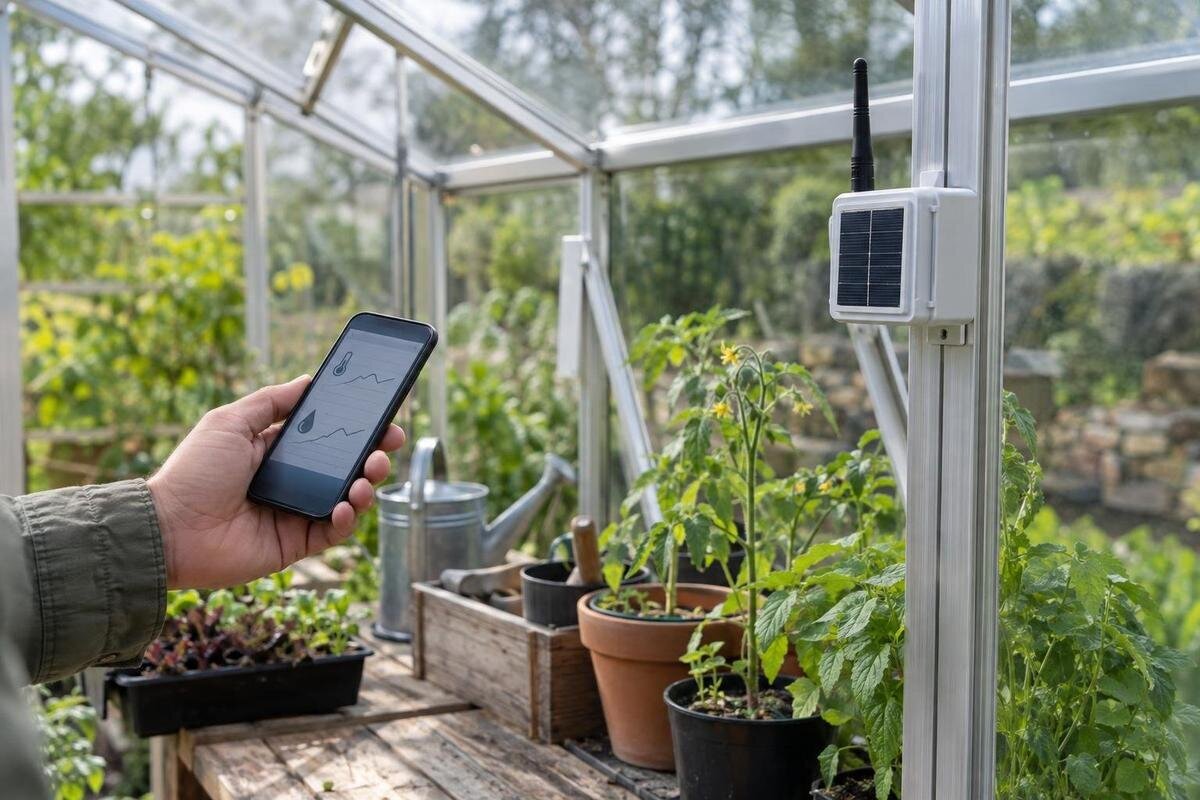
Greenhouse monitoring
A greenhouse outside home Wi-Fi range does not automatically need a network extension. A standalone logger can keep useful records without sending anything; mobile-network devices and long-range radio links can send information farther, but each depends on its own coverage, compatible sensors, power and fees. The right choice depends on whether you need a history to review later, an alert while away or remote control—and what action you can take when a warning arrives. Test the actual site, not just the product description.
What to check before choosing 1
Decide what you need the system to do
Begin by separating three jobs that are often bundled together. A logger records measurements for later review; a remote monitor transmits readings to a display, app or service; an alert system sends a warning when a chosen condition is met. Some products combine them, but the presence of an app does not prove that readings are saved locally or that alerts arrive without internet. Write down which measurements matter—perhaps air temperature and humidity, soil moisture, water level or light—and whether you need a live value, a trend or a warning. A single reading and a week-long history answer different questions.
Also note who will use the record and what decision it informs: a number without a time and location can be hard to interpret. Then define how quickly someone needs to respond. If you inspect the greenhouse each day and want to compare conditions over a week, a logger you download periodically may be enough. If a change needs attention while you are away, a record stored on site is not an alert: the system needs a working route to send a message, and someone must notice it. Remote control is another requirement; it calls for compatible control equipment and a reliable return path, not just a sensor that reports readings. List needs in priority order so paid features solve a real task.
Test the connection where the sensor will sit
Make a simple site map of the greenhouse, the nearest building or router, likely sensor positions, and the place where a receiver or gateway would sit. Test the route the equipment will actually use: Wi-Fi to a gateway, mobile service at the sensor or gateway, or radio from a sensor to a receiver. Signal bars on a phone are a useful clue, not proof that a different modem, antenna or network will work there. Where possible, test in the greenhouse itself, at the planned position and height, with doors and normal equipment in place. Repeat the test rather than relying on one reading, and record the service and location so you can compare results.
Look for weak points along the whole route, not just beside the door. A sensor at the far end may have a different radio path from a gateway near the entry, while a gateway indoors may have its own separate link. Walls, metalwork, shelving, water tanks, foliage and distance can affect radio performance; the result depends on the system and its placement. If you are considering the Spacious Greenhouse, listed in sizes from 47 to 70 m², mark the proposed sensor and gateway positions across your chosen layout. Greenhouse dimensions do not establish monitoring performance. Ask the monitoring supplier which device to test and what counts as a successful connection at each planned position.
What to check before choosing 2
Standalone loggers keep records without internet
An offline logger can suit a grower whose main need is a history, not a message while away. It may save readings to internal memory or removable storage, and some models also have a local display. Confirm that the exact model actually keeps readings locally: some products show current conditions but do not retain a useful history, while others need a cable, memory card or nearby connection to retrieve records. Check how often it records, how many measurements it stores, what happens when memory fills, and whether older data is overwritten. Find out whether the saved file can be exported and kept independently of a particular app or service.
Set the review routine as part of the choice. If you need to visit the site or bring a device back to see a graph, decide how often you will do that and whether you can retain the downloaded records. Check timestamps, battery replacement or charging, sensor replacement and any calibration requirements in the manufacturer’s instructions. For a Classic aluminium greenhouse, listed in sizes from 3.77 to 28.08 m², use your planned growing layout to identify the points you want to monitor. Then check that the logger can store readings from all those sensors and distinguish their locations when you retrieve the data. A logger alone does not provide a remote alert unless a communication path is also included.
Mobile-network monitoring can send remote alerts
A mobile-network monitor can send readings without reaching the home router, but the greenhouse device must connect to a supported mobile service at its own location. Check whether it needs a SIM, which network type or frequencies it supports, whether a SIM is supplied, and whether the plan includes data and any cloud access. A product description that mentions mobile connectivity is not proof of reception at your site. Coverage maps are a starting point; a test with the intended device or modem is more useful than assuming a phone on a different service will behave the same.
Ask what happens when coverage drops: does the unit buffer readings, retry transmission, report a disconnection or resume sending later? Find out whether alerts arrive by app notification, text message or another channel, and whether that channel needs a paid service or active data connection. If the manufacturer offers an external antenna, confirm which equipment and placement are supported. When considering a Lean-to Greenhouse, listed in sizes from 3.69 to 14.34 m², include the adjoining building in your connection test. Being close to the house does not guarantee either mobile reception or a reliable Wi-Fi link. Test at the intended sensor or gateway position with the service you plan to use.
What to check before choosing 3
Long-range radio and the route to your phone
Long-range radio can bridge a sensor and a receiver without home Wi-Fi at the greenhouse. In a point-to-point system, a sensor sends readings to a base station in the house or another building; the base may display a reading or sound a local alert. That can be enough if someone is nearby. To receive a phone alert while away, the receiver needs a route to the internet or mobile network, often through a connected gateway. Ask for a plain diagram showing the sensor, receiver, gateway and phone, including where power and internet access are needed.
The labels long-range, RF, LoRa and LoRaWAN do not, by themselves, explain the full route from sensor to phone. Confirm whether the system is a private radio link or relies on a network gateway, whether that gateway is included, and what coverage is specified for your layout. Distance, walls, metalwork, foliage and device placement can affect radio performance. If you are planning a Limited Edition Aluminium Greenhouse, listed in sizes from 3.77 to 28.08 m², map the route from the proposed sensor position to the receiver in the house or another building. Test that route with the equipment in position, and check how the receiver reports a lost sensor link.
Match every sensor to the monitor or gateway
Before buying separate sensors, check exact compatibility rather than relying on a shared app logo or the word wireless. Match each sensor type to the monitor or gateway: temperature, relative humidity, soil moisture, light and water-level sensors may use different connections or data formats. Ask whether the system accepts the specific make and model, how many inputs it supports, whether readings can be viewed together, and whether each reading is saved and available for alerts. Compatibility may cover one feature but not another, so check the documentation for logging and alert functions as well as basic pairing.
Place each sensor where its reading answers a specific question. An air sensor represents the position where it sits, while a soil probe measures the medium and spot where it is installed; one point may not describe every growing area. Follow the maker’s placement and calibration instructions, and label each reading with its location. For a T-Model Orangery Greenhouse, listed in sizes from 16.52 to 30 m², identify the monitoring zones from your planned benches and growing areas rather than choosing a sensor count from floor area alone. Make a list of the exact sensor models for those zones, then confirm that the chosen hub supports their readings, records and alerts.
What to check before choosing 4
Check power, memory and records during outages
Data continuity depends on power, memory and the device clock as well as signal. Ask whether the logger runs on batteries, mains power or both, how the manufacturer describes battery life for your planned recording interval, and whether it keeps collecting during a power cut or connection outage. A mobile or radio sensor may continue to sample but fail to transmit; another device may stop altogether. Check the manual for the exact behaviour. Find out whether readings are held for later upload, how long memory lasts at your chosen interval, and whether old data is overwritten when storage fills.
Find out how missing readings appear in the graph: a blank, an estimated value and a fault status are not the same thing. Check the clock after an outage or battery change, and whether exported timestamps show a clear date and time zone; that matters when comparing records over days, including around daylight-saving changes. Keep the logger accessible for routine checks, while following the manufacturer’s siting and enclosure guidance for a humid growing space. When planning the layout of a Pyramid Greenhouse, available in sizes from 5.53 to 18.9 m², include access to the logger for battery changes and data retrieval. Choose its position alongside the growing areas, rather than leaving maintenance access to chance.
Make alerts clear and actionable
An alert is useful only if it identifies a condition that needs attention and reaches someone who can respond. Set high or low thresholds for the sensor’s intended use, using relevant growing guidance rather than accepting a default without understanding it. Check whether the monitor lets you set different thresholds for separate zones, add a delay, or use distinct trigger and reset values to avoid repeated messages. A threshold alert reports a reading; it does not open a vent, water a bed or correct a condition unless compatible control equipment is installed.
Test the whole chain while you can observe the greenhouse: sensor reading, threshold, gateway or network, phone notification and the person who receives it. Check whether the system warns about a low battery, sensor fault, lost link or service outage; not every product does. Agree what happens if a message is missed and who checks the site if the first contact is unavailable. For a Limited Edition Aluminium Greenhouse with Storage, listed in sizes from 5.52 to 28.08 m², use clear location names so the recipient knows which growing area an alert concerns. Record each sensor’s location, thresholds and recipients so later changes do not quietly disable a useful warning.
What to check before choosing 5
Compare ongoing fees as well as equipment
Compare the cost over the period you expect to use the setup, not just the sensor’s purchase price. List the logger or hub, compatible sensors, receiver or gateway, SIM, mobile data, cloud storage, app features, subscriptions, replacement batteries and any paid alert service. Separate one-off equipment from recurring charges, and ask whether the system still records and lets you retrieve data if a subscription ends. A logger without a monthly service may still need regular visits; a connected service may have recurring fees. Neither option is automatically cheaper once your time and response needs are considered.
Ask for the service terms in writing: which features stop when a payment ends, how long records remain available, whether export is included, and whether you can keep an existing SIM or gateway if you change service. Check whether adding sensors later requires the same brand, a new hub or another plan. If the Prestige Greenhouse, listed in sizes from 3.77 to 28.08 m², is on your shortlist, keep its purchase budget separate from the monitoring budget. Confirm what equipment is included rather than assuming sensors come with the structure. Compare monitoring quotes using the same sensor count, alert routes and record-retention needs, so differences in recurring charges are easy to see.
Choose a setup that matches how you will respond
Match the connection to the consequence of missing a reading. For a history you inspect during visits, choose a logger with local records and a retrieval method you will actually use. For messages while you are away, consider a mobile-network service only after confirming coverage and charges at the sensor. A local long-range radio receiver can suit a site where you or another responsible person can see or hear it; phone alerts while away still need a working gateway or another connection to the outside network. Where no communication path is dependable, keep a local record and arrange a realistic checking routine instead of treating an untested notification as protection.
Before relying on the setup, run it through ordinary use. Confirm that readings are being saved and timestamps make sense, then use a built-in test function to check a notification and its recipient. Read the maker’s instructions for how signal or power loss is shown; do not disconnect equipment unless the manufacturer describes a safe test. Write down sensor locations, alert limits, contacts and recurring fees. Revisit the arrangement if the layout, network service or sensor mix changes. The best fit is the simplest system that records what you need and gives any warning a clear route to someone who can act.
Frequently asked questions
Can a greenhouse monitor work without Wi-Fi?
Yes. A standalone logger can save readings for you to review later, and a local radio system can send data to a nearby receiver. For an alert on your phone while you are away, the system needs another working connection, such as tested mobile coverage or a gateway with internet or mobile access.
Will a Wi-Fi extender reach a greenhouse outside the house?
It may, if the extender or mesh node receives a reliable connection from the router and can reach the greenhouse. Walls, distance and other obstructions can affect the link. An extender cannot create internet access if its own connection back to the router is unreliable, so test at the monitor’s intended position.
Does a mobile greenhouse sensor need a subscription?
It depends on the device and service. Check whether it needs a SIM, a mobile data plan, paid cloud access or an app subscription, and what stops working if a plan ends. Confirm coverage for the exact device and service at the greenhouse rather than relying only on a coverage map.
Can I use sensors from different brands with one monitor?
Only if the monitor or gateway supports the exact sensor model and its connection or data protocol. A plug that fits, or an app that looks similar, does not confirm that readings will be recorded or included in alerts. Check the manufacturer’s compatibility list and the number of supported sensors.
How do I check whether a long-range radio link is reliable?
Test the actual sensor-to-receiver route with the equipment in its intended positions and the greenhouse set up as it will normally be used. Check how the system reports a lost link, and confirm whether a local receiver alone is enough or whether remote alerts need a separate gateway and connection.
Think of the setup as a chain: sensor, logger or radio link, receiver or app, then a person who can act. If any link is untested, the system may still record useful readings but cannot be relied on for a timely warning. A local logger, mobile connection or long-range receiver can each suit a different need. Match the route to the coverage you have, then confirm that its sensors, records and fees fit the way you manage the greenhouse.
