
Which Greenhouse Temperature Alarms Are Actually Useful?
Greenhouse monitoring
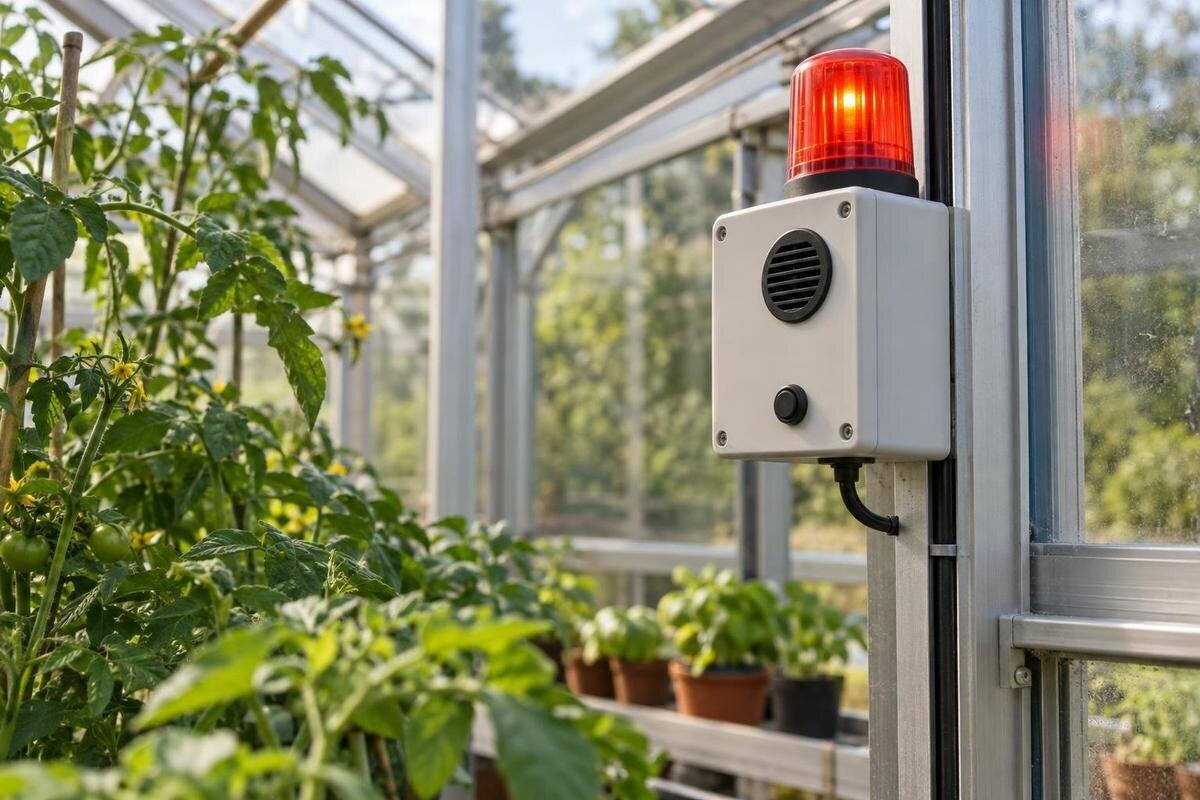
A useful greenhouse temperature alarm tells someone when conditions need attention, what to do and who takes over if the first contact is unavailable. Set high and low warning points from crop guidance and recorded conditions, rank urgent messages above routine notifications, and test the response chain before leaving the greenhouse unattended. The aim is to give someone enough time to act, not to report every temperature fluctuation. Without an agreed response, even a well-timed warning may go unanswered.
01
An alarm should prompt a defined action
A temperature alarm is useful only when someone has a response they can carry out. A dashboard that reports readings at regular intervals may help you spot a trend, but it is not an alert: an alert marks a condition that has crossed a boundary and may require a decision. Decide what the recipient should do before choosing settings. A high-temperature warning might prompt a check that ventilation is operating; a low-temperature warning might prompt a check of heating, if fitted, or a visit to protect plants. The action depends on the crops and equipment at your site. Notifications that merely report every change soon become background noise, especially if no one knows whether to respond.
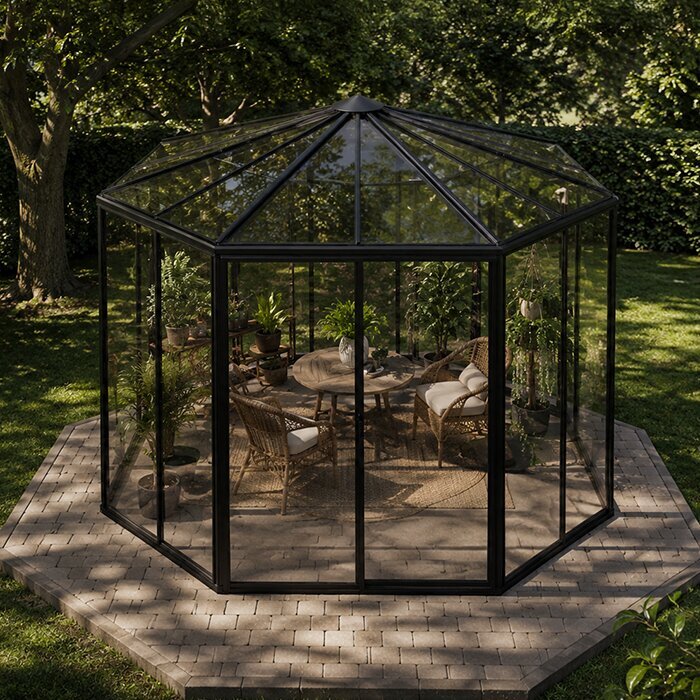
Write each alert as an operating rule: name the growing zone, crop or group, direction, trigger, any delay, first action, acknowledgement time and backup person. If you are considering the Pyramid Greenhouse, draft these rules alongside your growing layout, then match them to the equipment you choose. Ask whether someone receiving the message while you are away can tell what is at risk and take an agreed action without guessing. If not, clarify the action or contact chain before adding more alert types. The aim is not to track every variation, but to make a small number of meaningful warnings dependable.
Set limits from the crop, not a universal number
There is no single high or low setting that suits every greenhouse. Use crop-specific guidance that matches what you are growing and its stage: young plants, newly transplanted crops and established plants may not have the same tolerance. Check the source’s units and whether it describes a brief exposure or a sustained condition. If you grow different crops together, identify the most sensitive group and whether separate monitored zones are practical. A limit copied from another grower’s screen can mislead if the crop, developmental stage, measurement period or response plan differs. Treat reliable growing guidance as a starting point, then compare it with your own records rather than making up a universal target.
Separate the temperature you normally aim to maintain from the point at which you want to be warned and the point demanding immediate intervention. Set the warning early enough for an action to work before the crop-specific boundary is reached; use logged temperatures and the time you actually need to respond to judge that margin. Avoid placing the warning exactly at a quoted damage limit, because a message delivered at that point may be too late. When planning a layout with the Limited Edition greenhouse with built-in storage, distinguish storage from growing areas in your zone names. Make it clear which crop group each reading represents, so a recipient knows which plants need attention.
02
High-temperature alerts should allow time to act
Set a high-temperature warning early enough to respond before the crop’s chosen action limit is reached, rather than borrowing a figure from a different crop or a general greenhouse guide. A separate urgent threshold can signal that the first response has not worked or that there is little time to intervene. Avoid a chain of many close thresholds; two levels are easier to interpret if each has a distinct action. Use your own records to see how quickly conditions move during the periods that concern you, and allow for the delay between alert, acknowledgement and action. The warning needs to arrive while a practical response is still possible, rather than simply confirming that the greenhouse has already become too hot.
Give the first recipient an order of checks rather than a vague instruction to cool the greenhouse: confirm the time and current reading, review the recent trend, then check whether the intended ventilation or shading response is in place. If an automatic control is fitted, a command being sent is not proof that a vent moved or a fan ran; follow the equipment manual and do not attempt an unsafe repair. When considering the Prestige Greenhouse, include the planned ventilation controls in your alarm checklist. Record which controls will be available and assign actions only for equipment the recipient is authorised and able to use.
Low-temperature alerts need a separate response
Use a separate low-temperature alert because the risk and remedy differ from overheating. Choose a warning point from the cold tolerance of the crops and their current stage, then decide whether a further urgent level is needed. A forecast of cold weather can help you prepare, but it does not replace an indoor reading: greenhouse conditions can change, and an alarm should report the monitored space rather than the outdoor forecast. Do not assume an unheated greenhouse will remain above a crop’s limit. If cold-sensitive and hardier crops share the space, either give the more sensitive group a suitable monitored zone or set an action plan that protects it first.
An alert should tell the recipient what to check: whether a heater is fitted and operating according to its manual, whether an opening is in its intended position, and whether the reading is current. If no active heating is installed, the message cannot create warmth; the plan may instead require someone to visit and follow crop-specific advice on temporary protection or moving vulnerable plants. If you are comparing larger structures such as the Spacious Greenhouse, consider whether one reading will adequately represent the areas you manage. Choose alarm zones from the final layout and crop plan, and make clear which plants should receive attention first if several zones trigger warnings.
03
Use delay and reset settings to reduce alert fatigue
Short-lived readings that cross a limit can generate repeated alarms even when a brief fluctuation does not call for action. If the monitor allows a persistence delay, use it only where the crop risk and observed rate of change leave enough time to respond. A delay should filter noise, not postpone an urgent warning until the condition is already damaging. The appropriate setting is not a universal number of minutes: compare logged events with the crop’s limits, the equipment’s response and the time a person needs to act. If the monitor offers a rate-of-change trigger, use it as an early warning only when your records show a meaningful change before the absolute limit; it should supplement, not replace, high and low thresholds.
Also decide how an alert clears and repeats. A gap between the trigger and reset points can stop notifications switching rapidly on and off around a boundary; the device may call this a reset differential or deadband. Choose a repeat interval that brings an unresolved urgent issue back to attention without flooding every contact, and distinguish an acknowledged alert from a resolved one. If you are planning monitoring for an Aluminium Classic Greenhouse, keep these settings provisional until you have records from your growing layout. Review the event log after a hot or cold spell, comparing the time of crossing, message delivery and action taken before adjusting the delay or reset point.
Treat sensor and connection failures as alarms
Create separate fault alerts for a sensor that stops reporting, a low battery, a hub that loses power and a failed internet or mobile connection, if the system can report those states. These are not temperature readings: a screen showing an old safe value does not prove the greenhouse is still safe. Each fault message should name what has stopped updating and when the last valid reading arrived. A monitor that only notifies you of high and low temperatures can leave a blind spot when the sensor or communications fail. Check the manual to learn which faults it detects, how it reports them and whether a local alarm remains available if the network drops.
Test reception where the monitor and receiver will actually be used; app notifications, text messages and call escalation rely on different services and may not all be supported. Confirm that the person away from the property can receive an alert, and decide how a missed message will be noticed. When planning a Lean-to Greenhouse, include the proposed monitor location, power supply and communications route in this check. If the site has limited coverage, arrange a suitable fallback, such as someone checking locally, rather than assuming the last reading is live. Check compatibility with the chosen equipment and use an appropriately qualified installer for fixed electrical work.
04
Make notifications clear and rank their urgency
Rank messages by what they require. A routine notification can report a trend or a non-urgent condition, while an urgent alarm should be reserved for a limit that needs prompt action. Use the monitor’s priority features if available, but check that urgent messages are not muted by quiet hours, app settings or a phone’s Do Not Disturb mode. Avoid sending every routine reading to everyone; too many alerts teach recipients to ignore them. Name one primary contact and one backup for serious conditions, and make sure each has agreed to receive messages. If the service offers delivery or acknowledgement status, understand what it confirms: a sent message, an opened notification and a person actually taking action are not necessarily the same.
Make each message self-explanatory: greenhouse name, zone, high or low condition, current reading and units, threshold crossed, time stamp, and any brief action note. The recipient should not need to open several screens to work out which house or crop needs attention. For a structure such as the Limited Edition Aluminium Greenhouse, choose a site name that your contacts recognise and use consistent labels for its growing zones. Keep those labels the same in the app and written response plan. Put the full contact sequence in that plan rather than trying to fit every instruction into an alert, and keep urgent messages short enough to read on a phone.
Arrange escalation before leaving the greenhouse
When you are at home, you can often check an alarm straight away; when you are away for work or on holiday, the response depends on who can reach the site. Set an acknowledgement window that reflects the seriousness of the threshold and realistic travel time, then specify what happens if the primary contact does not confirm. A critical alarm may need immediate escalation rather than a long wait. Put the sequence in writing: primary recipient, backup person, point at which the backup is contacted, and who decides whether the situation has been resolved. Do not make a phone notification the only line of response if no one will be available to act on it.
A backup needs more than a name in the app: agree in advance that they can be contacted, know the greenhouse location, understand the checks they may carry out, and can reach the site if a visit is required. Leave them the relevant equipment instructions and tell them when to call you rather than improvise. For businesses or shared gardens, cover weekends and public holidays as well as normal working hours. If you are planning a T-Model Orangery Greenhouse, include access arrangements alongside the alert plan so a backup can reach the intended structure and zone. Review the contact list whenever responsibilities change.
05
Link alerts to the ventilation and shading actually installed
Alerts are most useful when they match the controls actually installed. List the available response options—manual ventilation, automatic vents, fans, shading, heating or none—and record what the equipment manual says about normal operation and faults. A high alert should not say to open the vents if no suitable vent is fitted or the recipient cannot reach it. For automatic equipment, distinguish a command, an operating status and a verified change in temperature; where the system does not report status, a person may need to check. Do not describe remote switch-on as a safety guarantee. Assign only actions that are supported by the equipment instructions and that the named contact can perform safely.
Consider a second action if the first one fails: who checks whether ventilation is available, who can visit, and when do you stop relying on remote controls? Shading may be part of a heat-management plan if a suitable option is installed, but its presence and operation need to be confirmed for the greenhouse in question. Temperature alarms do not open a vent, start a fan or provide shade; they make a condition visible. Keep the action card aligned with later changes to controls, because an alert that refers to removed or replaced equipment is worse than a missing note. If a task involves fixed wiring or unfamiliar equipment, follow the manual and get qualified help.
Test the alert chain and review the log
Run a planned test before leaving the greenhouse unattended and repeat it when you change a limit, phone, contact, network service or equipment. Use the monitor’s test function or its maker’s approved procedure rather than deliberately heating or chilling plants to force an alarm. Confirm that the correct zone appears, the reading and units make sense, the intended recipient receives the message and the backup is reached when the escalation rule requires it. Check fault alerts separately, including loss of sensor reporting if the system supports a test. A test that stops at the controller’s screen has not verified that a message reached the person responsible.
After real events, save the temperature and humidity log, note the time messages were sent and answered, and take diagnostic photos where they help identify the equipment state or a visible issue. Compare those records with the monitor and ventilation manuals before changing settings. If alerts arrive too late, check whether the warning threshold, persistence delay or message delivery left too little response time. If they arrive needlessly, identify the brief event or unsuitable threshold before lengthening a delay. Revisit the plan when crops or controls change and before a period away. A reliable alarm plan has been tested from reading to response, not simply switched on.
Frequently asked questions
What temperature should I set a greenhouse alarm to?
There is no universal setting. Use crop- and growth-stage-specific guidance to choose a warning point and, if useful, a separate urgent limit. Check the units and exposure period the guidance refers to, and allow enough time for someone to respond before the crop’s action limit is reached.
How should high- and low-temperature alerts differ?
The risks and possible responses differ, so choose separate high and low thresholds from the crop’s relevant limits and write an action for each. A high alert might prompt a ventilation check; a low alert needs a cold-response plan suited to the equipment and crops at your site.
Should I add a delay to a temperature alarm?
Only if brief crossings do not require action and the delay still leaves time to respond. Use logged events and the monitor’s manual to judge this; do not let a delay postpone an urgent warning. If the system allows it, test the setting before relying on it while you are away.
What should a sensor-offline alert mean?
Treat it as a monitoring fault, not as proof that the greenhouse is safe. Check when the last valid reading arrived, then follow your fault plan to restore monitoring or have someone check the site. A stale reading should not be treated as current.
Can a phone alarm protect plants while I’m away?
An alarm can tell someone that a limit was crossed, but it cannot guarantee that a vent opened, heating worked or a person acted. Before you leave, confirm that messages reach the right people, agree on a backup contact and make sure each action is supported by the equipment and its instructions.
Good alarm settings fit both the crops and the people expected to respond. Keep the plan specific: crop-based high and low limits, separate fault alerts where available, a clear action for each serious message and a backup contact who has agreed to help. Review the logs after real events and test again when crops, controls or contacts change. That preparation—not a long list of notifications—is what makes an alarm useful while you are away.
