
Which Greenhouse Temperature Alerts Are Actually Useful?
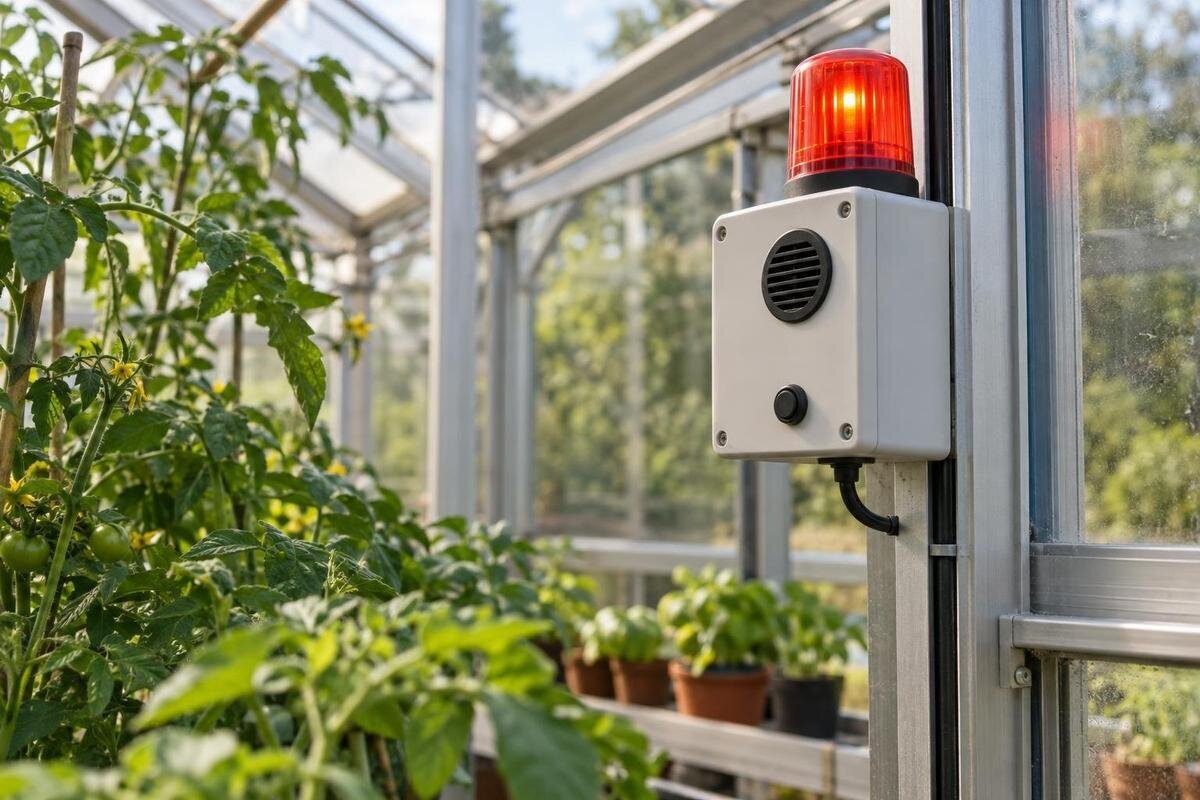
Greenhouse monitoring guide
Greenhouse temperature alerts are useful only when a message tells you that a crop-relevant limit is approaching, who should respond, and what to do if the first person is unavailable. A generic high or low reading cannot fit every plant or growth stage, and an alert does not change the temperature by itself. For time away, build the plan around crop needs, real temperature logs, equipment manuals, notification reliability, and the time it takes someone to reach the greenhouse. Treat threshold rules, escalation, and device-failure messages as separate parts of the same plan.
01
Choose crop-specific action limits
An alert limit should mark a point for intervention, not the crop’s preferred setpoint. For each crop likely to remain while you are away, note its relevant low and high boundaries for the current growth stage, using dependable crop guidance and your own records. Then choose the point at which someone should act, leaving a margin before a boundary is reached. One alarm can work when the same reading represents crops with similar needs. If plants have materially different limits or occupy areas with different conditions, group them into zones or use a suitable limit for the most vulnerable group. Record the source and growth stage beside each value; a whole-greenhouse average can hide a local problem.
Review temperature logs from sunny afternoons, overnight lows, and times when equipment changed, rather than setting a threshold from one memorable reading. The record can show how quickly temperatures approach a boundary and whether someone has time to travel and act. Do not copy a generic greenhouse preset or assume one number works for every crop. Humidity logs may help explain an event, but they do not replace temperature as a trigger for a temperature alarm. Revisit limits when the crop mix, growth stage, or monitored area changes. The Pyramid-type greenhouse is listed in sizes from 60 to 203 sq ft; base alert coverage on the footprint and crop layout you select.
Make each reading trustworthy and identifiable
Before changing a limit, check that the monitor reports a current value, uses the intended units, and identifies the sensor feeding that rule. Give each sensor a name a helper can understand, such as seedling bench or main growing area, rather than relying on a device number. If a value seems implausible, compare it with a reliable thermometer nearby and consult the monitor’s manual before editing the alert. Do not compensate for a faulty, stale, or unrepresentative reading by moving the threshold; that can make a real excursion invisible. Keep the check focused on whether the reading is valid for the alert it triggers.
Make a simple plan of the actual interior and mark crop groups and alert zones. Include benches, storage, partitions, doors, vents, or shaded areas only where they exist in your chosen setup, so a helper can tell which area a reading describes. If one monitor serves areas with different risks, make that clear in the sensor name or check whether separate alerts are available. The aluminum greenhouse with built-in storage is one example of a structure whose final layout should be reflected in the plan. Neither a model name nor a floor-area figure tells you how many sensors you need; use the selected layout and monitoring-system instructions.
02
Use warning and urgent levels for different decisions
Where your system supports it, create two levels for each monitored high- and low-temperature condition: a warning that prompts a check and an urgent alert that calls for action without delay. For a low-temperature rule, put the warning above the crop’s lower action boundary and the urgent point closer to it, while there is still time to respond. For a high-temperature rule, use the opposite relationship below the upper action boundary. Choose actual values from crop needs, logged conditions, and the time someone needs to act. A warning should buy time; an urgent message should not merely repeat the same notice with a louder tone.
Write down what each level means in plain language and connect it to one task and one person. If the monitor allows only one threshold, make it the point that genuinely requires a response and use the contact sequence—not several nearly identical alerts—to escalate. When considering the Prestige greenhouse, decide which growing areas you would need to identify in a warning and how a helper would reach them. Include that information in your layout planning before selecting monitoring equipment. A rule named for a crop group and location is easier to act on than a device number, especially when a backup contact receives an urgent message for the first time.
Keep heat and cold alerts separate
High and low readings need distinct rules because they call for different checks. A high-temperature notification can direct someone to confirm the reading and follow your established ventilation or shading plan, consulting equipment manuals before operating unfamiliar controls. A low-temperature alert can direct them to check the reading and carry out your planned cold-response procedure. Neither message should imply that the app has restored a suitable condition: an alarm reports a measurement, while separate equipment may or may not respond automatically. State what to do if the relevant equipment is unavailable or the reading does not change.
Set upper and lower limits independently; do not suppress a nighttime low alert just because a high-temperature rule is more likely during the day. If the crop plan needs different boundaries by time or zone, use schedules only if the platform clearly supports them, and verify that the correct rules remain active while you are away. The large backyard greenhouse listing spans 506 to 753 sq ft. When planning a layout within that range, map the areas a responder would need to check for each type of alert. Grouping messages by the actual growing area helps someone prioritize a visit without assuming that every part of the greenhouse has the same conditions.
03
Filter brief spikes without delaying real warnings
A brief fluctuation can produce repeated notifications, but a long delay can use up the time someone needs to act. If your system supports it, require a reading to remain beyond the limit for a selected period or use repeated readings as a confirmation. Choose the shortest filter that removes harmless momentary spikes without hiding a sustained change. Your logs and actual response time can help you make that choice. A separate return-to-normal boundary can stop the alert from repeatedly firing and clearing when readings hover near the limit; check the monitor’s manual for how that feature works.
Do not use filters simply to silence an inconvenient alert. If a message repeatedly arrives for a brief spike, review the timestamp, temperature record, and equipment state before widening the threshold or extending the delay. Note whether the reading persisted and whether a person had enough time to respond. If you are budgeting for a Classic aluminum greenhouse, list monitoring requirements separately from the structure: adjustable delays, repeat notifications, and a distinct return-to-normal boundary are functions to confirm in the monitoring device’s documentation. This keeps the equipment comparison focused on how alerts behave, rather than on a long feature list that may not help during an absence.
Make every notification point to an action
A useful message identifies the greenhouse and sensor zone, shows the current temperature and units, includes the timestamp, and says whether a high or low limit was crossed. Where the system provides it, include how long the reading has remained out of range or whether it is still changing. That context helps the recipient distinguish a current condition from an old notification. Keep the first task simple: verify the reading, then follow the established response plan for that type of alert. A message that says only that the greenhouse is too hot or too cold leaves the responder to guess where to go and what to check.
Write a short response note for anyone who may be asked to help. It should identify the site, the entry point, the main contact, and the relevant equipment manual or established procedure. Explain what to do if the reading cannot be confirmed or the first response does not change it; do not ask someone unfamiliar with the equipment to improvise. When planning access for a lean-to greenhouse, include the route a helper will actually use and where the response note will be kept. Walk that route with the backup contact once, so an urgent notification does not become a search for the entrance, the affected growing area, or the right instructions.
04
Escalate when nobody acknowledges the alert
Name a primary responder and at least one backup who has agreed to help. Set the acknowledgment window according to how quickly temperatures have been changing in your logs, how urgent the crop limit is, and how long it takes each person to reach the site. There is no universal number of minutes that suits every greenhouse or absence. If the first person does not acknowledge the message within the chosen window, route it to the backup using a channel they actually monitor. If your app cannot confirm acknowledgment, use a separately tested call or message plan.
Distinguish seeing an alert from resolving it. A person may acknowledge a message while still traveling; if the condition is still outside the limit, require an update or a further response rather than treating acknowledgment as closure. When considering a limited-edition aluminum greenhouse, include access and equipment-operation questions in your purchase checklist: which controls would a helper need to reach, and which tasks would require you or a qualified professional? Use the confirmed configuration to write the response instructions. Every follow-up should include the site, sensor zone, latest reading, and actions already taken, so a backup can take over without repeating checks or assuming the problem has been resolved.
Treat missing data as its own alarm
A lost sensor, stale reading, low battery, disconnected gateway, network outage, or power failure is different from a measured high or low temperature. If the monitoring system supports status alerts, enable the ones that matter and check what each alert can detect in the manual. Set a missing-data notice so an old value cannot be mistaken for a current, safe reading. Confirm how the system reports the difference between a sensor that has stopped updating and a temperature that is still being measured. Do not assume every device can detect every failure.
A system cannot always report a failure through the same connection that has gone down. Check which parts need power or internet access to send a notification, and arrange a separate check if a silent failure would leave crops unmonitored. If you are considering the T-model greenhouse, use the proposed layout to identify where monitors and a gateway might be needed, then confirm the monitoring equipment’s connection requirements. After setup, test reception at the actual sensor locations rather than relying on a signal reading near the house. Also check how quickly a missing-data notice arrives; a status feature is useful only if someone learns about the gap in time to arrange a check.

05
Test the full alert chain before leaving
Use the monitor’s test function or the method described in its manual to check that a threshold event can generate the intended notification. If you need to change a setting temporarily, do it while you are present, avoid exposing plants to an unwanted condition, and restore and verify the original rule immediately afterward. Check that the message shows the right units, sensor name, threshold, and time. A test of the sensor alone does not confirm that the alert reaches a phone or that a backup person receives an escalation.
Run two complete trials: one in which the primary contact acknowledges the message, and another in which no acknowledgment is sent and the backup receives the expected escalation after the agreed window. If acknowledgment is handled outside the app, test that call or message sequence instead. Confirm that the backup knows the entry route and can find the response note. Check every channel you will rely on, including phone settings that could silence notifications. Repeat the relevant tests after changing a sensor, contact, network, phone, or alert rule. Record the date and outcome so you know which parts of the plan have actually been tested.
Check the plan before and after each absence
Before you leave, confirm that the crop list and growth stages match the current plants, both high and low rules are active, and every sensor is reporting. Check that the primary and backup contacts are available, know where to find the response instructions, and can access the site. Review the current equipment state against your normal operating plan and manuals, and resolve any active warning before treating the system as ready. Share the contact sequence and greenhouse location in a place the people on duty can reach without searching through old messages.
After you return, compare alert history with logged temperature and humidity, and note what the person on site observed. If useful, keep a timestamped photo of the monitor display or visible equipment state with the written record; a photo can add context, but it does not replace the temperature timeline. Use the evidence to distinguish an alert that arrived too late from one caused by a bad reading, an unclear message, or a missed notification. Adjust the relevant part of the plan, document the change, and test it before the next absence.
Frequently asked questions
What temperature should I set for a greenhouse alarm?
There is no single useful temperature for every greenhouse. Use the high and low action limits that apply to the crops and growth stages you are monitoring, then set warnings early enough for a person to check and respond. Review your own temperature logs rather than relying on an unexplained preset.
Should an alert threshold match the thermostat setting?
Not necessarily. A thermostat setting controls equipment; an alert threshold tells someone that a reading needs attention. They may be related, but they do different jobs. Check each device’s manual and test both functions independently. A notification by itself does not open a vent or change the temperature.
How long should a reading stay out of range before an alert?
Choose a delay that filters brief, harmless fluctuations without using up the time someone needs to act. Base it on your temperature logs, how quickly conditions change, and how long it takes a responder to reach the greenhouse. There is no delay that suits every system or crop.
Can an app alert me if Wi-Fi or power fails?
Only if the monitoring system supports that kind of status alert and the failure still leaves a working way to send it. Check the manual for the failures it can detect, then test the notification route. If a lost connection cannot report itself, arrange a separate check.
Do I need separate high- and low-temperature alerts?
Usually, yes. High and low readings may call for different checks, response steps, and crop-specific limits. Separate rules also make a message clearer to the person receiving it. If your system supports only one temperature threshold, choose the point that genuinely requires action and use your contact plan to escalate.
A reliable greenhouse temperature alarm is not the one that sends the most notifications; it is the one that signals a crop-relevant change while a useful response is still possible. Set separate high- and low-temperature rules, label the zone, assign a primary and backup, and add a distinct missing-data alert where the system permits. Test delivery and escalation before your next absence, then use temperature logs and event notes to refine the plan. That turns a remote reading into a clear response instead of an unanswered ping.
