
Greenhouse Temperature Alarms: Choosing Alerts You Can Act On
Greenhouse climate guide
An alert is useful only if the person who receives it knows what the reading means, how quickly to act and what they can safely do. A greenhouse can move into a risky range while you are away, but one universal high or low setting will not suit every crop, growth stage or control system. This guide turns crop-specific limits and logged readings into a response plan: separate early warning from urgent alarm, choose notification priorities and nominate a backup. It focuses on action and escalation, not sensor placement or a general greenhouse climate guide.
01
Define the action before setting a temperature
An alert should tell its recipient what to do, not merely announce a number. “High temperature” leaves unanswered which greenhouse is affected, whether the reading needs immediate attention and who is expected to check it. Decide the first safe response before entering any trigger: confirm the condition using the monitor’s own procedure, inspect the ventilation or shading actually available, and follow the relevant equipment instructions. A notification does not operate a vent or fan unless a compatible control has been fitted and verified; nor is it permission to improvise with electrical equipment. If an action would be unsafe, inaccessible or outside the manual, remove it from the away plan and nominate a different response.
Give each monitored space a short name a helper can match to the site, then state the crop group and alert level. If you have a Pyramid Greenhouse, include its location on the property in the alert label so a visitor knows which structure needs attention. Add clear directions, the relevant zone name and the name of the person on call. If several spaces share one system, use distinct labels; if only one is monitored, avoid needless extra categories. Keep the message compact enough to read on a phone, but include the current value, timestamp and requested next action.
Set limits from crops and logged conditions
Plant tolerance, not a generic greenhouse number, is the basis for a threshold. Use crop-specific growing guidance for the species and stage you are protecting, including any difference between seedlings, established plants or recently moved stock. Record the source and date beside each limit so a helper is not forced to guess. A value that suits one crop can be too high or too low for another, and a plant’s tolerance may change with its stage. The alarm is for warning and response; it is not a way to discover a limit by exposing plants to extremes. If guidance is unclear, get reliable horticultural advice before treating a number as critical. Distinguish an ideal growing target from an unacceptable boundary; they are not necessarily the same number.
Use timestamped readings from your own greenhouse to understand its ordinary daily pattern and how quickly temperature has changed during previous events. A log helps you see when a warning might arrive and whether a person has time to respond; it does not prove that a past peak was safe for the crop. Note relevant context alongside each event, such as humidity, weather and which ventilation or shading controls were operating. When planning monitoring for a Bloomcabin Prestige Greenhouse, which is listed from 3.77 m² to 28.08 m², record the crops you intend to grow rather than choosing thresholds by footprint. Base alarm values on those crops, their limits and conditions in your own setup. Do not use only a day’s average: retain peaks and duration as well as the time.
02
Separate watch alerts from urgent alarms
Use separate watch and urgent levels in both directions, if the system allows it. A high-temperature watch should leave time to check conditions and prepare the agreed response; a high urgent alert should prompt action before the crop’s documented upper limit is reached. For cold, a low watch should provide an early warning, with an urgent alert set to leave enough time to act before the documented lower limit is reached. If a limit has already been crossed, the message should make that clear rather than present it as an early warning. Set the values and warning margins from crop guidance, monitor behaviour and the time a person needs to act; one universal setting cannot cover every greenhouse or plant group. Keep these thresholds visible on the response sheet.
Label the four messages plainly: HIGH WATCH, HIGH URGENT, LOW WATCH and LOW URGENT. Give each a different instruction, rather than sending four versions of “check the temperature”. A watch might ask the caretaker to confirm the reading and inspect a named vent or shade; an urgent alert can ask them to attend and follow the agreed response sheet. Keep the urgent trigger aligned with a crop limit and a realistic response window, not simply a more dramatic-sounding number. Add a separate alert zone only when crops have meaningfully different limits or a genuinely different response; more thresholds do not automatically make the plan safer. If the monitor permits only one alert, decide which risk it covers and arrange another way to handle the other.
Choose delay and reset rules carefully
An alarm may trigger as soon as a reading crosses a limit or only after it stays there for a set period; some systems also control how often it repeats. If persistence is available, use it to filter brief fluctuations only when the crop’s risk allows that wait. A delay that stops nuisance messages but outlasts the time available to act defeats the purpose. Read the equipment manual to learn what the timer measures, how often readings are checked and whether notification delivery adds further delay. Do not assume two devices interpret the same setting in the same way. Choose any delay from logged behaviour and the crop-specific response window, not from convenience alone.
Decide in advance when an alert clears and when it repeats. If temperature hovers around a single cut-off, the phone can keep sounding, distracting the responder or encouraging them to silence future alerts. A system may offer a recovery point or require conditions to stay stable before clearing; use only features it actually supports. Follow the manual and choose a clear condition that confirms the risk has eased, rather than the first brief dip. If you are setting up monitoring for one of the Limited Edition Aluminium Greenhouses, record the threshold, delay, recovery rule and date against that greenhouse’s site label and installed controller. Review the record after a crop or control change.
03
Write different responses for heat and cold
Heat and cold deserve different messages because the useful action is not the same. For a high alert, the responder can confirm the reading, check whether planned ventilation is open and whether an approved shade option is in place, then act only within the instructions for equipment installed at that site. If ventilation or shading is unavailable, say so on the response sheet; a phone alert cannot create airflow or reduce sun exposure by itself. If a control is automatic, the responder should check its status and use the manual’s fallback procedure, not assume the alarm and actuator are connected. Make the first safe action clear, and state when to call the owner.
A low alert needs its own checklist: confirm the reading, inspect any installed heating or cover system and follow the crop-specific cold plan. If no heating is installed, do not tell someone to improvise with an appliance; state the safe option that has actually been prepared, or ask them to contact the owner. If you are considering the Spacious Greenhouse range, listed from 47 m² to 70 m², include the intended crops and controls in your alarm planning rather than relying on the size description. Write high- and low-temperature actions separately for your eventual setup, including what to do if there is no suitable intervention available.
Match notification routes to urgency
Match each notification route to urgency and to what the device can actually send. A watch may be an app message, while a critical event may need a second route such as text or a phone call if the system supports it. Put the greenhouse name, high or low status, current reading, time and requested action in the message. Ask recipients to acknowledge urgent alerts so you know someone has seen them; a delivery receipt does not prove anyone can attend. Avoid routing every minor change as urgent, or repeated low-priority messages can train recipients to ignore the one that matters. Check that the on-call person’s phone settings allow the chosen notifications through.
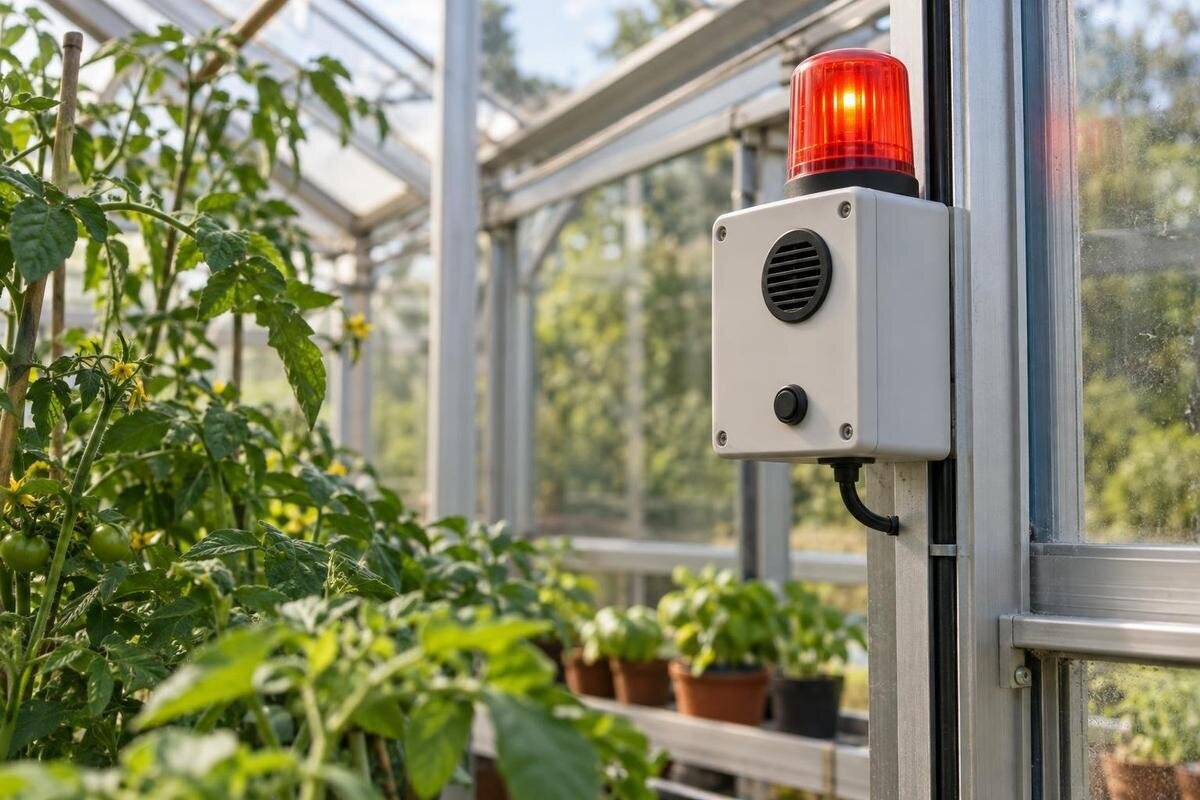
Make each notification recognisable without requiring the recipient to open several screens. For an Aluminium Classic Greenhouse, use the same site label in the app, text messages and response sheet, so different routes clearly refer to the same event. Keep equipment-fault messages distinct from temperature warnings, and make sure recipients know which messages require acknowledgement. Check what happens to remote notifications if the cloud service or mobile network is unavailable; do not assume another route takes over automatically. A local siren, if fitted, can help someone nearby, but it is not an away notification.
04
Name a primary responder and a backup
Name one primary responder and one backup, and confirm each person accepts the role. The primary needs to receive the chosen notification and reach the greenhouse within the response window; the backup needs to know when the handover happens and how to acknowledge it. Do not assign someone solely because they have the app if they cannot get to the site or follow the agreed controls. Keep contact details current and make the rota clear when the owner is away, asleep or travelling. One person should own the response at a time; a group message can otherwise leave everyone assuming someone else is going.
Put the full address, access instructions and a contact number in the response sheet, and tell the helper where the relevant manual is kept. For a Wall Greenhouse, identify its actual location on the property and give a safe access route rather than relying on the product name as a direction. Set an acknowledgement deadline that leaves enough time for the helper to travel and act within the crop’s response window, then state who is called if no reply arrives. The backup must know the action, not just receive a forwarded alert. Share access information only with people who need it, and check it remains current before an absence.
Check installed controls and monitoring failures
An alert can only lead to an action supported by the greenhouse and its installed equipment. Make an inventory of what can change conditions—vents, fans, shade or heating only where actually fitted—and note what is manual, automatic or unavailable. If you are considering one of the Limited Edition Aluminium Greenhouses with Storage, verify the controls included in your chosen configuration before planning the alarm response. A model name or photograph does not establish which controls will be installed. Check the relevant manuals for normal operation and safe fallback, then record the exact options on site, including any limits on who is allowed to operate them.
Separate environmental alarms from monitoring-system failure. Decide what notice you need if the sensor stops reporting, its battery is low, the controller loses power or the network drops, then confirm those conditions through the manufacturer’s instructions. For a remote property, test which warning remains available if the normal app route is down; if no reliable failure notification exists, plan a human check or another suitable monitoring method. Any hard-wired changes or connection to powered equipment should follow manufacturer guidance and be handled by a qualified professional, not tested as an away-day experiment. These faults need a different response from a temperature excursion.
05
Test the entire alert chain
Test the full chain before relying on it: use the monitor’s approved test function, if available, to exercise each alert level, then confirm the right label reaches the intended person through the expected channel. Do not create a dangerous greenhouse temperature just to test a notification. Follow the manufacturer’s test method and check that the timestamp, displayed value and instruction make sense together. An alarm on the controller is not enough if the phone stays silent, a push alert is blocked or an old contact remains on the list. Note how long the complete route takes; that information helps judge whether the chosen warning margin is useful.
Run one test with the primary responder unavailable so the backup route is exercised, then confirm that the person attending can find the greenhouse and follow the response note. If you use a T-Model Orangery Greenhouse, test with its actual site label and access directions, not a generic demonstration message. Save a brief record of the test date, alert received, route used and any delay or failure; add a diagnostic photo if the display or equipment state helps explain a problem. Repeat after changing thresholds, recipients, network settings or controls, and follow the monitoring equipment’s recommended test schedule. Check the high and low alerts as well as device-failure alerts.
Keep the away plan easy to use
Keep instructions for periods when you are away brief enough to use under pressure. On one page or in a shared note, state the crop-specific high and low limits, watch and urgent labels, action for each, expected response time, primary and backup contacts, site directions, equipment actually present, and what to do if the monitor itself goes offline. Include the relevant manual or exact page, not a vague instruction to “check the system”. Add the date the settings were last reviewed and the source used for each plant limit. Put the note where the responder can find it without needing the owner to unlock an account.
Review the plan when the crop mix or growth stage changes, after equipment is fitted or settings are altered, and before a long absence. Use logs after each event: note how long the temperature stayed beyond a level, when the message arrived, when someone acted and whether that response worked. If alerts recur without useful action, investigate the limit, delay, delivery route or available equipment before turning notifications off. Keep each update tied to a specific risk the alarm is meant to catch; changing a number just to reduce messages can hide the next real problem.
Frequently asked questions
What temperature should a greenhouse alarm be set to?
There is no universal setting. Use crop-specific upper and lower limits for the plants and growth stage you are protecting, then set watch alerts early enough for your response time. Review timestamped records and check how the monitor handles delays and resets before relying on the numbers.
Should the alarm use the thermostat set point?
Not automatically. A thermostat controls equipment according to its own settings, while an alarm is meant to notify someone. The two may behave differently, so read the relevant manuals and test the alert independently. Do not assume that changing a thermostat setting will trigger an alarm or operate other equipment.
Do I need separate warning and urgent alerts for heat and cold?
Use separate levels where they create a meaningful earlier warning or escalation for the crops you are protecting. Keep heat and cold instructions distinct because the available responses may differ. If your monitor has only one alert, decide which risk it covers and arrange another way to handle the other.
What if the greenhouse loses internet or power?
Treat communication or power loss as a separate condition, and check the manual to learn what the device reports or continues to do. Do not rely on app alerts during an outage without confirmation. If remote notification cannot be relied on, arrange an on-site check or another suitable monitoring method.
How often should I test greenhouse temperature alarms?
Test before leaving the greenhouse unattended, after changing settings, contacts, controls or network arrangements, and at the interval recommended by the alarm manufacturer. Use an approved test function rather than creating a risky temperature. Check the high and low alerts, backup contact and system-failure notifications.
Useful greenhouse temperature alarms are not the ones that generate the most notifications; they are the ones that arrive early enough, reach someone responsible and point to an action the equipment and site can support. Base limits on the crop, distinguish warning from urgent, protect the notification chain against failure and rehearse the handover. With those decisions written down and tested, an absence is easier to manage without pretending a phone alert can control conditions on its own.
