
Buying a Greenhouse Online: Measurements and Details to Check Before Paying
Greenhouse buying guide
Buying a greenhouse online means making a decision from a product page rather than standing beside the finished structure. A polished image cannot tell you whether a quoted size is external or internal, whether an open door would block a path, or whether delivered cartons can reach the chosen spot. Before paying, compare the stated dimensions and details with your garden and delivery route. This checklist helps separate confirmed information from assumptions, so you can compare options on a like-for-like basis.

Compare listings using the same measurements
Start a comparison sheet with the exact product name and selected size or configuration, then copy the dimensions as the listing labels them. Record width, length and height, and note whether each figure describes the outer frame, a base or usable interior space. A headline measurement can be ambiguous without that context. Keep the units beside every number; do not compare centimetres with millimetres until you have converted them consistently. If a page shows several sizes, check that the selected option matches the figures you record. Keep its exact variant label too, as one page may group several configurations. A number shown beside a different option or diagram may not apply to the item in your cart.
Use the same rows for each candidate: footprint, peak height, clear doorway, base arrangement, glazing, included parts and delivery notes. Add a separate column for details the page does not state; a blank is a question, not a reason to assume the answer from a similar model. You can use the Prestige greenhouse with metal base listing as one page to inspect, recording only what its selected option explicitly says. Repeat the process for another model, keeping the original wording beside your notes where a measurement label is unclear. Comparing identical fields prevents names, pictures or promotional descriptions from becoming specifications, and shows which listings are genuinely comparable for your intended site.
Measure the greenhouse footprint against the site
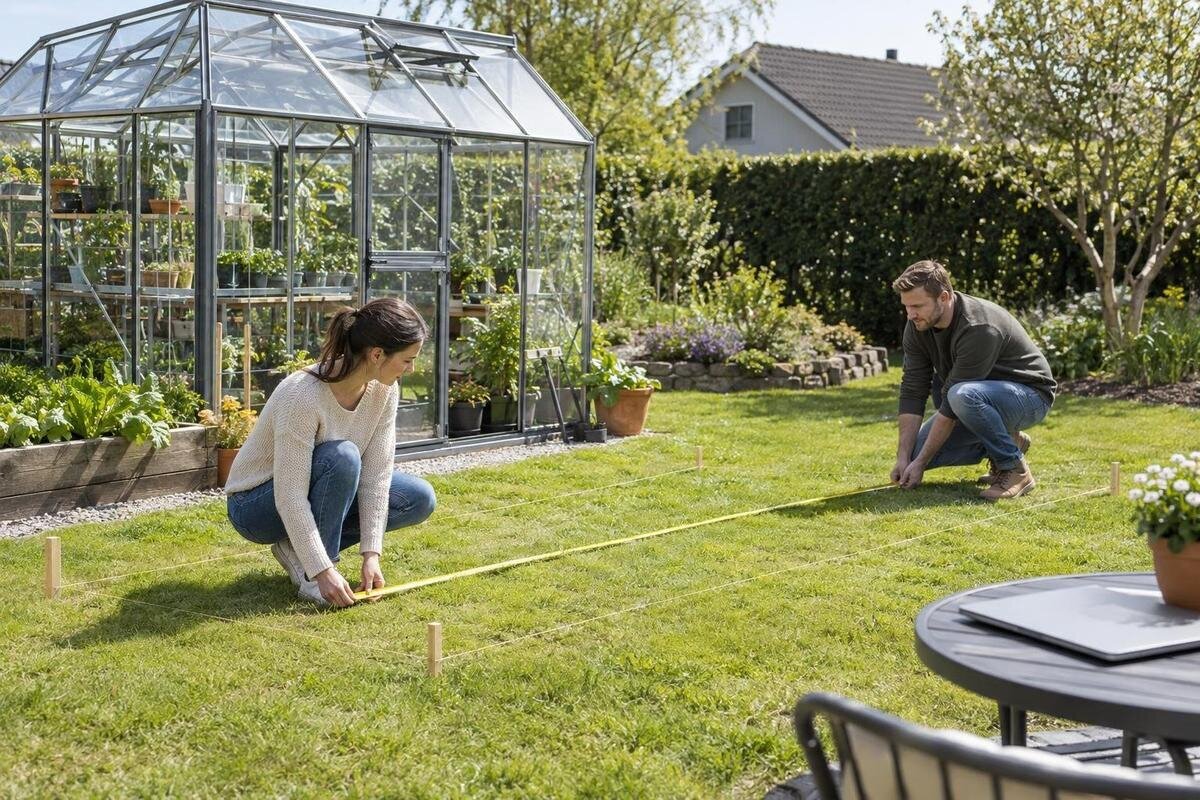
Measure the usable patch where the greenhouse is intended to stand, not just the planting bed you hope to put inside it. Record the clear width and length at ground level, checking the narrowest points if fences, walls or garden edges are not parallel. Note fixed obstacles such as a tap, drain, post, tree trunk or step, and mark each measured edge on a simple sketch. Compare the available space with the outside footprint quoted for the chosen model, including any separately dimensioned base. An internal floor area will not tell you how much garden the frame occupies, and the edge of an existing bed is not a reliable substitute for measuring the whole site.
Check how the space will be used as well as whether the structure fits. Look at the stated position and movement of the door, the approach path, and any room needed to reach glazing or fittings. There is no universal clearance number to add without knowing the model and layout, so do not insert an arbitrary margin and call the fit confirmed. When reviewing the Orangerie greenhouse listing, rely on the exact dimensions and drawings supplied for its selected configuration, not the apparent scale in a photograph. Mark any path or access point that must remain usable. If a diagram does not define what it measures, ask before treating the footprint as settled.
Check height, doorway and usable interior dimensions
Length and width are only part of a fit check. Record the overall height and, where provided, the height at the sides or eaves; these figures answer different questions from peak height. Check whether the seller gives the door-opening width and height rather than only the door-frame dimensions. If an opening size is listed, note whether it means the clear passage or the outside measurement of the surround. That distinction matters if you plan to carry trays, pots or a wheelbarrow through. Do not infer interior headroom from overall height alone, and look for a stated finished entry height if a threshold or raised base appears in the product information.
Consider the inside arrangement you intend to use. Compare any stated internal dimensions with the space needed for benches, containers or a working aisle, and check whether shelves or staging shown in a photo are listed as included. The Classic Plus 385 page is a model listing to read for its own measurement labels; the name itself does not explain what a number refers to. If access depends on a particular opening or clear height, confirm that dimension for the selected option before ordering. A drawing without labels may help you understand the general layout, but it should not replace a precise measurement when a few centimetres could affect how you use the space.
Confirm the base and ground requirements
Read base information as a separate part of the specification. Check what type of support the product requires, whether a base is included in the selected option or sold separately, and whether the listed footprint refers to the greenhouse or the base. A base mentioned in a product name is not proof that it is included with every configuration. Look for a parts list and any base-preparation document that applies to the exact size. The T Model orangery listing is another page to assess by its selected configuration’s stated requirements, rather than by its title alone. If those requirements are unclear, ask before buying instead of inferring what to prepare from a photograph or generic illustration.
Compare the intended site with the seller’s stated requirements, including any instruction about a prepared base, level surface or particular attachment method. These are product-specific details; a sketch of the ground does not confirm that it is suitable to support or secure a structure. If the instructions refer to anchoring, foundation work or a site condition you cannot assess, ask a qualified installer or other relevant professional to review it. Keep that advice separate from your own measurement check: a greenhouse can fit within a measured outline and still need a support arrangement you have not planned for. Do not try to fill gaps in technical guidance with a guessed dimension or construction method.

Measure the delivery route to the installation area
The assembled greenhouse dimensions are not the dimensions of its delivery cartons. Look for the package count and carton dimensions, if supplied, and check the delivery information for any handling or unloading conditions. If those details are missing, ask the seller how the order arrives and what the carrier will need at the property. Do not estimate a box size from a product photograph or assume a large item will arrive as one compact parcel. For the pyramid greenhouse listing, as for any model page, compare stated package details with the route you have measured, rather than relying on the product name. Package information can be as important as the greenhouse footprint when access is tight.
Walk the route from the likely drop-off point to the garden and measure the narrowest gate, passage and turning space. Include corners, steps, stairs, low branches or overhead obstructions, and note whether a trolley or manual carry may be needed. Check whether the selected delivery service stops at a nominated drop-off point or includes moving cartons further across the property; do not assume it reaches the greenhouse site. Consider whether a vehicle can reach the delivery point and where packages could be placed temporarily without blocking access. If the route is tight, resolve the issue before ordering rather than discovering on delivery day that the cartons cannot reach the planned area.
Read the frame and glazing specifications
Treat the frame and glazing as separate specification lines. Look for the stated frame material and finish, then the glazing material, thickness and panel construction where those details are published. Check whether the same specification applies to every size or only the option selected; a shared product overview may cover more than one variant. The word aluminium in the Aluminium Classic listing identifies the page, but does not answer every question about finish, profiles or glazing. Use the technical description for those details, and note missing values instead of filling them in from the model name. If a term is unfamiliar, seek an explanation of the exact component rather than assuming it means the same thing across different listings.
Compare only like-for-like information. A claim about glazing or frame performance is useful only when you can tell which component and configuration it covers; a broad phrase does not substitute for a stated material or dimension. If light transmission, insulation, weather exposure or another performance point matters to your site, look for the exact product documentation and ask the seller what the claim covers. Avoid using a material label alone to predict performance. Where the suitability of the assembly for a particular exposure or support condition is important, get advice from an appropriately qualified professional rather than trying to calculate it from a product photograph. Keep any answer tied to the model and size you are considering.
Check door and ventilation details
Use a plan or dimensioned drawing to check access points. Note where each door and opening vent sits in relation to the path, wall, fence and planned work area; check the clear door opening and how the door operates if details are provided. A door that opens into a narrow passage may use space you intended for a bench or walkway. If the page shows a sliding door, hinge or other mechanism, verify that the selected variant includes it and that the drawing matches the option in your cart. Assess the aluminium lean-to greenhouse listing from its own description, not assumptions drawn from a generic greenhouse layout. A small layout difference can matter when the greenhouse has limited room around it.
Read ventilation features as specific components, not as a promise inferred from a window-shaped panel in an image. Check the number, position and type of vents stated for the selected model, whether an opener or control is included, and whether anything described as an upgrade must be added separately. Ask whether those details change between sizes. Think about how you will reach and operate each feature once benches or containers are in place. This is a useful distinction when comparing similar-looking photos: an image shows a presentation, while the selected-item details define what has been specified. If the listing uses a broad term such as ventilation without identifying the parts, get the exact description before paying.
Separate included parts from optional extras
Make an inclusions list from the order page and parts list, if available. Mark which items are part of the selected greenhouse and which are optional: a base, shelving or staging, gutters, vents, fixings, anchors and assembly items may be addressed separately, so verify rather than assume. If a photo displays pots, benches or accessories, do not treat them as included unless the product description says so. For the limited-edition aluminium greenhouse listing, use the exact selected option and its written contents list; the model label alone does not establish what arrives in the package. Check whether the product page distinguishes standard equipment from optional upgrades, and keep that distinction in your notes.
Check compatibility and quantities for anything you intend to add. A separately listed accessory is not automatically suitable for every size or configuration, and an accessory page may describe a different variant. Confirm that product names, sizes and quantities appear together in your selection, and note any parts you need to source elsewhere. If assembly documents refer to items not shown in the contents list, ask whether they are supplied or required separately. A clear list should match the options in your basket, not just the items you remember selecting. This cross-check can prevent a greenhouse that fits the site but cannot be assembled as planned because an expected component was never included in the order.

Review delivery charges and order conditions
Check the price again in the basket or checkout after entering the delivery address. Look for the greenhouse variant, any added parts, delivery charges and other charges displayed for your order; compare the payable total rather than the product page’s headline amount alone. Delivery choices may change what is included, so read the option you select instead of assuming the same service applies everywhere. If a charge, delivery condition or expected timing is not visible or clear, contact the seller and wait for an answer you understand before submitting payment. Do not treat an estimate on a product page as confirmation of the final order total. Make sure the checkout reflects your actual address and chosen service.
Review the terms linked from the product or checkout pages that matter to your decision, including delivery handling, assembly arrangements if offered, returns, warranty coverage and how to report a damaged or incomplete shipment. Read the wording for the purchase you are making; do not assume a general store statement covers every model or service. Check what the seller says about changing a delivery arrangement or cancelling before the order is finalised. If the checkout summary and a policy page appear to differ, ask for clarification rather than relying on the interpretation that suits you best. Keep a copy of the order details and relevant replies for reference after payment.
Reconcile the product page with your order summary
Before submitting payment, compare your notes with the exact order summary. Confirm the model name, selected size or configuration, quantity, stated footprint and height, chosen accessories, delivery address and service. Check that the dimensions still match your site sketch and that the cartons can follow the route you measured. If the order summary names a generic model while the product page showed a specific variant, return to the selection and make sure the correct configuration has carried through. Do not rely on a thumbnail or a shortened product name to confirm it. This is also the time to catch an accidental change in quantity or option before the order is placed.
Sort unresolved points into essentials and preferences. An uncertain colour or optional shelf may be a preference; an unclear footprint, base requirement, doorway, package route or missing part can affect whether the greenhouse can be placed and used as planned. Ask for precise clarification against the selected product and size, then update your comparison sheet. If an answer conflicts with a drawing or checkout detail, seek a clear reconciliation rather than choosing whichever figure is more convenient. Once the essential dimensions and order terms agree, you can weigh remaining preferences using information from the listing and the space you have measured, rather than relying on assumptions.
Frequently asked questions
Which greenhouse dimensions matter most for site fit?
Start with the selected model’s external width and length, then check its overall height and clear doorway dimensions. Compare those figures with your measurements, including any separately stated base footprint. Interior floor area alone does not tell you how much garden the structure occupies.
Should I use assembled dimensions to check delivery access?
No. Assembled dimensions help you assess the garden footprint, while carton sizes and package count determine what can pass along the delivery route. Check the package details and delivery method; if they are not published, ask the seller before paying.
How much clearance should I leave around a greenhouse?
There is no single allowance that suits every model and garden. Check the seller’s information about door operation and access, and consider how you will reach panels and fittings. Account for nearby boundaries and obstacles; ask for a model-specific requirement if the listing is unclear.
Do greenhouse product photos show everything included?
Not necessarily. Treat visible benches, shelving and other accessories as unconfirmed unless the selected option or its contents list says they are included. Check quantities and compatible add-ons in the basket before checkout.
What if a listing leaves out a measurement?
Do not estimate it from a product name, image or similar model. Ask the seller to confirm the figure for the exact size and configuration. If it affects site fit, access or assembly, wait for clarification before paying.
The most useful pre-purchase check is a direct match between the exact greenhouse option, a measured site and the route the delivery must take. Treat every number as a labelled measurement, every pictured accessory as unconfirmed until listed, and every missing detail as a question. When the product page, checkout summary and your measurements agree—and the seller has clarified any essential gap—you can compare the remaining preferences without relying on assumptions.
