
Where Should a Greenhouse Thermostat Go?
Greenhouse heating guide
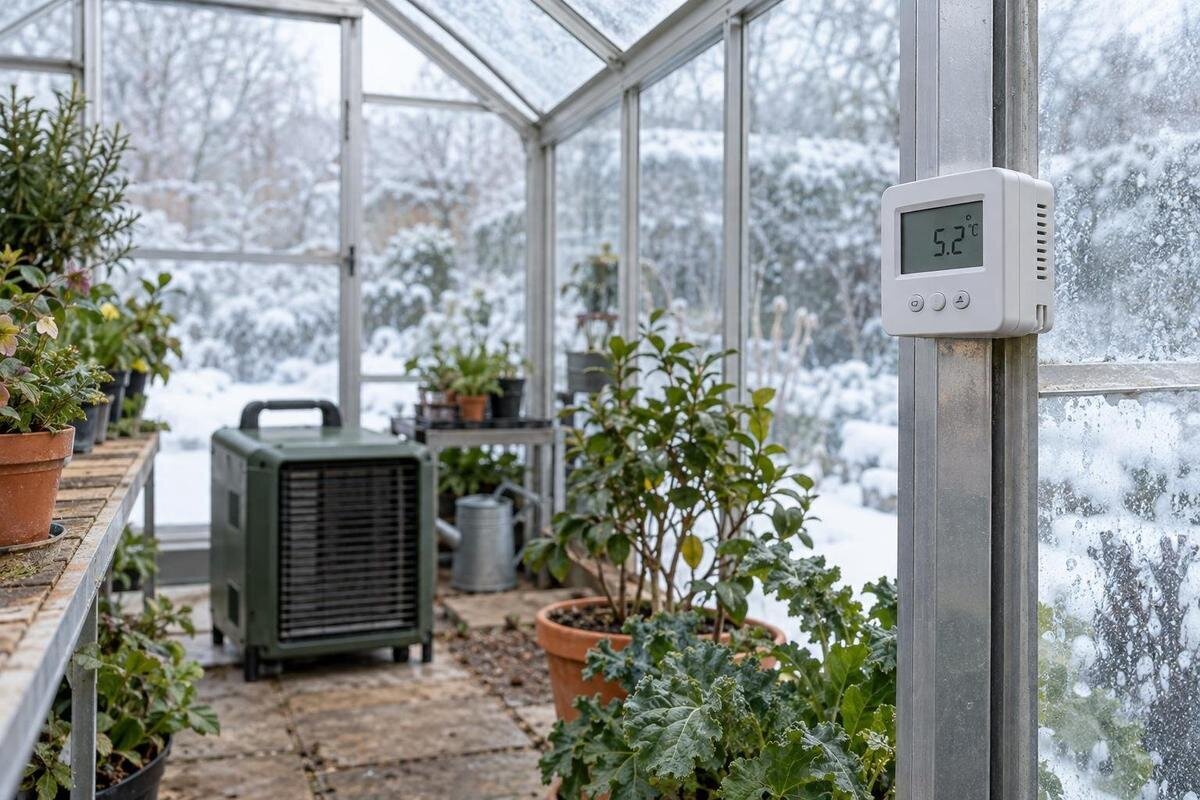
Place the greenhouse thermostat sensor where it reflects the air around the plants you need to protect: in shade, with air able to move around it, and away from direct sunlight, heater outlets, doors and vents. A thermostat does not measure an entire greenhouse; its controller responds to conditions at the sensor, so poor placement can cause heating to switch off too soon or run longer than intended. The most dependable position is therefore one checked against temperatures at plant height, not simply the most convenient place to mount the device.
What the thermostat actually measures
A greenhouse is not a single-temperature room. Air near the roof, glazing, floor, doorway, heater and foliage can differ at the same time, and a thermostat ordinarily responds to its own sensor rather than averaging the whole structure. If the sensor sits in a warm pocket, the controller may stop heating while a more exposed plant area remains cooler. If it sits in a cold draught, the heater may continue after the main growing area is already warm. The exact switching pattern depends on the controller, so check its operating instructions as well as the display. A brief reading just after the heater starts may reflect a local warm stream, not a settled plant-zone condition.
Treat the thermostat display as one measurement, not proof that every pot or bench has reached the same temperature. The Aluminium Classic Greenhouse is listed in sizes from 3.77 m² to 28.08 m²; for any greenhouse, the selected footprint and planting arrangement determine whether one point is representative. A spot near the middle can be a useful candidate, but it is not automatically right if crops sit at one end or benches, screens or equipment divide the space. Check the candidate against a plant-zone thermometer at the times you want to protect: a single afternoon reading cannot show the overnight low. Record both the location and time so comparisons remain meaningful.
Choose the crop zone the sensor should represent
Choose the crop or group of plants whose conditions the heater is meant to protect. A greenhouse may contain plants on a bench, pots on the floor and a separate propagation area; one sensor may not represent every group equally. Place the sensing element in the air beside the priority plants, around the height of their foliage, rather than resting it on soil, a pot, bench or leaf. This keeps the measurement about local air, not a surface that can warm or cool at a different rate. Note which crop zone the thermostat is controlling so later readings have context.
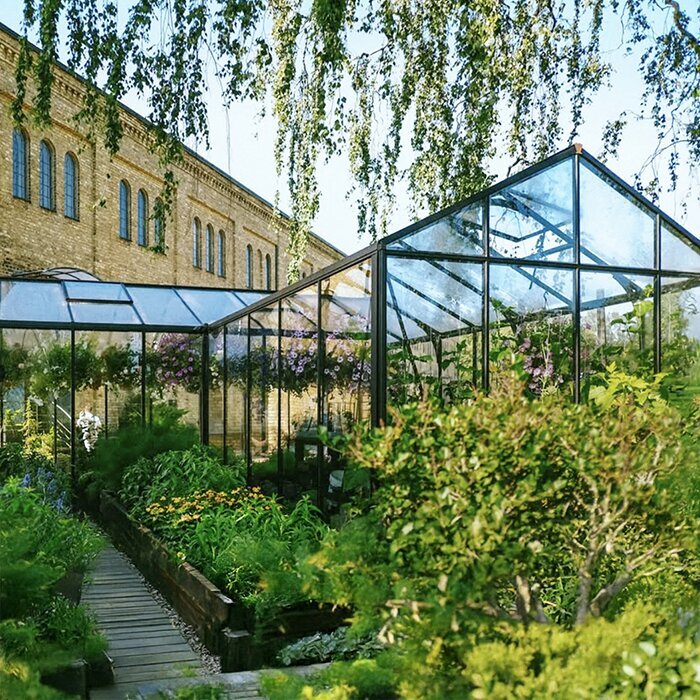
The selected layout matters more than a generic instruction to use the centre. The Bloomcabin Oasis Pyramid Greenhouse is listed in sizes from 5.53 m² to 18.9 m², so the chosen footprint and its planting plan should inform sensor location. Mark where crops, benches, access paths and openings are planned, then choose a spot in the air beside the priority crop. If groups sit at opposite ends or different heights, measure both before deciding one sensor reflects them all. This also prevents a convenient position at the doorway becoming the default without testing. Revisit the proposed location once shelves and pots are in place.
Protect the sensor from direct sun
Direct sun can heat the sensor itself more quickly than the surrounding air. The thermostat then sees a reading that is too warm for the plant zone and may reduce or stop heating earlier than you expect. Put the sensor in shade from direct rays while leaving it open to ordinary air movement; a closed box, tightly wrapped cover or dense foliage can create another unrepresentative pocket. If the sensor has a supplied radiation shield or specific mounting method, follow its instructions rather than improvising an enclosure. The issue is radiant heat, not simply a hot-air current, so check that the sensor itself stays out of direct sunlight.
Check the sun’s path over the times when heating is likely to operate. A position shaded in the morning can receive a beam later, and a seasonal change in sun angle can alter a previously reliable spot. Watch the proposed location over more than one part of the day, then compare it with an independent thermometer in the crop zone. Avoid choosing by compass direction alone: glazing, surrounding shade and time of year determine whether a particular position is exposed.
Avoid heater outlets, doors and vents
Keep the sensor out of the heater’s direct outlet or radiant hot spot. If it warms before the plants do, the control may switch off early; if the probe sits in an incoming cold draught, it can call for heat even when the main crop zone is warmer. The aim is not still air, but ordinary mixed air rather than a narrow stream from a heater, open door or vent. Different thermostat and heater arrangements have different instructions, so use the maker’s guidance for any remote probe, supplied cable or permitted sensor position. If outlets point in more than one direction or the heater’s airflow changes, check the likely paths instead of relying on distance alone.
At an edge, door or wall, convenience is not proof of representativeness. With an Aluminium Lean-to Greenhouse, as with any wall greenhouse, check the air beside plants instead of assuming the boundary is the right reference. Compare readings while the heater cycles and when a door or vent is used; a sharp change at the sensor that is not present in the crop-zone reading suggests local exposure. Keep notes for each condition, then try a different approved sensor position and repeat. A short log helps distinguish a lasting gradient from a brief dip caused by opening the structure. Do not move or alter equipment outside its instructions.
Leave room for air around the sensor
Give air room to reach the sensing element. Avoid tucking it behind a shelf, pot, storage item, foliage, shade curtain or stacked trays, and do not let it touch glazing, a frame, bench, soil or a damp leaf. Those objects may be warmer or cooler than the air the controller is meant to monitor, while an obstruction can slow how quickly the sensor reflects a change. Keep it away from regular watering splash and drips, but do not wrap it in an airtight cover. Check the sensor’s own environmental and mounting instructions for moisture limitations. It needs exposure to ordinary air, not a tight corner or a direct hot or cold stream.
Plan the control point around how the greenhouse will actually be used. If you are considering the Limited Edition Aluminium Greenhouses with Storage, distinguish the growing area from the storage area when planning sensor placement. Storage, benches and plants can interrupt local air movement or separate activities. If storage and planting areas are adjacent, do not assume they share the same conditions; verify beside the crop that matters. Once everything is in place, confirm that the sensor remains in open air and is not hidden behind shelves, stored equipment or foliage.
Set the height to match the crop
Mounting height should follow the crop rather than a fixed distance from the floor. Temperature can vary vertically as air moves and collects, so a probe near the roof may not describe a low bed, and one at floor level may not reflect foliage on a bench. Put it alongside the main foliage you need to protect without letting leaves touch it. For pots at floor level, choose that lower plant zone; for bench-grown plants, use the bench canopy. If several layers matter, monitor each layer separately rather than assuming a single height covers them all. Revisit the position as plants grow instead of leaving a sensor at its original height by habit.
Use the chosen layout and crop heights. The Bloomcabin Prestige Greenhouse is listed in sizes from 3.77 m² to 28.08 m²; the selected configuration and height of the plants you intend to protect, not the product name, determine where the sensor belongs. Record the sensor’s height and nearby crop when you first check it. A note such as bench-level or floor-pot zone makes later comparisons repeatable. As seedlings grow or plants move between benches and floor pots, the old spot may no longer represent the main zone. After raising or lowering the probe, compare it again with a separate thermometer.
Check more than one growing area
Once a candidate position is chosen, compare it with other occupied areas. Place a separate thermometer or logger beside the crop at the same approximate height, then check another bench, end or doorway where plants are kept. Use measurements taken over comparable periods rather than comparing one afternoon reading with a later night reading. A single point may be adequate in an open layout with one crop zone, but benches, screens, dense foliage and distant ends can create distinct conditions. The purpose is to find out whether those differences matter for the plants, not to make every reading identical. Keep the comparison instruments in place long enough to capture ordinary heating cycles, and note where each reading was taken.
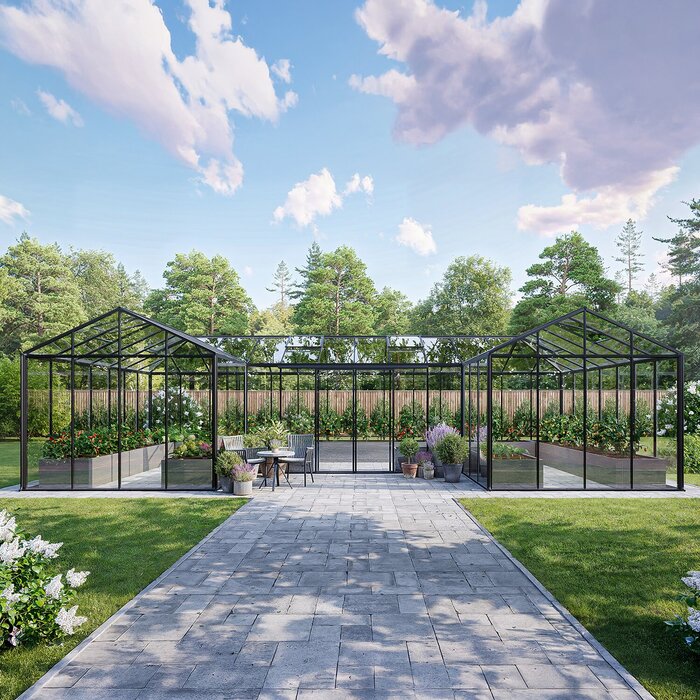
The Bloomcabin Orangerie is listed in sizes from 47 to 70 m², so use the selected floor plan to choose comparison points across the growing area. That size range does not predict the temperature at either end; measurements in the assembled, planted space show the actual differences. If one area consistently differs from the thermostat position, consider whether a better sensor location or a separate control zone is needed, and seek appropriate equipment advice before changing the heating arrangement. Note any open doors, vents or shade changes so a temporary disturbance is not mistaken for a persistent difference.
Verify the reading with another thermometer
Use an independent thermometer to check whether the thermostat’s sensor is giving a plausible reading. For a direct comparison, put both instruments close together in the same shaded, freely moving air, away from the heater and sun, and allow time for their readings to settle. A min–max thermometer or data logger can add context about overnight lows and daytime peaks; write down the time and controller display as well. Check the stated accuracy and operating range in each device’s instructions. A small difference may reflect tolerance or response time, while a larger or persistent difference needs investigation.
After the side-by-side check, leave the independent instrument at plant height while the control sensor remains in its proposed position. Compare more than one part of the day and note whether the heater was running, a vent was open or sunlight reached either device. If readings disagree, first check placement, any batteries and probe connections, and the manufacturer’s calibration or offset procedure. Do not apply an arbitrary correction to the controller until you know whether the difference follows the instrument or the location; manufacturer support can help if it persists.
Set the controller after checking plant-zone temperatures
Only after confirming placement should you decide whether the controller’s target matches the crop’s needs. The number on the thermostat is a setpoint for its own sensing arrangement, not a promise that the whole greenhouse or each pot will sit at that temperature. Use reliable, plant-specific growing guidance for the target, and check the thermostat manual for any switching differential, sensor offset and display behaviour it describes. If the plant-zone reading is too low while the control sensor already reports the target, correct the sensing position or investigate the system before simply raising the setpoint. A changed setting may alter when heating switches, but it cannot make a poorly placed sensor represent another area.
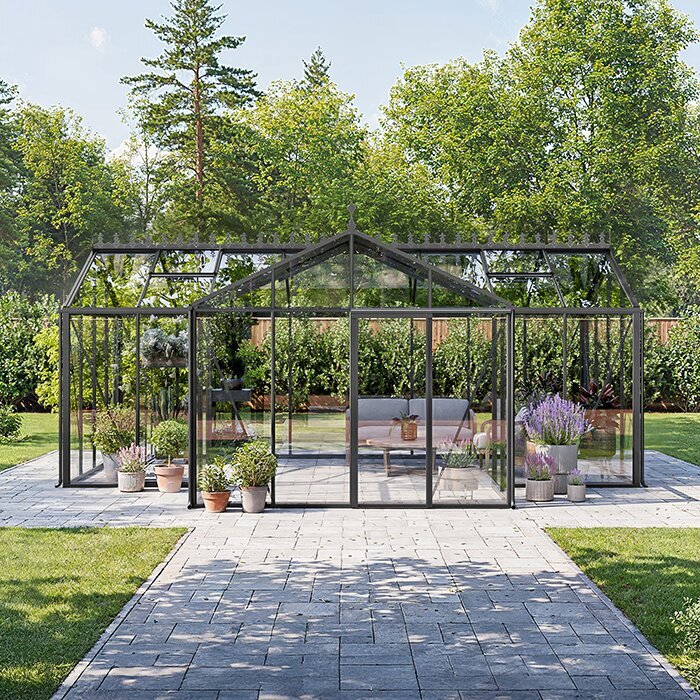
Keep a short log while you make changes: record the controller temperature, separate thermometer’s minimum and maximum, time, heater status, ventilation state and measured location. The T-Model Orangery Greenhouse is listed in sizes from 16.52 m² to 30 m²; for any chosen structure, interpret the notes against its actual footprint and planted arrangement rather than treating a model name as a heating specification. Add a brief note about weather or unusual operation, since a sunny afternoon and a cold night can show different patterns. Repeated readings are more useful than a single number: a consistently warm sensor near the heater suggests a location issue, while a cool remote zone may need wider assessment.
Recheck after changes to the greenhouse
Recheck the sensor after changes that affect its exposure: plants fill out, benches or storage move, shade or insulation is added, ventilation changes or the sensor itself is relocated. The sun’s path changes across the year, so a spot that stayed shaded during one period may receive direct rays in another. A comparison at plant height after these changes can catch a misleading reading before you alter the thermostat setting. For a wired or wireless sensor, follow its maker’s instructions for mounting, battery and connection checks.
Keep a simple record of the final spot: what crop it represents, its approximate height, whether it stays shaded and where you placed the independent thermometer. When arranging an Aluminium Limited Edition Greenhouse, mark this reference point on the plan for your chosen size and completed growing layout. If results vary widely despite sensible placement, the issue may be larger than sensor location. Check documented heater and ventilation details, and ask a qualified professional to assess any system changes, rather than experimenting with an electrical or heating setup.
Frequently asked questions
Should a greenhouse thermostat sensor sit at plant height?
Usually, place it in free air beside the foliage of the plants whose conditions matter, rather than on a bench or touching a leaf. The right height depends on the crop layout: floor pots and bench-grown plants may need separate checks if both are important.
Can I put the sensor beside the heater?
Avoid a hot-air outlet or radiant hot spot. The sensor may warm before the crop area and stop the heater early. Follow the heater and thermostat instructions for remote-sensor placement.
Is the centre of the greenhouse the best location?
Not automatically. The centre can still be in direct sun, a draught or an empty aisle away from the plants. Treat it as a candidate, then compare its reading with an independent thermometer beside the crop and at other occupied spots.
How can I check the thermostat reading?
Put an independent thermometer beside the thermostat sensor in the same shaded, freely moving air and allow both readings to settle. Then check plant-height temperatures at relevant times, noting the time and heater or vent status. Check both devices’ stated accuracy and instructions before changing settings.
Do I need more than one thermometer?
A separate thermometer is useful for a cross-check. More monitoring positions help when crops occupy distant ends, different heights or separate compartments. A thermostat acts on its own sensing location, so measure other crop zones before assuming one reading applies everywhere.
Reliable thermostat control starts with a measured position, not a universal mounting height. Keep the sensor in open, shaded air beside the crop that matters, away from hot outlets and cold draughts, then verify it against a separate thermometer at the plants. Check more than one location where the growing area is divided or spread out, and repeat measurements after the layout or season changes. If readings still disagree, follow the equipment instructions and investigate the wider setup rather than compensating for a misleading sensor spot with a different target.
