
Choosing Built-In, Separate or App-Based Sauna Controls
Sauna buying guide
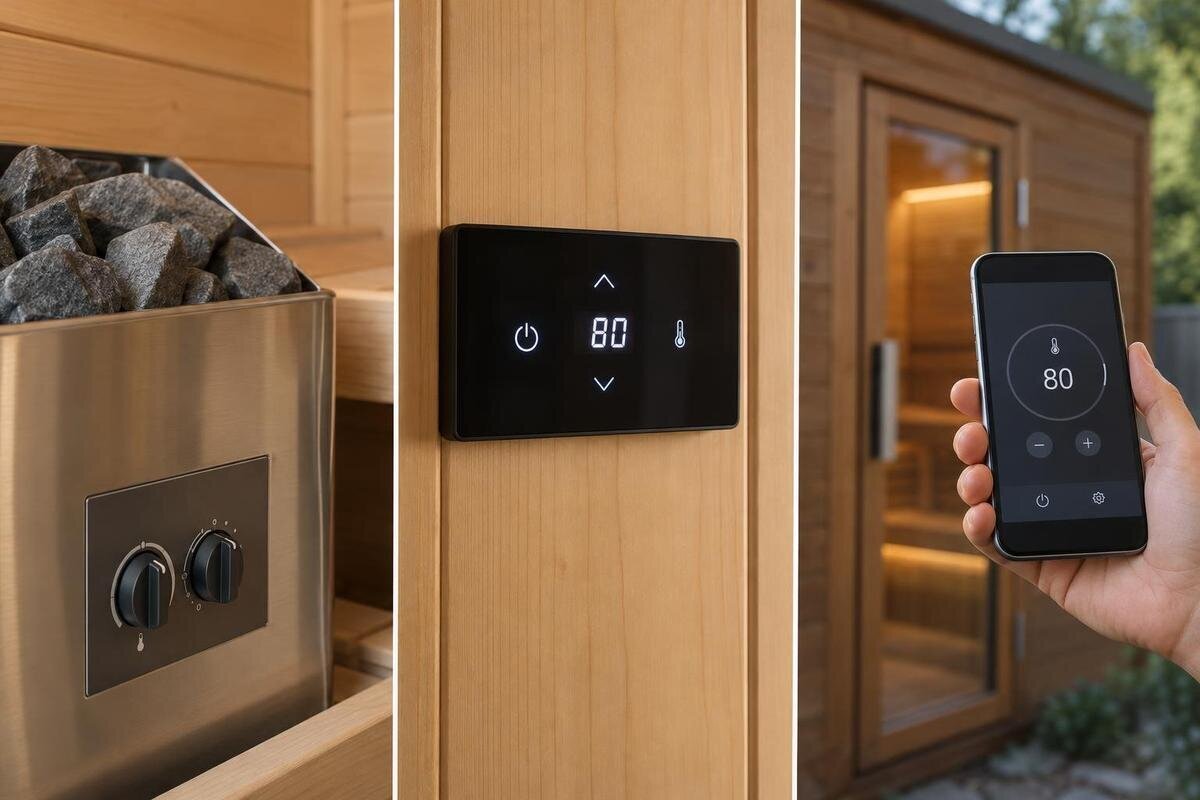
Sauna controls are easiest to compare by asking where you will interact with the heater: on the heater itself, at a separate panel or through a phone app. Those formats affect access and everyday operation, but they do not tell you which adjustments a system offers or whether it is compatible with a particular heater. Use the distinction to shortlist an interface, then verify the exact control package and its approved placement before purchase.
01
What the control format tells you
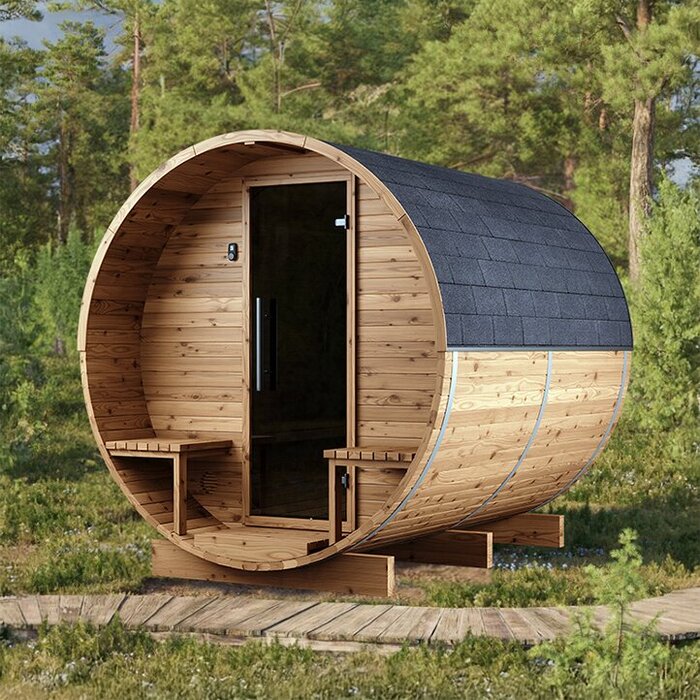
Control format describes where you interact with the heater, not a promise about heating output, cabin performance or a particular feature set. A built-in arrangement places the controls on or within the heater's local control assembly; a separate panel moves the user interface to another approved position; an app puts it on a compatible phone. Product labels are not always used consistently, and the panel you touch may be distinct from the control unit that operates the heater. The Thermowood Barrel Sauna S-140 listing identifies a cabin model, not a control specification, so keep those details separate while comparing.
Think through a normal visit from arrival to leaving: who sets the controls, whether anyone might need to adjust them later, how users see the system's status and how it is switched off. This shows whether an interface needs to be reachable from a particular place or whether a phone would genuinely make things easier. Functions such as temperature adjustment, timer options and status displays depend on the exact system; the format name alone does not guarantee them. Keep control usability separate from heater sizing, electrical suitability and remote-start safety, which are different questions.
Built-in controls keep adjustments by the heater
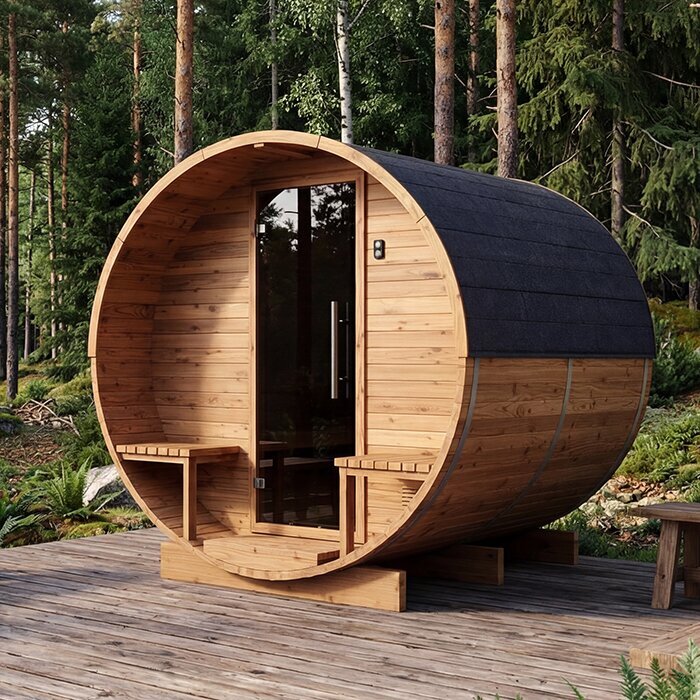
A built-in interface can make routine adjustments direct: there is no separate wall panel to position or learn. The controls sit with the heater, which can be convenient when the person making a change is already beside it. But a built-in format is not automatically easiest in every sauna. The heater's position, the route through the space and the display or button style all affect access. If the readings are difficult to see or the controls awkward to reach from the intended standing area, the apparent simplicity may not hold up in daily use. When considering the Thermowood Barrel Sauna HC-150, assess the proposed heater position and control layout together.
Before choosing this format, check what the actual control looks like and how it is intended to be accessed. Consider whether the person adjusting it can read the display and operate the buttons without having to reach across the heater or move around it awkwardly. Follow the manufacturer's instructions for the heater's position and access; do not choose a layout based only on a product photograph. Also confirm which adjustments are available locally. A built-in control may be straightforward to locate, but that does not mean it offers every timer, display or programming feature you might want.
02
A separate panel changes where you make adjustments
A separate panel gives you a distinct place to operate the heater, which may suit a layout where the heater itself is not the most convenient point of access. The system may allow the panel to be located in a particular area, but its permitted position depends on the manufacturer's design and instructions. Also check what the panel does: it may be the user interface, while a separate control unit performs other functions. Do not assume that a small wall panel contains all the system components. If the Thermowood Barrel Sauna HC-225 is on your shortlist, include space for the proposed control components in your layout discussion, rather than considering only the visible panel.
Plan the panel's position before installation, rather than choosing a spot from appearance alone. Confirm the allowed mounting environment, the route needed to connect the system and any limits on where the panel or control unit can sit. These are details for the product documentation and installer, not something to resolve by improvising a cable route. For everyday use, picture the people who will operate it: is the display easy to see, are the controls intuitive, and can users reach it at the appropriate point in their routine? A separate panel can improve access, but only if its approved location suits the space.
App-based controls depend on a compatible system
An app puts at least part of the user interface on a phone. That may suit people who already use a phone to manage household equipment, but the label does not say which functions are available. Depending on the exact system, an app might display information or allow some adjustments; it may also rely on a particular connection, account or supported device. If you are considering the Sauna N-210, identify the proposed heater and controller before comparing app features. Check those models against the current app information, including the supported phone requirements, so you are assessing the interface that would actually be available rather than a general app description.
Consider how the app would fit into your routine, not just what its screen looks like. Ask whether it needs internet access or a local connection, whether more than one household member can use it, and what happens if a phone is unavailable or the app needs updating. The answers depend on the system, so check its current documentation rather than assuming all apps work alike. Some systems may also advertise remote start. That is a separate feature and safety assessment: the presence of an app or the ability to adjust settings on a phone does not establish that remote starting is available or suitable.
03
Confirm compatibility with the exact heater and controller
Compatibility is more important than whether a control is built in, separate or app-based. Controls are not universal: the heater and its control system must be intended to work together, and an app may have its own supported-model requirements. A cabin name or general product category is not enough to confirm that pairing. For a shortlist entry such as the Sauna N-250 product page, record the cabin model separately from the heater and controller details, then verify the exact combination being offered. Ask for model numbers and confirmation from the current manufacturer documentation or the seller.
This check matters when choosing a new setup and when considering a replacement panel, controller or app upgrade. Do not infer compatibility from a similar appearance, a shared brand or an old description that may refer to a different version. Confirm whether the proposed parts are approved for the exact heater, and whether the selected package includes them or requires an additional component. If the change affects the electrical setup, have a qualified electrician assess the requirements; do not attempt to determine compatibility from wiring instructions or connector shape. Getting the answer before purchase can prevent choosing a control that cannot be used with the selected heater.
Compare the functions you will use
Compare the actual adjustments offered, rather than assuming one format has more features. Check whether the system lets you adjust the target temperature, what timer options are available, what information appears on the display and whether it shows a setting, a reading or both. The meaning of each display and the available options are system-specific. If a feature matters to you, get it confirmed for the exact heater and control combination. When comparing a proposed setup for the Sauna LC-260, use the same list of required functions as for the other options on your shortlist. This makes differences in everyday operation easier to identify.
Usability also depends on how clearly the interface communicates what it is doing. Look for straightforward labels, legible information and a logical route to the settings you expect to use. A screen with many options is not necessarily more useful than a simpler one if the everyday controls are hard to find. If several people will use the sauna, consider whether they can understand the controls without relying on one person's explanation. Ask to see the relevant interface or a current manual, and check that any terms used in the product description match the functions described by the manufacturer.
04
Controls for a shared household
When several people use a sauna, control choice involves more than one person's preferred interface. One household member may be comfortable using an app, while another prefers a panel they can find without a phone. For a proposed Sauna HCF-300 setup, discuss who will normally operate the controls and whether everyone needs access to the same functions. Compare those needs with the interfaces offered by the selected heater and controller. The useful question is not simply whether the system has an app or a panel, but whether each regular user has a supported way to make the adjustments they need.
Walk through the routine with the people who will use the sauna. Ask each person to identify where they would check the status, change a setting and switch the system off. This can reveal differences in familiarity that are easy to miss when one person handles the buying decision. For an app-based option, establish whether users need their own accounts or access through a shared device, according to the system's instructions. For physical controls, consider whether everyone can read the labels and reach the interface comfortably. Agreeing on a familiar way to operate the system can be more useful than choosing the interface with the most options.
Check how the controls work without an app or connection
If an app is part of your preferred setup, find out what remains available when the phone, app or required connection is unavailable. Some systems may offer another way to make adjustments; others may depend on the connected interface for certain functions. Do not assume there is a physical override or that a setting will remain accessible offline. For a proposed Sauna LCF-300 setup, compare the functions available through the app with those available through any local controls. Record which everyday tasks depend on a connection and which have another supported method, using the instructions for the exact heater and controller.
Ask what the manufacturer says about common interruptions, such as a phone with a flat battery, a connection problem or an app that is temporarily inaccessible. Clarify whether the system can still be operated locally, what information is available and where to find the proper operating instructions. The answer should come from the exact product documentation, not from assumptions based on another app or control panel. Also ask how support is handled if the interface stops responding. This is a practical reliability question, separate from remote-start safety: do not treat an app's connectivity or a presumed backup as proof that a particular operating method is supported.
05
Confirm the control components in the package
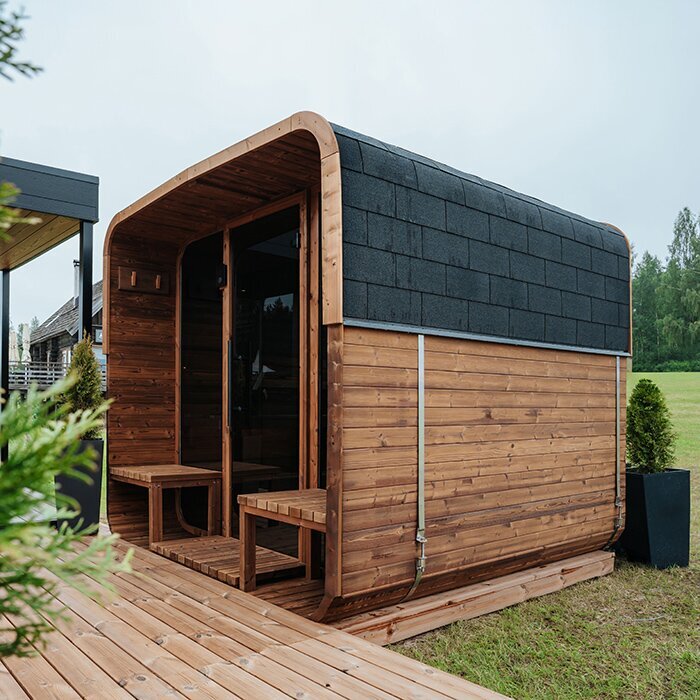
Check the control parts in the selected configuration as carefully as the interface itself. Depending on the system, information may refer separately to a heater, user panel, control unit, sensors or connecting components; do not assume that every item applies to every design or that all are included. Ask what is supplied, what is optional and which model numbers identify the components. If a product offer describes a cabin but does not clearly specify the controls, treat that as an unanswered question rather than assuming a particular format comes with it.
Get the answer in writing for the exact package you are considering, including any agreed panel or app option. Keep the component names consistent between the quote and the operating information so you can tell which instructions belong to your setup. At handover, ask to be shown how to make ordinary adjustments, interpret the display and use any app included in the package. If the system has more than one interface, clarify which functions are available through each. Leave installation and electrical work to qualified professionals; the purpose of this handover is to understand everyday operation, not to learn how to connect or modify the equipment.
When more than one control format suits
If two formats meet your requirements, separate essential functions from conveniences. A preferred screen style or an extra menu option need not outweigh an interface that is easier for the household to use. Equally, a phone interface may be worthwhile if it provides a supported function you expect to use regularly. Write down the practical reason for preferring one format over the other: easier access, clearer information or less reliance on a particular device. If you cannot identify a useful difference, the format with more features is not automatically the better choice.
Distinguish between wanting a different interface now and wanting the option to change it later. If future flexibility matters, check whether the exact system supports the alternative you have in mind; do not treat a possible upgrade as an included feature. Base the immediate choice on the controls supplied and the functions confirmed for them. Keep remote start outside this usability comparison, even if it appears alongside other app features. Its separate safety assessment should not be replaced by a preference for phone-based controls or by confidence in how easy the app is to use.
Frequently asked questions
Are separate sauna control panels universal?
No. A separate panel must be designed to work with the particular heater and control system. Check the exact model and approved panel options in the current manufacturer information; a similar-looking connector or the same brand name is not proof of compatibility.
Does app-based control mean I can start the sauna remotely?
Not necessarily. An app may offer some controls without offering remote start. Remote starting is a separate feature with its own safety assessment, so check the specific system documentation and seek qualified advice rather than assuming it is available or suitable.
Can I add a separate panel after buying a heater?
Possibly, but only if the heater and its control system support an approved compatible panel. Confirm the exact model, any required components and the permitted installation location before buying an add-on. Do not assume that a panel from another system will work.
Which control format is easiest to use?
That depends on where you need to make adjustments and how you prefer to use the controls. A built-in interface may be convenient beside the heater; a separate panel can offer another approved location; an app may suit you if the system and phone are compatible.
Are controls always included with a sauna heater?
Do not assume that the heater, user panel, control unit or other control components are all included in a particular offer. Check the exact package and configuration, and ask for the heater and controller model details before deciding.
Built-in, separate-panel and app-based controls solve different access needs, and none guarantees a particular feature set. Compare the actual interface, confirm that it matches the selected heater and check how it fits your daily routine. When you know what is included and how the system is meant to be operated, it is much easier to choose controls that will be practical to use.
