
Greenhouse Thermostat Position: A Practical Guide
Greenhouse heating
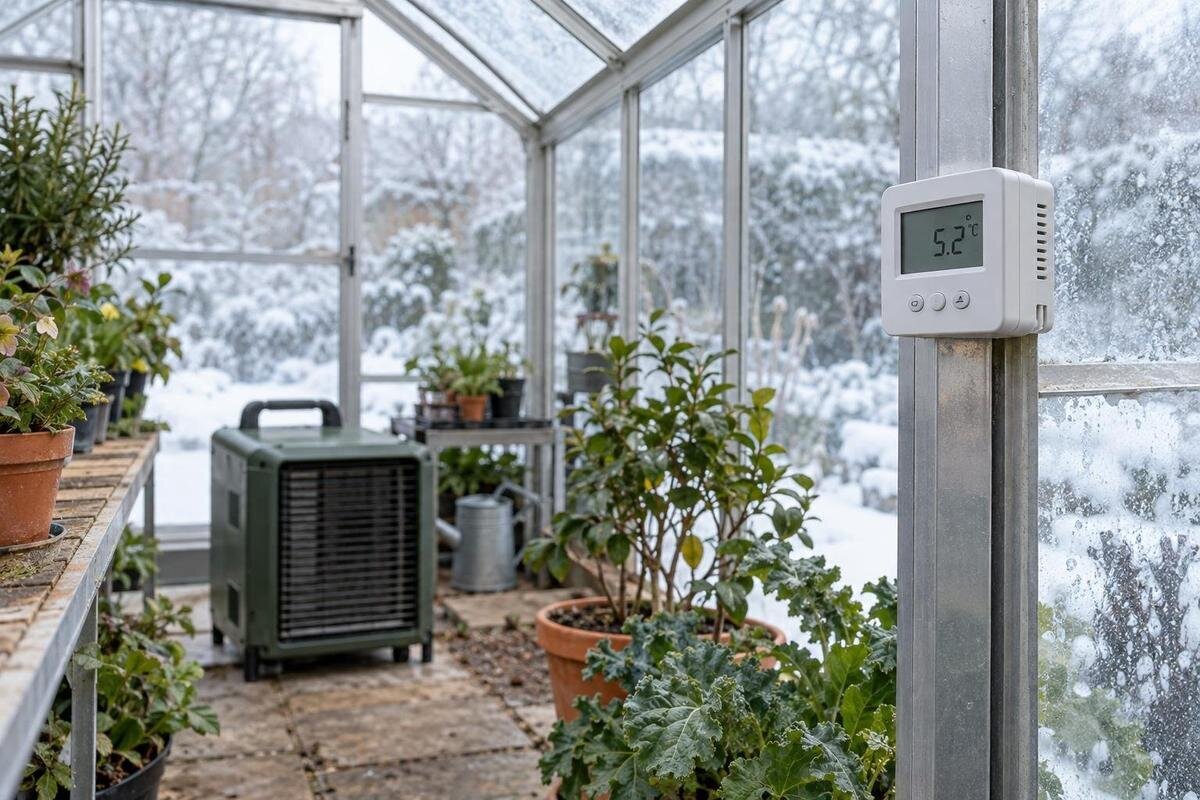
The position of a greenhouse thermostat sensor is easy to overlook because the controller displays a single temperature. But it responds to temperature around its sensor, not an average of the greenhouse or a direct reading of every pot. A sensor warmed by sunlight or heater air can stop heating while the crop area remains cooler; one in a draught can call for heat too often. The practical aim is to place the control sensor in a representative plant zone, then verify its reading with separate monitoring.
What the thermostat actually measures
The sensor reads the air immediately around it. Depending on its design, a greenhouse thermostat may switch, modulate or signal a heater when that local reading reaches its control point; it does not sample every bench or calculate a greenhouse-wide average. If sunlight, a hot surface or moving warm air affects that spot, the display can look satisfactory even while another part of the plant area remains cooler. A displayed figure is also not a direct measure of leaf or growing-medium temperature. Treat it as a reading from one precise location, not proof that every crop has reached the same conditions. If the controller uses a remote probe, confirm which probe feeds the control reading.
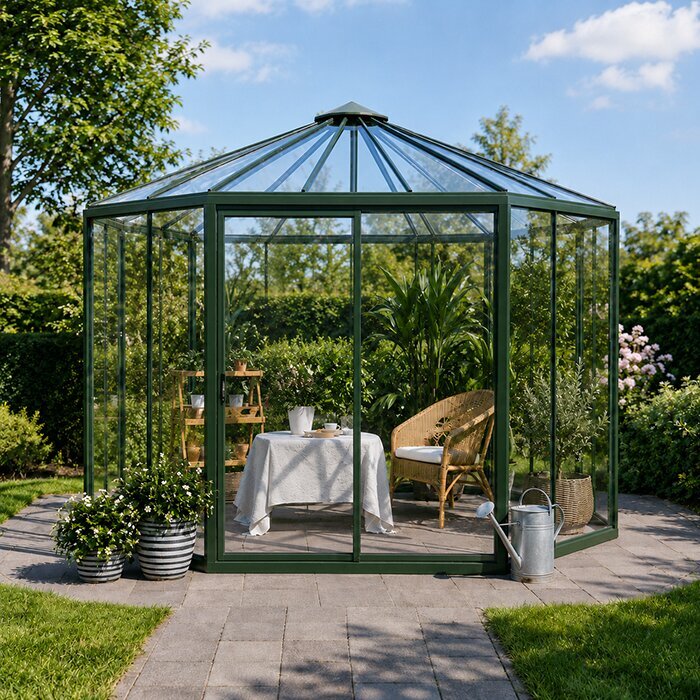
This is why location should come before changing the set point. Choose the area the heating is meant to protect, then verify what the thermostat reports there against an independent thermometer. Product sizes can cover very different footprints: the Oasis Pyramid Greenhouse is listed from 5.53 m² to 18.9 m². For the exact version, use its stated dimensions and plan to identify the planted area; neither a product name nor the geometric centre automatically marks a representative control point. This matters if heating is intended to protect a specific bench rather than the whole interior. Aisles, access space and storage can also make the middle of the floor plan a poor reference. Even a correctly placed sensor cannot compensate for a heater unsuited to the space or for heat escaping through ventilation and draughts.
Position the sensor at crop height
Set the sensor at the height of the plants whose air conditions matter most to the heating plan. For pots on a bench, that is generally around the crop canopy rather than down at floor level or high under the ridge. Where plants grow at different levels, choose the principal protected area and monitor other levels separately. The aim is not to put the probe in foliage. Leave a clear gap around it so leaves, pots, trays and stored items do not trap still air or touch the sensing surface. A probe against a cold bench or warm container can read the object as much as the surrounding air, so check that it hangs or sits freely.
Review the position when the planting layout changes. Seedlings on a raised shelf, tall plants and containers grouped beside a wall experience different surroundings, so a point that once represented the crop may cease to do so as growth fills the space. The Limited-Edition Aluminium Greenhouses with Storage listing includes built-in storage and covers sizes from 5.52 m² to 28.08 m²; check the exact layout and distinguish crop space from storage and access areas. The sensor should sit among the plants the heating is intended to protect, not in a convenient but unplanted corner. Record its height so later comparisons use the same reference point, and recheck that point as the canopy grows.
Keep direct sunlight off the sensor
Sunlight can heat a sensor by radiation even when the air around it is cooler. A sunlit probe may report warmer conditions than shaded plants experience, causing the controller to reduce or stop heating prematurely. This differs from warm air produced by a heater: the bias comes from direct rays on the sensor itself. Put the probe in shade representative of the crop zone, not behind an opaque cover or inside a closed box. If the thermostat maker specifies a radiation shield, use it as directed; the shield should block direct rays without restricting air movement around the sensor.
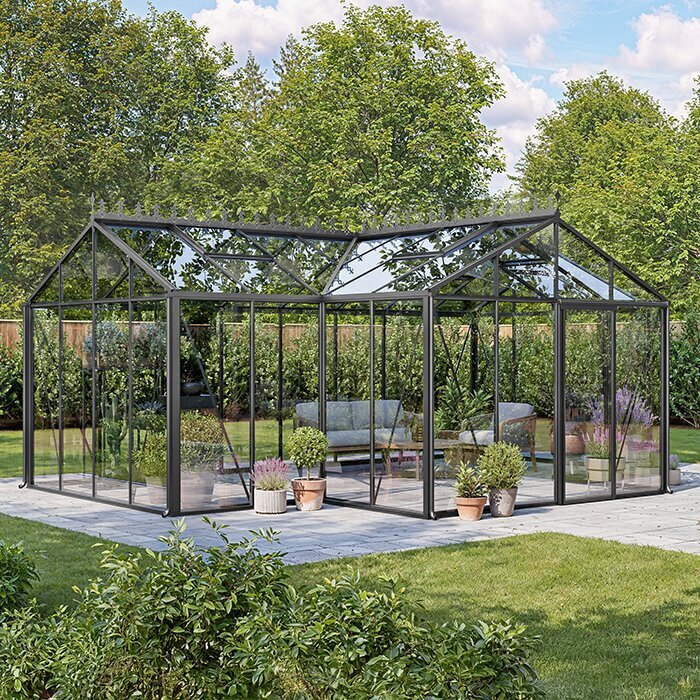
Look at where the sun falls at different times, rather than choosing a spot from one quick visit. A bench shaded in the morning may receive afternoon sun, while seasonal changes or pruning outside can alter the pattern. Consider the shadow at the height where the probe will sit, as a roof or bench can cast a different shadow at canopy level. Compare the sensor with a separate shaded thermometer during a bright period and again after the sun has moved; a mismatch limited to sunshine can point to solar bias, not necessarily a faulty heater. When assessing a model such as the Bloomcabin Prestige Greenhouse, its name cannot reveal the sunniest point in your garden. Orientation, nearby walls and trees, and the chosen planting layout determine where the control sensor needs protection.
Keep the sensor out of heater and ventilation draughts
Do not place the sensing element in the warm air stream from a heater, above its outlet or beside a hot casing. If the probe heats faster than the crop area, the controller may cut heat before the far end warms; if the sensor sits in a colder pocket, it may continue calling for heat after the main growing area is already warmer. Follow the heater and thermostat instructions for positioning and clearances, and keep the sensor away from exhaust or unusual radiant heat. The correct point is not simply the greatest distance from the heater: it still needs to reflect air around the plants being protected. Note whether a fan or air outlet is in normal use when testing.
Doorways, vents, leaks and exposed edges can produce short-lived changes that are not typical of the growing area. A sensor in a draught may call for heat too often, while one beside a vent may overreact whenever it opens. Avoid those direct currents but do not hide the probe in a pocket of still air; choose a position with normal air circulation during routine greenhouse use. If venting is part of routine use, check the position with the vents operating as intended rather than with the structure artificially sealed. The Lean-to Greenhouses listing covers sizes from 3.69 m² to 14.34 m², but its category name does not show where a particular model's openings or heater will sit. Mark the actual doorway, vents and proposed heater position on the selected layout before fixing the sensor.
Check for temperature differences across the greenhouse
Temperature can vary across a greenhouse even when the controller is working normally. Air close to glazing, at floor level, behind dense foliage or at a distant end may differ from air around the central bench. A fan or open vent can alter that pattern, and the arrangement changes as plants grow. Do not try to make one number describe every microclimate. Identify which crops and positions the heater is intended to protect, then check whether those places follow a similar pattern. Areas with different conditions should be treated as separate monitoring locations, not averaged into a misleading middle value.
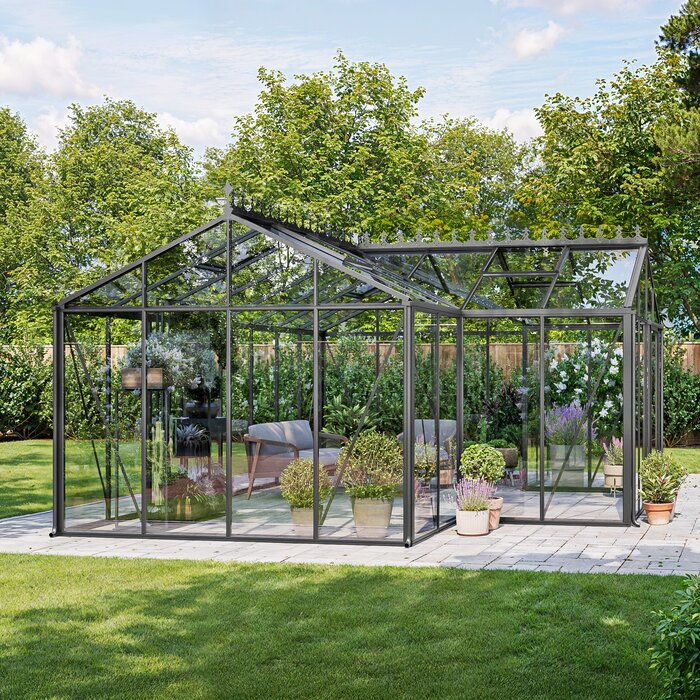
An irregular footprint makes this question more important. A T-shaped greenhouse can have side areas beyond its central junction, so place temporary monitoring points in the actual planted arms as well as near the intended control point. The T-Shaped Orangery Greenhouse is listed in sizes from 16.52 m² to 30 m²; for whichever model or layout you are assessing, check each occupied area rather than assuming its centre represents all branches. Compare readings with doors and vents in their normal positions, because an unusual opening can change airflow. If temperatures repeatedly diverge, a single sensor may not be a suitable control for every crop zone. Keep a record of where differences occur; this helps distinguish a position problem from a need for separate monitoring or a professionally assessed multi-zone system.
Mount the sensor where air can circulate
Mount the sensor so air can move around it. Do not press it against glass, a frame, masonry, a shelf, a pot or the outside of a casing; contact may pull its reading towards the surface temperature. Avoid placing it among leaves, under a solid shelf or inside a bag, enclosure or improvised cover. If protection from drips, spray or condensation is needed, use a manufacturer-approved shield or a position that still lets air reach the sensing element. Keep it outside direct irrigation spray and follow the device's stated environmental limits. A protected-looking spot is no use if it traps warm or cold air, while a shield that blocks circulation can create a different reading from the surrounding plant zone.
Use the mounting method specified for the particular controller and probe. Do not assume a convenient bar, glazing member or post is a suitable fixing point, or drill or alter the structure without checking the product instructions. For example, the Aluminium Classic Greenhouses are a named greenhouse range, not evidence that every part of a chosen model is an approved sensor mount. Keep any probe lead protected from damage and out of walkways, while leaving the sensor accessible for inspection and comparison. If the system relies on a remote probe or wireless link, confirm that the reading shown is from the correct sensor and that the connection, batteries and display behave as the maker describes. Ask a qualified professional about fixed electrical alterations.
Compare the control reading with a separate thermometer
Use a separate thermometer or data logger to check what is happening where plants are. Place its sensor beside the thermostat probe at the same height and under the same shade, leaving both exposed to air; otherwise, a difference may come from their locations rather than calibration. Keep the devices close but not touching, and allow them to settle before interpreting the results. Check the units and note whether each shows a current, minimum or maximum value. Compare readings across changing conditions, such as after a sunny spell and during a colder period, and note whether the heater is on or off. A single glance can miss delayed response or a recurring daytime bias.
Then make a separate check in the actual plant zone, especially if the control sensor sits slightly away from the canopy for practical reasons. Take measurements at crop height and in any known cool or warm part of the greenhouse; do not assume the probe's number applies unchanged everywhere. If two instruments disagree beside one another, follow the thermostat maker's calibration or sensor-test instructions rather than applying a guessed offset. The Limited Edition Aluminium Greenhouses range is listed from 3.77 m² to 28.08 m²; if you change the selected size or rearrange the growing area, repeat the check in its new layout instead of carrying old readings across. Keep a short log of the location, readings, date and weather.
Decide whether one control point is enough
One thermostat can only react to its own sensor. For a compact, plainly arranged growing area, a verified point may provide a useful control reference, but that does not prove all corners match. Larger, partitioned or unevenly planted spaces may need extra thermometers or loggers to show what the control sensor misses. Monitoring devices and control sensors have different jobs: an extra thermometer reveals a temperature, but it will not change heater operation unless the control system is designed and configured for that purpose. Do not connect multiple heaters or alter controls on the assumption that more sensors automatically create separate zones.
Before buying a heater or deciding where its thermostat should go, map the intended plant zones against the exact greenhouse footprint. The Spacious Greenhouse listing covers 47 m² to 70 m², so consider the size and arrangement of the version you are choosing; the listing is not evidence that a single sensor will represent every location. For a large or divided space, ask a qualified heating professional whether the proposed control system can monitor or regulate more than one zone, and which functions the equipment supports. Consider the stated specifications for the selected greenhouse, heater and ventilation setup; a product label alone does not establish airflow, insulation or a guaranteed temperature.
Set the controller after checking the sensor position
Once the position is representative, set the controller according to the needs of the plants being protected and the thermostat's instructions. Check whether it offers a schedule, a differential or a minimum setting, and make sure you understand what the displayed figure means. Some thermostats cycle around a set point rather than holding one exact value, so short variations are not by themselves proof of a faulty position. Do not compensate for an unexplained reading by repeatedly raising the target. First compare the sensor with an independent thermometer, check the control mode and then make one considered adjustment. Record what changed so you can tell whether it improved conditions.
Heating performance also depends on more than the thermostat. The heater's documented output, the greenhouse's heat loss, draughts, ventilation, open doors and outdoor conditions all affect the temperature reached at crop level. Positioning makes the control response more representative; it cannot create heat or guarantee a chosen temperature throughout the structure. If estimating running costs, use the heater's documented consumption and the tariff that applies to you, and state assumptions about operating time and heat loss rather than deriving a cost from sensor position alone. If a required plant-zone condition cannot be maintained, seek an assessment of the equipment and structure instead of relying on a higher display setting.
Review the sensor position as the greenhouse changes
Recheck the sensor after moving benches, adding shelving, changing the planting, pruning or letting tall growth fill the canopy. Repeat the check when seasonal sunlight shifts or when you change normal door and vent use, because these changes can move the warmest and coolest parts. If you add a screen or insulation, confirm that it does not block airflow around the probe and compare temperatures again. Keep the sensor at its chosen reference height unless the plants it is meant to protect have moved; otherwise, old readings and new ones may no longer be comparable. Also review the position if the heater or its normal air movement changes.
If the thermostat reading suddenly changes, note whether sunlight, a door, a vent or heater operation has changed. Check the displayed units, active mode, sensor identity and the device's condition, then compare it with an independent instrument at the same spot. A persistent mismatch may call for a calibration check following the manufacturer's instructions or a replacement sensor; a cold plant zone with a normal thermostat reading may point to a different local microclimate or heating issue. Do not open or repair mains equipment yourself. Ask the manufacturer or a suitably qualified heating professional if the cause is unclear, especially before altering controls. A brief log of readings and changes can help you describe the pattern accurately.
Frequently asked questions
Where should a greenhouse thermostat sensor be placed?
Place it among the plants the heater is meant to protect, roughly at their usual canopy or bench height. Keep it shaded from direct sun, in freely moving air and away from heater outlets, doors, vents and surfaces that could distort its reading. Follow the sensor instructions, then compare it with a separate thermometer.
Should the sensor be at plant height or near the roof?
Usually, place it at the height of the main plants or bench being protected, rather than automatically at the roof or floor. There is no single height for every crop layout. Choose a point that represents the zone you are heating, then review it as plants grow or benches move.
Can direct sunlight affect a greenhouse thermostat?
Yes. Direct rays can warm the sensing element and make it read higher than the surrounding air. The heater may then reduce or stop heating while shaded plants remain cooler. Place the sensor in representative shade; if the manufacturer recommends a radiation shield, use one that allows air to circulate.
How can I check that the thermostat reading is reliable?
Place an independent thermometer beside the control sensor, at the same height and with the same exposure. Compare readings across changing conditions, including sunshine and a colder period, and note whether the heater is operating. If they disagree, follow the thermostat manufacturer's testing or calibration instructions rather than guessing an offset.
Is one thermostat enough for a large greenhouse?
One thermostat can only respond to its own sensor's location, so its reading may not represent every bench or end of a large or divided space. Use separate thermometers or loggers to check other areas. If readings repeatedly differ, ask a qualified heating professional whether the control system can support separate zones.
Reliable greenhouse heater control begins with a representative sensor position, not simply the centre of the structure. Put the sensing element in shaded air that can circulate freely, at the height of the crop zone you are trying to protect, then compare it with independent readings in that zone and in any known warm or cool areas. If temperatures remain uneven, investigate the layout and heating arrangement rather than relying on repeated set-point changes. That approach ties the thermostat reading to real plant-zone conditions while keeping its limitations clear.
