
Why Is My Greenhouse Warmer Than the Weather Forecast?
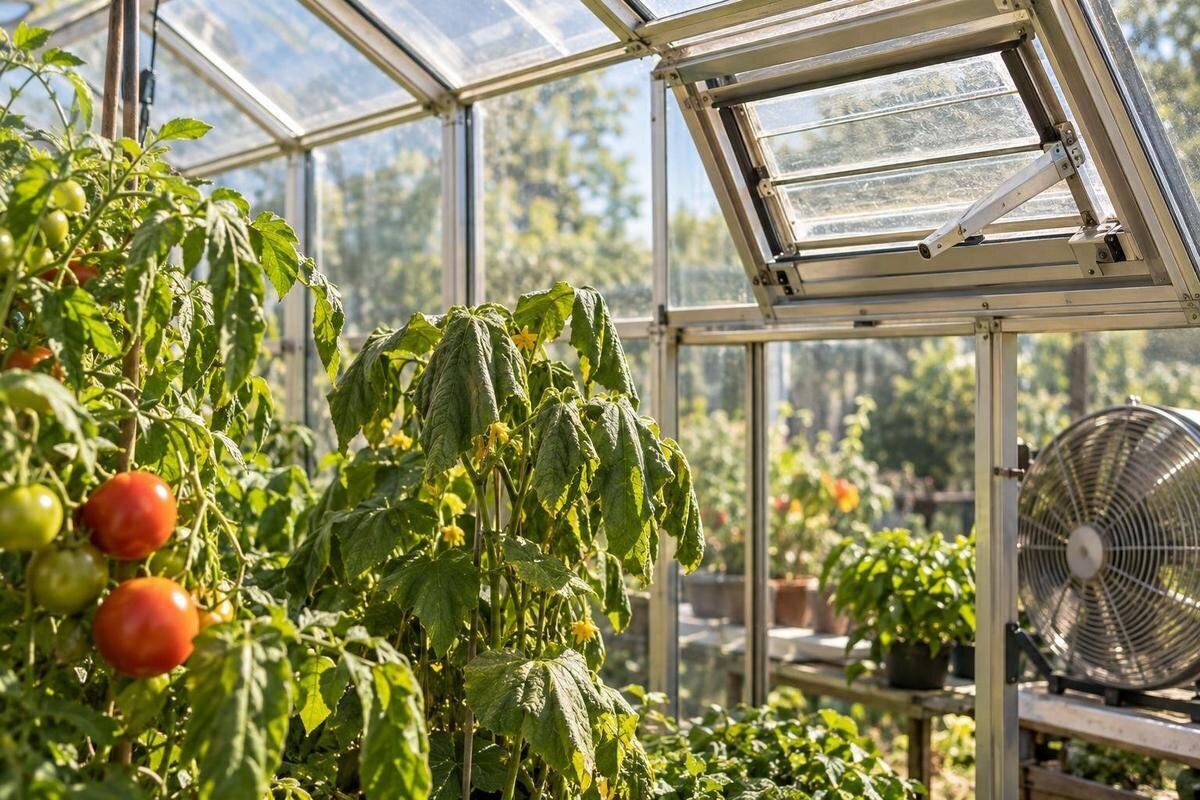
Greenhouse temperatures
An indoor temperature well above the forecast does not automatically mean either one is wrong. A greenhouse receives direct solar energy but exchanges heat with outdoor air at its own pace. A sensor sitting in a sunbeam, a sheltered position or limited ventilation can widen the gap. The quickest diagnosis is a repeatable log: compare shaded readings at the same times, note sun and openings, and follow temperature and humidity together.
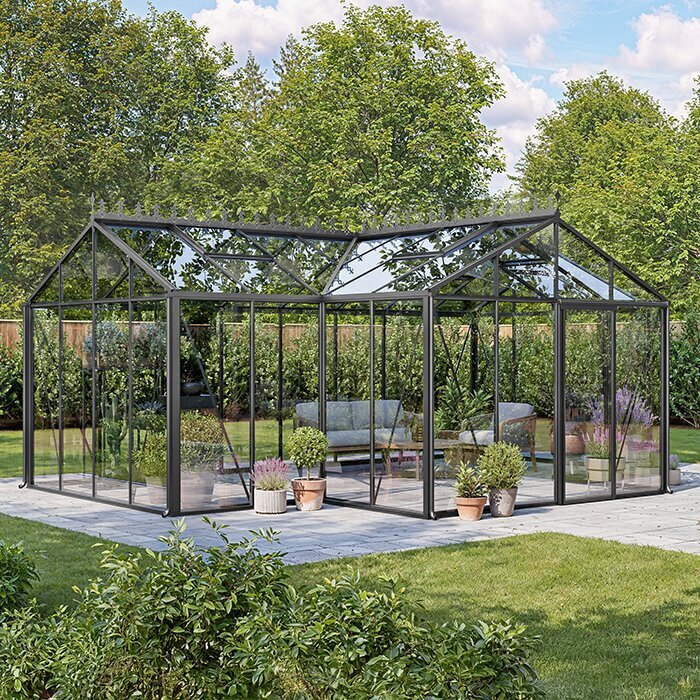
Why the greenhouse can exceed the forecast
The forecast is for outdoor air at a stated place and time, not for the enclosed air around your plants. In direct sun, light passes through the greenhouse covering and is absorbed by soil, leaves, pots, paths and benches. Those surfaces warm and transfer heat to nearby air. If heat enters faster than it leaves through ventilation and exchange with outdoors, the indoor temperature can climb while the garden still feels cool. The covering admits light while limiting unrestricted mixing with the surrounding air, so the greenhouse develops a separate small-scale climate.
Timing makes the comparison trickier. The forecast's daily high may occur later than your reading, while a forecast area cannot reflect every hedge, wall, cloud break or sheltered corner at your site. A brief sunny spell can warm the greenhouse before outdoor air changes much; low wind can also slow natural air exchange. An hourly forecast is still an estimate, not necessarily an observation beside your greenhouse. Compare indoor and outdoor values recorded at the same time, rather than an indoor peak with the forecast's later maximum. If the gap grows during sun and narrows when sun fades, that pattern points first to heat gain and site conditions.
Check the thermometer before diagnosing the greenhouse
Start with the sensor, because a poor position can create a convincing but misleading peak. A thermometer or probe in direct sunlight absorbs radiant energy; its casing may become warmer than the shaded air it is meant to measure. A sensor beneath bright roof panels, beside sunlit glazing or near a sun-warmed wall is at risk, even if its display looks precise. Follow the maker's placement instructions and use any shield specified for the instrument. For an air-temperature comparison, the sensing point needs shade and free airflow. A precise display does not compensate for a sensor warmed by sunlight.
Confirm which reading you are viewing: check Celsius or Fahrenheit, the time stamp, the selected remote probe, battery state, and whether the display shows the current value or a stored maximum. If you use minimum/maximum memory, reset it at a consistent time and write down the value before resetting. A sensor fastened to a frame or base may be influenced by that surface. When planning sensor placement in a model such as the Prestige Greenhouse with Metal Base, keep the probe clear of the structure rather than using the base as a measuring point. If two thermometers disagree, place them side by side in shaded, ventilated air and let them settle as their manuals advise.
Place the sensor where the plants are
Choose a position that represents the growing area: shaded, ventilated and at a height relevant to the plants you are monitoring. Keep the probe away from direct sun, the roof, glazing, walls, a sun-warmed path and containers of water. Do not tuck it into dense foliage or a closed box, where air may barely circulate; it should be protected from sunshine without being isolated from the air. Avoid a doorway where a brief draft may make the result unrepresentative of the bed. If plant height changes through the season, adjust the position and note the change in your log.
One sensor cannot describe every corner. Put the main probe where plants are growing, not in a separate work or storage area; add a second position only if you need to compare zones. If you are considering the Limited-Edition Aluminium Greenhouse with Built-In Storage, check the selected layout to distinguish the growing area from the storage space. The storage option alone does not establish how air moves between those areas. Keep each reading tied to the location you actually want to monitor. If you move a sensor, mark the date and its new position rather than comparing the readings as if nothing changed.
Keep a time-stamped temperature and humidity log
Use a notebook or spreadsheet with one row for each reading. Record the date, time, indoor temperature and relative humidity, plus an outdoor temperature from nearby at that same moment. Note whether direct sun is on the greenhouse, whether the sky is cloudy, and the positions of doors, vents and shading. Add relevant changes such as watering, heating or moving a sensor. The purpose is to connect a rise or fall to conditions that could explain it, not to collect every garden detail. Write down the location of each sensor once at the top of the log. Repeated readings also show whether a warm spell is brief or lasts for hours.
Begin with the indoor probe in its representative shaded position and an outdoor thermometer in a shaded, freely ventilated place close to the greenhouse. Choose a repeatable schedule; hourly through daylight is a manageable first log, with an extra entry after you change an opening or shading. Repeat on a sunny day and a duller or breezier day if possible. Use actual readings rather than only the forecast high, keep times and sensor positions consistent, and reset any maximum-memory function as directed. A photo of the sensor and opening positions helps you reproduce the setup.
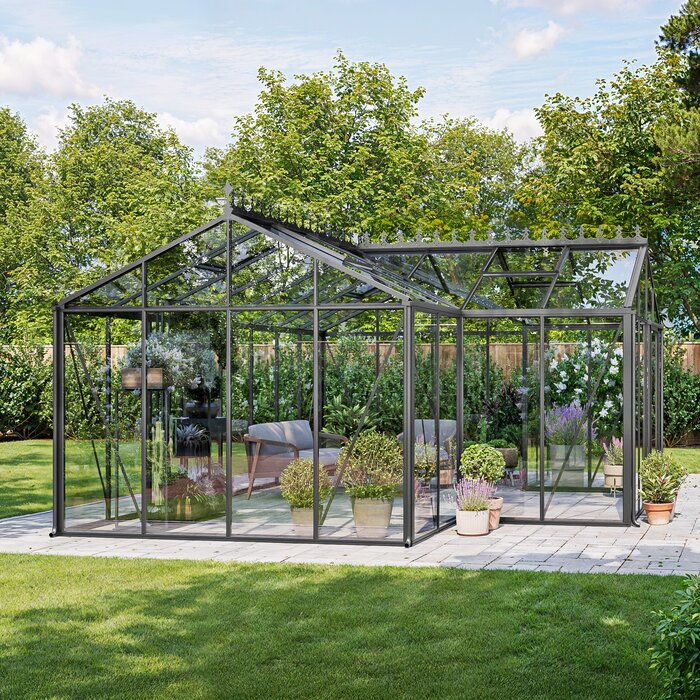
Compare the site with nearby outdoor air
A local outdoor reading helps distinguish a warm greenhouse from a warmer-than-forecast site. A high hedge, fence or shed can reduce wind around the structure; a nearby wall or paved area may change shade and surface warmth through the day. The weather station behind an app's forecast may be more exposed than your garden. Put the comparison sensor outside in shade with air around it, near enough to share the greenhouse's general conditions, and not against a wall or over sunlit paving. Keeping it at a broadly similar height to the indoor probe also makes the comparison more useful.
Observe the shade line and wind exposure at more than one time of day; a single morning check can miss sun reaching the greenhouse later. A wall-adjacent greenhouse may be sheltered or affected by warmth from the wall, depending on its orientation and the sun. When comparing options in the lean-to greenhouse range, assess the actual wall, surrounding shelter and openings specified for the chosen model, rather than predicting temperatures from the layout alone. Record when the wall and greenhouse receive sun alongside your indoor and outdoor readings. This comparison helps you separate a site effect from a ventilation problem.
Inspect the openings and air path
Once the sensor and comparison are credible, inspect the ventilation the greenhouse actually has. Use the model manual or product information to identify designed windows, roof vents, doors or other openings; do not assume every greenhouse has the same arrangement. Check that intended openings are not obstructed by plants, stored items or a screen, and observe whether an opener reaches its normal position. Do not force a mechanism or alter a fitting to make it open farther. During your log, record whether openings are open, partly open or closed; a vent being fitted is not the same as it being open when heat builds.
Compare readings near the main growing area and at a second point if the layout has separate ends or corners. Warmth may linger in a sheltered zone even while another part cools, and a central thermometer can hide that difference. For a layout such as the T-shaped orangery greenhouse, consult the exact model drawing to locate the openings and choose the zones you need to compare. The T-shaped format alone does not establish how air moves through the space. Compare those zones before deciding that a fan, opener or extra vent is needed. Also note wind conditions, because natural air exchange can vary with them.
Read humidity alongside temperature
Relative humidity is useful context, but it is not a direct measure of ventilation. It expresses how much water vapour is in the air as a percentage of the saturation level at that temperature. If water-vapour content stays similar while air warms, relative humidity generally falls; when air cools, the percentage can rise. That is why an afternoon temperature increase can coincide with a lower humidity reading without water suddenly disappearing from the greenhouse. Record both values and compare trends at the same sensor position instead of treating one humidity number as an explanation for heat. If one combined instrument records both, check that its placement instructions apply to each reading.
Moisture from plants, watering and air exchange can also change humidity, so a high or low percentage on its own does not prove that a vent is working or failing. In a broad space, readings in separate growing areas may differ: the Spacious Greenhouse range is listed at 47–70 m², a floor-area range rather than a ventilation rating. In any large greenhouse, check occupied zones separately; do not assume one central sensor represents them all. If temperature and humidity seem inconsistent, verify position, timing and instrument settings before changing equipment.
Separate shade from ventilation tests
Ventilation exchanges indoor air with outdoor air; shading reduces the solar energy reaching surfaces. These changes affect readings in different ways, so test one at a time. First correct a sensor in direct sun, because shade around a badly placed probe might improve its reading without cooling the crop area. Then observe the greenhouse with its existing openings operating as designed. If the indoor rise tracks direct sunshine despite a valid shaded measurement, a compatible shading method may be worth evaluating; if a warm area persists with openings clear, review airflow. A comparison made under different weather conditions will not isolate the effect of a change.
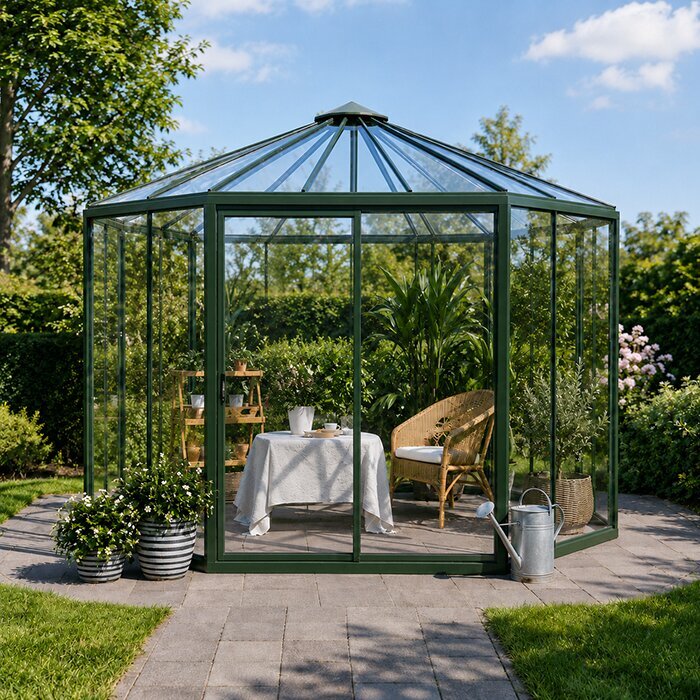
Do not choose shade by a universal percentage or assume a covering suits every roof or vent layout; crop light needs and the manufacturer's instructions matter. If you are comparing a new structure while planning shade, the Oasis Pyramid Greenhouse is listed in sizes from 5.53 to 18.9 m². Use the documentation for your selected size and version to check compatible shade fittings; the listed area and shape do not establish that compatibility. Keep any shading clear of ventilation openings, record its position in your log and compare the before-and-after readings under similar sunlight.
Choose ventilation equipment for the exact model
If the log points to ventilation rather than a false reading or sheltered site, identify the opening you want to improve before buying an opener, fan or controller. Check the exact greenhouse version, opening type and dimensions, fitting instructions and equipment maker's compatibility requirements. Floor area alone is not enough to establish air capacity. For example, the Aluminium Classic Greenhouse catalogue range is listed from 3.77 to 28.08 m²; that is a stated size span, not vent area or compatibility for each variant. Use detailed model information instead of assuming every version takes the same equipment.
After equipment is fitted or adjusted in line with its instructions, repeat the same log on a comparable day. Record when the opener or fan runs, whether the intended opening is clear, and how temperatures change in each relevant zone. If the result is unclear, check the equipment manual and the controller's sensor position before adding another device. If an opener uses its own sensor or control, note that separately; its setting may not match your independent thermometer. For electrical work, structural changes or uncertain mounting, use a qualified professional.
Use the pattern to decide what needs to change
A reading that drops after you move the sensor into shade points to a measurement problem; a correctly placed sensor that rises chiefly in sunshine suggests solar gain or local exposure; persistent warmth while intended openings are obstructed points to an airflow issue worth investigating. Treat these as clues, not verdicts from one number. Repeat the comparison, include another zone if needed, and check whether the change happens at the same time on similar days. If temperatures remain unexpectedly high after sensor, site and openings are checked, consult the exact greenhouse and equipment manuals or seek model-specific advice from the supplier or a qualified installer.
If you are considering a different greenhouse, use product pages to shortlist sizes and layouts, then compare the specified openings and equipment fit for each version. When reviewing the Limited Edition Aluminium Greenhouses, look for details relevant to the problem your log has revealed rather than treating the product family name as a guide to ventilation performance. If you intend to reuse an actuator, check its compatibility with the selected opening. Tie the decision to where heat appears, when it rises, how openings operate and what shade the site receives. That gives you a practical basis for an adjustment instead of buying equipment in response to one dramatic reading.
Frequently asked questions
Should the greenhouse temperature match the forecast?
No. A forecast describes outdoor air for its location and time, while a greenhouse develops its own sun-heated, sheltered conditions. Compare a shaded outdoor reading near the greenhouse with the indoor reading at the same time. A forecast maximum expected later in the day is not a like-for-like measurement.
Can direct sunlight make a thermometer read too high?
Yes. Sunlight can warm the thermometer casing or probe, so it may register a higher temperature than the shaded air around it. Move the sensor into ventilated shade, following its instructions, and compare it with a second thermometer in the same position if you have one.
How often should I record temperatures?
For a first hand-written log, hourly readings through daylight are a manageable starting point. Record an extra reading when you change a vent or shade position, and repeat the log on days with different sunlight or wind. Consistent times and sensor positions matter more than taking lots of unrelated readings.
Does high humidity prove that ventilation is poor?
No. Relative humidity changes with temperature as well as with moisture in the air. A high or low reading on its own does not prove that a vent is working or failing. Log humidity alongside temperature, then check sensor position, moisture sources and whether the intended openings are clear.
Should I add shade or ventilation equipment first?
First confirm that the sensor is in shaded, representative air. Then check the existing openings and compare readings across different parts of the greenhouse. If the pattern points to a change, test one factor at a time and check the exact greenhouse and equipment instructions before buying or fitting anything.
Once the sensor is shaded and readings line up by time and location, the cause is easier to isolate. Sun-related spikes, a sheltered site and heat that lingers despite open vents leave different patterns in the log. Keep the measurement position consistent, change one factor at a time and judge the result across comparable conditions. Then the difference from the forecast becomes useful evidence about your greenhouse, rather than a reason to react to a single reading.
