
Testing Soil-Moisture Sensors for Greenhouse Watering
Greenhouse watering guide
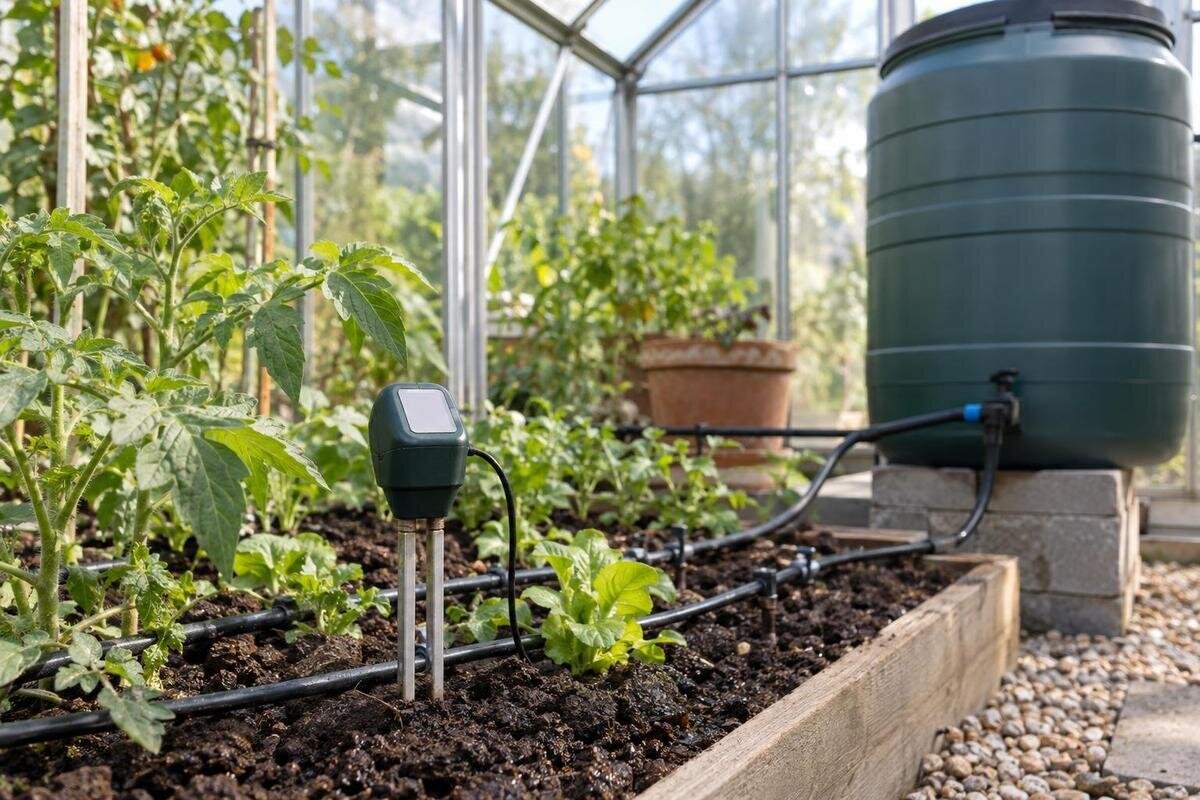
A soil-moisture sensor can make greenhouse watering more consistent, but one display cannot describe every plant or bed. It reports conditions at the probe, and what the reading means depends on the device, growing medium and placement. Before changing your routine—or letting a controller act—compare the reading with a hand check at the same depth, then observe it through an ordinary wetting and drying cycle. A short record of both helps establish whether the sensor tracks an active root zone or only one convenient spot.
01
What a soil-moisture sensor measures
A sensor reports a condition at the point it samples; it does not directly measure a plant’s demand, the moisture in an entire bed or the volume of water reaching every root. Instruments describe moisture in different ways. Some estimate water content from the medium’s electrical properties; others indicate how strongly water is held, and simpler units may present a relative scale. These methods are not interchangeable. Read the manufacturer’s explanation of the units before interpreting a number. A percentage on screen should not automatically be read as volumetric water content: check whether the manual defines it that way or as a device-specific scale. Matching numbers on different models need not mean matching conditions. For a useful trend, compare the same sensor in the same medium and at the same depth.
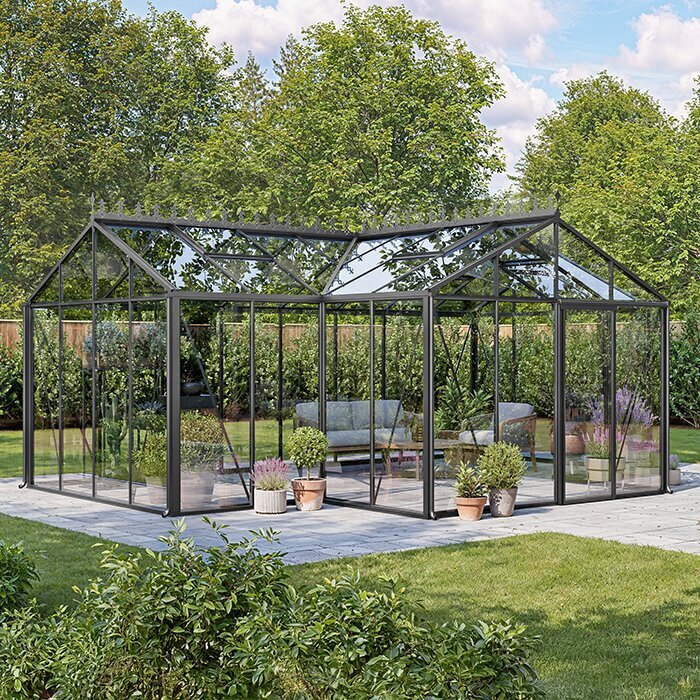
The growing medium matters as much as the device. Mineral soil, compost, coir and mixtures can produce different responses; salts in fertilised media, poor contact around a probe or a changed mix may also affect some sensor types. Treat the first reading as a reference to investigate, not a universal standard, and check whether the manual offers a medium-specific setting. The Classic aluminium greenhouse range is listed from 3.77 m² to 28.08 m². A listed area can frame a greenhouse plan, but it cannot tell you how many distinct beds, pots or sensor positions a particular layout needs. That depends on the growing zones and how they are watered.
How readings can improve watering decisions
Watering on set days may be convenient, but how quickly a bed or pot dries can change with sunlight, ventilation, plant growth, container size and the growing medium itself. A sensor adds an observation from inside the medium, where the surface may look dry while deeper compost remains damp, or look moist while the probe zone differs. Readings before and after ordinary watering help show whether moisture changed at the sampled point. A sequence can reveal a drying trend that a single glance misses. Used this way, a sensor can prompt a timely check or an adjustment to your routine, rather than simply adding another number to watch. It does not diagnose why a plant is struggling; it only reports local moisture.
Keep the signal in context. Plant stage and root development matter, and a moisture reading says nothing by itself about whether water is reaching the rest of a bed evenly. If the reading conflicts with the condition of the medium or plants, inspect the location before watering. When planning beds and containers for the Lean-to greenhouse range, listed from 3.69 m² to 14.34 m², consider which planting areas will share a watering routine. The sensor needs to represent the area covered by that routine. Record changes in sunlight, ventilation or growth alongside the readings so you can interpret the drying pattern rather than respond to each number in isolation.
02
Map greenhouse growing zones before positioning a probe
Draw a simple plan of beds, grow bags, pots and irrigation outlets before fixing a sensor position. A useful zone is an area likely to share a growing medium, plants at a similar stage and a similar watering method. A bed of compost and a group of small pots may dry at different rates even if they sit beside each other. Areas near a doorway, wall, roof edge or vent can also experience different conditions, so do not treat every corner as interchangeable. Mark what already differs; the map is meant to show where one reading may not represent the rest.
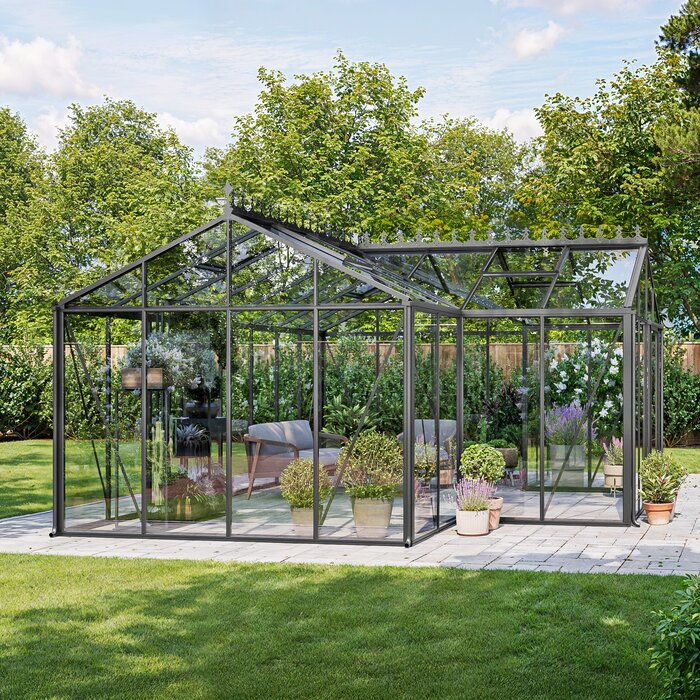
Keep the sketch practical: label the crop or container group, medium, watering outlet and intended probe point, and note anything that could make the spot unusually wet or dry. If you are comparing sizes in the Limited Edition aluminium greenhouse range, listed from 3.77 m² to 28.08 m², sketch the planting arrangement for the size you are considering. Begin with the distinct zones you already manage, then add a sensor only where a useful comparison is missing. This avoids monitoring several areas that behave alike while overlooking differences elsewhere. If a sensor is moved between zones, note each location so the readings are not mistaken for one continuous series.
Place the probe in the active root zone
Position the sensing point in the part of the medium occupied by active roots, at a depth suited to the crop and the container or bed. A probe near the surface can respond quickly to evaporation and may not reflect moisture lower down; one placed below the main rooting layer may not answer the question you are trying to manage. There is no single depth that suits every crop or pot. Use crop guidance and the sensor maker’s instructions, and measure the layer you intend to check rather than copying a placement from another greenhouse. When handling a fixed probe, avoid damaging roots as you insert or reposition it.
Choose a representative spot, not the wettest point immediately beneath an emitter, the driest edge or directly against a pot or bed wall. With a probe-style sensor, follow the stated insertion direction and ensure the sensing area has good contact with the medium; an air gap can make readings unrepresentative. The T-shaped orangery greenhouse listing gives area options from 16.52 m² to 30 m², but only your own growing plan shows where the beds and root zones are. If the layout changes, check that the probe still samples the zone you intended. When you move it, record the new position before comparing readings; it may now represent a different patch.
03
Calibrate the sensor to the growing medium
First establish what calibration means for your device. Some sensors let you select a growing medium or adjust an output; others cannot be user-calibrated, so the practical task is to learn what their readings correspond to in your own setup. Follow the maker’s procedure, select the correct units or profile if offered, and do not copy a moisture threshold from a different model, soil or crop. A precise-looking reading can still mislead if its scale was intended for a different medium. Calibration is about making the output interpretable, not creating a universal watering number. If the device does not allow adjustment, leave its settings as specified and build a reference from your own checks.
Use the actual compost, soil or mix in the bed or pot being monitored. During normal growing, record the display alongside a hand check when the medium is adequately moist after routine watering, then again as it dries towards the point when your usual check says watering is due. Let moisture redistribute first, using a repeatable interval rather than assuming one fixed wait suits every pot. Repeat across more than one ordinary cycle; do not saturate or dry a plant solely to create test points. Keep these calibration notes with your growing plan. For a layout in the Pyramid greenhouse range, listed from 5.53 m² to 18.9 m², identify the bed or container used for each test, its mix and the probe depth. That makes the reference traceable to the medium you actually tested.
Cross-check readings by hand
Take a small sample close to the sensor, at roughly the same depth, using a clean hand tool; avoid digging against or disturbing the probe itself. Feel the material and note whether it is cohesive, crumbly or only damp at the surface. A squeeze or pinch can be a rough comparison, but compost, coir and mineral soil feel different, so it is not a universal moisture scale. In a pot, the top layer alone is not a substitute for checking the probe depth. The purpose is to compare two observations of the same zone, not to prove one method right in every situation.
Make the check repeatable. Use the same approximate depth, sample a nearby part of the same bed or container, and record the sensor value before disturbing the medium. Repeat on several occasions, including before and after routine watering. If the sensor says wet while the same depth feels dry, or the reverse, note the mismatch and check placement, medium and contact rather than immediately changing a controller setting. Where many similar pots are grouped together, compare a few representative pots rather than assuming one container represents them all.
04
Use more than one reading when conditions differ
A single probe is most informative when the point it samples represents the area you water as one unit. Take another reading where there is a clear reason to expect a different moisture pattern: separate crops, different compost, individual pots versus a bed, separate irrigation lines or noticeably different exposure. This does not mean placing a sensor in every pot. It means not treating genuinely different growing zones as one just because they are in the same greenhouse. Start by comparing candidate locations with manual checks; if their readings and feel differ consistently, keep them as separate zones in your plan.
Sensor count should follow the number of distinct conditions you need to monitor, not a simple calculation from total area. When planning a layout for the Limited-Edition greenhouse with built-in storage range, listed from 5.52 m² to 28.08 m², mark the probes and watering outlets within each growing zone. If more than one probe will inform a controller, understand how it uses their readings: whether it averages them, switches between them or selects one. Check that it supports the inputs you intend to use. Several probes do not necessarily provide separate control for several zones, so establish which reading governs each watering action before testing the system.
Trial automatic watering before relying on it
Do not let a new sensor switch watering on or off until you have learned how it behaves in the chosen zone. Keep a manual record through ordinary wetting and drying, compare each reading with a hand check, and note what was happening when the values changed. Only after the pattern is repeatable should you consider a threshold or control rule; it must reflect the crop, growing medium and system’s intended operation. Avoid turning one surprising value into an immediate automatic response: first check the probe and water distribution. A supervised trial can show whether the controller acts as expected, without treating its output as proof that every plant is watered.
Confirm that the sensor and controller are explicitly compatible and that the controller can use the signal in the way you intend; similar plugs or product descriptions are not proof of compatibility. Check the manufacturers’ manuals for supported sensor type, output and operating conditions. The Bloomcabin Prestige Greenhouse listing gives area options from 3.77 m² to 28.08 m², but a greenhouse product page does not establish compatibility with a pump, valve or sensor. Use the controller’s designated pause or manual mode during testing if it has one. Have any connection work handled in line with the equipment instructions by a qualified person where needed.
05
Troubleshoot readings that do not fit
An implausible or unchanging value has several possible causes. The probe may not touch the medium properly, may sit at the wrong depth, or may be used in a different type of soil or compost from the one assumed by its calibration. Some sensors may also need cleaning or checking as described in the manual. Uneven watering can make a correctly working sensor report a local condition that does not represent the rest of the bed. Check possible causes one at a time; moving the sensor and changing the watering routine together makes it harder to learn what was wrong.
Compare the sensor with a sample from the same depth and nearby area, then check a second representative point if the zone varies. Note whether the value changes after normal watering and as the medium dries. On a layout plan for the Spacious Greenhouse range, listed from 47 m² to 70 m², mark the affected probe and nearby watering outlets to keep track of where the mismatch occurs. Before deciding that the instrument is faulty, check whether it is sampling the intended area. If the reading remains inconsistent, follow the manufacturer’s troubleshooting guidance or stop using it for automatic control until the cause is clear.
Keep a record and review the setup
Use a simple log rather than relying on memory: date and time, sensor reading, hand check at depth, watering event, medium or zone, and any unusual condition such as a change in ventilation or crop stage. The aim is not a perfect dataset. Comparable entries can show whether the sensor responds as the medium becomes wetter or drier, whether one outlet leaves a spot unusually damp, and whether a usual threshold is worth trusting. Tie each entry to a named probe and zone; readings from different positions are not one continuous series.
Review the arrangement after repotting, replacing compost, changing a crop or moving an irrigation outlet. These changes can alter what the probe samples or the relationship between its display and your hand check. Recheck the reference when the medium changes, and keep manual checks in the routine even after automation is working. They can help reveal a changed position, a contact problem or an unevenly watered area before the control rule is left to run without supervision. Record any cleaning or repositioning as well, so later readings can be compared fairly.
Frequently asked questions
Can a sensor tell me exactly when to water?
No. It measures a condition at its sensing point, not plant demand or moisture throughout a whole bed. Learn what its scale means in your growing medium, then compare it with a hand check at the same depth and the condition of the crop. Use it to inform a decision, not as an instruction to water on its own.
Is one sensor enough for a whole greenhouse?
It may be, if the area you want to manage has similar plants, growing medium, watering and exposure. Separate beds, grow bags or pots can behave differently, so compare representative points and treat consistent differences as separate zones. There is no reliable sensor count based only on the greenhouse’s total area.
Where should I put a sensor in a bed or pot?
Place its sensing point within the active root zone, at a depth suited to the crop and container or bed. Avoid relying on a very shallow reading, placing a probe immediately beneath an emitter or putting it against a pot wall. Follow the sensor instructions and compare its reading with a hand check at a similar depth.
How do I calibrate a sensor for compost?
Follow the manual for any calibration procedure or medium setting, then test the sensor in the compost you actually use. Pair readings with hand checks at the same depth after normal watering and as the compost dries over ordinary cycles. If the device cannot be adjusted, build a reference from your own checks rather than copying another sensor’s threshold.
Can I connect any sensor to an automatic watering controller?
No. First confirm that the controller supports the specific sensor type and signal, and check both manufacturers’ instructions. Compare readings with manual observations in the intended zone before relying on automatic control. A matching connector alone does not confirm compatibility.
A useful sensor routine is deliberately modest: one named growing zone, a probe at a known depth, a reading scale you understand and a hand check that gives it context. When those observations agree through normal watering cycles, the sensor can support more consistent decisions and, if suitable, a carefully tested controller. If they do not, keep watering decisions under manual review while you check the medium, contact, position and compatibility. The aim is not to automate every pot; it is to know which parts of the greenhouse the reading can genuinely represent.
