
Greenhouse Monitoring Without Home Wi-Fi: Connection Options
Greenhouse monitoring
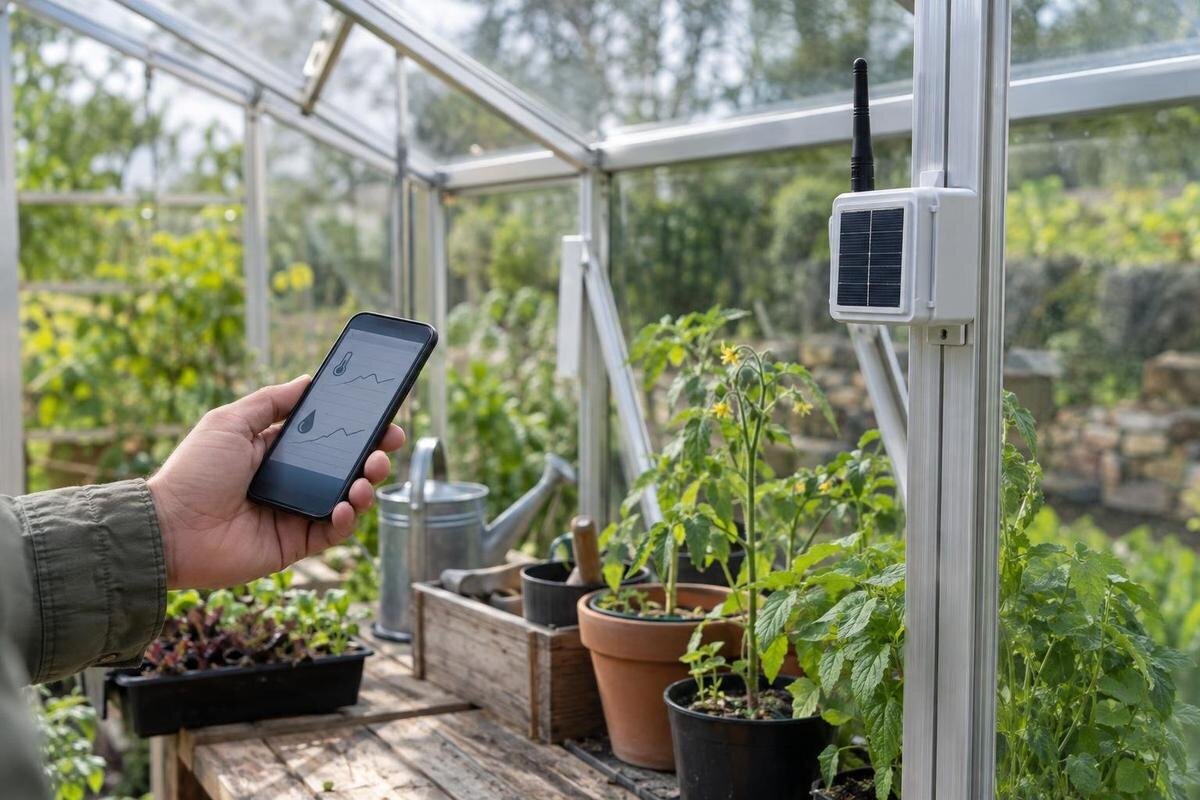
A greenhouse does not need to sit within your home Wi-Fi range for you to keep track of conditions, but monitoring without Wi-Fi can mean very different things. A standalone logger stores readings for you to collect later; a mobile-network monitor can send data through a SIM-based service; and long-range radio can carry readings from sensors to a receiver elsewhere on the property. The right arrangement depends on whether you need a history or an alert while away, what signal is available at the greenhouse, and which sensors the equipment supports. Compare the whole route, not just the sensor’s advertised range.
What to check before choosing 1
Decide what you need to monitor
First decide whether you need a history to consult on your next visit, an alert while you are away, or both. A record of air temperature, relative humidity, soil moisture, water level, door status or another condition is useful only if the chosen unit has the relevant sensor; a general-purpose monitor may not measure every item. Name the event that could change what you do, such as a reading outside the range you have set for a crop or an irrigation fault. Monitoring reports a condition; it does not water, ventilate or fix a fault unless compatible control equipment is separately specified. Set thresholds using reliable guidance for the crop or equipment, rather than copying a generic default.
Then decide where readings matter: one central point, a particular bench, or several separated growing zones. The Spacious Greenhouse is listed in sizes from 506 to 753 sq ft; its floor area is not a sensor specification, but it is a reason to consider whether one reading can answer your question about the whole space. Use the chosen layout to mark the spots you need to compare and label each sensor accordingly. Consider how quickly somebody could respond: an alert is useful only if someone sees it while the condition still matters. If you visit daily, a clear trend for your next visit may be more valuable than an instant phone notification.
Standalone loggers provide a history, not a remote warning
A standalone data logger stores readings for review at the unit or collection later. It can build a record without sending data over home Wi-Fi or a mobile network, but check how the particular logger works: some show readings on a display, while others need a phone, cable or computer to retrieve them. Find out whether it stores individual readings, averages or minimum and maximum values, how often it records, and how many readings it retains. Check whether old data is overwritten when memory fills, whether the clock keeps the correct time after a power interruption, and whether you can export the history in a usable format.
Logging suits a routine where you can visit often enough to collect the data and do not need to be warned in between. If a threshold is crossed on Tuesday, a logger with no outgoing connection will not tell you on Tuesday. When planning the benches in a Classic Greenhouse, identify which crop or growing zone each logger will represent. Give records descriptive names so that you can distinguish readings from a seedling bench from those taken near the door. Before choosing a logger, look at a sample export: dates, units and sensor names should be clear enough to interpret without the original app. Check whether setup or retrieval requires an account or internet access, even if recording itself works offline.
What to check before choosing 2
Mobile-network alerts depend on reception at the greenhouse
A mobile-network monitor can work without a home router because it sends data through a mobile service. The unit still needs suitable network support and usable reception where it is placed; depending on the system, it may also need a SIM or eSIM and an active data or messaging plan. A signal shown on your phone outdoors is only an indication, since the monitor, provider and position may differ. Check coverage for the provider the device supports, and test the actual unit at its intended location if possible. Ask which network technologies it can use and what happens if the preferred service is unavailable.
When planning monitoring for a Lean-To Greenhouse, include the intended position of the mobile unit in your reception test, rather than relying on a reading taken elsewhere beside the house. Confirm whether alerts arrive by text message, app notification or another method, and whether each depends on a paid service. An app notification may also need internet access on the receiving phone, so test the arrangement as you would use it while away. Check renewal dates and what the device does during an outage: it may store readings locally, but a delayed record is not a warning sent at the time. Decide who will receive notifications and how responsibility will pass to someone else during holidays.
Long-range radio covers the sensor-to-receiver link
With a long-range radio system, a sensor sends readings to a receiver or gateway somewhere else on the property. That is one part of the connection, not necessarily the complete route to your phone. A stated radio range may apply under particular test conditions; obstructions and the actual positions of the sensor and receiver can change the result. Check the system’s supported devices and whether it needs a compatible repeater. Do not assume that a transmitter and receiver will pair just because both are described as long-range equipment.
The receiver may show readings or sound an alarm locally if those functions are included. To receive a message while away, the receiver or gateway needs a further connection, such as a supported mobile service or broadband. If you are planning separate growing zones in a T-Shaped Orangery Greenhouse, check how the receiver identifies readings from each sensor. You should be able to tell which zone triggered an alert and whether the other sensors are still reporting. Ask whether the display distinguishes a missing transmission from an unchanged reading, and whether the system stores data when its onward connection fails. These details help prevent an old value being mistaken for a current measurement.
What to check before choosing 3
Bluetooth suits collection when you are nearby
Bluetooth can connect a compatible sensor or logger to a phone or tablet when you are close enough to retrieve the readings. It does not need home Wi-Fi for that nearby connection, but it is generally a walk-up option rather than a way to receive alerts from home. Some loggers save readings until you next sync; others may show only a current value. Check which applies to the exact device. Bluetooth range varies by equipment and surroundings, so a manufacturer’s figure is not a guarantee that your phone will connect from every part of the greenhouse.
This arrangement can suit people who are happy to collect data during regular visits. If you are considering a Pyramid greenhouse, include data collection in your planned visiting routine: how long might the gap between visits be, and will the logger retain that much history at your chosen recording interval? Check whether the app works with your phone and whether you can retrieve stored readings without mobile reception at the site. Confirm that readings are time-stamped and that a failed download does not erase the only copy. After a trial visit, inspect the beginning and end of the downloaded record. This shows whether you collected the full period you expected rather than just the latest reading.
Check compatibility across every device
Write down the complete connection chain before choosing equipment: sensor, receiver or gateway, any onward service, and the app or display you will use. A phrase such as long-range radio describes a type of connection; it does not mean that every sensor can pair with every receiver. Check exact model numbers and the supported measurement types. If you need temperature and humidity readings, for example, confirm that the sensor measures both and that the receiving equipment can record or display them as required.
Also confirm how many sensors the system supports, whether it can accept additions later, and whether alert thresholds can be set for each sensor. Check any required app, phone operating system, firmware and account, as well as whether third-party sensors are supported. If combining products, ask the seller or manufacturer to confirm compatibility model by model instead of relying on similar names or a shared protocol. It is useful to keep the answers with your equipment details: if a sensor is replaced later, you can check the new model against the rest of the system before buying.
What to check before choosing 4
Map the connection route in the actual greenhouse
Sketch the greenhouse, the proposed sensor positions, the receiver or gateway and the house connection if there is one. Mark which part of the route uses mobile service, Wi-Fi, Bluetooth or another radio link. A working sensor-to-receiver connection does not prove that the receiver can reach the internet, and good mobile reception at the house does not establish coverage at the greenhouse. Surrounding structures and the contents of the greenhouse may affect radio performance, so plan around the actual site rather than assuming a headline range applies everywhere.
For a Limited Edition greenhouse, use the planned layout to choose test positions, including any sensor furthest from the receiver. Where possible, test with doors, staging and ordinary contents in their usual places. Check repeated transmissions rather than accepting a single successful pairing as proof of a dependable link. Ask how often the sensor takes a measurement and how often it sends one: these intervals may differ, affecting how quickly you see a change. Note any gaps in the received history and whether missing readings appear later after reconnection. Keep sensor placement tied to the condition you need to measure; moving a sensor solely to improve reception may leave the original growing zone unmonitored.
Check power and environmental limits
Check how the sensors, receiver and gateway are powered, and how charging or battery replacement works. Battery-life estimates depend on the device’s settings and use, so read the conditions behind them and look for a low-battery warning. Find out whether readings continue to be stored if a gateway loses power. Use only the manufacturer’s specified power equipment; have a qualified professional assess any fixed electrical work. Also check the monitor’s stated operating conditions and enclosure requirements. A device’s resistance to water or dust does not by itself confirm that it is suitable for every temperature, humidity or condensation level in a greenhouse.
If you are comparing a greenhouse with built-in storage, consider access for battery replacement and routine inspection alongside the growing layout. Built-in storage does not establish suitable operating conditions or power provision for monitoring equipment. Choose a receiver position using the device instructions, with enough access to read its indicators and maintain it without disturbing plants. Check what remains available during each type of failure: a sensor might continue recording while its receiver is off, but only if it has that capability. Find out whether low-battery and disconnection warnings are supported, and whether a separate service reports that the gateway has stopped checking in. The equipment that loses power cannot necessarily report its own failure.

What to check before choosing 5
Compare ongoing costs and data arrangements
Compare the full cost of each arrangement, not just the initial monitor. Depending on the equipment, ongoing items can include replacement batteries, mobile data or text messaging, an app or cloud service, and extra sensors. A local logger may avoid a mobile plan but still need batteries or an app for retrieval. A radio receiver may work locally without a subscription, while remote access could require a separate service. These are possibilities to check, not standard charges: ask which features require payment, when any trial or plan ends, and what remains available if you stop paying.
Check what happens to the readings and your account as well as to the bill. Find out how long data is stored, whether you can export it, and whether it remains available if a service ends or your account changes. Confirm who can see the readings and receive alerts, especially if responsibility is shared with another person. Decide which notification method you will actually notice, and check whether it depends on a working app, mobile service or internet connection. Keeping clear sensor labels and dates makes a downloaded history easier to interpret later.
Choose a route and test it before relying on alerts
Choose an offline logger if it is acceptable to collect readings on visits; choose mobile-network monitoring if you need alerts away from the greenhouse and the supported service works there; consider long-range radio when sensors need to reach a local receiver, then check how that receiver sends data onwards. Bluetooth can suit collection when you are nearby. A hybrid setup may combine local records with remote alerts, but only if the exact devices support both. If there is no working onward connection, a sensor may still log data or alert locally if designed to do so, but it cannot send a remote message by itself.
When choosing a Prestige Greenhouse, include the monitoring equipment in the layout plan so that sensors remain accessible as benches and crops fill the space. Before relying on alerts, confirm pairing, plausible readings and delivery to the intended recipient using the manufacturer’s test function where available. Agree who will respond and what they will check on arrival; receiving a message is not the same as resolving the condition. Record the device models, sensor names, settings, battery changes and subscription dates. Repeat the relevant checks after moving a sensor, replacing equipment or changing the notification service. This gives you a practical maintenance record rather than relying on a successful test made when the greenhouse was empty.
Frequently asked questions
Can a greenhouse monitor work without Wi-Fi?
Yes. A logger can store readings locally, Bluetooth can let you collect them when nearby, and a SIM-based unit can use a mobile network. A radio sensor link can also reach a receiver. The available functions depend on the equipment; remote alerts still need a working route from the greenhouse to you.
Can I get alerts without home broadband?
Yes, if compatible equipment can send alerts over a usable mobile network or another supported connection, and any required SIM or service is active. A sensor-to-receiver radio link may provide an on-site display or alarm, but it does not automatically send a message to your phone away from the property.
Does an offline logger send alerts?
Only if it has a local alert function or a separate communication route. A logger that only writes to memory can preserve a history, but it cannot notify you remotely while disconnected. Check what happens when a threshold is crossed, memory fills or power is lost.
Can I mix sensors from different brands?
Do not assume so. The sensor, radio protocol, receiver or gateway and app all need to support one another. Check exact model numbers, supported measurements and the permitted sensor count. A shared brand name or a common protocol does not guarantee that devices will pair.
How do I know whether long-range radio will reach?
Treat the stated range as a starting point, not a guarantee. Figures may assume more open conditions than a real greenhouse and garden. Check the exact transmitter and receiver in their planned positions, and confirm every connection in the route from sensor to gateway and on to your phone.
The best connection depends on when you need the information. A logger can provide a history for your next visit; a mobile-network unit can deliver remote alerts where its supported service works; and long-range radio can connect sensors to a local receiver, with a separate onward route needed for remote messages. Choose a system whose measurements, power requirements and maintenance fit your growing routine. Reliable monitoring means knowing both what the latest reading tells you and whether it is still reaching you.
