
Which Greenhouse Temperature Alerts Are Worth Setting?
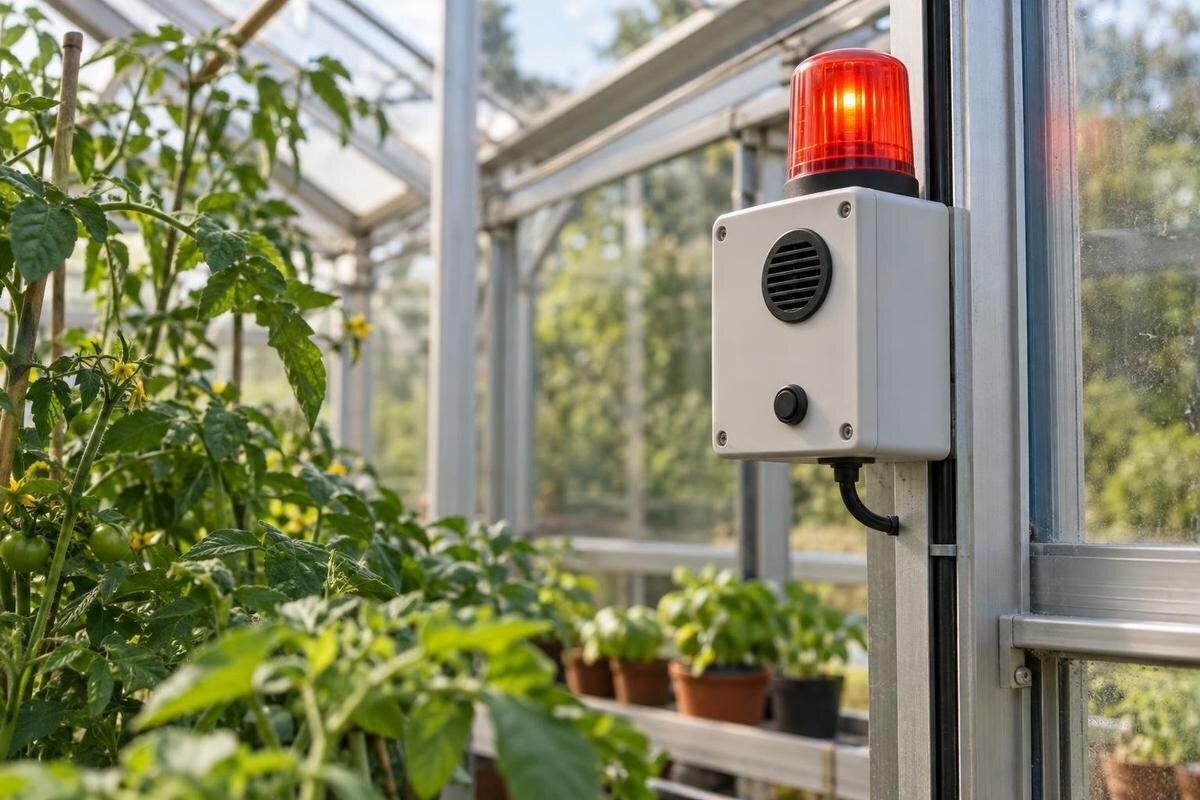
Greenhouse monitoring
A greenhouse temperature alert is useful only if it reaches someone while a response can still make a difference. One limit that sends a stream of low-priority messages is easy to ignore; another, set too close to a crop’s limit, may arrive too late. The practical approach is to separate early warnings from urgent alarms, allow for the time a person needs to act, and plan for missing data or a failed connection. Set thresholds from the plants’ needs and your own temperature records, then test the route from monitor to recipient before relying on it. This guide focuses on useful alert settings and escalation, not one universal temperature for every greenhouse.
01
Choose alerts that prompt a decision
An alert is worthwhile when receiving it changes a decision. Name the risk first: a cold spell threatening a sensitive crop, heat that may require intervention, a ventilation fault, or a monitor that has stopped reporting. Not every movement on a display needs to interrupt someone. A useful notification identifies the greenhouse or zone, the reading and limit involved, how long the condition has lasted, and whether it is a warning or an urgent alarm. It should also identify who is expected to respond. ‘Temperature high’ without context may cause worry but leave the recipient unsure whether to check a control, visit the greenhouse or escalate.
Before buying an alarm, write down the greenhouse model, the growing areas to monitor and the controls you expect to rely on. If you are also considering the Pyramid-type greenhouse, ask about the selected ventilation configuration and confirm monitoring compatibility against the equipment documentation. Then separate conditions that need an immediate response from information you can review later. A daily maximum may belong in a summary, while a temperature approaching a crop limit may justify interrupting someone. Decide which alerts remain active overnight and during an absence, rather than silencing everything when routine messages become distracting. If nobody can reach the site or take an appropriate action, a notification still provides information, but it cannot substitute for a response plan. That limitation should influence which crops and controls you are prepared to leave unattended.
Set low-temperature alerts for crop needs
Build the low-temperature limit around the plants, not a familiar round number. Different crops, growth stages and growing conditions may have different lower limits. Check the crop supplier’s guidance or reliable horticultural advice, and record the source you used. Set an early warning that allows time for the message to arrive, for someone to respond and for an appropriate action to take effect. An outdoor forecast is useful context, but it is not a substitute for the temperature reading in the greenhouse. Revisit the limit when the plants or growing plan change.
If plants with different needs share a monitored space, either set the warning for the most vulnerable group or use separate zones if the system supports them. Do not average a sensitive crop with hardier plants and assume the result is protective. When planning around the Limited Edition greenhouse with built-in storage, mark the actual growing areas on the selected layout and distinguish them from storage space. Label each alert with the crop group it concerns. For a falling temperature, the early-warning threshold should sit above the crop’s relevant lower limit; the urgent threshold should also leave enough time for the agreed response, rather than simply marking the point you wanted to avoid. Check previous overnight records to see how quickly readings fell between those levels. A warning that arrived well ahead of an urgent alarm on one mild night may provide much less notice during a different cold spell.
02
Give overheating its own warning levels
A high-temperature alert should leave time to inspect conditions and take an appropriate action, rather than arriving only once a crop’s relevant upper limit has been reached. Consider a lower watch level and a higher urgent level, using crop-specific guidance and your own logged readings from warm periods. There is no single degree value that suits every crop or greenhouse. A forecast can help you prepare, but the in-greenhouse reading should tell you when the set alert condition has actually occurred.
Be specific about what the recipient can do when a high alert arrives. They may be able to check ventilation or use a fitted shading control, but only follow actions appropriate to the installed equipment and its instructions. If you are considering the Prestige greenhouse, establish which ventilation and shading options are included in your selected configuration before writing that response. The warning level should sit below the crop’s relevant upper limit, with an urgent level that still allows a useful intervention. After someone acts, review fresh readings rather than assuming that opening a vent or operating shading has resolved the alert. Record when the action happened so you can distinguish readings taken before and after it. Agree how long the recipient should wait for an update, based on the monitor’s reporting interval and the risk involved. A continuing rise, or no fresh reading at all, should lead to a different response from a temperature that is clearly recovering.
Limit repeat alerts without hiding a real problem
A reading that briefly crosses a threshold can create a burst of messages if the system alerts on every update. If available, use a persistence setting so a routine warning is sent only after the condition has lasted long enough to merit attention. Choose that delay with the system’s logging interval and the time available to respond in mind. Avoid setting an urgent alert to wait so long that its purpose is lost. Check the manual to understand exactly how the device applies any delay.
Set a clear reset or re-arm rule as well. A separate reset point, often called hysteresis, can prevent repeated alerts when a reading hovers around the trigger. Decide whether the system should send a recovery message, repeat an unacknowledged alert or close it automatically. When planning monitoring for the Bloomcabin Orangery, use the chosen layout to decide whether alerts need separate zone names and whether the system supports them. Keep reminders tied to the same incident where the software allows, so recipients can tell a continuing problem from a new threshold crossing. Check what happens if a warning is acknowledged but the urgent level is reached afterwards: the urgent message should not disappear merely because someone accepted the earlier notification. An acknowledgement means someone has seen the message; it does not mean the issue is fixed. Likewise, a reset means the configured temperature condition has cleared, not that someone has inspected the plants.
03
Make the notification usable
Write messages so that a recipient can understand them quickly, even if they are not the usual greenhouse carer. Include a site name, zone, current reading, relevant limit, how long the condition has lasted and the time of the reading. If the system can show a trend, include it where it helps distinguish a stable warning from a continuing rise or fall. Use plain labels rather than abbreviations that a neighbour or backup contact may not recognise.
Keep a short response note beside the contact list. For a low alert, identify the affected crop group and the agreed protective action; for a high alert, identify the permitted ventilation or shading action, if available. For a structure chosen from the Classic greenhouse range, use the details of the installed configuration rather than a general product description. Make the note accessible without depending on the monitoring app: a backup contact may receive a text message but have no app account. Include the location of any relevant manual and a clear way to report what they have done. Ask a substitute to read the note before you leave and flag anything they cannot identify or operate. If a visit is needed, a dated photograph of the display or equipment state can help document what was found. Keep it alongside the reading and action time, so the next person does not repeat an intervention unnecessarily.
Plan escalation while you are away
Name a first contact and a backup, and agree how each should be reached. Set an escalation point for an unacknowledged urgent alert, taking account of how quickly the condition could become serious and how long a person may need to get to the greenhouse. A low-priority warning and an urgent alarm may need different routes. Do not assume that one phone notification will be noticed promptly; where the system allows it, use a second channel or recipient for urgent warnings.
Give each contact the site address, directions to the greenhouse, access arrangements and the actions they are authorised and able to take. Include what they should not attempt, such as operating unfamiliar equipment or undertaking repairs. For a lean-to greenhouse, make the access note specific to your property: describe the entrance and any locked gates on the route. Agree who takes responsibility once the backup responds, particularly if the first contact later becomes available. A short message confirming who is dealing with the alert can prevent two people making conflicting changes. Check availability for the actual dates of your absence, including overnight cover if urgent alerts may occur then. If nobody on the list can safely resolve the problem, name a further person or service to call. Where there is no realistic cover, prepare an alternative arrangement before leaving rather than expecting escalation messages to solve the gap.
04
Treat missing data as a separate alarm
A display that has stopped updating is not evidence that the greenhouse is within its limits. Set a separate notification for stale readings, lost sensor contact or other faults if the system supports it. The delay should reflect how often the monitor reports and how long you can safely go without a fresh reading. Check whether the device distinguishes a temperature threshold alert from a low battery, gateway or connection warning, so a technical fault is not mistaken for reassurance.
Ask how the system reports failures in the sensor, power supply, network or service it depends on, and whether a warning can reach someone when the usual route is unavailable. For a monitoring installation planned around the Limited Edition greenhouse, keep the monitor’s connection and backup details in the site record alongside the greenhouse configuration. Distinguish a low-battery warning, which may allow planned maintenance, from a stale-reading alarm that leaves current conditions unknown. Also check the timestamp shown after reconnection: a newly delivered message may contain an older reading, and stored records do not necessarily describe conditions now. Establish whether the service detects missed reports remotely or relies on the greenhouse device to send its own fault message. The latter route may be unavailable during a power or connection failure. If there is no dependable remote failure warning, arrange a manual check where the risk warrants one, with clear instructions for reporting the result.
Separate temperature alerts from automatic control
A temperature monitor, a notification service and an automatic ventilation controller are different functions, even when equipment is sold as a system. Before relying on an automatic response, confirm that the monitor and the specific fitted equipment are compatible, that the required settings are documented, and that you know how the system reports an unsuccessful action. A temperature alert on its own only reports a condition; it does not open a vent or move shading.
For a set-up planned around a T-shaped orangery greenhouse, check the selected configuration and its manuals before deciding what a controller can operate or which areas it covers. Do not infer integration from the presence of an app. Find out whether the system reports only that a command was sent, that equipment moved, or that the temperature subsequently returned within range; those are different kinds of confirmation. Keep an alert for a temperature that remains outside the intended range despite an automatic action. The response note should explain how a person can check the equipment state without making undocumented adjustments or repeatedly overriding the controller. If someone makes a permitted manual change, record it and agree who will restore normal operation afterwards. Otherwise, a temporary response during your absence may leave the controls in an unintended state after the original alert has cleared.

05
Test the notification and response chain
Test the whole route before a planned absence: from the device’s alert through the service or app to the phone or other device each contact will use. Use a manufacturer-provided test function or procedure where available, and confirm the message arrives on the recipient’s device. Check warning and urgent notifications separately if the system provides separate tests. Do not deliberately expose plants to unsafe conditions just to trigger an alarm; follow the equipment instructions if the test method is unclear.
Include the people as well as the technology in the test. Ask the first contact to acknowledge a test message and explain what they would do next; confirm that the backup knows when to step in. Check ordinary phone settings that could hide alerts, such as muted notifications, and verify any alternative channel the system is meant to use. Keep a short record of the test, including the time, settings checked and outcome. Repeat after changing recipients, alert rules, devices or phones.
Revisit settings when the growing plan changes
An alert setting that made sense for one crop may not suit a different collection or growing stage. Review low and high limits when you change what is growing, divide the greenhouse into new groups or alter the response plan. Use the temperature log to see whether warnings arrived early enough and whether routine fluctuations caused unnecessary messages. If nuisance alerts are frequent, investigate their cause before widening the threshold: a convenient setting is not useful if it hides a genuine risk.
When comparing monitoring equipment, check its documented temperature range and units, adjustable warning levels, persistence and reset options, repeat rules, recipient choices, connection-failure alerts and access to logged readings. Ask whether the exact monitor can work with the greenhouse equipment you intend to use, and how it reports a fault or an unsuccessful control action. Product names alone cannot answer those questions. Match each feature to a practical response plan, then keep the chosen limits, their crop guidance and the escalation contacts together so someone else can follow them.
Frequently asked questions
What temperature should I set as the alarm limit?
There is no reliable single value for every greenhouse and crop. Use guidance for the plants and their current stage, then set an early warning that leaves time to respond before the relevant lower or upper limit is reached. Your logged readings can show how much warning the system gives in practice.
Should an alert trigger as soon as a limit is crossed?
A persistence rule can prevent brief fluctuations from generating repeated messages, if the system supports one. Keep a separate urgent threshold, and check whether the system delays that alert too. Read the manual: devices differ in how they apply delays, reset points and repeat notifications.
Will a remote alert work if the connection fails?
Not necessarily. Check how the device reports a lost connection or stale reading, and whether that warning travels by a route independent of the connection that has failed. Test the available routes and arrange a manual check if the risk warrants one.
Can a temperature alarm open greenhouse vents?
Only if the system is documented to control compatible equipment and that exact set-up has been verified. A temperature notification alone does not operate vents or shading, and a control command does not prove that the intended change happened. Keep a human escalation route.
When should I test my alarm system?
Use the manufacturer's test procedure before a planned absence and after changing settings, devices, contacts or phones. Follow any routine checks in the manual as well. There is no universal testing interval; consider the equipment instructions and how long you will be away.
The most useful alerts distinguish an early warning from an urgent problem, identify who should respond and make it clear when the monitor has stopped reporting. Crop-based limits matter, but so do delivery, repeat rules and a realistic backup plan. When the settings, response note and contact chain are tested together, a temperature notification becomes a decision someone can act on rather than another message to ignore.
