
Black Friday Sauna Deals: How to Compare Complete Packages

SAUNA BUYING GUIDE
Black Friday can make a sauna purchase look like a simple choice between prices, but complete sauna packages are worth comparing only when you know what each one supplies. “Complete” has no universal contents list: one price may cover the sauna itself, while another may include a heating system or accessories. This guide explains how to itemise inclusions, separate required components from optional extras, compare the overall cost and confirm practical arrangements before ordering. No live offer, saving or deadline is assumed; use the prices and terms shown for the particular options you are considering. That way, an event label does not replace a proper comparison.
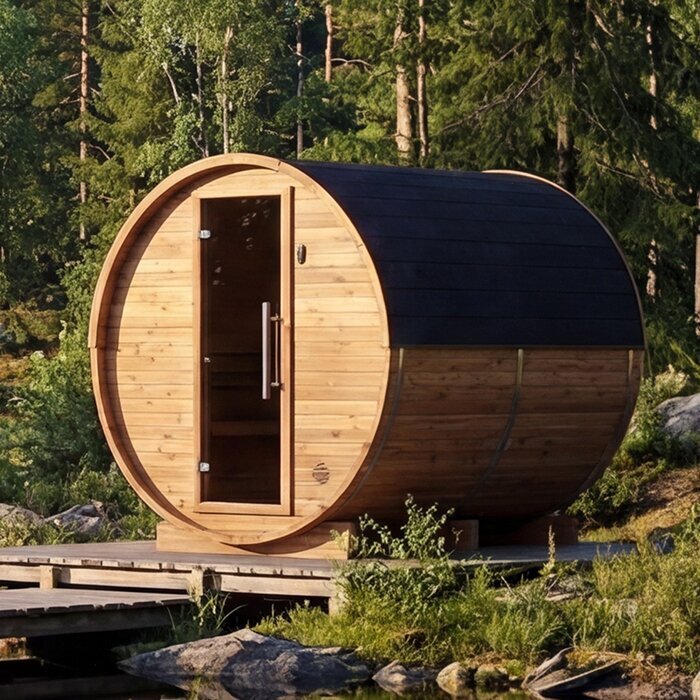
Compare the same sauna configuration
Before comparing a Black Friday headline price, define the package you want. One listing may describe a sauna cabin with the heater sold separately, while another may show a selected bundle; only the product details establish what each price covers. Decide what “complete” means for your purchase: the main sauna structure, a compatible heating system, its controls and any components the stated setup requires. A broad package label is not an itemised contents list, and an image does not settle the question. Compare configurations that meet the same brief, not just two headline amounts.
Write a short requirements note before opening several product pages. Record the intended location, who will use the sauna most often, how much room is available, whether the heater must be included and whether you need assembly or installation to be part of your plans. These points set your comparison criteria without asking you to guess at a model’s capacity or fit; use the dimensions and requirements stated for each listing. Give every configuration its own row, rather than making one row for each product name, and keep optional extras separate. If the heating type or installation scope is undecided, mark it as a question to resolve. This makes it easier to spot a low displayed price that leaves out something you need.
Check the listed contents item by item
Read the inclusions as named components rather than relying on words such as “complete”, “set” or “ready to use”. Check whether the selected price covers the sauna structure, benches, door, heater, controls and any other components the specified setup requires. Then look for items described as optional, sold separately or available only in a different bundle. Depending on the design, buyers may also need to check the status of items such as floor pieces, lighting or protective components. Do not assume that something pictured is part of the package. Record each item as included, optional, excluded or unclear, and keep any seller confirmation with your notes.
Use the Thermowood barrel sauna S 140 page as a page to inspect, not as proof of particular package contents. Note the exact option you are viewing, then verify every component in its product details. Keep separate records for the included items, extras, exclusions and unanswered questions. If a component is included only with a particular option, select that option before comparing the displayed price. Bundles may use a similar product name while covering different contents, so check the selected configuration as well as the general description. An itemised answer lets you compare packages without assuming that a title or photograph guarantees a particular part.
Confirm the heater and its associated components
A sauna price is difficult to compare if the heating system is not described clearly. Check whether a heater is included, what heating type and model are stated, which controls come with it and whether related components, such as sauna stones or system-specific flue parts where relevant, are included or separate. Do not presume that a heater shown on a page or in an image is part of the price. If the seller offers more than one option, make sure the selected option and its itemised contents refer to one another. A model name or code is not a technical specification, so do not use it to fill gaps in the listing.
On the HC150 Thermowood barrel sauna page, check what the product details actually say about the selected configuration. If a heater model, controls or related parts are not identified, ask the seller rather than assuming they are included or suitable. Keep the answer beside the relevant price, as it may affect whether you are comparing like with like. Before ordering, have a qualified installer assess the proposed heating system, supply and site-specific safety requirements. This is especially important if the listing leaves installation responsibilities or technical requirements unclear; a product comparison cannot replace a professional assessment.
Separate useful accessories from required extras
Accessories can make packages look more comprehensive, but their value depends on what you want and what the selected setup needs. Depending on the sauna and bundle, examples to check may include a thermometer, lighting, a bucket and ladle, floor pieces or additional seating items. Treat these as examples, not a standard contents list. For each, ask whether it is included, optional or sold separately, and whether the product details explain its purpose. Keep practical necessities distinct from items you would simply prefer to have; that makes it easier to see which parts affect the cost of your planned setup.
When reviewing the Thermowood barrel sauna HC 225 listing, check whether each accessory is identified under included items or optional extras. A bundle with several items is not automatically better value if you would not use them, while a simpler package may need additions before it meets your brief. Use stated prices for relevant extras where available; if a price or inclusion is unclear, record a question instead of guessing. Also check whether changing the selected option changes the contents. This avoids counting an accessory twice or treating an optional item as part of the basic package.
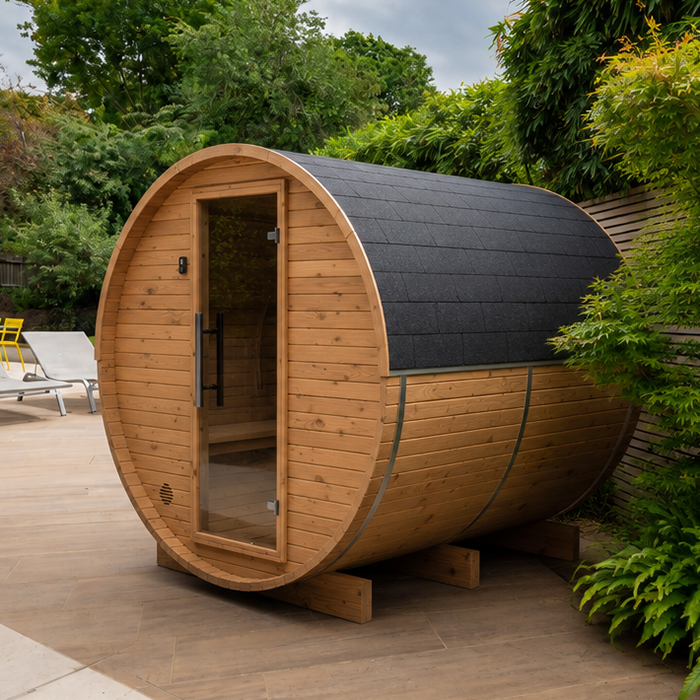
Compare the complete price, not the headline figure
Once you know what each package contains, compare the price for the exact option you have selected. Record the displayed package price, the cost of any required additions and any delivery or assembly charges shown. If a necessary service or component has no stated price, list it as an outstanding cost to confirm rather than treating it as free. Keep optional extras separate from your expected total unless you intend to buy them. This gives you a more useful comparison than the largest figure on a promotional banner, while avoiding the assumption that a low initial price covers every part of your purchase.
Use the Thermowood barrel sauna N 210 listing to check the price and option details actually displayed on that page; its name alone says nothing about the value of an offer. If a page presents a saving, compare the same configuration and check that the displayed price applies to the option in your notes. Review the final amount shown before ordering, including any stated charges and additions you need. A Black Friday label does not establish that two packages are equivalent or that a saving applies to your chosen option. Record the price and configuration you compared, as event pricing and page selections can change.
Check the site and who handles assembly
Think about where the sauna will go and what must happen before it can be used. Check the stated external dimensions and any relevant clearance information against the space available, including room to enter and use the door. If you are planning an outdoor location, look for the supplier’s stated requirements for the surface, base and exposure; do not assume one generic base or position suits every design. The product name and a general illustration are not a substitute for measurements or site guidance. If a detail affects the location you have in mind, get it confirmed before deciding that the package will fit.
Check whether the listing describes a product that needs assembly, whether assembly is offered separately, and who is responsible for preparing the location. The exact work depends on the selected sauna and setup, so do not rely on a general assumption about what a package includes. On the Thermowood barrel sauna N 250 product page, verify the stated dimensions and assembly information rather than reading them into the model name. Ask the supplier or a qualified professional about any site-specific requirements that are not explained. This helps you distinguish the price of the sauna package from the additional work needed to put your plan into effect.
Match the layout to how the sauna will be used
Think about the way people will use the sauna, not just how many people a headline capacity might suggest. Consider the seating arrangement, ease of entry and whether the interior layout suits the people who will use it most often. If you have a particular way of sitting or sharing the space in mind, check that the listing provides enough detail to judge it. Do not infer usable seating or capacity from a photograph or model code. A published layout or internal measurements, where provided, offer a sounder basis for comparison than a general impression of how spacious a product looks.
The name on the Thermowood barrel sauna LC 260 page identifies the listing, but it does not tell you how its interior is arranged. Compare the stated layout and measurements with the way you expect to use the sauna, and ask for missing details if they matter to your choice. Also check whether the components that support your preferred use, such as a particular bench arrangement or accessory, are included in the selected package. Keep this question separate from optional comforts: the aim is to confirm that the basic configuration meets your needs, not to add features simply because they appear in another bundle.
Read product details beyond the name and photographs
Look beyond the product title for the written details that matter to your purchase. Where relevant, check the stated dimensions, construction materials, surface treatment, care guidance, ventilation or other design information, and the intended exposure if the sauna will be outdoors. Not every detail will apply to every design, so focus on information that affects your plans. Do not assume that a material or performance characteristic follows from a model name, and do not treat a general photograph as a specification. If a key point is not stated, ask for clarification rather than filling the gap with an assumption.
For example, the Thermowood barrel sauna HCF 300 listing gives you a named page to review, but the label itself does not confirm construction, maintenance or performance details. Compare the written information available for each exact option, using the same criteria for all of them. Check whether the description identifies the selected variant and whether the care or assembly information relates to that configuration. If two pages use different terms for a feature, ask what each means before comparing them. Clear, relevant details matter more than a longer list of claims that cannot be matched to your intended setup.
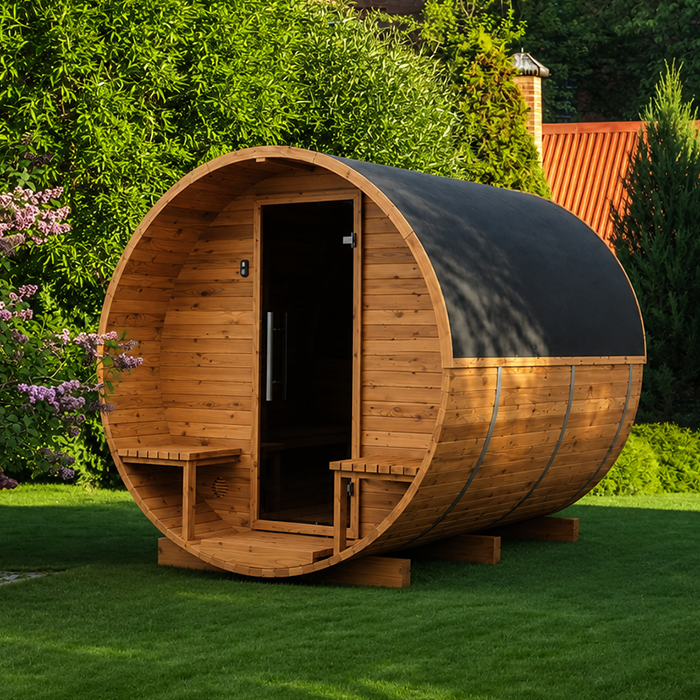
Confirm delivery and after-sales arrangements
Before placing an order, check what the seller states about delivery to your address, unloading, access and timing, as well as any delivery charge. Do not assume these arrangements are included in the sauna price. If access to the intended delivery point is restricted or unusual, ask whether that changes what can be delivered and how it is handled. Keep this separate from assembly: delivery of a package does not by itself confirm that assembly is included. These practical details can affect the overall cost and the planning required, even when the sauna contents themselves are clear.
Review the Thermowood barrel sauna LCF 300 product page for the delivery and service details it actually provides, then ask about anything important that remains unanswered. Check the stated arrangements for reporting missing or damaged parts, along with any warranty, returns or support terms supplied for the purchase. Do not assume that one seller’s process applies to another listing or configuration. Keep written replies with your notes, especially where they clarify contents, delivery or assembly. These are not accessories in the package, but knowing who handles each part of the order helps you compare the purchase as a whole.
Make a final comparison before placing the order
Use one comparison sheet for the exact options you have considered. Record the configuration, included components, required extras, stated dimensions, assembly responsibilities, delivery arrangements and final price. Mark an answer as missing if the product details or seller have not confirmed it; do not quietly count it as included. First set aside any option that does not meet a requirement you consider essential. Then compare the remaining packages on the same basis, giving more weight to clear contents and a workable overall cost than to a larger bundle of extras you may not need.
Before deciding, check that your notes still match the option selected on the product page, especially if you changed a bundle or accessory choice. Keep the displayed price, stated contents and any written seller answers together so you can refer to the same information if you revisit the decision. Set your budget against the full planned purchase, not just the first price shown. If something important remains unclear, pause until you have an answer. A sound Black Friday sauna choice is one whose contents, costs and responsibilities fit your plans, not simply the one with the most prominent event message.
Frequently asked questions
What should a complete sauna package include?
There is no single contents list that applies to every package. Confirm which sauna structure, heater, controls and system-specific components are included in the exact option you are considering. Check accessories, assembly and delivery separately, and treat anything not clearly stated as unconfirmed.
How do I compare Black Friday sauna deals fairly?
Compare the same kind of configuration: check the selected option, included items and required extras first, then compare the final costs shown. A headline price or advertised reduction cannot tell you whether two packages contain the same things.
Are sauna heaters always included in a package?
No. Package contents vary, so look for an explicit statement that the heater is included and check what controls and related components come with it. If details are missing, ask the seller. Have a qualified installer assess the proposed system and site requirements before ordering.
Should I include accessories in the package comparison?
Yes, but keep optional accessories separate from components you need for your planned setup. Add relevant extras to your expected total, rather than assuming they are included or valuing a bundle more highly just because it contains items you would not use.
What if the product page does not explain what is included?
Ask for an itemised confirmation for the exact option, including the parts covered by the displayed price. Keep the answer with your comparison notes. If an important inclusion or responsibility remains unclear, do not treat the package as complete.
A useful Black Friday comparison is based on the exact sauna configuration, not the most prominent price or the longest list of extras. Confirm what is included, price the components and services you need, and check that the site, layout and ordering arrangements suit your plans. If an important detail remains unclear, wait for a clear answer before treating the package as complete. That gives you a sound basis to choose an offer or decide that it does not meet your brief, without assuming that an event label proves value.
